“Is ChatGPT safe for my kid?” is one of those questions that sounds like it should have a yes or no answer and stubbornly refuses to give one. The honest reply is that whether ChatGPT for kids is safe depends on the child’s age, how they use it, and whether you have taken ten minutes to set it up and talk about it. Used one way, it is a genuinely brilliant learning tool that can explain anything patiently and never gets tired of a child’s questions. Used another way, it is a homework-shortcut machine that hands out confident wrong answers and quietly collects whatever your child types into it.
This guide is about getting the good version. We will cover the real risks, which are probably not the ones you are imagining, the settings that actually matter, and the handful of things worth teaching your child so they use AI as a tool rather than a crutch. A quick note on scope: this is mostly about ChatGPT and the other AI “assistants” like Google’s Gemini and Perplexity. The “AI companion” apps that act like a virtual friend or partner are a different and riskier category, and we cover those separately in our guide on AI chatbots and kids.
First, the good part, because it is real
It is easy to lead with fear, but that would give you the wrong picture, because a well-used AI assistant is one of the most powerful learning tools a child has ever had access to. It will explain a tricky maths concept five different ways until one clicks. It will patiently answer the eleventh “but why?” without a sigh. It can quiz a child before a test, help them plan an essay, translate a passage, or break a daunting project into steps. For a curious kid, or one who is nervous about asking a teacher, that is genuinely valuable.
So the goal is not to keep your child away from AI. They will use these tools for the rest of their lives, at school, at university, in whatever job they end up doing, and learning to use them well is a real advantage. The goal is to shape how they use it, starting now, while you are still in the room.
The risks that actually matter
Set aside the sci-fi worries for a moment, because the real issues with ChatGPT for kids are more mundane and more important than robots taking over.
The first is confident wrong answers. This is the big one, and the least understood. AI assistants “hallucinate”, they generate text that sounds authoritative and is sometimes simply false. They invent facts, make up sources and quotes, and get maths wrong, all in the same calm, certain tone they use when they are right. A child who trusts an AI answer the way they trust a calculator will absorb errors without ever noticing.
The second is using it to avoid learning. There is a world of difference between “explain this so I understand it” and “write this for me so I don’t have to”. The first builds a child’s ability; the second hollows it out, and schools are increasingly good at spotting AI-written work anyway.
The third is inappropriate content and weak age checks. The mainstream assistants have safety filters and generally handle explicit requests reasonably well, but no filter is perfect, and the age gates are often just a box that asks for a birth year. A determined child can get past them, and can sometimes coax the model into territory you would rather it did not.
The fourth is privacy. Children treat chatbots as private confidants and pour real, personal information into them, their name, their school, their worries, sometimes far more. That information goes to a company’s servers, and how it is stored, whether it is used to train future models, and how well it is protected varies from product to product.
Notice that three of these four are about how the tool is used and configured, not about the tool being evil. That is good news, because it means they are all addressable.
The settings that matter
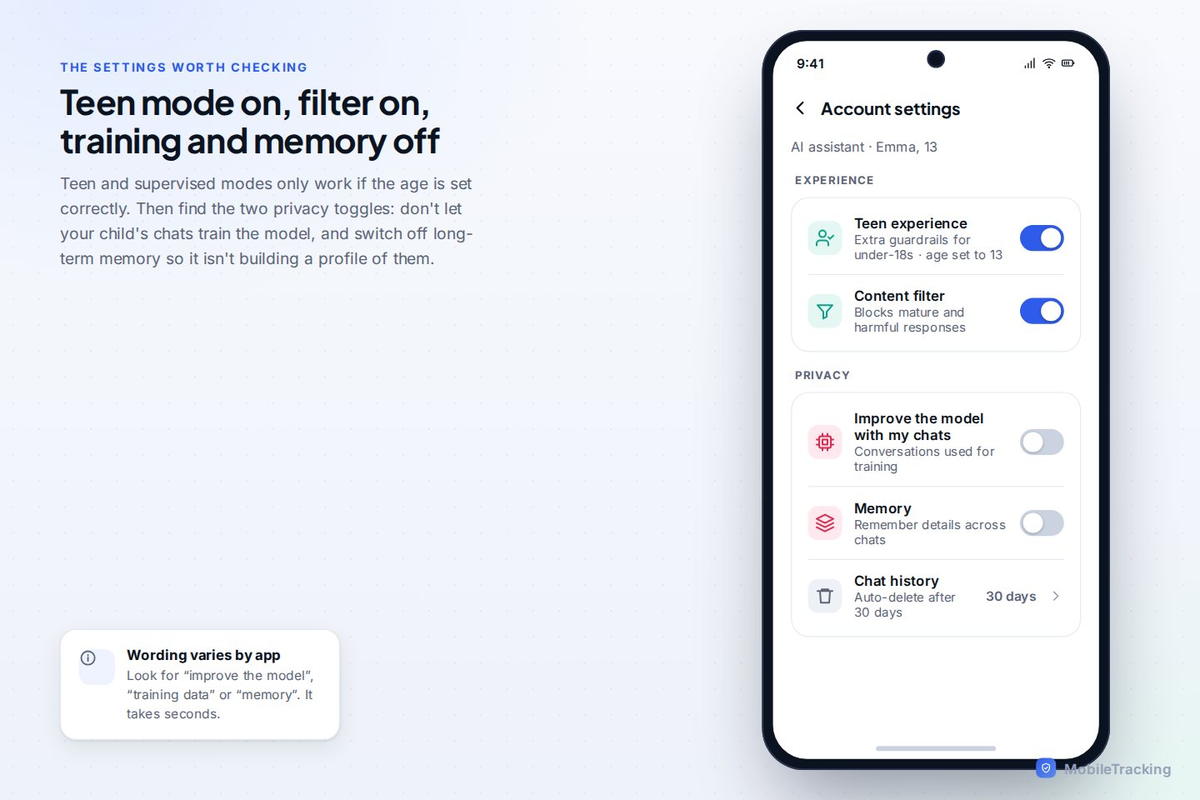
The single most useful move is to set the account up honestly as a teen account where that option exists. The major AI assistants have moved toward supervised or teen experiences with extra guardrails for under-18s, and they only work if the age is set correctly. So enter your child’s real age, switch on any teen or supervised mode offered, and keep the content filter on.
Two more toggles are worth finding. First, turn off “use my chats to train the model” (the exact wording varies), so your child’s conversations are not fed into the company’s future training. Second, consider turning off long-term “memory” features for a child’s account, so the assistant is not building a persistent profile of them across every chat. Neither is a disaster if left on, but off is the more private default for a child, and it takes seconds.
Teach the fact-check reflex, it is the whole game
If you teach your child only one thing about AI, make it this: for anything that matters, check it against a second source. AI is a smart, fast, occasionally-wrong starting point, never the final word. Drill that until it is automatic, and you have handed your child a skill that protects them not just with ChatGPT but across the entire information-soaked world they are growing up in.
A good way to make it stick is to show, not tell. Ask the AI something you know well, or something with a clear factual answer, and catch it out together when it gets a detail wrong or invents a source. Kids find this genuinely funny, and the lesson lands far better from a live example than from a lecture: the confident machine is sometimes confidently wrong, so always double-check.
The homework line: understand versus avoid
This is the conversation most worth having, because “don’t use AI for homework” is both unenforceable and, honestly, poor advice for the world your child is entering. The better line runs between using AI to understand and using it to avoid understanding.
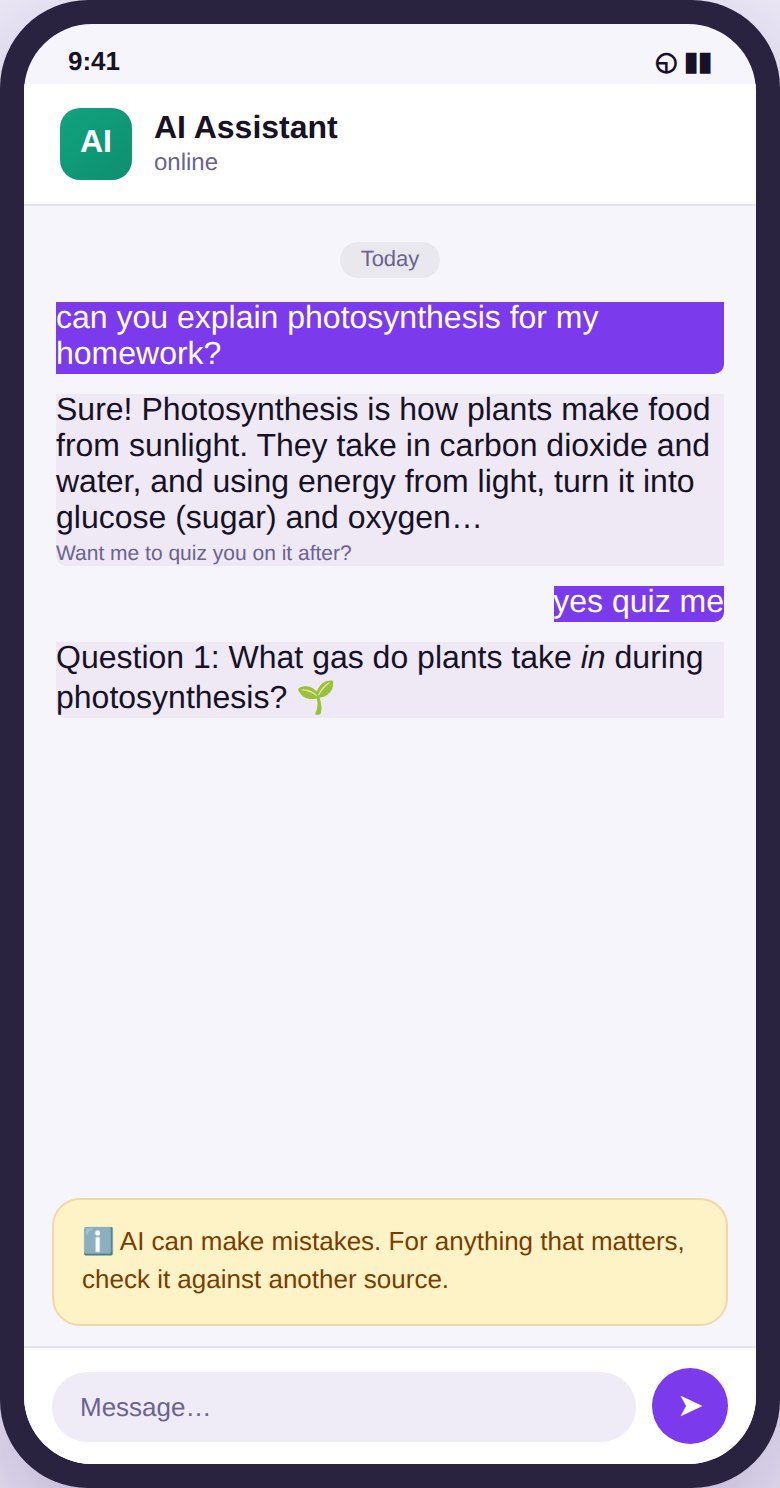
On the good side: “explain photosynthesis like I’m twelve”, “quiz me on these dates”, “check my essay’s argument and tell me where it’s weak”, “give me three ways to start this paragraph so I can pick one”. That is AI as a tutor, and it builds capability. On the other side: “write my essay”, “do my worksheet”, “answer these questions for me”. That is AI as a ghostwriter, and it means the child learns nothing the homework was meant to teach, and increasingly gets caught doing it.
Most children can grasp that distinction if you lay it out plainly, and framing it as “use it to learn faster, not to skip the learning” tends to land better than a flat ban they will ignore the moment you leave the room.
What kids tell chatbots, and why it matters
It is worth a specific word about privacy, because children are strikingly open with AI. Something about the private, judgement-free feel of a chat window leads them to type things they would not say aloud, personal worries, details about family, school, friendships, sometimes sensitive stuff. To the child it feels like a diary. It is not. It is a message to a company’s servers.
The rule to teach is the same one that applies to the whole internet: do not tell it anything you would be uncomfortable seeing somewhere else, because “somewhere else”, through a data breach, a policy change, or training data, is always a possibility. This is not about frightening your child off the tool; it is about giving them the same healthy caution you would want them to have anywhere online.
By age: a rough guide
For younger children, under about ten, an AI assistant should really be something used alongside an adult, if at all, not handed over for solo use. At this age the fact-check reflex is not developed and the appeal of “it just gives me the answer” is strong. Use it together, if you use it, as a shared curiosity tool.
For tweens, roughly ten to thirteen, this is the age to start teaching the skills deliberately: supervised or teen mode on, the fact-check habit drilled, the homework line explained, and a light eye on what they are using it for. Many will be using it for school whether or not you have blessed it, so better to shape it than pretend it is not happening.
For teenagers, the emphasis shifts to coaching good judgement rather than control, because in a couple of years they will be using these tools with no oversight at all and need to have practised using them well. Keep the teen-account settings on, keep talking about the limits and the privacy, and treat it as a skill you are helping them build rather than a threat you are policing.
What software can and cannot help with
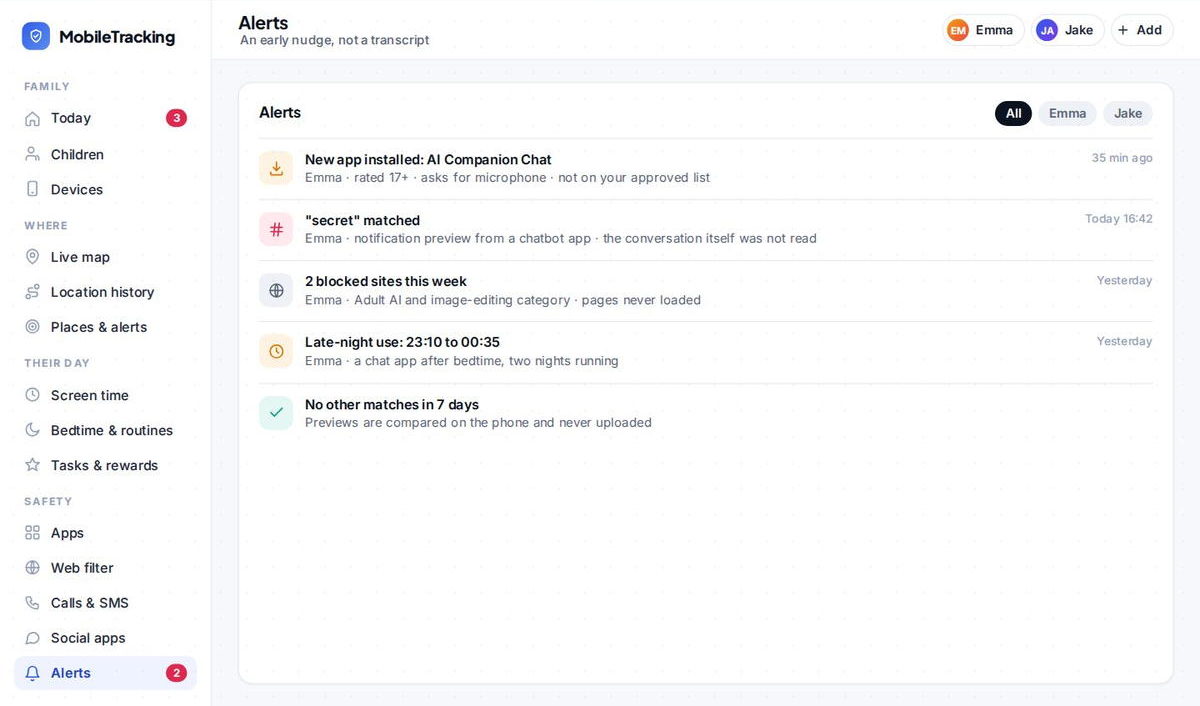
It is worth being precise about where a parental-control tool actually helps, because the marketing around AI tends to overpromise. Software can genuinely block the categories you would not want a child near, the adult-AI and “nudify” sites that sit well outside the mainstream assistants, flag when a new AI app is installed on the phone so a companion app does not appear unnoticed, and alert you if a keyword you are watching for turns up.
What software cannot do is read and judge a nuanced, hours-long conversation your child has with an assistant, or decide whether they are learning from it or leaning on it. That judgement is human, and it depends on you staying close enough that your child would tell you if the AI said something odd or upsetting. The technology buys you time and closes off the worst avenues; the staying-close part is still yours.
So, is ChatGPT for kids safe?
For a teenager, with the account set to the teen experience, the content filter on, training and memory off, the fact-check habit taught and the homework line drawn, yes, it is reasonable and genuinely useful. For a younger child, it is better as a supervised, shared tool than a solo one. In every case, the safety comes less from the product and more from the setup and the conversation. AI is not going away, and a child who learns to use it well, critically, honestly, and with a bit of privacy sense, is better off than one kept away from it entirely and left to work it out alone later.
If you use MobileTracking
MobileTracking helps with the parts of the AI question that software can genuinely handle. Its web filter blocks adult-content categories, including the AI “nudify” and explicit-companion sites that sit outside the mainstream assistants; its app monitoring flags when a new AI app appears on the phone; and its keyword alerts tell you if a word you are watching for shows up in a notification. Think of it as a safety layer underneath the more important work of setting up the assistant properly and talking to your child about how they use it.
Frequently asked questions
What age can a child use ChatGPT?
Most AI assistants set a minimum age of 13, and several now offer supervised or teen experiences with extra guardrails. Younger children should use them alongside an adult, if at all, rather than solo. Whatever the age, set the account up honestly so the right safety defaults apply.
Will ChatGPT give my child wrong information?
Sometimes, yes. AI assistants “hallucinate”, producing confident, authoritative-sounding text that is occasionally simply false, including invented facts and sources. Teach your child to treat AI as a fast, sometimes-wrong starting point and to check anything that matters against a second source. It is the single most valuable habit you can drill.
Should I let my child use AI for homework?
Yes, with guidance. Using AI to understand a topic, quiz themselves, or get feedback on their own work builds real skill; using it to write the whole thing so they can skip the learning does not, and schools increasingly catch it. Teach the line between using it to learn faster and using it to avoid learning.
Is it safe for my child to share personal things with a chatbot?
Be cautious. Children treat chatbots as private confidants, but everything typed goes to a company’s servers and may be stored or used to train future models. Teach the same rule as for the rest of the internet: don’t tell it anything you would be uncomfortable seeing somewhere else. Turning off chat-history training helps.
What is the difference between ChatGPT and an AI companion app?
ChatGPT and similar assistants are tools for answering questions and helping with tasks. AI companion apps, like Character.AI and “AI girlfriend/boyfriend” apps, are designed for open-ended, emotional, friend-or-partner-style chat, and carry different, generally higher risks around attachment and adult content. We cover those in our separate guide on AI chatbots and kids.
Keep going
Read our guides on AI chatbots and kids, the social apps teens actually use, and setting up parental controls on Android. For trusted guidance beyond this site, Common Sense Media is a well-regarded resource for parents: Common Sense Media.