MobileTracking
MobileTracking Snapchat Tracker

MobileTracking Snapchat Tracker — Parent’s Complete Guide to Snapchat Monitoring for Child Safety

If you were to design a messaging platform specifically to be as invisible as possible to parents, you might come up with something that looks a lot like Snapchat. Messages disappear after being viewed. Photos vanish seconds after opening. Stories self-delete after 24 hours. The entire design philosophy of the app is built around the idea that content is temporary — seen, then gone, leaving no trace in the conversation thread.

For the hundreds of millions of young people who use Snapchat daily, this impermanence is exactly the appeal. The platform feels private in a way that other social apps don’t — conversations happen without the permanent record that gives other messaging platforms an archival quality. For teenagers navigating the social complexity of adolescence, a space where things can be said and shared without lasting documentation feels genuinely liberating.

For parents, that same impermanence creates one of the most significant blind spots in their child’s digital life. While GPS data can be checked, call logs reviewed, and text messages read, Snapchat content evaporates before most parents know to look for it. A parent who finds their 13-year-old on Snapchat and opens the app to check what’s been shared finds a conversation thread of mostly vanished content — timestamps where messages used to be, a record of the fact that something was sent, but not what it was.

This is the specific challenge that MobileTracking‘s Snapchat tracker addresses. By working at the device level — capturing content as it appears on screen rather than trying to retrieve it after it’s been deleted — MobileTracking gives parents visibility into Snapchat activity that the app’s own architecture is specifically designed to obscure.

This guide explains exactly how that works: the technical approach to capturing ephemeral content, what parents can see through the monitoring dashboard, the specific situations where Snapchat monitoring provides genuine value, how to set it up, and the ethical and legal framework that responsible use requires. If you’re a parent trying to understand whether Snapchat monitoring is appropriate for your family, this is the complete picture.

Parent using MobileTracking Snapchat tracker to monitor child's Snapchat activity on Android smartphone at home

Why Snapchat Presents a Unique Monitoring Challenge

To understand why Snapchat monitoring is technically and practically different from monitoring other platforms, it helps to understand how Snapchat’s core design differs from standard messaging apps.

The Architecture of Impermanence

Standard messaging apps — SMS, WhatsApp, Messenger — store message content on the device. Even when a message is deleted locally, monitoring software with appropriate permissions can often access the content because it was stored on the device, synced to the monitoring account, or cached in a database file that persists after the message is removed from the visible conversation thread.

Snapchat’s architecture is fundamentally different. Messages in Snapchat are designed to delete automatically — after a set viewing period for photos and videos, or when the conversation ends for text messages unless they’re saved. The message content isn’t simply removed from the visible interface; it’s deleted from local storage. This means standard message-log monitoring approaches that work for WhatsApp or SMS don’t apply to Snapchat — by the time a monitoring tool would normally capture the message from device storage, it’s already gone.

This design choice is intentional and reflects Snapchat’s core positioning: a platform for communication that doesn’t build a permanent record. It’s also what makes Snapchat the preferred platform for content that users specifically don’t want archived — which is both a feature for ordinary teenage communication and a significant concern when that content is inappropriate.

Snapchat’s Reach Among Young People

Snapchat’s adoption among teenagers and young adults is substantial. According to research from Pew Research Center, Snapchat is consistently among the most widely used platforms by American teenagers — more than Facebook, more than Twitter, roughly comparable to Instagram and TikTok in adoption rates. In several other countries, Snapchat’s youth adoption is similarly significant.

For many young people, Snapchat functions as a primary channel for visual communication: sharing moments from their day through stories, sending photos to individual friends, and maintaining streaks — the consecutive-day interaction sequences that create their own social dynamics and pressure.

The platform’s reach means that for a substantial proportion of children with smartphones, understanding what’s happening on Snapchat is a meaningful part of understanding their digital life. A parent who monitors SMS, WhatsApp, and Instagram but not Snapchat may be missing a platform that accounts for a significant portion of their child’s daily communication.

What Happens on Snapchat That Parents Can’t See

The disappearing nature of Snapchat content isn’t just an architectural feature — it actively shapes how the platform is used. Young people who want to share content they wouldn’t want a parent to see know that Snapchat’s impermanence provides a level of protection that other platforms don’t. This doesn’t mean all Snapchat use is concerning — the vast majority of what’s shared on Snapchat is entirely ordinary — but it does mean that the proportion of concerning content that flows through Snapchat may be higher than on platforms where messages persist.

Research from the Internet Watch Foundation has documented messaging platforms including Snapchat as significant channels for the sharing of inappropriate image content among young people. The impermanence of Snapchat makes it particularly suited to this use case — content that’s shared and then deleted leaves no local evidence for a parent who checks the phone later.

Contact from unknown adults through Snapchat is also documented as a concern. Snapchat’s “Quick Add” feature and the ability to connect with nearby users have been flagged by child safety organizations as potential vectors for unsolicited contact from adults. Research from Thorn on online grooming patterns identifies visual messaging platforms like Snapchat as commonly used in the early stages of inappropriate adult-to-child contact.

How MobileTracking Addresses Snapchat’s Ephemeral Content

The core technical challenge of Snapchat monitoring — how to capture content that’s designed to disappear — is what distinguishes capable Snapchat monitoring tools from those that simply access stored message logs.

Screen Capture: The Technical Solution

MobileTracking’s approach to Snapchat monitoring is built around screen capture rather than message log access. Rather than trying to retrieve deleted message content from device storage after it’s been removed, the monitoring captures what’s displayed on the child’s screen in real time — at the moment the content appears, before it disappears.

When a Snap or message appears on the child’s Snapchat screen, MobileTracking captures a screenshot of the device display. That capture includes the Snap or message content — the image, the video, the text — as it was visible on screen, regardless of whether Snapchat subsequently deletes it from local storage. The captured screenshot is transmitted to the monitoring account and stored there for the parent to review through the dashboard.

This approach means that the ephemeral nature of Snapchat content doesn’t prevent monitoring. The content is captured at the device level, at the moment it appears on screen — before Snapchat’s deletion mechanism removes it. A parent who checks their monitoring dashboard will see the captured content, even for Snaps that have long since vanished from the child’s Snapchat conversation thread.

What’s Captured and When

Screen capture for Snapchat monitoring triggers when content is displayed on the child’s device screen. This includes:

  • Incoming Snaps (photos and videos) while they’re being viewed
  • Text messages in Snapchat chats while they’re displayed on screen
  • Stories being viewed by the child
  • The Snapchat interface generally, showing what apps and features are in use

The capture doesn’t require the child to do anything differently — they open Snapchat, view their Snaps and messages as normal, and the monitoring capture happens in the background without any indication to the child that it’s occurring.

Timestamps and Context

Each captured screenshot includes metadata that provides context: when the capture occurred, which allows parents to understand the sequence and timing of Snapchat activity. A parent reviewing the dashboard can see not just what was visible on screen but when it was visible — at 3pm after school, at 11pm when the child is supposed to be asleep, or during school hours when the device should be put away.

This timing context is often as informative as the content itself. A Snap being viewed at 2am tells a different story from the same Snap viewed at 4pm.

Sent Snaps

In addition to capturing incoming content, MobileTracking’s screen capture approach captures what’s displayed when the child composes and sends Snaps — providing visibility into outgoing content as well as incoming. A parent can see not just what their child is receiving on Snapchat but what they’re sending to others.

This is significant because concerning Snapchat situations often involve what children are sharing rather than what they’re receiving. A child who is being pressured to share images they shouldn’t share — or who is sharing content that the parent would want to be aware of — is identifiable through outgoing Snap monitoring in a way that incoming-only monitoring wouldn’t capture.

What MobileTracking’s Snapchat Tracker Shows

Understanding what specifically appears in the monitoring dashboard helps parents use the feature effectively.

The Screenshot Gallery

The primary view for Snapchat monitoring in MobileTracking is a gallery of captured screenshots, organized chronologically with timestamps. Parents can scroll through captured images and screenshots to see what was displayed on the child’s Snapchat screen over a given period.

This is different from the conversation-list view familiar from other social media monitoring features — because Snapchat doesn’t maintain persistent conversation logs in the same way, the screenshot gallery is the primary interface for reviewing Snapchat activity rather than a text-based conversation thread.

Shared Photos and Videos

Photos and videos that appear in incoming Snaps, in Snapchat Stories, and in outgoing Snaps are all captured through the screenshot mechanism. For photo Snaps, the captured image shows what the child saw (or sent) in the Snap. For video Snaps, the capture reflects what was visible on screen during the viewing period — which may not capture the full video but provides meaningful context.

Chat Messages

Snapchat’s chat feature allows text messages alongside visual Snaps — and while Snapchat chat messages delete at the end of conversations (unless manually saved), MobileTracking’s screen capture approach captures these messages while they’re displayed on screen. Parents can see text-based Snapchat chat content in the same screenshot gallery as visual content.

Activity Indicators

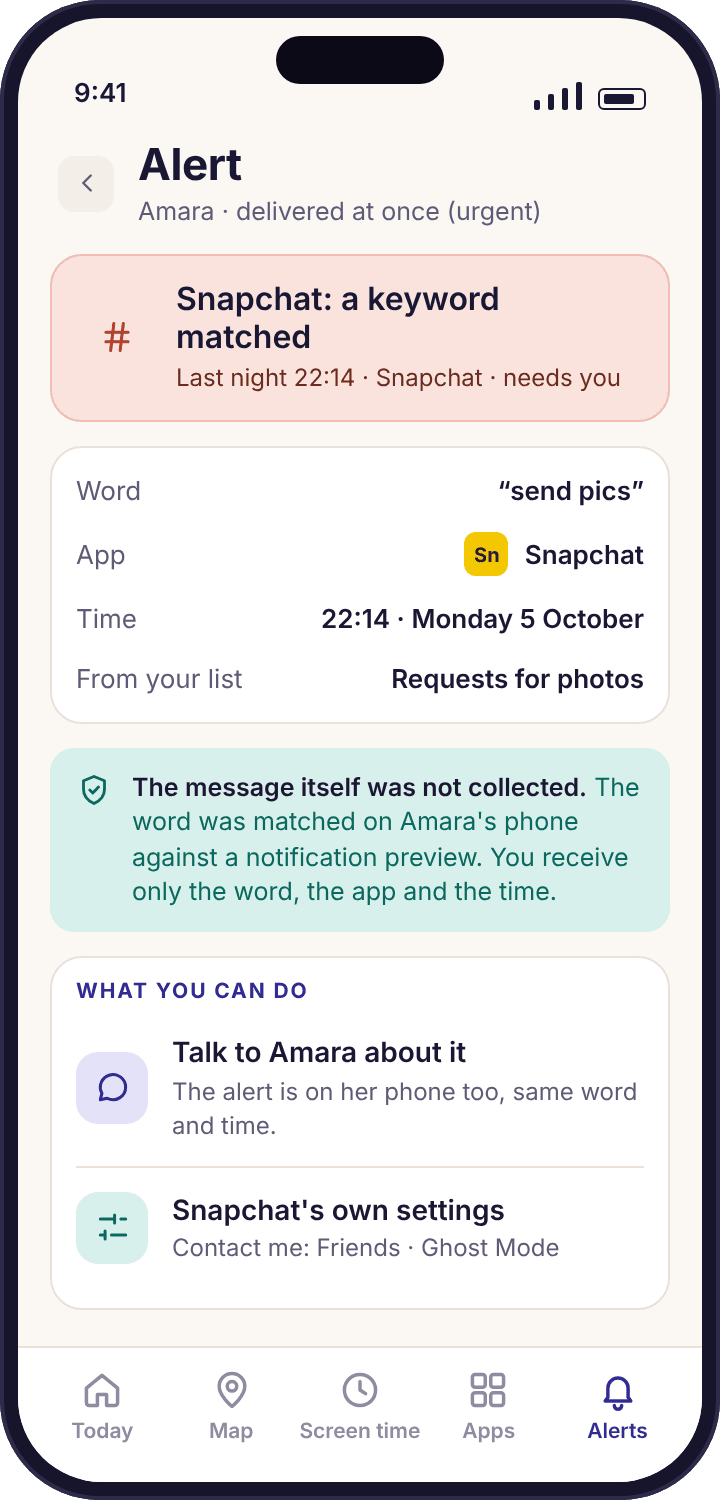
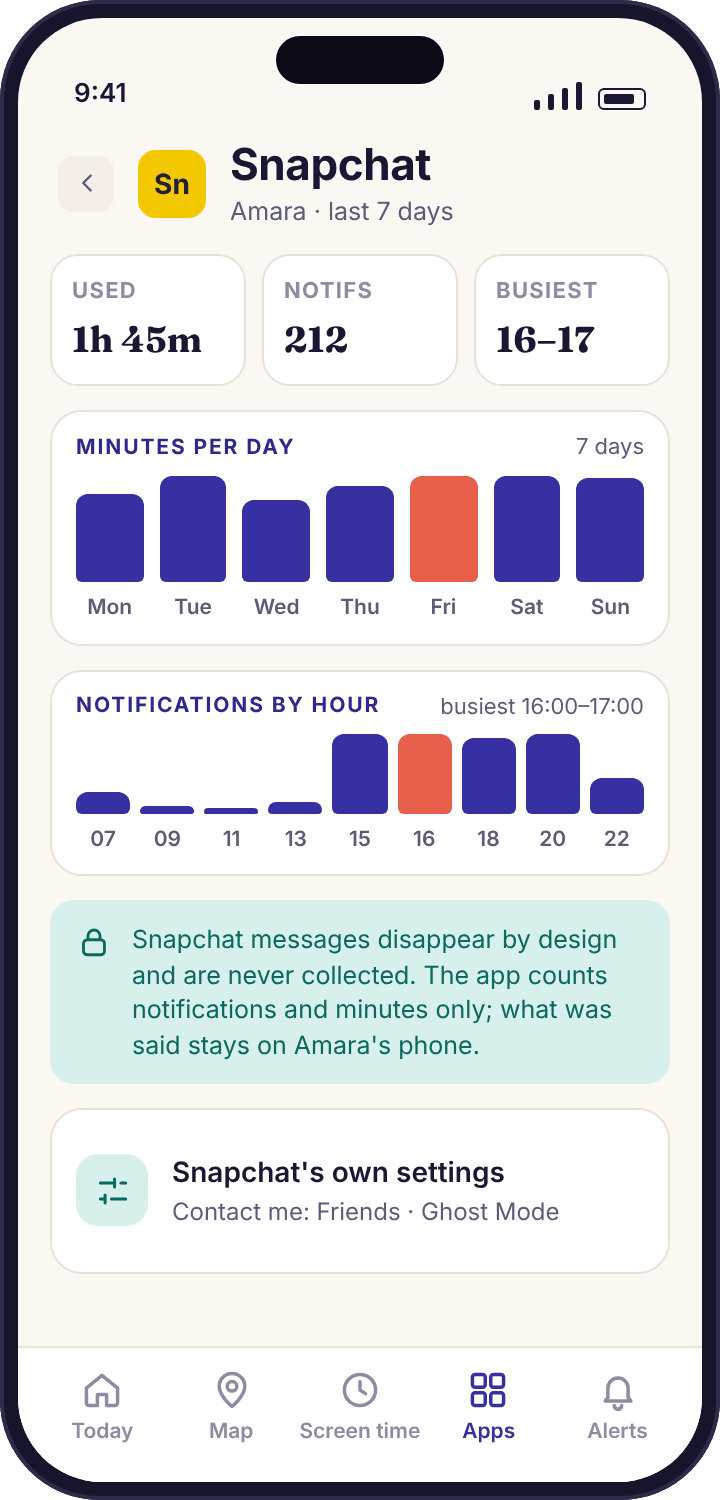
Beyond specific content captures, the monitoring dashboard shows patterns of Snapchat activity: when the app was opened, how frequently it was used, and whether Snapchat was being accessed during times when it shouldn’t be (school hours, late at night).

Platform Considerations: Android and iOS

The depth of Snapchat monitoring available differs between Android and iOS, which is important for parents to understand before setting up monitoring.

Android Monitoring

Android’s more open permission architecture allows for deeper system-level access than iOS. On supported Android versions (8.0 and above), MobileTracking’s Snapchat monitoring — built on accessibility services permissions and screen capture capabilities — functions more fully than on iOS.

The accessibility services permission, which must be granted during setup, is what allows MobileTracking to detect when Snapchat is on screen and trigger the capture mechanism. This permission is essential and must be fully granted for Snapchat monitoring to work.

iOS Monitoring

Apple’s iOS platform places significant restrictions on third-party app access to screen content and other apps’ data. Snapchat monitoring capabilities on iOS may be more limited than on Android. Parents monitoring an iOS device should consult MobileTracking’s current documentation for accurate information on what Snapchat monitoring capabilities are available on iOS devices running iOS 15 and above.

Why Android Users Have an Advantage for Snapchat Monitoring

The architecture difference between Android and iOS isn’t unique to Snapchat monitoring — it applies across all social media monitoring features. Android’s open nature allows for deeper monitoring access across the board. For parents choosing a device for a child with the understanding that monitoring will be important, Android devices running the supported OS version offer more complete monitoring capability.

Practical Scenarios: When Snapchat Monitoring Matters

The value of Snapchat monitoring is most clearly illustrated through specific situations where it provides information parents couldn’t get any other way.

The Inappropriate Image Sharing Situation

One of the most serious issues associated with Snapchat’s design is its historical use for sharing images that users don’t want to persist. The platform’s reputation as a channel where photos can be shared “safely” because they’ll disappear has contributed to its use for sharing content that the senders know is inappropriate — often among peers who use the impermanence as a way of managing the risk of the content being discovered.

When a child is sharing or receiving inappropriate images, Snapchat’s disappearing design means that a parent who checks the child’s phone after the fact finds no evidence — the Snaps are gone. Snapchat monitoring captures that content at the moment it appears on screen, giving parents visibility into image sharing that the app’s architecture is specifically designed to prevent anyone from seeing retroactively.

This doesn’t mean monitoring should be used to read every mundane Snap a child exchanges with friends. The value is in having the capability to detect when something concerning is happening — which a monitoring history makes possible even when the child believes the content has been permanently deleted.

Cyberbullying Through Snapchat

Snapchat’s visual format and ephemeral content make it an effective channel for certain forms of peer harassment. A humiliating image shared and then vanished, a mocking video that disappears after a few views, or a coordinated campaign of harassment carried out through Snapchat and then erased — these are situations where the child being targeted may struggle to document what’s happening or to show parents evidence of what they’re experiencing.

Snapchat monitoring gives parents independent visibility into this kind of behavior. A child who comes to a parent in distress about something happening on Snapchat but can’t show what it is because the content has vanished — a parent with monitoring in place may be able to look at the captured screenshot history and see exactly what was happening, providing the documentation needed to address the situation with the school or other parties.

Research from the Cyberbullying Research Center identifies visual content as increasingly central to peer harassment — and Snapchat’s visual-first design makes it a natural venue for this form of bullying.

Contact From Unknown Adults

Snapchat’s discovery features — Quick Add recommendations, location-based connections, the ability to find and add users through various pathways — mean that children on Snapchat can receive contact from people they don’t know in the physical world. For most children, this is innocuous. For some, it becomes the pathway through which inappropriate contact from adults begins.

The grooming process that characterizes inappropriate adult-to-child contact often begins with friendly, low-pressure communication that appears harmless — adding someone on Snapchat, exchanging benign messages, gradually building rapport. Because Snapchat content disappears, a child who is receiving this kind of contact may not feel they have evidence to show a parent, and may not yet recognize the communication as concerning.

Snapchat monitoring gives parents the ability to see who is initiating contact with their child on Snapchat and what those initial exchanges look like — an early-stage view that’s particularly valuable because early intervention in grooming situations is both more effective and less traumatic than intervention after a relationship has developed further.

Understanding Streak Culture and Peer Pressure

The Snapchat streak — a counter that tracks consecutive days of Snapchat exchange between two users — has created its own form of social pressure among young Snapchat users. Maintaining streaks becomes a source of social obligation, and losing a streak can cause genuine distress in the social dynamics of a peer group.

This streak pressure contributes to patterns of Snapchat use that parents sometimes notice without understanding the cause: a child who insists on opening Snapchat at specific times, who becomes anxious if they can’t access the app, or who prioritizes Snapchat exchanges over other activities. Snapchat monitoring — particularly the activity timing data — helps parents understand whether streak maintenance is driving problematic device use patterns, which opens a more informed conversation about what’s driving the behavior.

Setting Up MobileTracking’s Snapchat Tracker

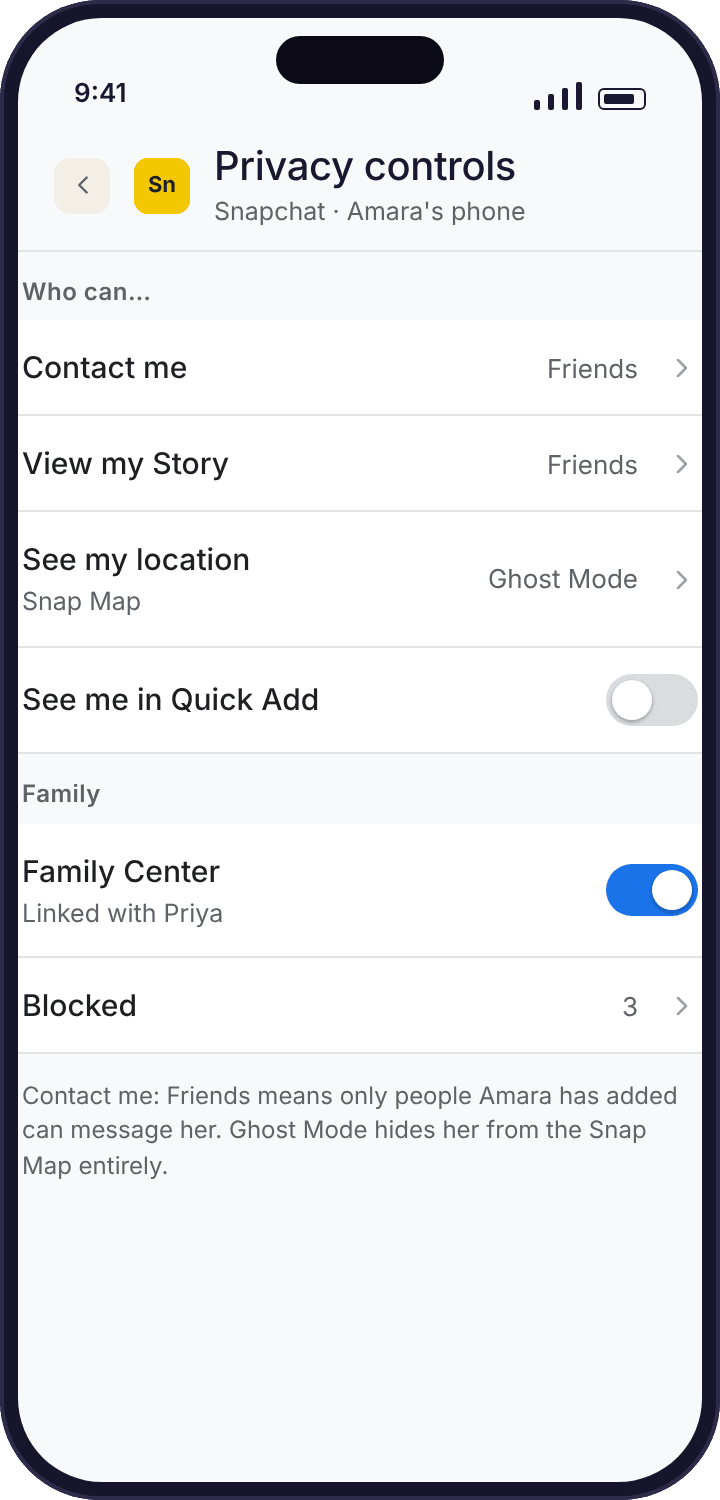
Snapchat monitoring in MobileTracking follows the same three-step setup process as other monitoring features, with Snapchat-specific configuration happening through the device permissions granted during setup.

Step 1: Install MobileTracking on Both Devices

Download MobileTracking on your parent device and your child’s monitored device:

  • Android: Google Play Store, for devices running Android 8.0 and above
  • iOS: App Store, for devices running iOS 15 and above
  • Direct download: At mobiletracking.app

Install the parent version on your device and the child version on the monitored device.

Step 2: Create Your Account

Open MobileTracking on your parent device, register for a free account using your email address, and log in. Your account hub is accessible remotely from your own device or any web browser.

Step 3: Bind the Child’s Device

Complete the binding process using the QR code or pairing code from your parent dashboard. Once bound, the child’s device appears in your monitoring account.

The critical permission: Accessibility Services For Snapchat monitoring on Android, accessibility services permission is the essential prerequisite. During setup, MobileTracking will direct you to Settings → Accessibility → MobileTracking on the child’s device. Enable this permission completely. Without it, the screen capture mechanism that makes Snapchat monitoring possible cannot function — the app cannot detect when Snapchat is on screen or trigger the capture.

Additionally, ensure that battery optimization is disabled for MobileTracking (Settings → Battery → Battery Optimization → MobileTracking → Don’t optimize). Android’s battery management can restrict background app activity, which interferes with the monitoring app’s ability to run continuously and capture Snapchat content in real time.

Complete all setup prompts, including keep-alive configuration. Every step in the setup process has a purpose — partial setup is a common source of monitoring features that appear to be configured but don’t function correctly.

Accessing Snapchat Monitoring

Once setup is complete and the child has used Snapchat on the monitored device, navigate to the social media or Snapchat monitoring section of your parent dashboard. You’ll find a gallery of captured screenshots organized chronologically with timestamps.

MobileTracking Snapchat tracker dashboard showing captured screenshot gallery with timestamps on Android parental control app

Snapchat Monitoring in the Context of Broader Social Media Oversight

Like all monitoring features, Snapchat monitoring is most valuable as part of a comprehensive approach rather than as a standalone tool.

Snapchat as One Platform Among Several

Children who use Snapchat typically use multiple platforms for communication — WhatsApp for some relationships, Instagram for others, SMS for others still. A child who feels monitored on one platform may shift communication to another. MobileTracking’s monitoring extends across multiple platforms including WhatsApp, Facebook Messenger, Instagram, Telegram, Viber, and Kik — covering the range of platforms a child might use so that platform-switching doesn’t create a monitoring gap.

Using Monitoring Data to Have Better Conversations

The information that Snapchat monitoring provides is most valuable as material for conversation rather than as the basis for unilateral consequences. A parent who sees something concerning in Snapchat monitoring data has a choice about how to engage with it — and the approach that leads to the most productive outcomes is almost always one that starts from genuine concern for the child rather than gotcha-style confrontation.

“I saw something in your Snapchat that worried me, and I want to understand what was happening” is a more productive opening than any approach that leads with punishment or surveillance revelation. The Child Mind Institute consistently emphasizes that parental engagement characterized by empathy and curiosity produces better outcomes than engagement characterized by control.

Combining Snapchat Data With Other Monitoring Features

Snapchat activity data viewed alongside other monitoring information — location history, call logs, activity timing — provides more context than any single feature alone. A pattern of late-night Snapchat activity combined with behavioral changes in the child, or Snapchat contact from an unknown account viewed alongside call data showing the same unfamiliar contact, tells a more complete story and supports more informed parental response.

Legal and Ethical Considerations

Snapchat monitoring carries the same legal and ethical considerations as other message monitoring features, with some platform-specific nuances.

Parental Rights

In most jurisdictions, parents have the legal right to monitor their minor children’s digital activities on devices they own. Snapchat monitoring falls within this framework. As with all monitoring features, the specific legal picture varies by country and shifts as children approach legal adulthood.

The Electronic Frontier Foundation provides accessible guidance on digital privacy law across multiple jurisdictions for parents who want to understand the specific framework in their location.

Third-Party Content

Snapchat monitoring captures images and messages sent by other people — the child’s friends and contacts. The privacy implications extend beyond the parent-child relationship to the privacy expectations of the other participants in those conversations. Parents who use monitoring data purposefully — focusing on safety-relevant patterns and specific concerns rather than comprehensively reviewing every social interaction — are using the tool more ethically and are also more likely to find the monitoring genuinely useful.

Transparency

Whether to tell a child that their Snapchat activity is monitored is a parenting decision. Research from the American Psychological Association supports the position that transparent monitoring — where children are aware of oversight and understand its purpose — tends to produce better outcomes than monitoring discovered unexpectedly. The decision about how much detail to share about monitoring mechanisms is separate from the decision to be honest about the general fact of monitoring.

Many parents find that “I can see what’s happening on your Snapchat” — said honestly, with an explanation of why — produces a more cooperative and ultimately safer dynamic than covert monitoring discovered through the child finding MobileTracking on their device.

Frequently Asked Questions

Q: How does MobileTracking capture Snapchat content that disappears? MobileTracking uses screen capture technology that captures what’s displayed on the child’s device screen when Snapchat is active — including Snaps, chat messages, and Stories while they’re being viewed. This capture happens before Snapchat deletes the content from local storage. The captured screenshots are transmitted to the monitoring account and remain accessible there even after the content has vanished from Snapchat itself.

Q: Does Snapchat monitoring work on both Android and iPhone? MobileTracking supports Snapchat monitoring on both Android (8.0 and above) and iOS (15 and above). Monitoring capabilities are generally more complete on Android due to differences in how Android and iOS handle app permissions. Consult MobileTracking’s support documentation for current iOS-specific Snapchat monitoring capability information.

Q: Can MobileTracking see Snapchat Streaks and Stories? Yes. MobileTracking’s screen capture approach captures what’s displayed on screen — which includes Stories being viewed and Streak-related content visible in the app interface. Stories and their content are captured as screenshots while they’re being displayed on the child’s screen.

Q: What permission is most important for Snapchat monitoring to work? The accessibility services permission on Android is the critical prerequisite for Snapchat monitoring. This permission allows MobileTracking to detect when Snapchat content is on screen and trigger the capture mechanism. Without it, Snapchat monitoring won’t function regardless of other settings.

Q: Will my child know their Snapchat is being monitored? MobileTracking’s monitoring is designed to operate without visible indicators on the child’s device. Whether to tell your child about monitoring is a parenting decision. Many families find that transparent monitoring produces better long-term outcomes. Note that Snapchat itself does notify users when a screenshot is taken by the recipient in a conversation — but MobileTracking’s capture mechanism operates at the system level, below the Snapchat app layer, and doesn’t trigger this notification.

Q: Can I see who my child is sending Snaps to? Yes. Captured screenshots of outgoing Snaps show the interface as it appeared when the Snap was sent — including the recipient’s name. Snapchat monitoring through MobileTracking covers both incoming and outgoing content.

Q: Is MobileTracking’s Snapchat monitoring free? Yes. MobileTracking is free to download and use, with Snapchat monitoring included in the free feature set. Visit mobiletracking.app to get started.

Q: How does Snapchat monitoring differ from monitoring WhatsApp or SMS? WhatsApp and SMS monitoring works primarily through message log access — messages are stored on the device in accessible form, and monitoring software with appropriate permissions reads that stored content. Snapchat monitoring requires a different approach — screen capture — because Snapchat content is designed to delete from device storage. The screen capture approach works in real time as content appears on screen rather than retrospectively from stored data.

Q: Does MobileTracking show me my child’s Snapchat friend list? The monitoring captures what’s visible on screen — which includes the Snapchat interface, conversation list, and friend list when these are displayed on the child’s device. The friend list visible in captured screenshots provides an indication of who the child is connected with on Snapchat.

Q: How do I get started? Download MobileTracking from the Google Play Store or App Store, or visit mobiletracking.app. Create a free account, install on the child’s device, complete binding, grant accessibility services permission on Android, and complete all setup prompts. The Snapchat monitoring feature activates as part of the social media monitoring setup.

Monitoring the Platform That’s Designed Not to Be Monitored

Snapchat’s design philosophy is built around impermanence — the idea that communication can happen without a permanent record. For ordinary adolescent social communication, that impermanence is genuinely appealing: the freedom to be spontaneous, to share moments that don’t need to last, to communicate without the pressure of a permanent digital trail.

For parents trying to maintain awareness of their child’s digital social life, that same impermanence creates a challenge that no other monitoring approach addresses as effectively as screen capture. By the time a concerned parent picks up their child’s phone to check Snapchat, the content that might have told them something important has already disappeared. The window of visibility that Snapchat’s own design closes is the window that MobileTracking’s Snapchat tracker reopens.

Used thoughtfully — as part of a broader monitoring approach, combined with honest conversations about digital safety, and calibrated to the child’s age and the specific concerns a parent has — Snapchat monitoring gives families a capability that matters specifically because of Snapchat’s design. Not a workaround that undermines legitimate privacy, but a parental awareness tool that functions in the specific space Snapchat’s design has made otherwise dark.

For parents whose child uses Snapchat as a primary communication platform — which describes a significant proportion of children with smartphones — that awareness is worth having.

Explore MobileTracking’s full Snapchat monitoring and parental control features at mobiletracking.app.

MobileTracking is available free for Android devices running Android 8.0 and above and iOS devices running iOS 15 and above. Snapchat monitoring requires accessibility services permissions on Android, granted during the setup process. Monitoring capabilities may vary by device, operating system version, and Snapchat app version. Users are responsible for ensuring their use of monitoring features complies with applicable local laws and regulations.