About MobileTracking
MobileTracking is a parental control app for Android that your child can see, open and read. It is made by a small team paid by parents, not by advertisers, and it is built on one rule: collect the shape of what a phone does, never the contents. This page explains the five ideas behind that rule, the four things we will not build however often they are asked for, how the business works, who sees a family’s data, and who writes the pages you are reading.
Android child app · Parent panel in any browser · No hidden mode, ever
The ideas every feature is checked against before it ships
Each of these can be tested against the product. If a screen on the child app or a row in the parent panel breaks one of them, the screen is wrong, not the principle.
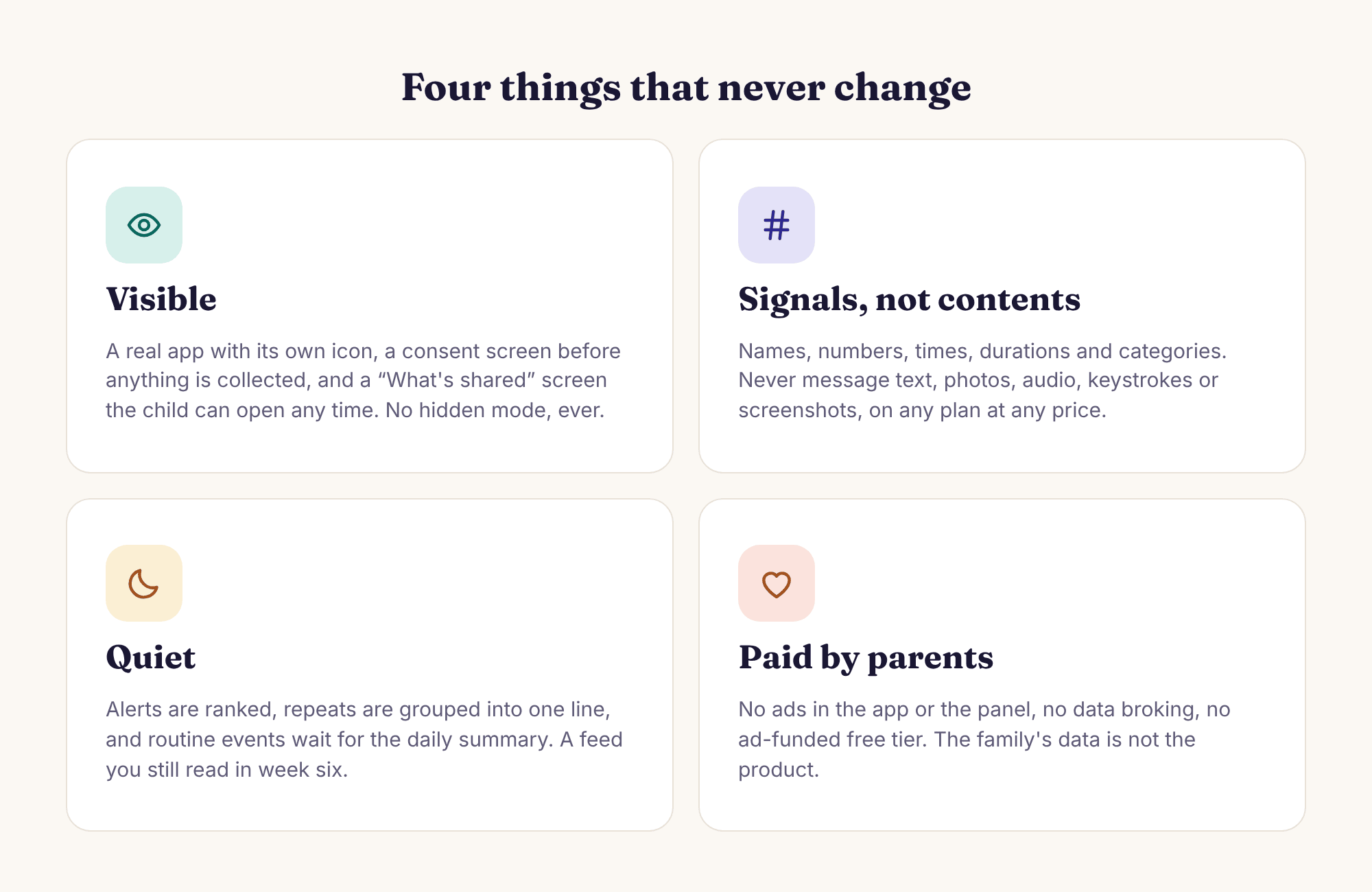
Visible, always
The child app has its own icon, a home screen with the child’s name on it, a consent screen that has to be tapped before anything is collected, and a “What’s shared” screen that lists every feature, place, limit and rule in force. Switch something on from the panel and the child’s screen says so the same afternoon. The phone also shows that a parent opened the panel today. We will not add a hidden mode, a disguised icon or a silent install, and any site offering one under our name is not us.
Signals, never contents
The app reports names, numbers, times, durations, categories and counts. Where Amara is, how long TikTok had, which category a blocked page fell into, who Noah called at 15:31 and for how long. It never reads message text in any app, never takes screenshots, never logs keystrokes, never uses the camera or microphone, never records calls and never shows posts, DMs or followers. Keyword alerts are the sharpest edge of this rule, so the matching happens on the phone and only the word, the app and the time leave it.
Quiet by default
A feed nobody reads in week six protects nobody. Smart alerts rank what needs a parent, fold three routine school arrivals into one line of the daily summary, hold non-urgent items through quiet hours and turn a burst of events into a single message. A newly paired phone has no limits at all; nothing is blocked until a parent decides something, ideally after watching a normal week. The product is meant to be opened less over time, not more.
Paid by parents
Some features need a subscription, and that is the whole business. There is no ad-funded free tier, no advertising inside the app or the panel, no selling of data and no analytics company watching location readings. The public website does show display ads to keep its pages online, and we say so plainly on the editorial standards page. The money comes from the people the product serves, which is the only arrangement that keeps the incentives straight.
Loosened on purpose
A nine-year-old and a sixteen-year-old do not need the same rules, and a tool that only ever tightens is a tool that gets uninstalled. Every limit, place and alert is per child, with a child switcher in the panel, and every feature page on this site says what to switch off as a child gets older. The app is for school-age children on a phone they use, with their knowledge. It is not for another adult, and it does not replace talking.
Four requests we turn down every month
Each of these arrives from worried parents with good reasons, and each would turn a parental control app into something else. We would rather lose the sale, and we would rather say so on this page than discover it in a support thread after a phone has been paired.
A hidden version
The most common request, usually phrased as “so they don’t just uninstall it”. A hidden app is stalkerware by construction: the same build that hides from a thirteen-year-old hides from a partner, and app stores remove such apps for that reason. Our answer is uninstall protection that makes removal take deliberate steps, a tamper alert when it happens, and a consent screen that makes the arrangement something a child agreed to rather than discovered.
Reading messages
Not SMS, not WhatsApp, not Snapchat, not Instagram, not Messenger, not Viber, and not on any plan at any price. WhatsApp, Messenger and Viber are end-to-end encrypted, so an app claiming to read them is either lying or has compromised the phone. What we offer instead is who, when, how often and how long, plus keyword alerts matched against notification previews on the phone itself. That is enough to know when to ask a question. It is not enough to read the answer, and that is deliberate.
Screenshots, camera, microphone, keystrokes
Each of these turns up in other apps’ feature lists and each of them collects contents rather than signals. A screenshot of a chat is the chat. A keylogger captures passwords alongside everything else. A remote camera or microphone on a child’s phone is a wiretap with a friendlier name. The child app contains no code for any of them, and the “What’s shared” screen on the phone lists them under “never” so your child can check.
Anything for tracking another adult
A partner, a housemate, an employee, an elderly parent who has not asked. Our terms say the app is for a child you are responsible for, on a phone they use, with their knowledge, and the product is built so that it cannot be installed in secret: the phone has to be in the room, the code has to be typed in, the consent screen has to be tapped. If what you need is to track an adult, we are the wrong product, and we would rather say so here than in a refund email.
How the business works, and who can see what
The questions parents are too polite to ask in the first email, answered as rows. Everything here agrees with the privacy policy; if you find a place where it does not, tell us and we will fix whichever one is wrong. None of these rows has a plan-dependent exception, and none of them changes if you install the APK rather than the Google Play build.
Subscriptions paid by parents. A free account lets you add children, pair phones and use the features that need no subscription for as long as you like. Some features need a paid subscription, which covers every child under one account, and the panel shows what each option includes before any card is asked for. We do not publish prices on these pages because they differ by country; the panel shows yours.
Advertising inside the product, data broking, or an ad-funded tier. There is no advertising SDK in the child app, and no outside analytics company ever receives a location reading. Nobody pays us for access to what a family’s phones report, and there is no version of the app where that would be different.
The parent account and any co-parent that parent invites, and the child, who sees the same lists on their own phone. Nobody on the team reads family data in the ordinary run of things. When support needs to open an account to fix a fault, that access is limited to what the fault needs and is logged with who looked and when.
Anything. Location readings, app minutes, call and SMS logs, web categories, keyword matches and alert history go to the parent account and nowhere else. We do not sell, rent or trade data with anyone, and no advertiser, data broker or analytics company receives it.
Three levels, none of which need an email. Deleting a child from the panel removes that child’s history. Closing the whole account, which you do from account settings, removes every child, every rule and every reading under it. Uninstalling the child app stops collection immediately, before you touch the panel at all. Location history also expires on its own after a rolling window of recent weeks.
The public pages you are reading show display ads. They keep the free guides online and they are separate from the product: the ad network sees an ordinary website visit, never a family account, a child’s name or anything a phone reported. The app and the panel show no ads, and the privacy policy describes the website cookies involved.
The Google Play build installs and updates like any app and is scanned by Play Protect; Google Play policy means it has no call or SMS log access. The direct APK from this site adds the call and SMS logs, as numbers, names, times and durations only. Nothing else differs, and neither build has a hidden mode.
The parent. Monitoring laws differ by country, and in some the child’s own consent matters more as they get older. The product makes lawful use the easy path, by being visible and asking the child before collecting anything, but we cannot know your jurisdiction. The terms of service put the rule in one line: only a child you are responsible for, who knows.
The people behind the pages, from their own profiles
Every page on this site carries a byline, an Updated date and, where one has happened, a note of who checked it. The profiles below are the real WordPress user accounts of the people who write and review the site, with the role and background they entered themselves. Nothing on this site is published under an invented name, and if no profile is complete enough to show, this section shows nothing rather than a placeholder.

MobileTracking Editor
Parent of two children aged 9 and 13, and has run MobileTracking on the family's Android phones since 2023.
How a page gets written, what we test it on, where AI tools are and are not used, and how to send a correction are set out in full on the editorial standards page. The short version: a named person reads every page start to finish before it is published, every claim about the product is checked against the app running on a real Samsung and a real Pixel, and the Updated date changes whenever a page does.
We write the pages ourselves because the people who answer the support inbox are the people who know which sentence on a feature page caused the confusion. When a question arrives three times in a month, the page that should have answered it gets rewritten, and the FAQ gets a new entry. That loop, from inbox to page and back, is most of what editorial work on this site consists of.
Look at a full week of a family’s panel before you pair anything
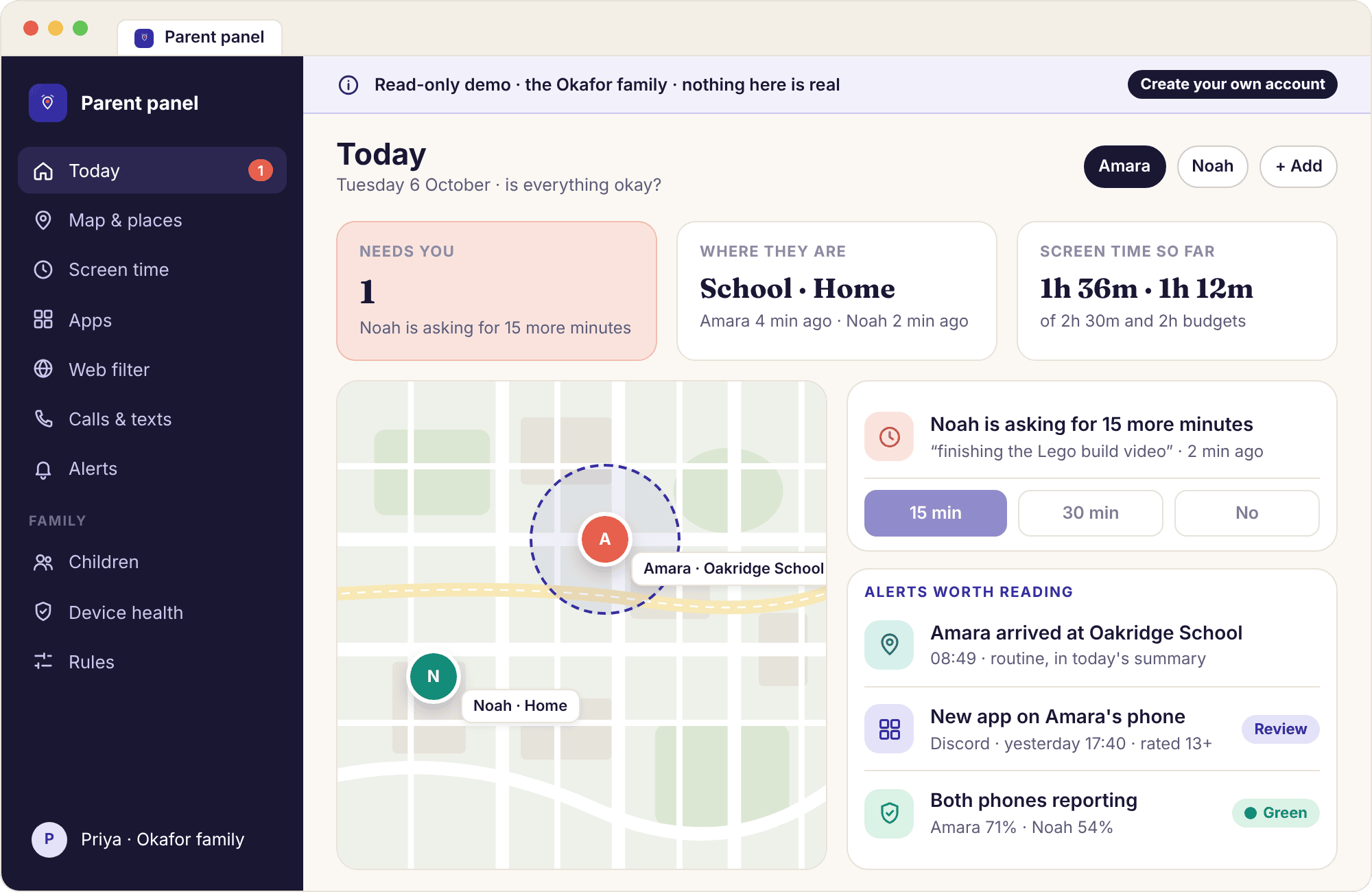
The demo is a read-only copy of the parent panel filled with seven days of realistic data for the Okafor family: Priya, Amara who is 13 and carries a Galaxy A35, and Noah who is 9 and has a Pixel 7a. Their saved places are Home, Oakridge School, Swim Club and Grandma Ngozi’s. Every screen opens, from the Today view to device health to the command log, and nothing can be changed, so you cannot break it and neither can your child.
We built it because screenshots lie by omission. A single drawn screen shows the best moment; a week shows the quiet Tuesday when nothing happened, the Thursday afternoon when Noah’s phone went amber because battery optimisation switched itself back on, and the one keyword alert at 22:14 that reads as a word, an app and a time rather than a message. Open it with your child and let them click around; most families decide what to switch on from there.
- Made up on purpose. No real child’s data is ever used to demonstrate the product, which is why the family is drawn, not photographed.
- The same panel you would use. The demo runs the real parent panel with a banner across the top; what you see is what a paired phone produces.
- No account needed. It opens from the parent panel page without an email address, and leaves nothing behind.
Six things parents ask about the company rather than the app
Who makes MobileTracking?
A small team of people who are named on this page and on every byline, working on one product. The app, the parent panel and this website are built and written by the same group, which is why the pages can say what the app cannot do with some confidence. We do not license the software from anyone else and nobody else sells it under another name. The legal entity behind the service is named in the terms of service.
Why charge parents at all, when other apps are free?
Because something has to pay for the servers, and the alternative is advertising or data. A free parental control app funded by ads has to show your child ads, or sell what it learns about them, or both. A subscription means the only customer is the parent, and the only thing we have to do to keep the customer is make the product useful. We think that is the honest trade, and we put the one exception, display ads on this website, in writing.
Why is the child app Android only?
Because iOS does not give third-party apps the permissions the features need: usage access for screen time, an accessibility service for block screens, notification access for keyword alerts. An iPhone version would either do almost nothing or claim things it could not deliver. The parent side is a website, so your own phone can be an iPhone. For a child with an iPhone, Apple’s own Screen Time is the right tool and we say so.
Why is the demo family invented rather than a real one?
Because showing a real child’s week to strangers would break the one promise the product makes. The Okafors are drawn and their data is written by hand to look like an ordinary school week, including the dull parts. Using a made-up family also lets us put the same names in every screenshot, every example and every worked situation on this site, so a parent who reads three pages recognises Amara’s Thursday on the fourth.
If enough parents asked, would you add a hidden mode?
No. It is the most requested feature and the one we are surest about. The moment the app can hide, it becomes usable against a partner, and the consent screen, the “What’s shared” list and the parent-viewed-today notice all become theatre. We would rather be the app some parents decide against than the app that quietly becomes something else. If you want a visible tool that your child can argue with, this is it.
How do I tell you that something on this site is wrong?
Through the contact form, with the page address and what you think the error is. A named person reads it, checks the claim against the app on a real phone, and either fixes the page and changes its Updated date or writes back to say why we think the page is right. Corrections about what the product does or does not do get looked at first, because those are the ones that matter to a parent deciding.
A product you can read before you trust it.
Open the demo and the child app side by side, read the “What’s shared” screen with your child, and decide together what to switch on. Pairing takes about ten minutes.
Android · Free account · Visible on your child's phone