Frequently Asked Questions
This MobileTracking FAQ is the long version: the questions parents actually send us, grouped by theme, answered properly rather than in one line. If you are trying to work out whether this app suits your family, start with the sections on what it collects and on your child’s side of the arrangement, because those two decide most of it.
Installing, pairing, and the first week
What you need, how long it takes, and what to expect before anything is worth reading.
Setup is a two device job. Everything else about getting started is really a question of restraint: turning on two or three features rather than nineteen, and watching a normal week before you set any limits against it.
The mistake we see most often in the first week is a parent switching on everything at once, setting tight limits against a guess, and then spending Thursday evening in an argument they did not need to have. Nothing here rewards speed. The families still using this in a year are almost always the ones who started small and added a feature only when a real situation asked for it.
About ten minutes with both phones in front of you, of which perhaps three are the actual install. The rest is the permission prompts and reading the consent screen together, which is time well spent.
No. The whole thing can be done from two phones. The parent dashboard also runs in a desktop browser if you would rather set the initial rules on a bigger screen.
Not really, and not by design. Pairing needs the phone in your hands and someone tapping through the permission prompts on it, and the app puts a visible icon on the home screen when it finishes.
Location, one or two saved places, and a single screen time budget. That answers most of the questions a parent has. Add anything else only when a real situation makes you want it.
Positions arrive within minutes, but app and screen time totals measure real use, so they need a few hours. Location history is genuinely useful after about a day.
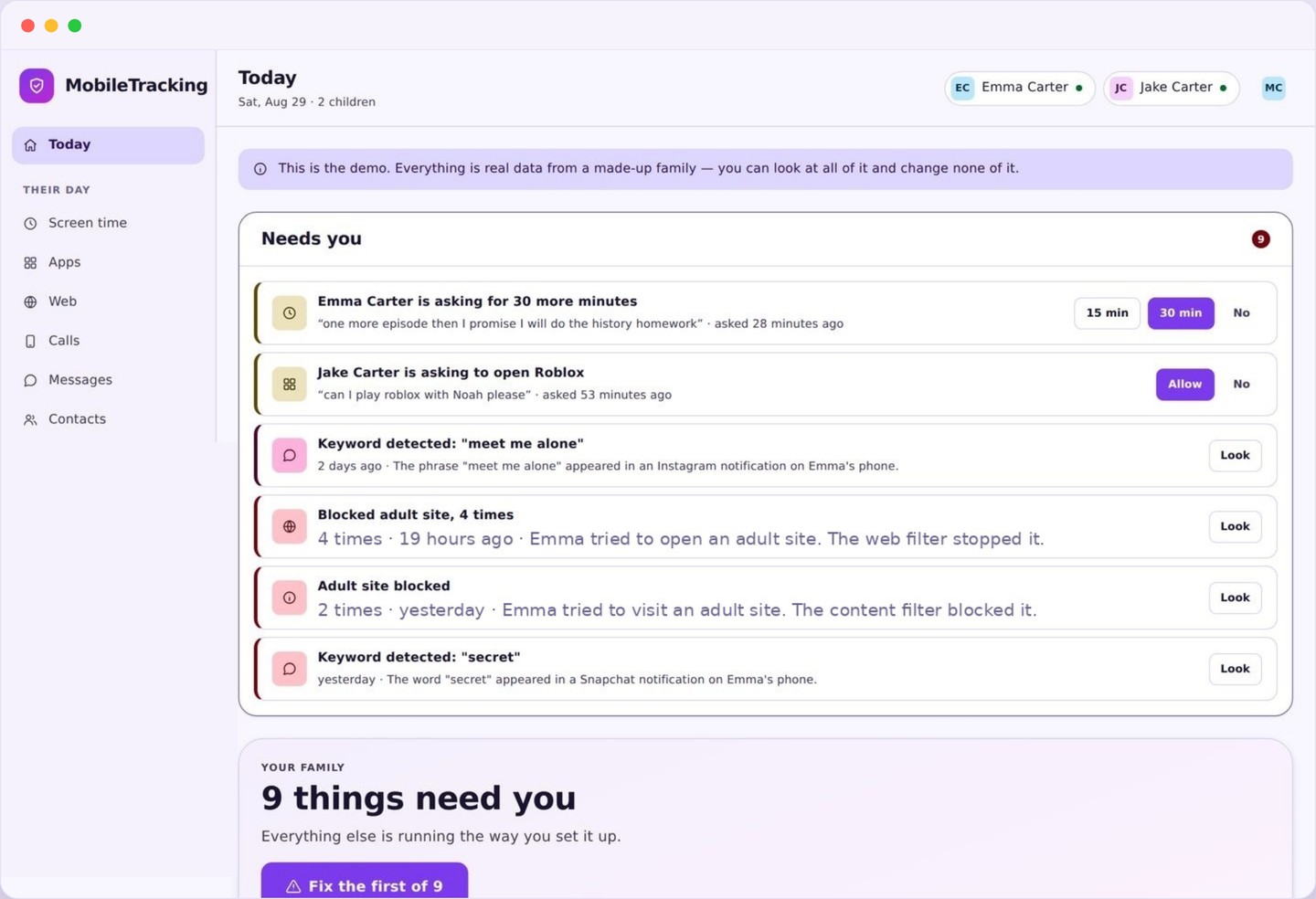
Yes. There is a read only demo account loaded with a made up family and a full week of realistic data. Every screen works, you simply cannot change anything.
What the app sees, and what it never sees
The line runs between metadata and contents, and it does not move for any plan or any price.
Almost every question in this section has the same underlying answer. This app collects the shape of activity, which is names, times, durations, categories and frequencies, and it does not collect the substance of it. It knows a messaging app was used for forty minutes and that a particular number appeared eleven times. It does not know a single word that was said.
No. Message contents are never collected, never transmitted and never shown. The calls and SMS features work on numbers, contact names, times, durations and frequency, which is what actually reveals a problem.
No, and it never will. There is no ambient recording, no remote camera access and no listening feature of any kind anywhere in this product.
No. There is no keylogging and no screenshotting. Keyword alerts work on searches and page titles, not on private typing inside apps.
Which platforms are installed, how heavily each is used, and when a new one appears. Not posts, not direct messages, not follower lists. The useful parental signal here is a pattern, such as four hours a night on one app or a new platform appearing without mention, not the contents of a conversation.
Outdoors, usually within a few metres. Indoors it can drift by tens of metres, which is why every position carries an accuracy figure and why saved places use a radius of about fifty metres.
| You might be asking about | What you get | What is not available |
|---|---|---|
| Text messages | Numbers, contact names, times, durations, frequency | The words in any message, on any plan |
| Social apps | Which are used, how long, installs and removals | Posts, direct messages, followers, contents of any kind |
| Web browsing | Categories, blocked attempts, visited page titles | Passwords, form entries, contents of logged in accounts |
| Photos and video | Nothing | The camera roll, the camera itself, and any screen recording |
| Surroundings | Position, accuracy, place crossings | Microphone audio or any ambient listening |
Their side of the arrangement
What they can see, what they can ask for, and what happens when they push back.
This is the section that most distinguishes MobileTracking from the stealth tools this category is full of. Your child has a real app with real screens, and everything you switch on appears there. That is not a courtesy, it is the mechanism that makes the whole thing survivable over years rather than weeks.
Yes. A visible icon, a home screen, and a transparency page listing every active feature, every saved place and every limit. There is no hidden mode on any plan.
Then you have a conversation rather than a technical problem, and honestly that is the right order. Most refusals are about the fear of message reading, which is not something this app does, and saying so plainly resolves a lot of them.
Yes. There is a request button in the child app. You get a notification, you approve or decline, and it takes one tap. It is far better than an argument at the kitchen table, and it gives you a record of how often extra time is actually being asked for.
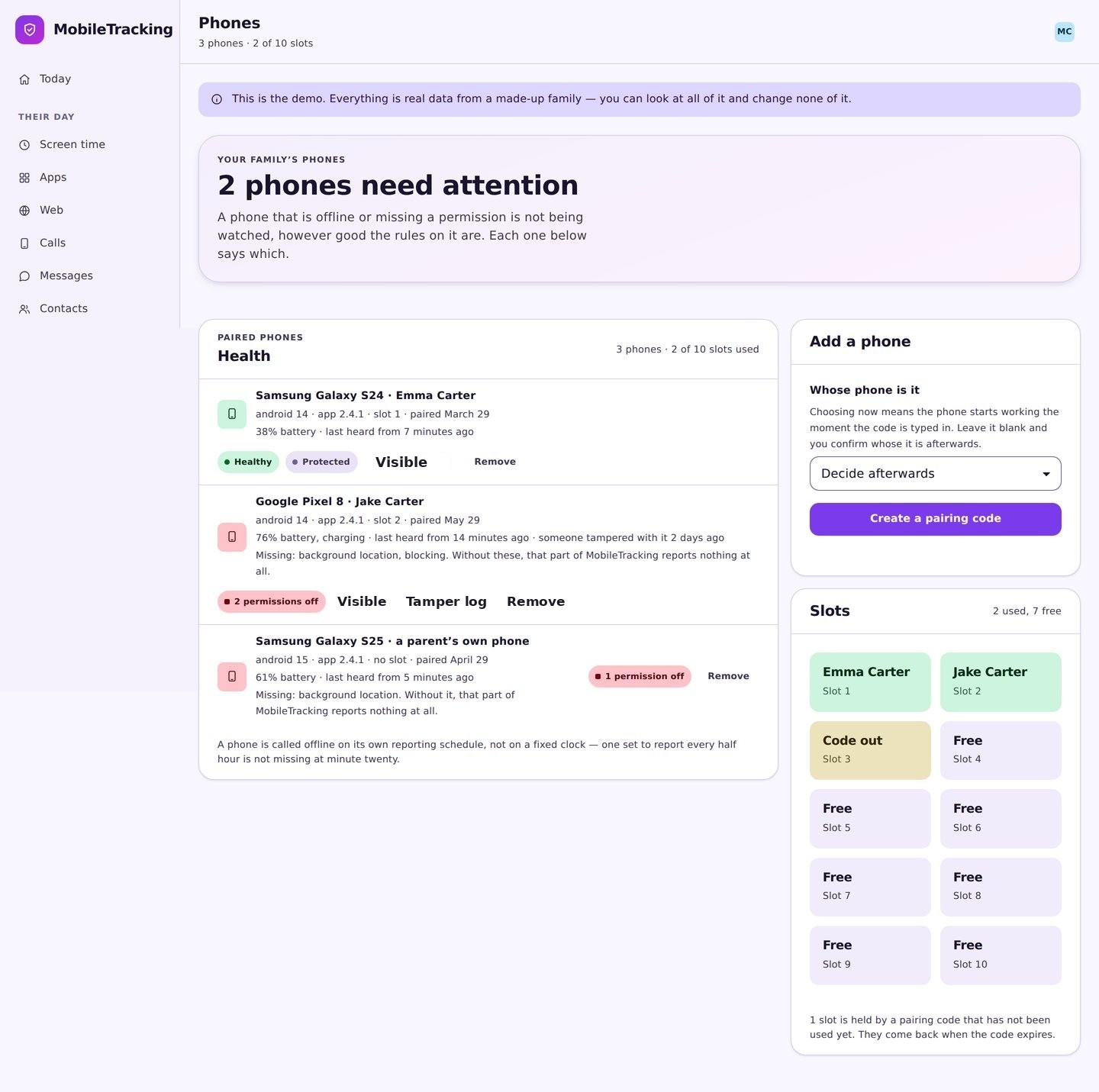
You will know, because device health reports that the app has stopped checking in. What you do about it is a family matter, but you will not be left looking at stale data that appears fine.
Often with far fewer features than on a younger child. Location and places, no app blocking, no keyword alerts. Trust that visibly loosens as they get older is the thing that keeps them agreeing to it.
Every answer here is also on their phone
Nothing in this FAQ is a parent only secret. The child app carries the same list of what is collected, the same list of what is never collected, and the same set of active features and saved places. If you turn something on this afternoon, they can see it this afternoon. We would rather lose a sale to a parent who wanted a hidden tool than build one.
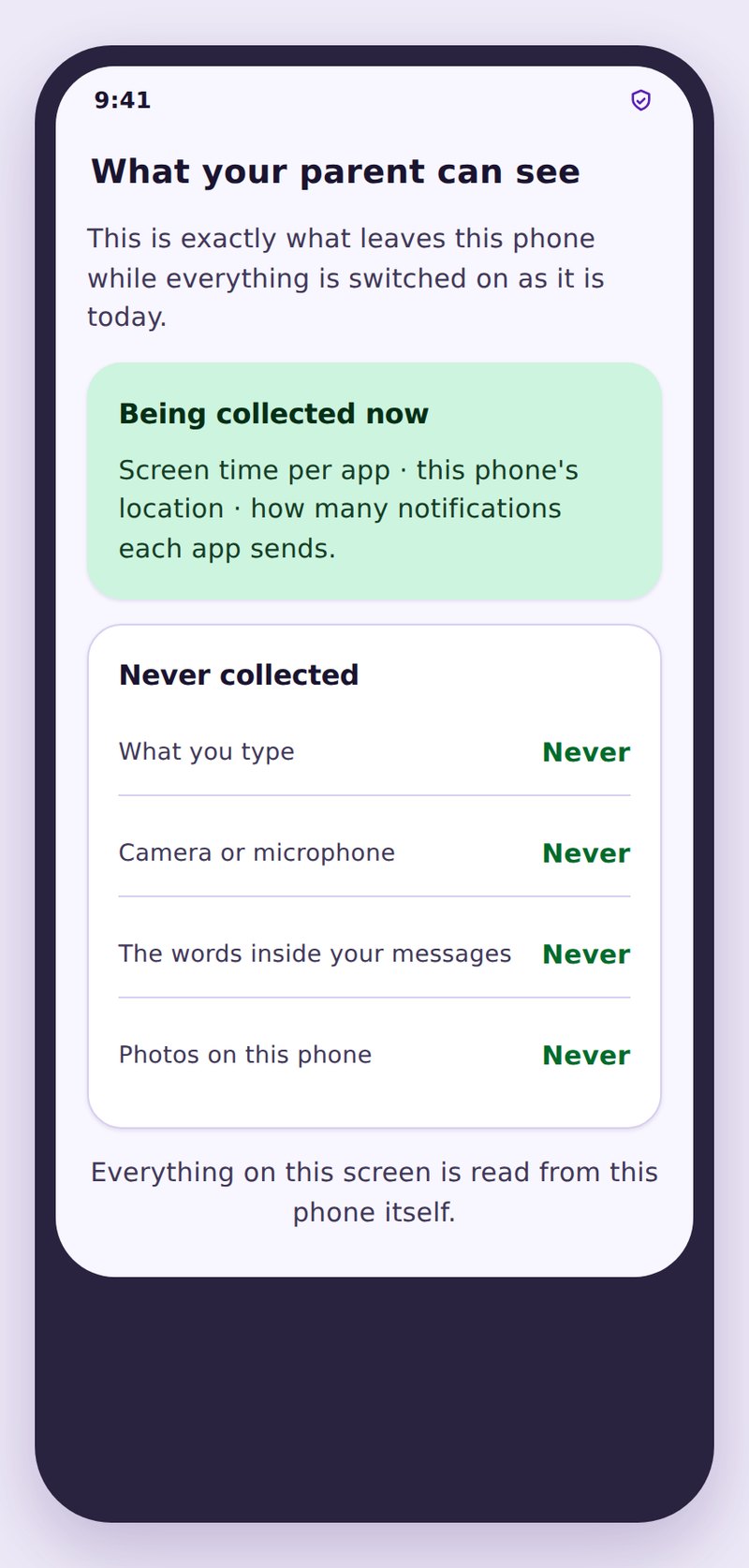
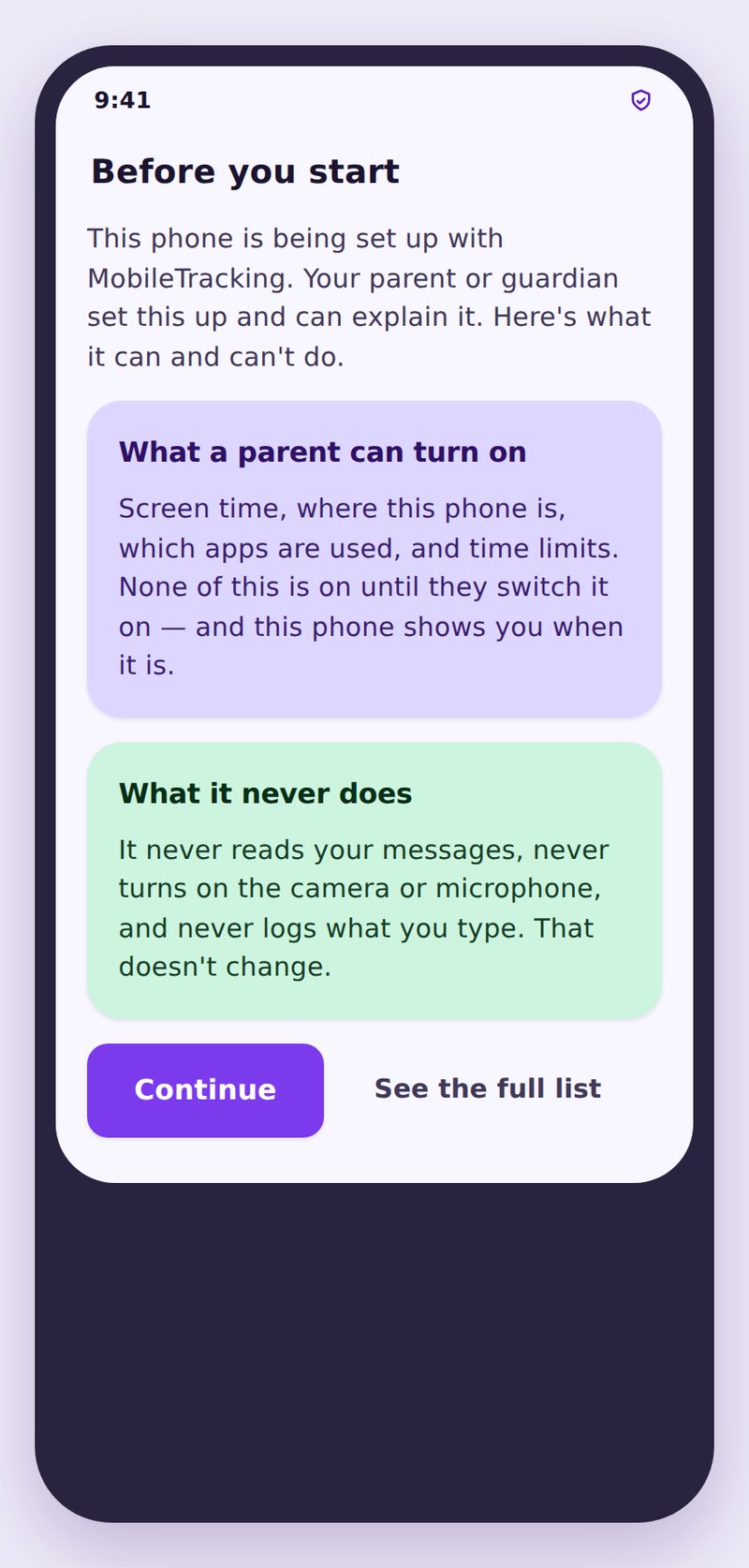
- The same list, both sidesWhat you can see is exactly what they are told you can see.
- Changes are announcedTurning a feature on updates their screen, so nothing appears quietly.
- They can ask, not just obeyA request button for more time or an explanation, answered in one tap.
Phones, batteries, and the practical edges
What runs where, how many children fit, and why an app can go quiet.
The most common support conversation in this whole product is not about a feature at all. It is about a phone that has stopped reporting, and the cause is battery optimisation roughly three times out of four. Device health exists precisely so that this is something you find out about on a Tuesday rather than during an emergency.
The rest of this section is the practical detail: which side runs on what, how many children fit under one account, and where the honest limits of an Android app sit. None of it is exciting, and all of it decides whether the app is still telling you the truth in six months.
The child app runs on Android. The parent dashboard runs in any modern browser, so an iPhone or iPad is perfectly fine for the parent side.
Not noticeably. Location uses Android’s low power services and reports where a phone settles rather than polling constantly. The bigger battery risk is Android putting the app to sleep, not the app being greedy.
Usually battery optimisation, sometimes a permission reset during an Android update, occasionally an uninstall. Device health names the cause rather than leaving you guessing.
As many as live in your house, under one account and one subscription, each with their own limits, places and alert rules.
Yes. Filtering runs on the phone itself, so it applies on mobile data and on any network, at home, at school or at a friend’s house.
Where the data lives and how we get paid
Two questions that belong together, because the answer to one explains the other.
We are paid by subscription, which means we are paid by you. That is the entire reason there is no advertising, no data broking and no free tier funded by selling location history. A company that gives a tracking app away has to make its money somewhere, and it is worth asking where before you install it.
No. Not to advertisers, not to brokers, not to insurers, not to anyone. There is no advertising SDK in the child app and no third party analytics on the location data.
You, through your account. Support staff cannot browse family data casually, and access for troubleshooting is limited and logged. The privacy policy sets out the detail.
Yes. Deleting a child removes their stored history, and closing the account removes the lot. Uninstalling the family app stops collection immediately regardless.
From your account settings, without emailing anyone or sitting through a retention script. Cancelling stops the renewal and the app keeps working until the period you have paid for ends.
In most places a parent or guardian may monitor a minor child’s phone, particularly with the child’s knowledge, which is how this app is built. Laws vary, so check locally. It is not a tool for tracking other adults, and it should not be used that way.
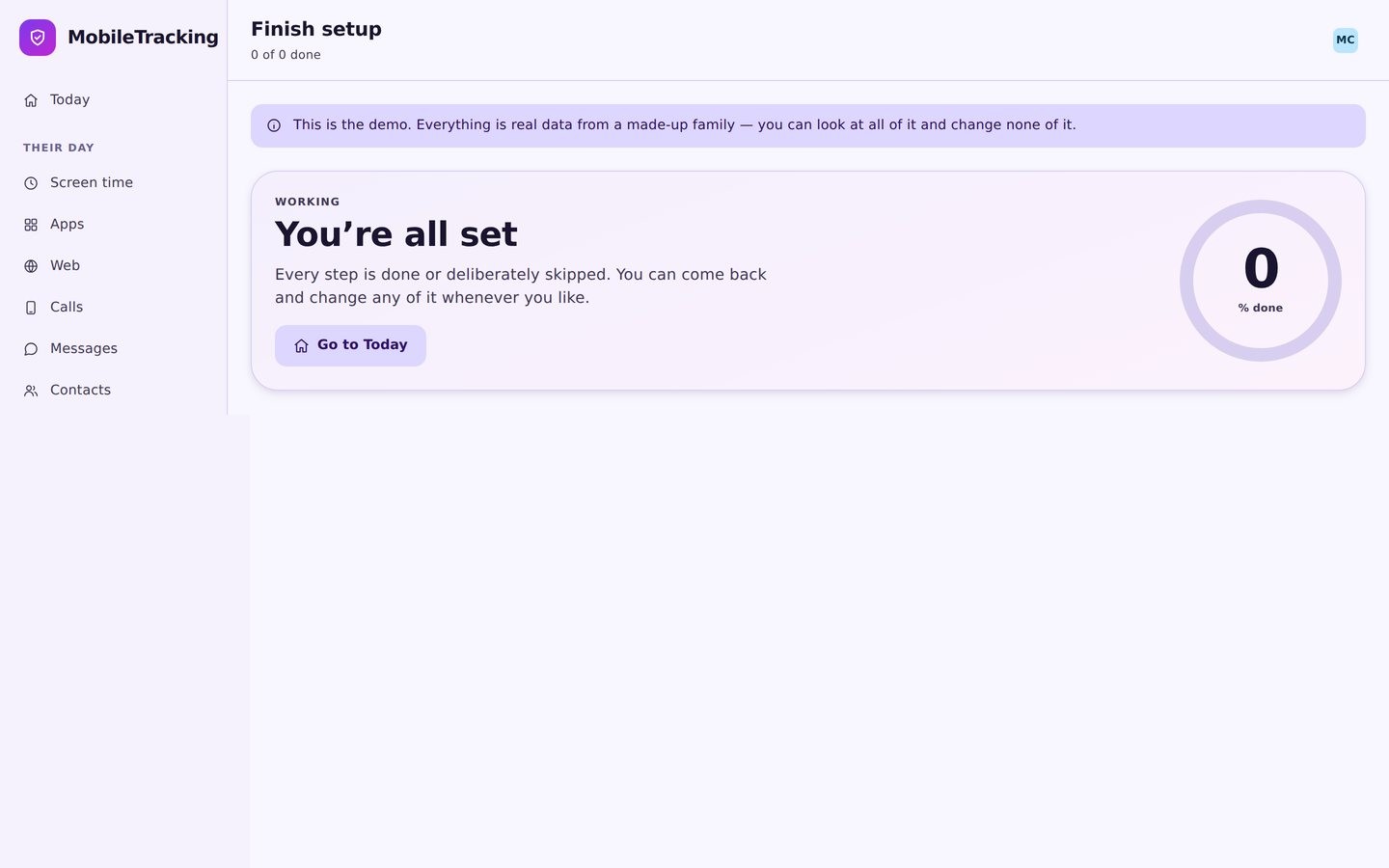
Still not sure? Look at the demo
Open the read only demo family, click through a full week of realistic data, and decide before you install anything on a real phone.