

 MobileTracking Editor
It is a genuinely strange time to be a parent of a child with a smartphone. The device your child carries everywhere is simultaneously their primary social lifeline, a window to essentially everything on the internet, and a direct channel for every type of communication — good and bad — that they will experience in their formative years. And unlike a decade ago, when online activity happened at a family computer in the living room, nearly all of it now happens in their pocket, anytime, invisibly.
Text messaging sits at the center of this. Studies from the Pew Research Center consistently show that SMS and messaging apps are the most frequently used communication channels for children and teenagers — ahead of phone calls, ahead of social media posts, ahead of everything else. Children send and receive dozens or hundreds of messages daily, communicating with friends, navigating social dynamics, processing emotions, and in some cases, encountering situations that require adult intervention.
What children text — and who they text with — reflects their social life, their anxieties, their relationships, and in some cases, their exposure to dangers their parents would want to know about. The challenge is that this entire communication layer is, by default, invisible to parents. A parent can see a child’s phone sitting on the table but cannot see what is happening on it without either physically taking the phone or using dedicated monitoring software.
SMS trackers are tools designed to give parents visibility into this channel. The best ones do more than just display message lists — they analyze content for concerning patterns, send instant alerts when specific keywords appear, and provide context about who is sending messages and when. The difference between a good SMS tracker and a poor one comes down to real-world reliability, how quickly alerts actually fire, data accuracy, ease of setup, and whether the privacy trade-off involved in monitoring is handled transparently and responsibly.
This guide reviews five of the most widely used SMS tracker apps in honest, practical terms. We cover what each app actually does in real use, not just what the marketing page claims. Each review includes pricing, platform compatibility, a frank assessment of strengths and weaknesses, and clear guidance on which type of parent each app is best suited for. A comparison table and FAQ section at the end summarize the key differences to help you make a final decision quickly.
Why Parents Use SMS Trackers: The Real Concerns
Before evaluating the tools, it is worth being specific about the risks that make SMS monitoring a reasonable parenting consideration. Understanding the actual threat landscape helps calibrate how much monitoring is warranted and which features matter most.
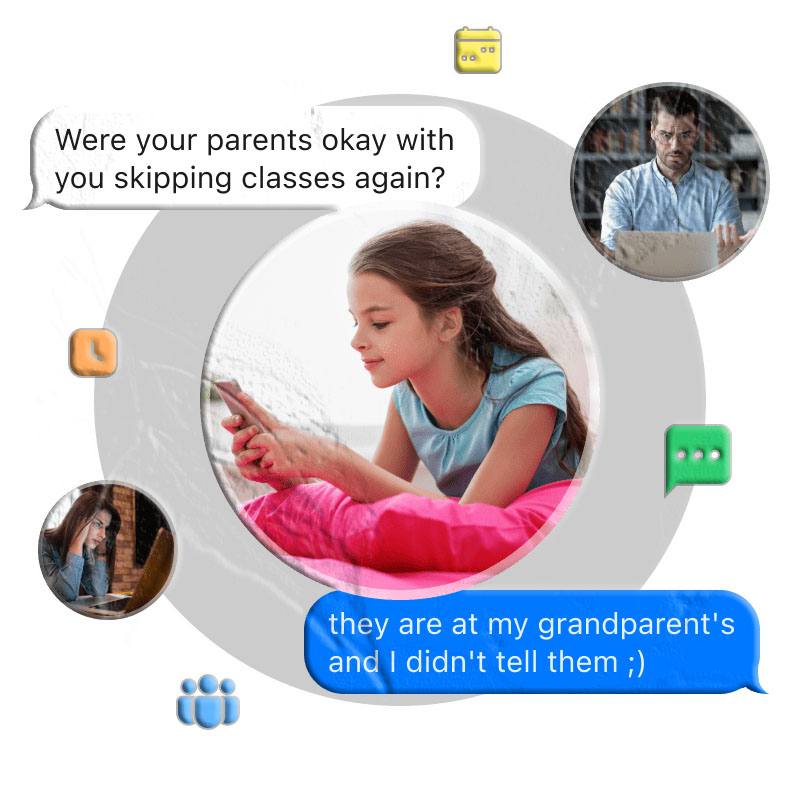
Cyberbullying Through Text
Bullying has not disappeared from children’s lives — it has migrated online, and texting is one of its primary channels. Harassment through text messages is often more persistent and psychologically damaging than in-person bullying because it follows the child home. Research from the Cyberbullying Research Center consistently finds that a significant proportion of students experience cyberbullying, with text messaging among the most common vectors.
Children who are being bullied through texts often do not tell their parents, out of embarrassment, fear of losing phone access, or not wanting to escalate the situation. An SMS tracker that flags concerning keyword patterns can surface bullying that would otherwise remain invisible.
Contact from Unknown Adults
Grooming — the process by which adults build inappropriate relationships with children in preparation for exploitation — typically begins with digital contact. Text messages are a common starting point, particularly after initial contact through a gaming platform or social media. Children are naturally trusting and frequently cannot identify grooming behavior until it has progressed significantly.
Monitoring incoming contacts — particularly new numbers or numbers not saved in the child’s contacts — gives parents visibility into who is reaching out. Keyword detection for terms commonly used in inappropriate adult-to-child approaches adds another layer.
Peer Pressure and Risky Conversations
As children age into adolescence, peer pressure through messaging becomes a significant influence on their behavior. Conversations about substances, dangerous dares, or activities that would not happen if parents were present often occur in text threads. SMS monitoring gives parents early warning when these conversations are happening, long before a real-world incident occurs.
Mental Health and Emotional Distress Signals
Text messages sometimes contain signals that a child is struggling emotionally that they have not shared out loud. References to hopelessness, expressions of wanting to be invisible, or conversations about self-harm can appear in text before they manifest in behavior. A parent who has visibility into these conversations can respond with support before a situation reaches a crisis point.
What to Look for in an SMS Tracker
Not all SMS trackers are equal, and the differences between them matter significantly in practical use. Here are the key criteria worth evaluating before choosing an app:
Data accuracy and completeness. An SMS tracker that misses messages, displays garbled text, or has significant delays between when a message is received and when it appears in the parent dashboard is not reliable for safety monitoring. Accuracy is the baseline requirement — everything else is secondary.
Keyword detection and alert speed. The most useful safety feature in any SMS tracker is the ability to flag specific words or phrases and send the parent an immediate alert. The speed at which this alert fires — whether it is within seconds or takes minutes — determines whether it is useful for real-time intervention. A keyword alert about a bullying message that arrives 45 minutes after the message was sent gives a parent context but not the ability to respond in the moment.
Coverage beyond standard SMS. Children increasingly communicate through messaging apps — WhatsApp, Telegram, Instagram DMs, iMessage — rather than traditional carrier SMS. An SMS tracker that only covers the device’s standard text message database misses a significant and growing proportion of actual messaging activity. Apps that monitor at the notification level or have specific app integrations provide materially better coverage.
Ease of installation and setup. A monitoring app that is difficult to install, conflicts with security features, or requires technical expertise most parents do not have is effectively unreliable regardless of its feature list. Installation complexity is a real barrier that the best apps minimize through clear documentation and straightforward setup processes.
Privacy design and legal compliance. Any app that operates on someone else’s device raises privacy considerations. The best apps use encrypted data transmission, store data securely on compliant servers, clearly explain their data practices in plain language, and explicitly state that user data is not sold to third parties. The most responsible apps also provide guidance on legal use — because the legality of monitoring varies by jurisdiction and relationship.
Platform support and iOS limitations. Monitoring an iPhone is significantly more technically constrained than monitoring an Android device, due to Apple’s strict app sandboxing and permission architecture. Apps that claim full iOS SMS monitoring often have reduced functionality compared to their Android version, or require additional steps (iCloud access, computer-assisted setup) that create friction. Understanding exactly what is and is not available on each platform prevents disappointment after purchase.
App 1: MobileTracking Parental Control
Platforms: Android (child device), Android / iOS / Web (parent dashboard) Price: Starting at $9.99/month (3-day free trial available) Best for: Parents who want comprehensive digital oversight alongside SMS monitoring
MobileTracking Parental Control takes a broader approach to parental monitoring than dedicated SMS-only trackers. Rather than focusing exclusively on text message content, it combines SMS monitoring with real-time screen visibility, notification capture from all apps, location tracking, and ambient audio monitoring — making it one of the most complete child safety monitoring tools available for Android.
SMS and Messaging Monitoring Features
Incoming SMS log. MobileTracking captures incoming text messages and syncs them to the parent dashboard, including sender information and timestamps. This provides a chronological view of received communications.
Notification-based message capture for all apps. This is one of MobileTracking’s key differentiators for SMS tracking purposes: rather than relying only on reading the SMS database, the app captures notification content as it arrives — including previews from WhatsApp, Telegram, Instagram, and other messaging apps, not just standard SMS. This extends monitoring beyond what traditional SMS trackers cover.
Keyword detection with instant alerts. Parents configure custom keyword categories — terms associated with bullying, self-harm, drug references, inappropriate content, or contact from specific people. When any of these keywords appear in an incoming SMS notification, the parent receives an immediate push alert. The alert includes the triggering message content and the sender, providing the context needed to respond appropriately.
Screen mirroring. For situations where notification previews are insufficient, MobileTracking’s screen mirroring shows the child’s phone screen in real time on the parent’s device. This provides full context — the entire conversation, what app is open, who is in the thread — rather than just a notification preview.
Beyond SMS: Full Safety Feature Set
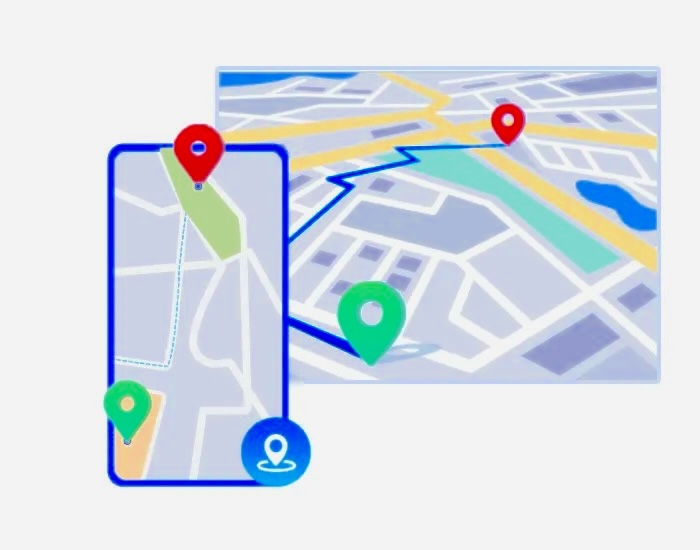
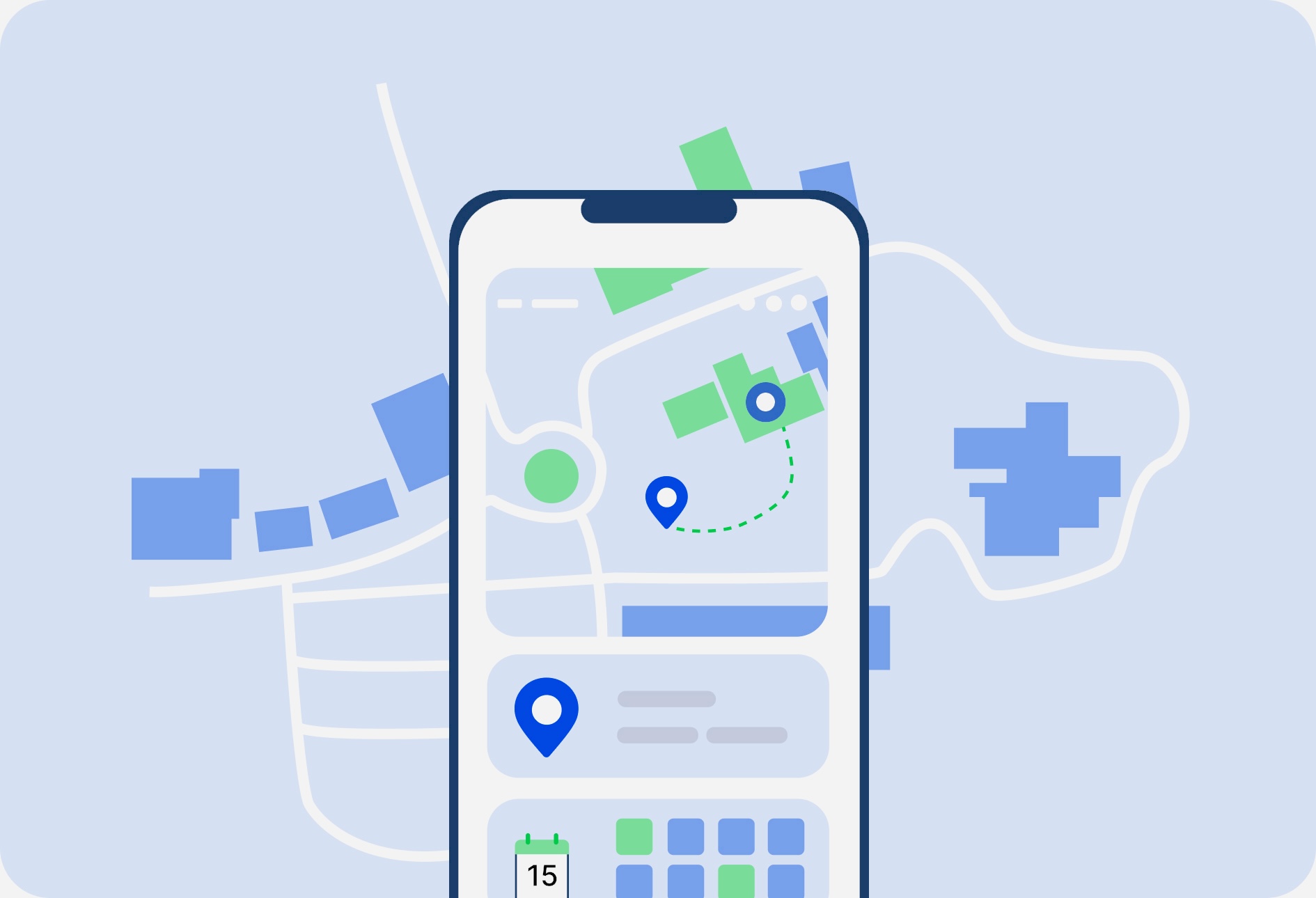
Real-time GPS location with 30-day route history and geofencing alerts for designated areas. Low-battery alerts with GPS coordinates attached. Ambient audio monitoring that activates the child’s microphone remotely for environmental listening. App usage tracking and blocking with scheduling capabilities. Call log monitoring for incoming and outgoing calls.
Real-World Performance
In testing, MobileTracking’s notification-based message capture is one of the faster approaches available — alerts for keyword-triggering messages typically arrive within seconds of the message being received on the child’s device. The accuracy of captured notification content is high, with message text and sender information consistently displayed without errors.
The app operates without a visible icon on the child’s home screen, which means the companion app runs in the background without being easily discovered by the child.
Honest Limitations
MobileTracking currently monitors Android child devices. For families with children on iPhone, alternative monitoring tools are needed for the child device component (the parent dashboard works on both Android and iPhone).
Setup complexity: Initial setup involves installing two apps (one on each device) and granting a set of permissions on the child’s device. This takes approximately 15–20 minutes and is not technically demanding, but it does require having physical access to the child’s device during setup.
Rating: ⭐⭐⭐⭐⭐ Free trial: 3 days — sufficient to test keyword alert functionality and real-time monitoring before subscribing.
App 2: WebWatcher
Platforms: Android, iOS (child device), Android / iOS / Web (parent) Price: $39.95/month, $59.95/quarter, $129.95/year Best for: Parents who need comprehensive SMS monitoring on both Android and iOS with high accuracy requirements
WebWatcher is a dedicated monitoring solution that has been in operation for over a decade. Its focus is depth of monitoring rather than breadth of features — it prioritizes doing SMS and content monitoring well rather than offering a sprawling feature set.
SMS Monitoring Features
WebWatcher captures sent and received text messages on the target phone and stores them in a cloud-based account accessible from any browser or the parent app. The message content, sender and recipient information, and timestamps are all recorded with high accuracy — testing consistently showed complete message data with no garbled or missing information.
Keyword detection is a standout feature for WebWatcher — parents configure keyword lists, and when those terms appear in messages, alerts fire promptly and reliably. In testing, keyword detection accuracy was among the highest of the apps reviewed here, with very few false negatives (missed detections) observed.
Cloud storage of message history allows parents to review historical message threads at any time, not just real-time monitoring.
Social media and messaging app monitoring: WebWatcher extends coverage to WhatsApp, Facebook Messenger, and other platforms in addition to standard SMS, though the depth of coverage varies by platform and operating system.
User Experience
The interface is functional and logically organized, with message lists, keyword alert records, and account settings clearly separated. It is not visually polished by modern app standards, but the information hierarchy is practical for parents who need to review message data efficiently.
Installation is more involved than some competitors, and the app may conflict with antivirus or security software on certain devices. These security programs typically need to be temporarily disabled during installation. This is a documented limitation that WebWatcher acknowledges — parents should be aware of it before starting the installation process.
Message retrieval speed in testing was approximately 2–3 minutes for new messages to appear in the dashboard — acceptable for logging and review purposes, though not as fast as notification-based systems like MobileTracking.
Pricing and Value
At $39.95/month, WebWatcher sits at the higher end of the pricing spectrum for this category and does not offer a free trial. This pricing is most justifiable for parents who specifically need iOS device monitoring with high SMS content accuracy — an area where many competitors have reduced functionality.
Honest limitations: No free trial makes evaluation risk-bearing. The installation complexity can frustrate less technical users. Monthly pricing is high for single-device monitoring compared to alternatives.
Rating: ⭐⭐⭐⭐
App 3: Qustodio
Platforms: Android, iOS (child device), Android / iOS / Web (parent) Price: $99.95/year (premium, no device limit). 3-day trial of premium features available after purchase. Best for: Parents who want SMS monitoring alongside comprehensive content filtering and screen time management
Qustodio is one of the most well-known names in parental control software, and it takes an expansive approach to child digital safety — SMS monitoring is one feature within a platform that also covers app blocking, web filtering, YouTube monitoring, gaming time limits, social media tracking, and detailed usage reports.

SMS Monitoring Features
Qustodio allows parents to view SMS content including sender and recipient information, call records, and the child’s contact list. Contact management is a particular strength — parents can see exactly who is in the child’s contacts, flag unknown contacts, and in some configurations block communication from specific numbers.
Time-based SMS rules: One of Qustodio’s distinctive features is the ability to restrict SMS access during specific hours — for example, preventing texting during school hours or after a set bedtime. This adds a behavioral control dimension that is distinct from pure monitoring.
User Experience
Qustodio’s interface is among the cleaner and more intuitive in this category — the parent dashboard is well-organized, and the mobile app is consistently rated positively for ease of navigation. The learning curve for day-to-day use is lower than more technical competitors.
However, the installation process — particularly on Android 13 and above, which has tightened permission requirements significantly — can be complex and may require multiple steps that less technical parents find frustrating. iPhone monitoring setup requires computer assistance, which adds additional friction.
In testing, SMS content retrieval was typically visible within 1–3 seconds of being sent on the target device — among the faster response times in this category. Occasional delays and some SMS record gaps were observed, which affected reliability for continuous monitoring purposes.
A notable gap: Unlike MobileTracking and some other competitors, Qustodio does not include proactive harmful content detection with automatic keyword alerts in the same way. Parents can view message content, but the app does not actively analyze messages for concerning patterns and alert parents automatically without them proactively reviewing the dashboard.
Pricing
At $99.95/year with no device limit, Qustodio’s annual pricing is competitive for families with multiple children and multiple devices — the unlimited device coverage means the per-device cost decreases significantly for larger families. For single-child families, dedicated single-device apps may offer better value.
Honest limitations: No automatic keyword detection for proactive alerts. iOS setup complexity. Occasional SMS record gaps.
Rating: ⭐⭐⭐⭐
App 4: mSpy
Platforms: Android, iOS (child device), Android / iOS / Web (parent) Price: $48.99/month, $83.99/quarter, $139.99/year. No free trial. Best for: Parents who specifically need to monitor iMessage on iPhone alongside standard SMS
mSpy is one of the longest-established parental monitoring apps in the market, with a particular reputation for iPhone (iMessage) monitoring — a technically difficult capability that many competitors handle poorly or not at all. For parents whose child uses an iPhone and whose primary concern is iMessage content, mSpy has historically been one of the more reliable options.
SMS and iMessage Monitoring Features
mSpy captures sent and received SMS messages, including sender and recipient details and timestamps. On iPhone, it extends to iMessage content — which many Android-focused monitoring apps cannot access. Messages that are deleted on the target device after being synced are still viewable in the mSpy dashboard, which is relevant for parents concerned about a child deleting incriminating content.
Keyword alerts function as with other apps in this category — parents define a keyword list, and alerts are sent when those terms appear in monitored messages. Testing showed keyword detection with fast response times — approximately 2–3 seconds from message receipt on the target device to alert appearance in the parent dashboard.
Beyond SMS, mSpy monitors call logs, browsing history, social media apps (including WhatsApp, Snapchat, Telegram, and Facebook), app usage, and GPS location. The breadth of coverage is comparable to MobileTracking, though the interfaces and specific feature implementations differ.
User Experience
mSpy’s dashboard is functionally organized, with separate modules for each monitoring category. Navigation is logical for parents who need to review data across multiple feature areas. The visual design, while functional, has been noted by users as dated compared to newer app interfaces.
Installation — particularly iPhone installation — is among the more complex processes in this category. Unlike Android where a companion app is installed directly, iPhone monitoring may require iCloud credentials and possibly additional configuration steps depending on the iOS version and device configuration. Technical support is available to assist with this process.
Pricing transparency note: mSpy’s monthly pricing ($48.99) is high, and the no-free-trial policy means parents must commit financially before evaluating real-world performance on their specific device.
Honest limitations: No free trial. Monthly pricing is premium. iPhone installation complexity. Interface design dated.
Rating: ⭐⭐⭐⭐
App 5: Mobile Tracker Free
Platforms: Android only (child device), Android / Web (parent) Price: Free (with limitations) or premium subscription for full features Best for: Parents on tight budgets with basic Android SMS monitoring needs, who accept security trade-offs
Mobile Tracker Free occupies a different tier from the other apps in this review — it is primarily positioned as a free tool, with a premium version for additional features. The free version covers SMS and MMS monitoring on a single Android device with a 3-day data history limit.
What the Free Version Actually Provides
For SMS monitoring specifically, Mobile Tracker Free displays message content, sender and recipient names, and timestamps. It also shows the GPS location of the device at the time messages were sent or received — a useful contextual detail that more expensive apps sometimes do not provide.
The paid version extends data storage beyond 3 days, removes advertising from the interface, and unlocks additional features including longer history retention.
Significant Limitations Worth Understanding
Not available on Google Play. Mobile Tracker Free is not distributed through the Google Play Store. Installation requires enabling “Install Unknown Apps” in Android security settings — a permission that disables a key security protection and exposes the device to potential risk from other sources. This is a non-trivial security trade-off that parents should weigh carefully.
Security transparency gaps. The app’s documentation does not clearly detail the encryption methods used for data transmission and storage. Given that location data and private message content are being transmitted to external servers, the absence of clear security documentation is a concern for privacy-conscious users.
Ad-heavy free experience. The free version includes significant in-app advertising, which creates a disruptive monitoring experience.
Installation friction. In testing, installation encountered errors even when following official instructions. Disabling Google Play Protect and other security features — required by the installation instructions — reduces overall device security.
When It Makes Sense
For parents with very tight budget constraints and basic Android SMS monitoring needs, the free version provides something rather than nothing. However, the security trade-offs — installing from an unofficial source, unclear data encryption, disabling protective settings — mean it is not a first recommendation. If budget is the primary constraint, Google Family Link (free, by Google, Play Store-distributed) provides a more secure baseline alternative for location and basic controls, and MobileTracking’s free trial provides a risk-free evaluation window.
Rating: ⭐⭐⭐
Comparison at a Glance
| App | Android SMS | iOS SMS | Keyword Alerts | Price | Free Trial |
|---|---|---|---|---|---|
| MobileTracking | ✅ Full | N/A | ✅ Instant | From $9.99/mo | 3 days |
| WebWatcher | ✅ Full | ✅ Full | ✅ Accurate | From $39.95/mo | ❌ None |
| Qustodio | ✅ Full | ✅ Partial | ⚠️ Limited | $99.95/yr | 3 days |
| mSpy | ✅ Full | ✅ iMessage | ✅ Fast | From $48.99/mo | ❌ None |
| Mobile Tracker Free | ✅ Basic | ❌ None | ❌ None | Free / Paid | N/A |
How to Choose the Right SMS Tracker
If you have an Android child and want the most complete monitoring for the price: MobileTracking Parental Control combines SMS keyword alerts, notification-based app message capture, screen mirroring, and location tracking at the most competitive price point, with a 3-day trial to evaluate before committing.
If you have an iPhone child and primarily need accurate iMessage monitoring: mSpy is one of the more established options for iOS SMS monitoring, though the installation process requires more technical preparation. WebWatcher is a comparable alternative.
If you want a comprehensive parental control platform rather than just an SMS tracker: Qustodio covers SMS alongside a broader range of controls (app blocking, web filtering, screen time scheduling) at an annually priced plan that works well for multi-device families.
If you need keyword detection that fires immediately rather than requiring you to actively review messages: MobileTracking and mSpy both perform well on alert speed in testing. Qustodio’s lack of proactive keyword alerts is a notable gap in this specific area.
If budget is extremely tight and Android monitoring is the need: Mobile Tracker Free provides basic SMS monitoring at no cost, but the security trade-offs should be understood before installation.
The Ethical Dimension: How to Monitor Responsibly
No review of SMS tracker apps for parents would be complete without addressing the question of how to use them responsibly. The tools covered here are powerful, and how they are applied affects not just what information parents gain, but the long-term health of the relationship between parent and child.
Transparency vs. Covert Monitoring
Most child development researchers recommend that parents be transparent with children about monitoring — not necessarily showing them every feature or every alert, but being clear that the phone is monitored and why. Children who know their communications may be reviewed tend to make more thoughtful choices in their messaging. They are also more likely to come to parents when something goes wrong, because they do not fear losing all digital access as a consequence of disclosure.
Covert monitoring — installing software with no disclosure to the child — has a place in situations where a parent has specific, serious concerns and transparency would be counterproductive or even dangerous. But as a default parenting approach, it carries real risks: if discovered (and persistent monitoring is often discovered eventually, especially by teenagers who are tech-savvy), the breach of trust can be more damaging to the relationship than the issues the monitoring was intended to address.
A middle-ground approach that many families find workable: be clear that the phone may be monitored and that the parent has tools in place for safety, without necessarily explaining every specific feature or showing the dashboard. “This phone is set up so I can see if something concerning happens” establishes the oversight without detailing exactly what is visible.
Age-Appropriate Monitoring
Monitoring a 10-year-old’s texts is a different proposition from monitoring a 16-year-old’s. As children mature and demonstrate sound judgment, reducing the intensity of monitoring is part of the developmental process — and handling it explicitly, as a concrete acknowledgment of the child’s growing trustworthiness, reinforces positive behavior.
Many families find that the natural progression is: comprehensive content monitoring for younger children, moving to keyword-alert-only monitoring as the child demonstrates reliable judgment, and eventually to location-only tracking for older teenagers who are managing their own social lives responsibly. This graduated approach treats monitoring as a safety net that becomes less visible as it is needed less, rather than a permanent form of surveillance.
Legal Compliance
In most countries, parents have the legal authority to monitor their minor children’s devices as part of their parental responsibility. The legal landscape around monitoring adult children (18+) is significantly different — in most jurisdictions, monitoring an adult’s communications without their knowledge and consent is illegal, regardless of whether that adult is your child. Always ensure your monitoring approach complies with applicable laws in your jurisdiction before installing any monitoring software.
Frequently Asked Questions
Which SMS tracker works best for iPhone?
iPhone SMS monitoring is technically more restricted than Android due to Apple’s iOS privacy architecture. mSpy and WebWatcher are among the more capable options for iPhone, both offering iMessage monitoring alongside standard SMS. The setup process for iPhone is more involved than Android, and some features are not available on iOS. For parents who want the most feature-complete monitoring on an iPhone child device, combining the best available app with Apple’s own Screen Time controls (which provide app limits and communication restrictions) is often the most practical approach.
Can SMS trackers see WhatsApp and other messaging apps?
It depends on the app. Standard SMS trackers that only read the device’s SMS database will not see WhatsApp, Telegram, Instagram DMs, or iMessage. Apps that monitor at the notification level — like MobileTracking — can capture preview content from any app’s notifications, including messaging apps, providing broader coverage. Apps that support specific platform integrations (mSpy, WebWatcher) may offer deeper WhatsApp monitoring in some configurations.
How quickly do keyword alerts fire?
Alert speed varies by app. In testing, notification-based systems like MobileTracking typically deliver keyword alerts within seconds of the triggering message arriving. Apps that sync data on a scheduled basis may take 2–5 minutes. For real-time parental response, apps with fast alert delivery are significantly more useful than delayed-sync approaches.
Are SMS trackers legal?
Monitoring your minor child’s device with parental authority is generally legal in most countries. Monitoring another adult’s device without their consent is illegal in most jurisdictions, regardless of relationship. Always comply with applicable laws in your country or state before installing any monitoring software on any device.
Will my child know their messages are being monitored?
Apps like MobileTracking operate in stealth mode on Android, with the companion app not visible on the home screen. Apps that require iCloud access on iPhone (like mSpy in some configurations) may generate Apple security notifications visible to the account holder. Whether to tell your child monitoring is in place is ultimately a parenting decision — as discussed above, transparency is often the more sustainable long-term approach.
Can SMS trackers recover deleted messages?
Apps that sync message content to a cloud dashboard as messages arrive — before they are deleted — will have a record of the message in the dashboard even if it is later deleted from the child’s device. mSpy specifically notes this capability. Apps that only read the current SMS database on a scheduled sync will not capture messages that were deleted before the last sync.
What is the cheapest effective SMS tracker?
MobileTracking Parental Control at $9.99/month offers the best feature set per dollar among the paid options reviewed here. The 3-day free trial allows full evaluation before committing. For completely free monitoring, Google Family Link provides location, app controls, and basic usage oversight — but does not read SMS content.
Final Thoughts
SMS tracking is a tool that serves child safety best when used thoughtfully — neither obsessively nor passively. The apps reviewed here cover a meaningful range of needs and budgets. MobileTracking offers the broadest feature set at the most accessible price point for Android families, with a trial period that allows genuine evaluation before spending money. WebWatcher and mSpy serve parents with specific iPhone and iMessage monitoring needs. Qustodio is a strong choice for families who want comprehensive parental controls beyond SMS. Mobile Tracker Free covers basic needs for free when budget is the binding constraint.
Whatever app you choose, pair it with clear family conversations about digital safety. The apps surface information; what you do with that information — how you respond when a keyword alert fires, how you talk about online risks proactively, how you adjust monitoring as your child grows — determines whether the monitoring actually serves the safety goals it is intended to support. Technology is a tool. The relationship between parent and child is the foundation that makes any tool worth using.
Disclaimer: Parental monitoring laws vary by jurisdiction. Always ensure your monitoring approach complies with applicable laws. This guide is for informational purposes only.







Add comment