
 MobileTracking Editor
The phrase “track a phone number” covers a surprisingly wide range of intentions and scenarios. A parent wants to know if their child has arrived at school safely. Someone has received a suspicious call from an unknown number and wants to identify the caller. A person has lost their phone and is trying to locate it. A business owner wants to verify that a remote employee is working from the right location. Each of these situations calls for a different kind of tracking — and the landscape of apps and services claiming to deliver phone number location is full of tools that overpromise and underdeliver.
This guide exists to cut through that noise. We tested the most widely used mobile number trackers across two categories — free online services and dedicated mobile apps — and assessed each one honestly: what it can actually do, what its real limitations are, where its data comes from, and who it is actually suited for.
The results are more nuanced than most comparison articles suggest. Many free “phone number trackers” can only show you the general region where a number was originally registered — which is rarely where the person actually is. GPS-based trackers that promise live location data almost all require the target person to consent by clicking a link. And the tools that work most reliably for ongoing, accurate location monitoring are purpose-built family tracking apps — not general phone number lookup tools.
By the end of this guide, you will know exactly what type of tracker fits your situation, which specific tools are worth using, and which ones to avoid.
Part 1: What Types of Phone Number Trackers Actually Exist?
Before reviewing specific tools, it is important to understand what the different categories of phone number trackers can and cannot do — because the marketing language around them is frequently misleading.
Type 1: Online Registration-Based Trackers
These are websites where you enter a phone number and receive a location result. The “location” they return is almost always the registered location of the number — meaning the city, state, or region where the phone number was originally assigned by the carrier when the SIM was activated. This is not where the person currently is. It is where their carrier is based or where the SIM was registered.
For a mobile number that has been used by the same person in the same city for years, this may roughly correspond to their general area. For anyone who has moved, ported their number to a new carrier, or uses a number registered to a business or virtual carrier, the registration location is entirely useless as an actual location indicator.
Despite this fundamental limitation, these tools are widely used and have legitimate purposes: they can help identify which country a number is from, which carrier or network it belongs to, and sometimes the general region — information that can be useful for screening unknown calls or verifying whether a number is real.
Examples: Phone Location, Scannero (free tier), Mobile Number Tracker & Locator
Type 2: Reverse Phone Lookup / Caller ID Services
These services cross-reference a phone number against public records, social media databases, data aggregator sources, and user-contributed information to return details about the number’s owner — name, address history, social profiles, and sometimes current city.
The accuracy of these tools varies enormously based on how well-populated their databases are for a given region. In the United States, where public records are extensive and data aggregators are highly developed, services like Spokeo and Truecaller can return reasonably accurate ownership information. Outside the U.S., and for newer or unlisted numbers, results are often sparse or absent.
Crucially, these tools provide demographic and identity information — not a GPS coordinate. They can tell you who owns a number and roughly where they live or work based on public records, but they cannot show you where that person is right now.
Examples: Truecaller, Spokeo, Number Guru, Whitepages
Type 3: Consent-Based GPS Trackers
These apps work by sending a text message containing a location-sharing link to the phone number you want to track. If the recipient taps the link and agrees to share their location, their GPS coordinates are transmitted and displayed on a map for you to view.
This is the only category of phone number tracker that can return actual real-time GPS location data — because it requires the other person’s active participation. The significant limitation is obvious: if the person you want to track does not click the link, you get nothing. These tools are most useful for situations where you have a legitimate reason to ask someone to share their location and want a quick, app-free mechanism for doing so.
Examples: Geofinder.mobi, Scannero (paid tier), Mobile Phone Number Tracker
Type 4: Family Safety and Parental Control Apps
These are the tools that provide genuinely reliable, ongoing, accurate location tracking — but they require the app to be installed on the target device in advance. Once installed and configured, they provide continuous GPS monitoring that does not depend on any single consent click or network ping. They are designed for parents monitoring children, family coordination, and ongoing safety monitoring.
Examples: MobileTracking Family Locator, Google Family Link, Life360
Understanding these distinctions is the most important thing in this entire guide. The vast majority of confusion and disappointment around phone number trackers comes from people expecting Type 1 or Type 2 tools to deliver Type 4 results — which they simply cannot.
Part 2: Five Free Online Phone Number Trackers (Tested)
Here is an honest assessment of five widely-used free online trackers, based on testing and real user feedback.
1. Mobile Locator (Phone Location)
Mobile Locator is an online platform that allows you to look up the registered location of a phone number without downloading anything. Enter a number, and within a few minutes the service returns a map showing the approximate region associated with that number, along with carrier information.
The service draws on GSM and UMTS base station data to determine carrier and regional registration information, and claims to work for numbers in more than 100 countries — a broader international coverage than most comparable free tools.
In testing, Mobile Locator consistently returned the correct carrier and general country or regional information for numbers with established registrations. The results appear on an interactive map, and the service does not require account creation for basic lookups. It is also notably cleaner to use than many competitors — no intrusive advertising or forced registration before showing results.
What it is genuinely useful for: Identifying the carrier and country of origin for an unknown number, confirming a number’s general registration region, basic caller verification.
What it cannot do: Show where the phone currently is. The “location” returned is the registration region, not a live GPS fix.
Pricing: Free
Honest limitation: Results can take several minutes to generate, which is slower than comparable tools. The location returned is registration-based, not real-time.
2. Scannero
Scannero is an online tracker that uses a two-tier model. The free tier returns the general region associated with a phone number within about 30 seconds, based on carrier registration data. The paid tier sends a location-sharing link via SMS to the target number; if the recipient clicks and consents, their GPS location is shown on a map in your dashboard.
The free tier functions like other registration-based trackers — it tells you where the number was registered, not where the person is. It is reasonably fast and presents results clearly.
The paid tier is effectively a consent-based GPS tracker, as described in Type 3 above. Some users have reported inaccurate results even on the paid tier, particularly in cases where the recipient used a VPN or the GPS link was opened in an unusual environment. This is consistent with how consent-based tracking works — GPS accuracy depends on the recipient’s device capabilities and settings.
What it is genuinely useful for: Quick registration region lookup (free tier), sending a location request to a known contact who is willing to share their location (paid tier).
What it cannot do: Track someone’s location without their active cooperation.
Pricing: Free for registration data; paid subscription for GPS-based requests
Honest limitation: The free tier provides only registration data. The paid GPS feature requires the target to click a link. User reviews for the paid GPS tier are mixed, with some reporting inaccurate results.
3. Truecaller
Truecaller occupies a unique position in this category. It began as a caller ID app but has grown into one of the largest crowdsourced phone number databases in the world, with over 360 million registered users who share their contact lists as a condition of sign-up. This database powers both the mobile app and the web-based lookup service.
Truecaller’s web tool allows you to search for a phone number and receive the owner’s name, possible location, and spam rating — all drawn from its aggregated database. The mobile app (Android | iOS) extends this with real-time caller ID for incoming calls — displaying who is calling before you answer, even if the number is not saved in your contacts.
In testing, Truecaller performed best among the free lookup tools for identifying the owners of numbers that are already in many people’s contact lists — particularly numbers belonging to businesses, professionals, and anyone who uses WhatsApp. It performed less well for numbers that are not widely shared across its user base.
What it is genuinely useful for: Identifying unknown callers in real time, looking up the registered name and general location of a phone number, spam detection.
What it cannot do: Provide live GPS location of a phone number’s current position.
Pricing: Free (with premium features available)
Honest limitation: Truecaller’s database is built from users sharing their contact lists — which raises privacy concerns. People who never consented to being in Truecaller’s database may appear there because someone else saved their number. Location data is profile-based, not GPS-based.
4. Spokeo
Spokeo is a U.S.-focused people search and reverse phone lookup service that aggregates data from public records, social media profiles, mailing lists, surveys, and other sources to build detailed profiles on individuals. A phone number search can return the owner’s name, address history, social media profiles, email addresses, and general location.
Spokeo’s dataset is substantial — the company claims over 12 billion records across its various databases. In practice, its results are strongest for people with substantial public records footprints in the United States: homeowners, people with social media presence, or individuals with public professional records. For unlisted numbers, newer numbers, or non-U.S. numbers, results are often incomplete or absent.
Spokeo offers a 7-day trial for $0.95, after which a subscription is required for ongoing access to full reports. Basic information can often be seen for free before the paywall appears.
What it is genuinely useful for: Researching unknown callers or identifying the owner of a number, particularly for U.S. numbers with public records.
What it cannot do: Provide real-time GPS location, track numbers outside the United States reliably, or show current location rather than registered address history.
Pricing: 7-day trial at $0.95; subscription required for full access
Honest limitation: Only practically useful for U.S. numbers. Location returned is residential address history from public records, not current GPS position.
5. Number Guru
Number Guru is a free reverse phone lookup tool that identifies whether a number is legitimate or spam, shows general geographic information associated with the number, and displays user-submitted comments from others who have received calls from the same number.
The community-driven spam rating system is one of Number Guru’s more practically useful features — if a number that called you has been reported as spam by multiple other users, that context is immediately visible. The geographic data (city and state for U.S. numbers) comes from carrier registration information rather than GPS.
In testing, Number Guru performed reliably for basic number identification but frequently returned “unknown” for private numbers, recently registered numbers, and anything without a significant public presence. Like Spokeo, it is primarily useful in a U.S. context.
What it is genuinely useful for: Quick spam identification, community-rated caller context, basic geographic registration data.
What it cannot do: Provide real-time location, identify numbers without any public records footprint, or track numbers outside the U.S. reliably.
Pricing: Free (full report sometimes requires payment)
Honest limitation: Location data can be incomplete or unavailable. Results for numbers outside the U.S. are limited.
Part 3: Five Mobile Number Tracker Apps (Tested)
Beyond web-based tools, a range of mobile apps claim to track phone numbers with greater precision. Here is an honest assessment of five widely downloaded options.
1. Mobile Phone Number Tracker
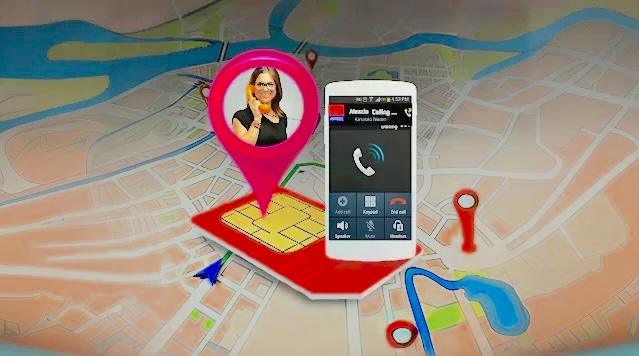
Available on both Android and iOS, Mobile Phone Number Tracker operates as a consent-based GPS tracker. You enter the target phone number, and the app sends an SMS message containing a location-sharing link. If the recipient taps the link and permits location access, their GPS coordinates are displayed on a map.
The app uses a combination of GPS, GSM, Wi-Fi, and IP address triangulation to determine location after consent is granted, which can produce reasonably accurate results in good conditions. However, the core limitation — that the target must click the link and agree to share their location — significantly restricts its practical use for most of the scenarios people intend it for. In testing, the SMS sending feature experienced intermittent failures.
Pricing: $9.99/month
Honest limitation: Requires target’s active consent. SMS delivery is not guaranteed. Location accuracy varies by environment and device.
2. Phone Number Location Tracker (iOS)
This iPhone-only app functions similarly to the above — it sends a location request to a target phone number via SMS and, upon consent, displays GPS coordinates on a map. It uses three technical methods for location determination: E.164 country-level identification, W3C Geolocation API, and Regional Internet Registry data.
User reviews in the App Store reveal a significant accuracy concern — one user reported the app placing a target’s location hours away from their actual position. VPN use by the target also prevents accurate location return, as the app would read the VPN server’s IP address rather than the device’s actual location.
Pricing: Approximately $4.20/month
Honest limitation: Accuracy is unreliable. VPN use by the target returns the VPN server’s location, not the real one. Requires consent.
3. Mobile Number Tracker & Locator (Android)
This Android app is specifically designed for Indian mobile numbers. It returns information about any Indian number including the state of registration, carrier name, and SIM card type (GSM or CDMA). It uses India’s telecom registration database rather than GPS.
For its specific use case — identifying Indian carrier and state information — the app works as described. The significant limitation is geographic: it only functions for numbers registered in India and cannot provide GPS location data.
User reviews on Google Play confirm that carrier and state information is generally returned accurately, but location data — where it is even attempted — is frequently incorrect or unavailable.
Pricing: Free
Honest limitation: India-only. Returns registration state and carrier information, not GPS location. Location data unreliable.
4. Mobile Number Locator
Mobile Number Locator functions as a combination call manager and reverse phone lookup, offering incoming call identification, spam call blocking, and basic reverse lookup for unknown numbers. It works through public records and database lookup rather than GPS — placing it firmly in the Type 2 category described earlier.
In testing, results were limited to city and state level for registered U.S. numbers — comparable to what free online tools provide. Many user reviews on the Google Play Store report either no results or inaccurate results, and the app is noted for heavy advertising within the interface.
Pricing: Free
Honest limitation: Heavy in-app advertising. Results limited to registered city level at best. Inaccurate for many numbers.
5. Phone Tracker by Number
Phone Tracker by Number markets itself as a robust GPS tracker that can locate any phone number with precision. In testing, the experience was significantly worse than advertised. After entering a number, the app sends an SMS link. When the test link was opened on another device, rather than returning location data, the recipient was prompted to download the app themselves. After downloading, no location data was returned — but a sustained stream of full-screen advertisements began.
This experience — where a “tracking” app’s primary function appears to be generating app installs and ad revenue rather than providing location data — is unfortunately common in this category of tools.
Pricing: Free
Honest limitation: Does not reliably deliver location data as advertised. Heavy full-screen advertising. User experience significantly misaligned with marketing claims.
Part 4: What Actually Works — Matching the Tool to the Real Use Case
With the landscape of options assessed honestly, here is a clear guide to matching the right tool with the actual need:
You want to identify an unknown or suspicious caller
Best option: Truecaller (free, broad caller ID database) or Spokeo (U.S.-focused, more detailed public record data). Both return ownership information and spam ratings based on their respective databases.
What to expect: Name, general location based on registration or public records, spam score. Not real-time GPS.
What not to do: Expect a live map pin showing where the caller is right now. Caller ID tools do not provide real-time location.
You want to know what country or carrier a number belongs to
Best option: Mobile Locator or Scannero’s free tier. Both return carrier and registration region for numbers across many countries without requiring account creation.
What to expect: Country, state or region of registration, carrier name. Not current location.
Why this matters: Knowing a number’s carrier and country of registration can immediately confirm whether a suspicious call from an “unknown” number is local or international, whether it is a mobile or landline, and in some cases which type of service it belongs to — which is useful context even without knowing who is calling.
You want to ask someone to share their location quickly without them needing to install an app
Best option: Scannero’s paid tier or Geofinder.mobi. Both send a location-sharing link via SMS that shows GPS location on consent.
What to expect: GPS-accurate location if the recipient clicks and approves. No location if they do not.
When this works well: This approach is appropriate when you have a legitimate reason to ask someone for their location — a lost friend, a delivery driver, a family member you are trying to coordinate with — and want a quick, no-app mechanism. It is not appropriate for tracking someone without their awareness.
You want to research a phone number thoroughly before calling back or responding
Best option: Spokeo for U.S. numbers, Truecaller globally. Number Guru is useful as a quick spam check with community context before these deeper lookups.
What to expect: A combination of public records data, social media associations, user-submitted spam reports, and address history. Most useful for numbers with significant public footprints — businesses, professionals, public figures.
You are a parent who wants ongoing, reliable location tracking for your child’s phone
Best option: A dedicated family safety app. This is the only category that delivers continuous, accurate, GPS-based location monitoring without depending on a one-time consent click. Google Family Link (free), Life360 (free and paid tiers), and MobileTracking Family Locator are all significantly more reliable for this purpose than any general phone number tracker.
What to expect: Real-time GPS, geofencing alerts, location history, and in the case of more comprehensive apps, digital activity monitoring alongside the location data.
Part 5: Best Mobile Tracker for Child Safety — MobileTracking Family Locator
For parents specifically, phone number trackers that depend on the other person clicking a link are not practical tools for child safety monitoring. A child who is in a dangerous situation, has a dead battery, or is being pressured not to share their location cannot be relied upon to click a link. What parents need is ongoing, continuous monitoring that works regardless of whether the child actively cooperates in any given moment.
MobileTracking Family Locator / Parental Control is designed for exactly this use case. Once installed on the child’s Android device and paired with the parent’s account, it provides continuous GPS location monitoring from the parent’s dashboard — no repeated link-clicking required, no moments where tracking depends on the child’s cooperation.
Location Features
Real-time GPS tracking. The parent dashboard shows the child’s current position on a live map, updated continuously while the phone is powered on and connected to a network. Location uses GPS combined with Wi-Fi and cellular positioning for accuracy across different environments — indoors and outdoors.
30-day location history. Unlike most phone number trackers that only show a current or last-known position, MobileTracking stores a detailed route history for up to 30 days. Parents can scroll back through any day and see the exact path the child’s phone traveled — when they left home, the route to school, when they arrived at a friend’s house, and when they returned. This historical data is particularly valuable when parents need to understand a sequence of events after the fact.
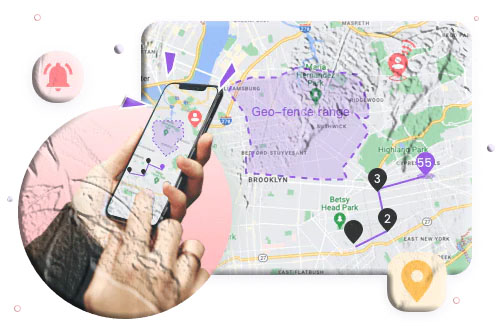
Geofencing with instant alerts. Parents can draw virtual boundaries around key locations — home, school, sports fields, a grandparent’s house — and receive push notifications the moment the child’s phone crosses those boundaries in either direction. This automated alerting means parents do not need to actively monitor the map throughout the day; the app notifies them automatically when something changes.
Low-battery alert with GPS location. When the child’s battery drops below a threshold set by the parent, an alert fires to the parent’s device. Critically, this alert includes the child’s GPS coordinates at the time of the alert — providing a final known location before the phone potentially powers off. This addresses one of the most common and frustrating gaps in phone location monitoring: losing track of where a phone is right before its battery dies.
Additional Monitoring Features
Beyond location, MobileTracking provides tools that extend safety monitoring into the digital activity on the child’s phone:
Screen mirroring. Parents can view the child’s phone screen in real time from their own device — seeing whatever apps are open and what content is being displayed as it happens.
Ambient audio monitoring. Remote activation of the child’s phone microphone allows parents to hear the surrounding environment in real time — useful for assessing physical safety when location data alone is insufficient.
Notification monitoring. Incoming notifications from all apps — including WhatsApp, Instagram, and other messaging platforms — are captured and visible in the parent dashboard, providing context about digital communications alongside location data.
SMS keyword alerts. Parents configure lists of keywords associated with specific concerns — bullying language, self-harm references, contact from strangers — and receive instant alerts when those words appear in incoming text messages.
App usage monitoring and blocking. See exactly which apps the child uses and for how long. Block age-inappropriate apps or schedule app access restrictions during homework hours, bedtime, or school time.
Setup Process
Step 1: Download and install MobileTracking Parental Control from the Google Play Store on your own phone. Create an account and log in.
Step 2: On the child’s Android phone, install the MobileTracking Kids companion app.
Step 3: Open MobileTracking Kids on the child’s device, enter the pairing code shown in your parent dashboard, and complete the permissions setup.
Step 4: From your parent dashboard, tap the Map icon to see real-time location. Access History for past route data, Geofencing to set alerts, and other tabs for digital monitoring features.
A 3-day free trial is available to test the full feature set before subscribing.
Part 6: Other Family Location Apps Worth Considering
For families who want location tracking specifically — without the broader digital monitoring features of MobileTracking — a few purpose-built alternatives are worth knowing:
Google Family Link
Google Family Link is Google’s free parental supervision platform for Android (parent app available on both Android and iPhone). It provides real-time location of the child’s Android phone with geofencing alerts, alongside app management, screen time controls, and content filters. The location tracking is GPS-based and reliable, though it updates less frequently than dedicated tracking apps. It is free and developed by Google, which makes it a trusted and maintained choice.
Life360
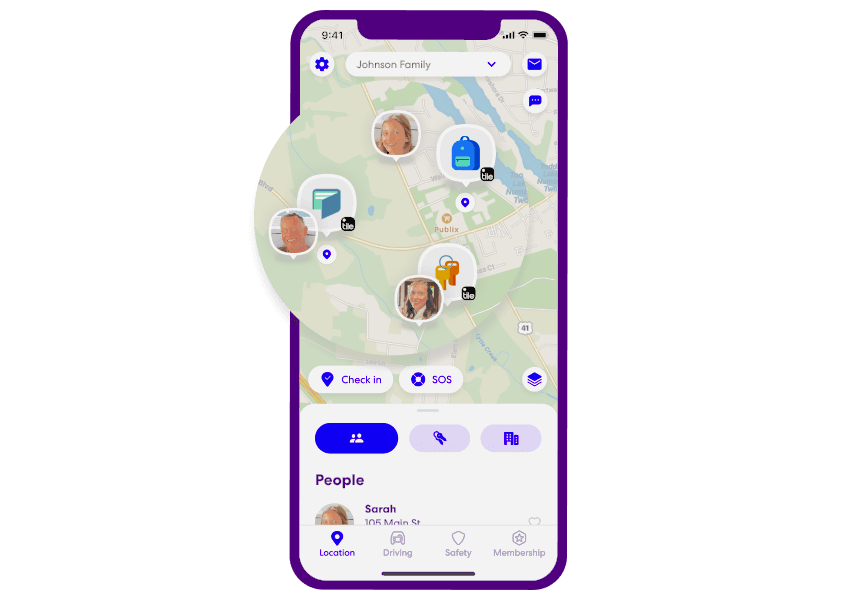
Life360 is a mutual family location sharing platform where all family members can see each other’s real-time positions on a shared map. It supports both Android and iOS within the same family circle, stores location history, provides geofencing alerts, and includes driving behavior reports for families with teenage drivers. A free tier is available; paid tiers add extended location history and additional features.
Apple Find My
Apple Find My is Apple’s built-in family location sharing system, free for all iPhone users. Through Family Sharing, parents can see a child’s iPhone location in real time, set arrival and departure notifications for specific places, and locate the device even offline through Apple’s encrypted peer-to-peer network. Best for iPhone-to-iPhone family setups.
Frequently Asked Questions
Can I track a phone number’s current location for free?
No free service can reliably show you where a phone number’s owner currently is without their cooperation. Free phone number trackers can show you the registration region of a number and carrier information, but that is registration data — not real-time GPS. The only tools that return actual GPS location require either the person’s active consent (consent-based trackers that send a link) or an app installed on the target device (family safety apps).
What is the most accurate way to track a phone number?
For one-time location sharing with consent, services like Scannero or Geofinder.mobi send an SMS link that returns GPS-accurate location when the recipient agrees. For ongoing tracking of a family member’s device, dedicated apps like MobileTracking, Google Family Link, or Life360 provide the most accurate and reliable continuous location data.
Is it legal to track someone’s phone number?
Tracking your own device is always legal. Tracking a minor child’s device with parental authority is generally legal in most countries. Tracking another adult’s device without their knowledge or consent is illegal in most jurisdictions. Any tracking method that requires the target’s consent to click a link is legal by design, since the tracking only activates after they agree. Always ensure your use of tracking tools complies with applicable laws.
Why do many free trackers show incorrect locations?
Most free trackers return registration-based location data — where the phone number was originally registered with its carrier — rather than the number’s current GPS position. If someone has moved, ported their number, or uses a virtual carrier, the registration data will not reflect their actual location. This is the fundamental reason most free tracking tools produce incorrect or outdated location information.
Can Truecaller show me where someone currently is?
No. Truecaller’s location data is based on the user’s registered or publicly listed address, not their real-time GPS position. It tells you where someone lives or works based on their public profile — not where they are right now.
What should I use to track my child’s location reliably?
A dedicated parental monitoring app that requires prior installation on the child’s device is the only way to achieve reliable, continuous child location tracking. Google Family Link (free, Android), Life360 (both platforms, free tier available), and MobileTracking Parental Control (Android, 3-day trial available) are the most widely used options. Each provides GPS-accurate location with geofencing alerts that work without requiring the child’s active cooperation in any given moment.
Do phone number trackers work internationally?
It depends on the tool. Services like Mobile Locator claim coverage in over 100 countries for carrier and registration region data. Truecaller has strong coverage in India, parts of Africa, and the Middle East, and growing coverage elsewhere. Spokeo is U.S.-focused. GPS-based consent trackers like Scannero work internationally as long as the recipient receives the SMS and has a data connection. Family tracking apps work wherever the device has a GPS signal and a data connection.
Final Thoughts
The honest conclusion from testing the full range of mobile number trackers is that most of them — particularly the free online tools — can only return the registration region and carrier information for a phone number, not the number’s current GPS location. This is useful for caller identification and spam detection, but it is not location tracking in the sense most people intend when they search for a tracker.
True real-time location data requires either active consent from the person being tracked (consent-based GPS services like Scannero’s paid tier), or an app pre-installed on the target device that provides ongoing monitoring (family safety apps like MobileTracking or Google Family Link). No free web tool can bridge that gap.
For parents looking for child safety monitoring specifically, the investment in a purpose-built parental monitoring app is the most practical path. The continuous GPS tracking, location history, geofencing, and low-battery alerts that these apps provide go far beyond what any phone number lookup tool can offer — and they work reliably and consistently rather than depending on a text message being received and a link being clicked.
Choose the tool that matches your actual need, set realistic expectations about what each category can deliver, and you will save yourself a significant amount of frustration.
Disclaimer: The accuracy and availability of phone number tracking services vary by region, carrier, and device. Always use location tracking tools in compliance with applicable laws and with appropriate consent where legally required.






Add comment