
 MobileTracking Editor
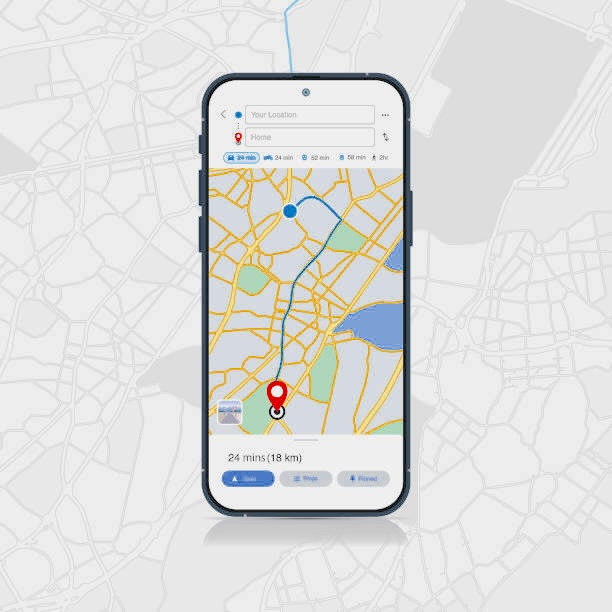
There are moments in life when knowing someone’s whereabouts by their phone number is not just helpful — it feels genuinely necessary. A parent who has not heard from their teenager in hours. A partner worried about a loved one who is driving through unfamiliar territory late at night. An employer trying to verify whether a remote team member is working from an approved location. In each of these situations, the question is the same: is it possible to find someone’s location using just their phone number, and if so, how?
The short answer is yes — but with important caveats. Some methods require the other person’s active cooperation. Others work through shared account access. A few are designed specifically for parent-child scenarios where ongoing oversight is the goal. And some methods that are widely advertised online turn out to be far less accurate or reliable than their marketing suggests.
This guide cuts through the noise. It covers every legitimate method available for locating a phone by number — from the free built-in tools already on your device, to reverse lookup services, consent-based trackers, and dedicated parental monitoring apps. Each method is explained with honest pros and cons, step-by-step instructions, and notes on when it is the right tool for the job.
One thing to be clear about from the start: this guide is written for people with legitimate, lawful reasons to locate someone. Tracking another person’s location without their knowledge or legal authority is illegal in most countries and is not something this guide supports or facilitates. With that said, let us get into the details.
Part 1: Is It Actually Possible to Find Someone’s Location by Phone Number?
This is the first question most people have, and the answer requires some nuance.
Technically, yes — under the right conditions. Mobile phones communicate with cellular towers, GPS satellites, and Wi-Fi networks continuously. This means there is always location data being generated. The question is whether you can access it, and that depends entirely on the method you use and the permissions in place.
Here is a breakdown of what actually determines whether location tracking by phone number is feasible:
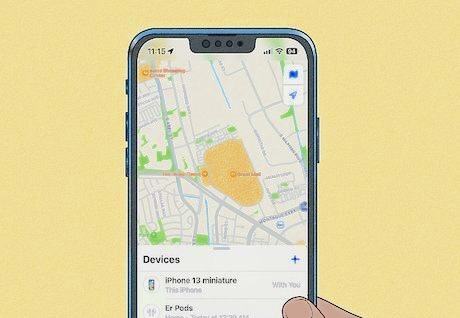
Device-level features. Both Android and iOS have built-in “Find My” tools that allow a device’s location to be viewed remotely. These work well, but they require you to have access to the account credentials associated with the phone — typically a Google account for Android or an Apple ID for iPhone.
Consent-based tracking apps. A growing number of services allow you to send a location-sharing request to a phone number via SMS. The recipient receives a link, and if they tap it and agree, their location is shared with you. These tools are accurate and real-time, but they require the other person’s active agreement.
Reverse phone lookup databases. Some services claim to find a person’s location from their phone number by cross-referencing public records. These can reveal a general area — typically a city or zip code — based on the number’s registered address, but they do not provide real-time GPS location.
Parental control apps. For parents monitoring a child’s phone, dedicated apps like MobileTracking Parental Control provide continuous, real-time GPS tracking linked to the child’s device. These are the most accurate and reliable option when ongoing monitoring is the goal.
IMEI tracking and carrier-level tools. Law enforcement agencies can request location data directly from a carrier using a device’s IMEI number. This is not available to the general public and requires legal authorization such as a court order or police report.
The takeaway: the most accurate real-time location data always requires either access to the device’s account, the other person’s consent, or legal authority. Services that claim to track anyone’s live location silently and without consent are either inaccurate, fraudulent, or illegal.
Part 2: How to Find Someone’s Location by Phone Number Using Built-In Device Features
Before reaching for any third-party tool, it is worth understanding the free, native options already built into Android and iOS. These are reliable, accurate, and — as long as you have the right account credentials — completely straightforward to use.
Method 1: Google’s Find My Device (Android)
Google Find My Device is the built-in location tool for Android phones. It is primarily designed to help users find their own lost device, but it can also be used to locate another person’s Android phone if you have access to the Google account linked to that device.
What you need to use this method:
- The other person’s Google account email and password
- Location services must be enabled on their device
- The device must be connected to the internet (Wi-Fi or mobile data)
- Find My Device must be enabled in the device’s settings
Step-by-step instructions:
Step 1: Open a browser on any device and go to google.com/android/find, or download the Find My Device app from the Google Play Store.
Step 2: Sign in using the Google account associated with the target phone. This will typically be the same account linked to the phone’s phone number if the person used their number for account verification.
Step 3: Once signed in, the interface will display the registered Android devices on that account. Select the device you want to locate.
Step 4: The map will update with the device’s current or last known location. The accuracy will depend on whether the phone has GPS enabled — with GPS on, the location can be precise to within a few meters.
Additional features: Beyond just showing the location, Find My Device also lets you remotely ring the phone at full volume (useful if it is just lost nearby), lock it with a custom message displayed on the screen, or erase all data from it entirely if it has been stolen.
Honest assessment: This is one of the most accurate free tools available for finding an Android phone’s location. The main limitation is that you need the account password — which is either something you already have (for a family-shared account) or something you would need the person to provide. It is not designed for monitoring someone without their knowledge.
Method 2: Apple’s Find My (iPhone)
Apple’s equivalent is Find My, available through iCloud on any browser or through the dedicated Find My app on any Apple device. It works in essentially the same way as Google’s Find My Device, but for iPhones and other Apple products.
What you need to use this method:
- The other person’s Apple ID email and password
- “Find My iPhone” must be enabled on their device (found in Settings > [Name] > Find My)
- Location Services must be on
- The device must be online
Step-by-step instructions:
Step 1: Visit icloud.com/find from any browser, or open the Find My app on your own iPhone, iPad, or Mac.
Step 2: Sign in using the Apple ID associated with the target iPhone. Apple may also send a two-factor authentication code to a trusted device or the phone number registered to the account — you will need access to that verification code as well.
Step 3: Once logged in, click or tap All Devices and select the iPhone you want to locate.
Step 4: The map will display the phone’s current location in real time. If the phone is offline, it will show the last location recorded within the previous 24 hours.
Additional features: Like Android’s Find My Device, Apple’s tool also lets you play a sound on the device, put it in Lost Mode (which locks it and displays a custom message with a callback number), or remotely erase all content.
Honest assessment: Apple’s Find My is extremely accurate and works even when the phone is offline through Apple’s encrypted network of nearby devices. The main hurdle is two-factor authentication — most modern Apple accounts require a verification code that is sent to the account owner’s trusted devices, which may make this method impractical without the other person’s cooperation.
Method 3: Google Maps Location Sharing
A simpler and more transparent option for ongoing location sharing is Google Maps. Google Maps allows users to share their real-time location with specific contacts for a set duration — from as little as one hour to indefinitely. If the person you want to track is willing to share their location with you through Google Maps, this is one of the cleanest and most user-friendly solutions available.
How to set it up:
Step 1: Both people need a Google account. On the target person’s phone, open Google Maps and tap their profile icon in the top-right corner.
Step 2: Tap Location sharing, then Share location.
Step 3: Choose how long to share (or select “Until you turn this off” for continuous sharing), then select the contact to share with — you.
Step 4: On your own device, open Google Maps. The shared person’s profile icon will appear on the map at their current location, updating in real time.
This method requires the other person to initiate the sharing from their own device, but once set up, it works seamlessly and does not require any additional apps or services. It is a great option for families or couples who want transparent, mutual location sharing.
Part 3: How to Track Someone’s Location by Phone Number Using Consent-Based Services
The methods in this section work differently from account-based tools. Rather than requiring you to log into someone else’s account, they send a location request directly to a phone number via SMS. The recipient receives a link, and if they choose to tap it and accept, you can view their location on a map.
These tools are particularly useful when you do not have the other person’s account credentials but you do have their phone number and a legitimate reason to ask for their location.
Geofinder.mobi
Geofinder.mobi is a web-based location tool that does not require you to install any software. It works by sending an SMS to the phone number you enter, containing a link. When the recipient taps the link, their device’s GPS data is shared and displayed on a map in your dashboard.
How to use it:
Step 1: Visit geofinder.mobi from any browser.
Step 2: Enter the phone number you want to locate, including the country code.
Step 3: Compose or select the message that will be sent to that number. The platform offers several message templates to choose from, all of which contain the location-sharing link.
Step 4: Once the person receives the message and taps the link to accept location sharing, their current GPS coordinates are sent to your dashboard and displayed on an interactive map.
Pros:
- No app installation required on either device
- Simple interface, works on any phone or network
- Results are GPS-accurate when the recipient agrees
Cons:
- The recipient must actively tap the link and consent — there is no silent tracking
- Effectiveness depends on the recipient’s response
- May not work if the target phone is off or in airplane mode
Scannero.io
Scannero is another web-based phone number tracking service that operates on a similar consent model. It is designed with a clean, minimal interface and works across different mobile networks without requiring app installation on the target device.
How to use it:
Step 1: Go to scannero.io and create an account.
Step 2: Enter the phone number you want to locate.
Step 3: Scannero sends a request to that number. Once the recipient approves the location request, you receive an email notification and can view their location directly in your Scannero dashboard.
Pros:
- Works on multiple carrier networks
- Straightforward dashboard for viewing results
- No physical access to the target device required
Cons:
- Requires the target’s permission — without it, no location data is returned
- If the phone is turned off or has no data connection, results will be unavailable
- Subscription-based pricing for ongoing use
Part 4: Using Reverse Phone Lookup to Find a General Location
Reverse phone lookup services take a different approach. Rather than using GPS or device signals, they search public records, data aggregators, and social databases to return information associated with a phone number — including the general geographic area where it is registered.
Intelius
Intelius is one of the most established reverse phone lookup services in the United States. When you enter a phone number, it searches its database for any publicly available records tied to that number — including the owner’s name, current and past addresses, email addresses, social media profiles, and background information.
How to use it:
Step 1: Go to intelius.com.
Step 2: Enter the full 10-digit phone number in the search field.
Step 3: Click the search button. Results are typically returned within a few seconds.
Step 4: Review the report, which may include the owner’s name and associated addresses.
Important limitations: Intelius and similar services like Whitepages and Spokeo pull from static public databases. The address shown is typically the one associated with the phone number’s registration — which may be outdated, especially for mobile numbers that have been ported or reassigned. These tools are useful for identifying who owns a number and getting a general idea of their location history, but they do not provide real-time GPS coordinates.
They are best used for verification purposes — confirming a person’s identity or general location — rather than live tracking.
Part 5: GPS Tracking Apps for Ongoing Monitoring
For parents, caregivers, or anyone who needs continuous, reliable location monitoring rather than a one-time check, a dedicated GPS tracking app is the most practical long-term solution. These apps run in the background on the target device and report location data to a dashboard you can check at any time.
MobileTracking Parental Control
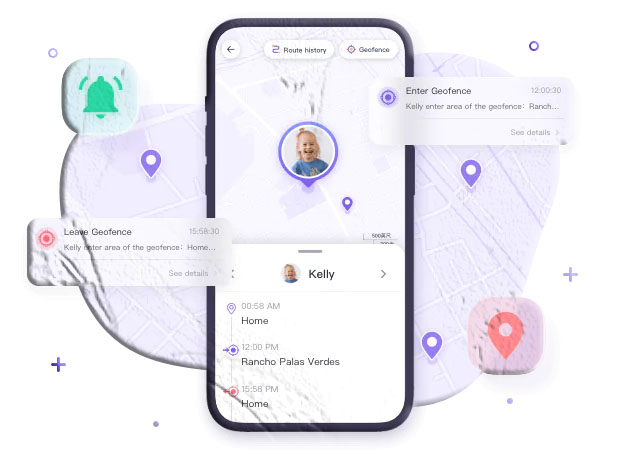
MobileTracking Parental Control is one of the more comprehensive options in this space, designed specifically with families in mind. Its location features go well beyond a simple pin on a map — it provides a continuous location history, geofencing tools, and real-time alerts, all accessible from a parent’s own device or a web dashboard.
Key location features:
- Real-time GPS tracking: View your child’s current location on a live map at any time, with location data updated continuously.
- Location history: The app stores up to 30 days of location history, so you can review where your child has been throughout the day — useful if you want to understand a pattern of movement rather than just check a single moment.
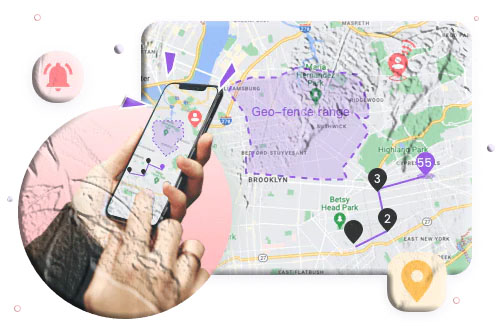
- Safe zones (geofencing): You can draw virtual boundaries around specific areas — home, school, a friend’s house — and receive an instant alert whenever your child enters or leaves one of those zones. This removes the need to actively monitor the map all the time; you only get notified when something unexpected happens.
- Surrounding audio monitoring: The app includes a feature that lets you listen to what is happening around the child’s phone in real time — useful in situations where you are concerned about their immediate safety.
- Stealth mode (Android): On Android devices, the app can run without a visible icon on the home screen, so it operates quietly in the background.
How to set it up:
Step 1: Download and install MobileTracking Parental Control from the Google Play Store on your own phone. Create an account and log in.
Step 2: On your child’s phone, download and install MobileTracking Kids — the companion app that pairs with your monitoring account.
Step 3: Open MobileTracking Kids on your child’s device, follow the on-screen setup instructions, and grant the required permissions (location, contacts, notifications, etc.).
Step 4: Bind the two devices by logging in with the same account credentials.
Step 5: On your dashboard, tap the Location icon to see your child’s current position on the map. From the same dashboard, you can access location history, set up geofence zones, and configure alert preferences.
This type of app is most effective when used as part of an open conversation with your child about digital safety. Many families find that transparency about monitoring — explaining why it is in place and what the rules are — leads to better outcomes than silent surveillance.
Part 6: Other Methods Worth Knowing About
Beyond the main tools above, there are a few additional approaches that come up frequently in discussions about phone number tracking. Here is an honest look at each.
Using Social Media to Narrow Down Location
If direct tracking is not possible, social media profiles can sometimes provide useful geographic clues. A quick search of the phone number across platforms like Facebook, Instagram, or LinkedIn may surface a profile associated with that number. Some platforms allow users to add a phone number to their profile for search discovery purposes — meaning that when you search the number, the matching profile may appear.
From there, the person’s posts, tagged photos, check-ins, or listed hometown can help you narrow down where they are located. Public Facebook posts that include location tags or tagged venues can be particularly revealing. Instagram stories with geotags and Twitter posts with location data enabled can also provide clues about recent activity in a specific area.
This method is obviously not real-time, and many users keep their location information private on social platforms. Privacy settings have become more restrictive across most networks in recent years, so the effectiveness of social searching varies significantly depending on how open the person’s profile is. However, if you are trying to verify that someone is in the city they claim to be in, or trying to identify who owns an unknown number before attempting to contact them, a social media search is a reasonable and completely legal first step that costs nothing.
IP Address Tracking
An IP address can reveal the approximate geographic area of a device — typically down to the city level. However, obtaining someone’s IP address from just a phone number is not straightforward for a regular user. It usually requires the person to connect to a network you control, click a link that logs their IP, or use a service that captures IP data as part of its functionality.
Even when you do have someone’s IP address, services like IP-API or WhatIsMyIPAddress can only provide a general area, not an exact street address. IP geolocation is also easily confused by VPNs, proxies, and shared network addresses. It is a limited tool for location purposes and rarely delivers the precision people expect.
IMEI Tracking
Every mobile device has a unique 15-digit IMEI (International Mobile Equipment Identity) number. In theory, this number can be used to track a device’s location through the mobile carrier network. In practice, IMEI tracking is only available to law enforcement — specifically, police agencies that have obtained a warrant or court order authorizing the carrier to disclose the device’s location data.
If you have had a phone stolen and reported it to the police, providing the IMEI (found on the original packaging, a previous settings screen, or an old receipt) may help authorities locate it through official channels. You can find an IMEI by dialing *#06# on most phones or checking Settings > About Phone.
For regular individuals, IMEI tracking through unofficial online services is not a reliable option. Most such websites are either fraudulent, inaccurate, or both.
Part 7: Legal and Ethical Considerations
This section is important. The methods described in this guide are intended for legitimate use cases — parents monitoring minor children, individuals checking their own devices, and people using mutual, transparent location sharing with friends or family members. However, it is worth being explicit about where the legal lines are.
What Is Generally Legal
Monitoring your minor child’s phone. In most countries, parents have the legal right to monitor the devices of their underage children. This is the foundation on which most parental control apps, including MobileTracking, are built. The age threshold varies by jurisdiction but is typically under 18.
Tracking a device you own. If you own the phone — either because you purchased it, it is on your account, or you provide it to an employee for work purposes — you generally have the right to know its location. Many businesses use fleet tracking and device management tools for exactly this reason.
Mutual location sharing. Any situation where both parties have consented to sharing their location — through Google Maps, Find My Friends, Life360, or similar tools — is legally and ethically unambiguous.
Using public information. Reverse phone lookup tools like Intelius pull from publicly available records. Using them to identify who owns a number or to look up a registered address is generally legal, though how you use that information may have additional restrictions.
What Is Generally Illegal
Installing tracking software on an adult’s phone without their consent. In most jurisdictions, this constitutes illegal surveillance or wiretapping, regardless of your relationship to that person. This applies to spouses, partners, employees, and acquaintances alike.
Unauthorized access to someone’s account. Logging into another person’s Google or Apple account without their permission — even to check their location — may constitute unauthorized computer access under laws like the U.S. Computer Fraud and Abuse Act or equivalent legislation in other countries.
Using location data to stalk, harass, or intimidate. Even if the method of obtaining location data was legal, using that data to follow, threaten, or control another person is a serious criminal offense in virtually every country.
If you are in a situation where you feel you need to track someone but are unsure whether doing so is lawful, consulting a lawyer is always the right call before proceeding.
Part 8: Choosing the Right Method for Your Situation
With so many options available, the right choice depends on your specific circumstances. Here is a quick reference to help you decide:
You lost your own Android phone and want to find it. Use Google Find My Device — it is free, accurate, and built directly into your Google account.
You lost your own iPhone and want to find it. Use Apple’s Find My through iCloud or the Find My app. It works even when the phone is offline.
You want to share locations mutually with a family member or partner. Google Maps location sharing or Apple’s built-in Find My sharing feature are both clean, transparent options that work well for ongoing family coordination.
You need to ask someone for their location without having their account access. Try a consent-based service like Geofinder.mobi or Scannero.io, which sends them an SMS link they can choose to accept.
You are a parent who wants ongoing, real-time visibility into your child’s location. A dedicated parental control app like MobileTracking Parental Control is the most complete solution, combining live GPS with geofencing alerts, location history, and other monitoring features.
You want to identify who owns an unknown phone number. A reverse lookup service like Intelius or Whitepages can give you the owner’s name and a general location based on public records.
You need to track a lost or stolen phone through law enforcement. Provide your phone’s IMEI number to the police, who can work with the carrier through proper legal channels.
Frequently Asked Questions
1. Can I find someone’s exact GPS location just from their phone number?
Not without their consent or account access. Free public tools and reverse lookup databases can provide a general registered location associated with a number, but they do not deliver real-time GPS coordinates. For accurate live location, you need either access to the linked Google or Apple account, the person’s agreement to share their location, or a parental control app installed on the device.
2. Are there free methods to track a phone number’s location?
Yes. Google Find My Device and Apple Find My are both free and highly accurate — but require access to the device’s account credentials. Google Maps location sharing is also free and works well for mutual, consensual sharing between contacts. Paid services tend to offer more features, such as location history and geofencing.
3. Does the person know when I am tracking their location?
It depends on the method. Google Find My Device and Apple Find My do not send notifications to the device being located. Consent-based services like Geofinder.mobi and Scannero require the person to actively click a link and agree — so they are fully aware. Parental control apps like MobileTracking can run in the background on Android without a visible icon, though the child is typically informed of the monitoring as part of the family agreement.
4. What is the most accurate way to track a phone’s location in real time?
GPS-based tracking through a dedicated app is the most accurate method. Apps like MobileTracking Parental Control use the phone’s GPS chip directly, providing location accuracy within a few meters. This is significantly more precise than IP-based or carrier-based location estimates.
5. Can I track a phone that is turned off?
Not in real time. A phone that is turned off cannot transmit its current location. Apple’s Find My has a notable exception — iPhones with iOS 15 and above can emit a low-power Bluetooth signal even when turned off, which nearby Apple devices can detect and relay to Apple’s network. Android does not offer a comparable feature for powered-off devices. In either case, the last known location before the phone was turned off will be stored and visible in the respective app.
6. Is it legal to track my spouse’s phone without telling them?
In most countries, no. Even within a marriage, installing tracking software on another adult’s phone without their knowledge or consent is illegal under computer access and privacy laws. If location sharing is important in your relationship, the right approach is a mutual, transparent agreement using a tool like Google Maps location sharing or Life360 — where both parties are aware and consenting.
7. How accurate is reverse phone lookup for finding location?
Reverse phone lookup services like Intelius are not accurate for real-time location. They pull from public records and data aggregators, so the location they show is typically the registered address associated with the phone number — which may be outdated, especially for mobile numbers. They are useful for identifying a person and getting a rough geographic idea, but not for finding where someone currently is.
8. What information do I need to use Google Find My Device?
You need the Google account email and password associated with the target Android device. Location services must be enabled on the device, and it must be connected to the internet. If two-factor authentication is enabled on the account, you will also need access to the verification code sent to the account’s trusted phone number or backup email.
9. Can law enforcement track a phone by number?
Yes. Law enforcement agencies can request location data directly from mobile carriers using a warrant or court order. They can obtain real-time and historical location data, cell tower records, and in some cases precise GPS coordinates — depending on the jurisdiction and the nature of the request. This is not available to the public and requires legal authorization.
10. What should I do if I think someone is illegally tracking my phone?
First, check your installed apps — go to Settings > Apps on Android or Settings > Privacy > Location Services on iPhone and look for anything unfamiliar that has location permissions enabled. On Android, also check for apps with Device Administrator access under Settings > Security > Device Admin Apps. Consider performing a factory reset if you believe monitoring software has been installed without your knowledge. Organizations like the National Domestic Violence Hotline provide guidance specifically for people who believe they are being tracked without consent.
Final Thoughts
Finding someone’s location by phone number is entirely possible — but the accuracy, legality, and reliability of each method depends heavily on the circumstances. Free, built-in tools like Google Find My Device and Apple Find My are the most accurate for locating devices you have account access to. Consent-based tools like Geofinder and Scannero are the right approach when you have a phone number but not account credentials. And for parents who need ongoing, structured oversight of a child’s whereabouts, a dedicated app like MobileTracking Parental Control offers the most complete feature set — real-time GPS, location history, geofencing, and alerts — all in one place.
It is also worth remembering that no single method works perfectly in every situation. Device-based tracking fails when the phone is off or has no internet. Consent-based SMS trackers only work when the recipient cooperates. Reverse lookup databases are often outdated. And parental control apps require a setup window where you have physical access to the child’s device. Knowing the strengths and limits of each approach helps you pick the right tool rather than getting frustrated when a single method does not deliver everything you hoped for.
For families specifically, location transparency tends to work best when it is treated as a safety tool rather than a surveillance mechanism. Children and teenagers who understand why their location is monitored — for safety, not control — and who know it is happening tend to be more communicative and less likely to find workarounds. Apps like MobileTracking work best as part of a broader family agreement about screen time, internet use, and digital safety, rather than as a standalone secret measure.
Whatever your reason for needing to locate someone, always keep two things in mind: the method you choose should match the legitimacy of your reason, and the person’s privacy deserves to be respected wherever consent and legality require it. The most sustainable approach to location sharing in families and relationships is always the transparent one — where everyone involved understands and agrees to the arrangement.
If you found this guide useful, feel free to share it with others who may be dealing with the same questions. And if your specific situation was not addressed, drop a comment below — we are happy to help point you in the right direction.
Disclaimer: This article is intended for informational purposes only. Tracking another person’s location without their consent may be illegal in your jurisdiction. Always comply with applicable local laws and obtain proper authorization before using any location tracking method described here.





Add comment