
The surest signs your email has been hacked are messages in your Sent folder that you didn’t write, security alerts about sign-ins or password changes you didn’t make, and settings you never touched, such as a new forwarding address or a filter that deletes mail. To check for certain, open your provider’s security activity page (for Gmail, your Google Account’s Security & sign-in section; for Outlook.com, Microsoft’s Recent activity page) and look for sign-ins from devices or places that aren’t yours.
That check takes about ten minutes, and this guide walks you through it for the big providers. It also covers the two situations that look like hacking but aren’t, what to do in the first hour if you have been hacked, and how to get back in if you’re locked out.
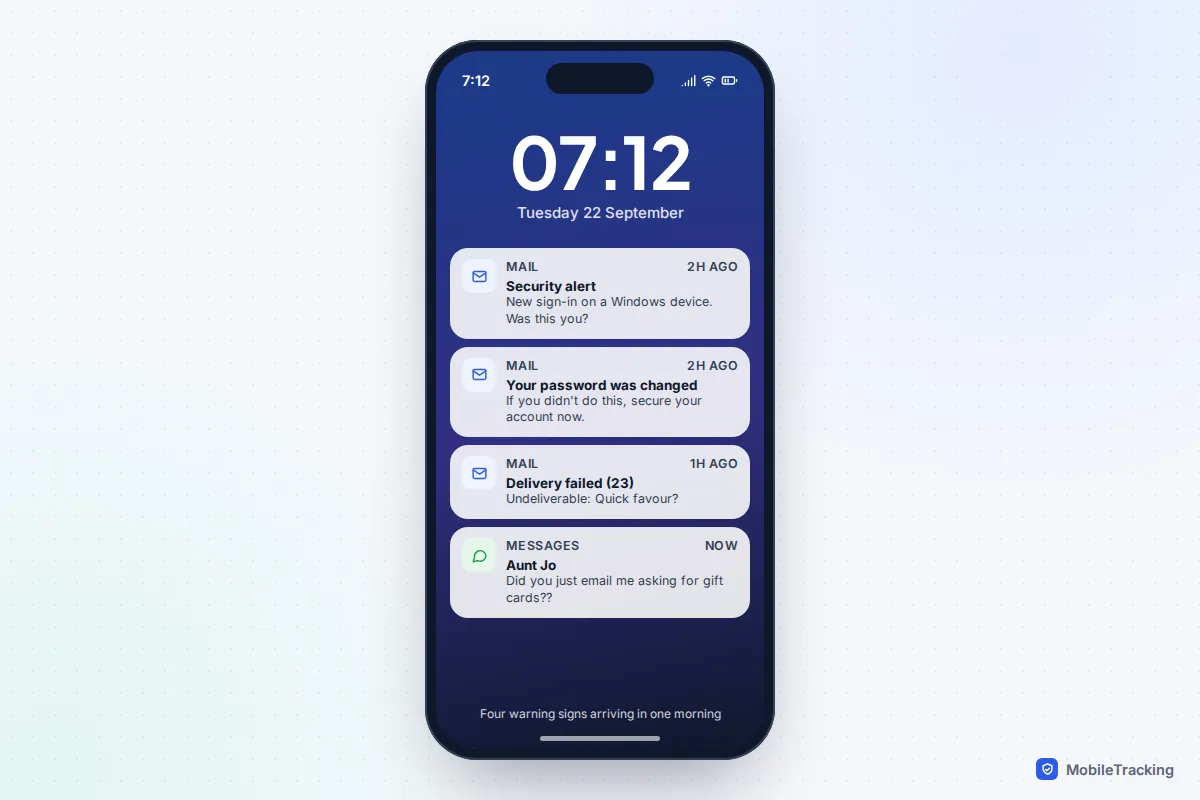
The warning signs, and how much each one means
Not every odd thing in your inbox means someone has broken in. Some signs are close to proof; others are worth a look but have innocent explanations. Here is how to weigh them.
| What you notice | How worried to be | Why |
|---|---|---|
| Emails in Sent or Trash that you didn’t send or delete | Very | Someone had access to your mailbox, not just your address. |
| Alerts about a password, recovery phone or 2-step verification change you didn’t make | Very | Attackers change these first to lock you out. |
| You can’t sign in with a password you know is right | Very | It has probably been changed. Go straight to account recovery. |
| Password reset emails from other sites (bank, shopping, social media) | High | Someone is using your email to take over other accounts. |
| Friends get spam “from you” | Medium | Could be a hack, but is often spoofing. Check your Sent folder. |
| Failed sign-in alerts only | Low to medium | Someone tried and was blocked. Change the password if it’s reused anywhere. |
| Your address appears on a breach-checking site | Low to medium | Your details leaked from a company, which is a reason to act, not proof of a break-in. |
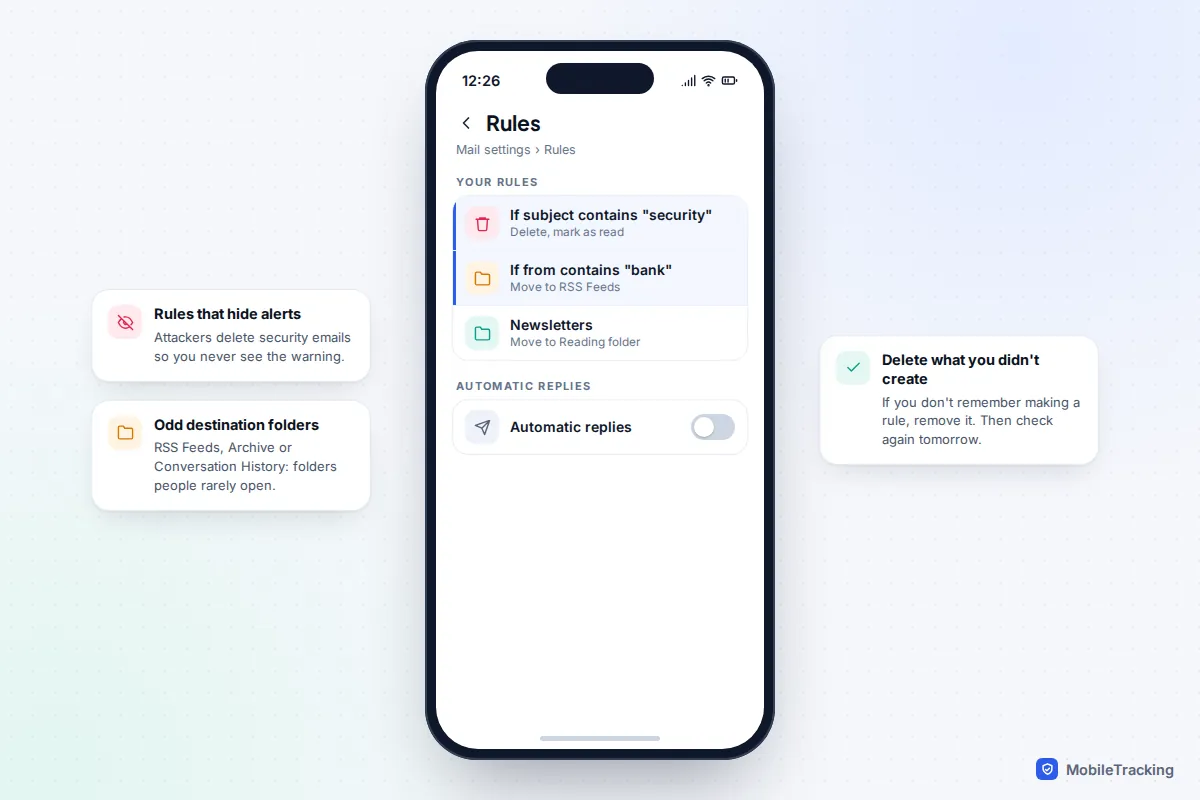
A quieter sign is missing mail. If you have stopped receiving emails from your bank, from delivery firms or from security teams, an attacker may have set up a rule to hide them. Newsletters still arriving while the important stuff vanishes is a pattern worth taking seriously.
How to check your sign-in activity, provider by provider
Every major email provider keeps a record of recent sign-ins and security changes. Checking it is the single most useful thing you can do, because it shows you evidence rather than guesses.
Gmail and Google accounts
- Go to your Google Account (myaccount.google.com) and select Security & sign-in.
- In the Recent security events panel, select Review security events. Look for sign-ins, password changes and recovery changes you don’t recognise.
- Back in your account, open Your devices and then Manage devices. Anything you don’t own should be signed out.
- On a computer, open Gmail, scroll to the bottom of the inbox and select Details next to “Last account activity”. Google shows the access type and the last ten IP addresses and approximate locations used to open your Gmail.
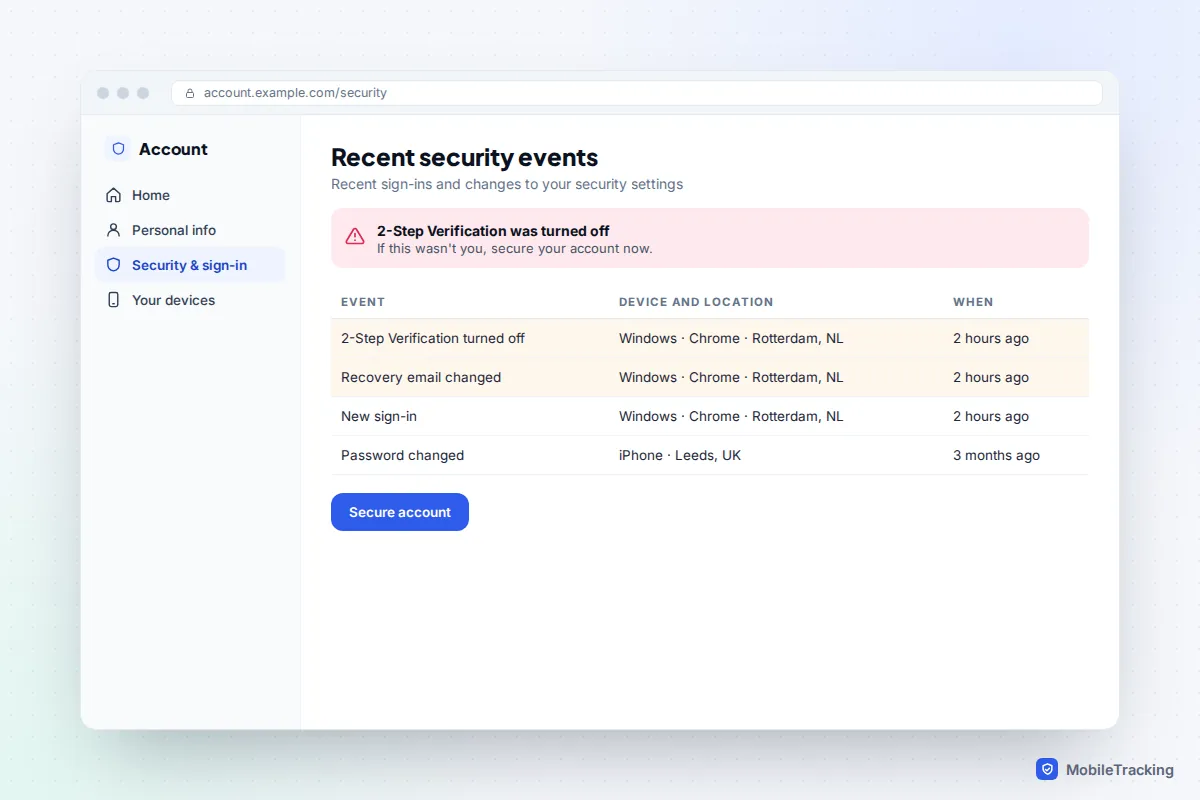
Google’s own checklist, secure a hacked or compromised Google Account, is worth keeping open in another tab while you work through this. For a deeper walk-through of devices and third-party access, see how to tell if someone has access to your Google account.
Outlook.com, Hotmail and Microsoft accounts
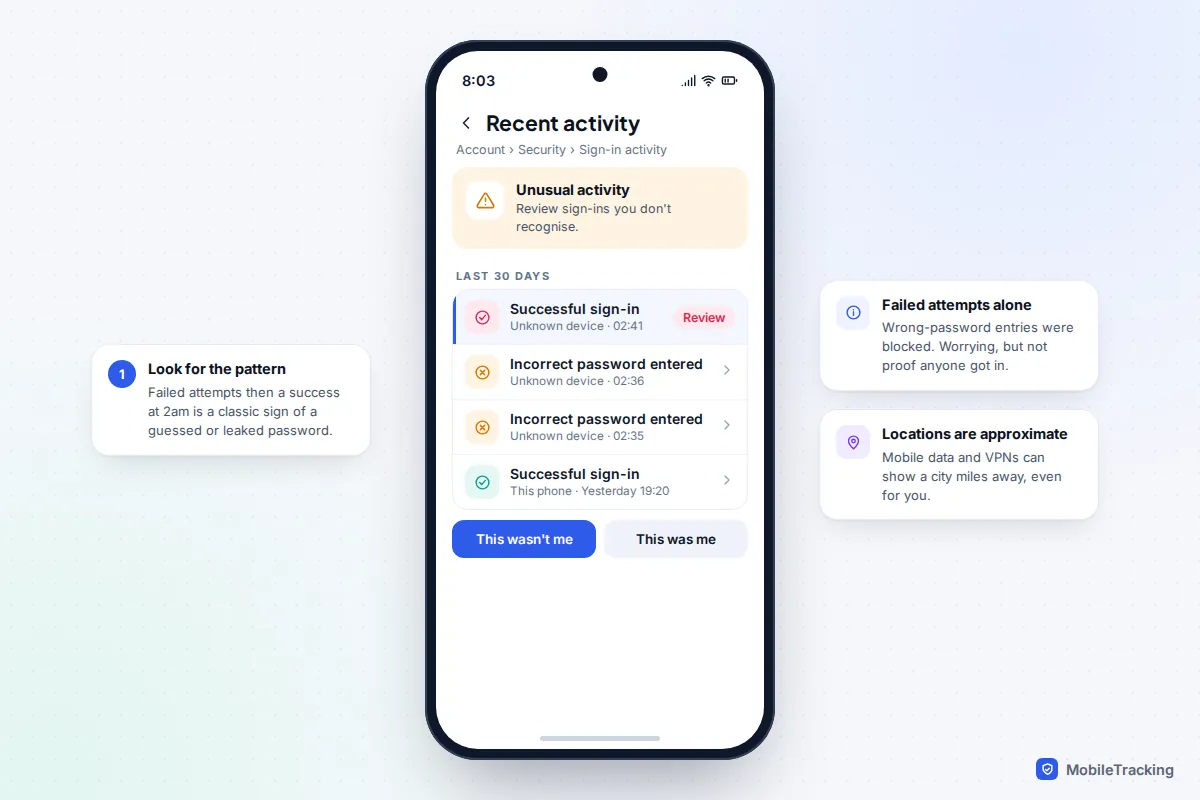
Microsoft keeps 30 days of sign-in history on its Recent activity page, which you reach by signing in at account.live.com/activity or from the Security section of your Microsoft account. Each entry shows the date, approximate location, IP address, device and browser.
Pay attention to the wording. “Incorrect password entered” means someone tried and Microsoft blocked it. A successful sign-in you don’t recognise is the real warning. Select it and choose This wasn’t me, and Microsoft will take you through changing your password and security info. If it was you on holiday or a new phone, choose This was me so the system learns.
Yahoo Mail, iCloud Mail and others
Yahoo’s Account security page has three sections worth reading: Current sign-ins, External connections (third-party apps with access) and Recent account activity. For iCloud Mail, the key question is which devices are signed in to your Apple Account, which we cover in how to tell if someone has access to your iCloud. Most other providers have a similar page, usually under Security or Account settings.
The hidden settings attackers change
Many people change their password, see the strange activity stop, and assume it’s over. But a careful attacker doesn’t need your password once they have set up the mailbox to keep feeding them. These settings survive a password change, so check each one.
- Automatic forwarding. A copy of every incoming email goes to the attacker’s address. In Gmail, look in Settings › See all settings › Forwarding and POP/IMAP. In Outlook.com, go to Settings › Mail › Forwarding.
- Filters and rules. Rules that delete security alerts, or move mail from your bank into a folder you never open. Gmail keeps these under Filters and Blocked Addresses; Outlook.com under Settings › Mail › Rules.
- Delegated access. Gmail’s Accounts tab has a “Grant access to your account” option that lets another address read and send your mail.
- POP and IMAP. These let a mail program download your messages. If you don’t use a separate mail app, you don’t need them on.
- Scheduled emails, auto-replies and signatures. Attackers sometimes schedule scam emails to go out later or add a malicious link to your signature.
- Recovery phone and email. If these point to someone else, they can reset your password whenever they like.
- Connected apps. An app you once allowed to read your mail keeps that access until you remove it.
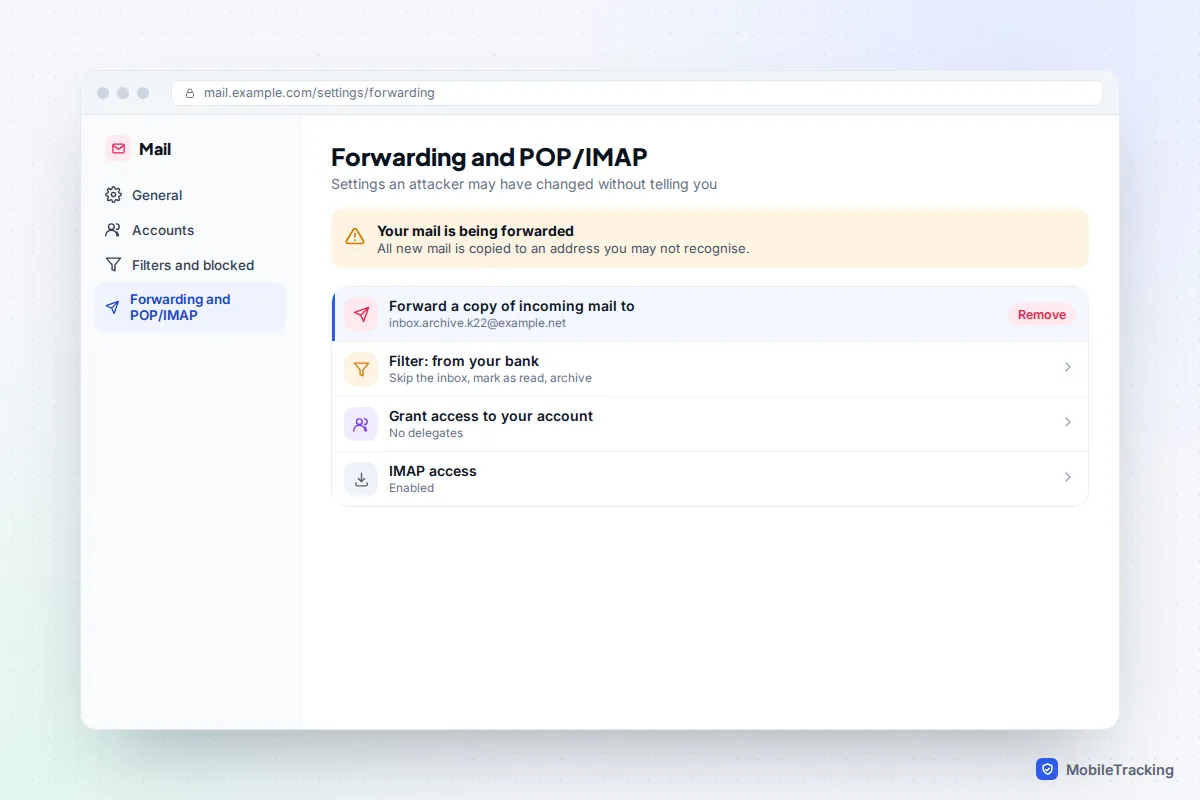
Check these on the web version of your email, not just the phone app. Mobile apps often hide forwarding and filter settings, and some rules can only be seen or removed from a browser.
Hacked, spoofed or just in a data breach?
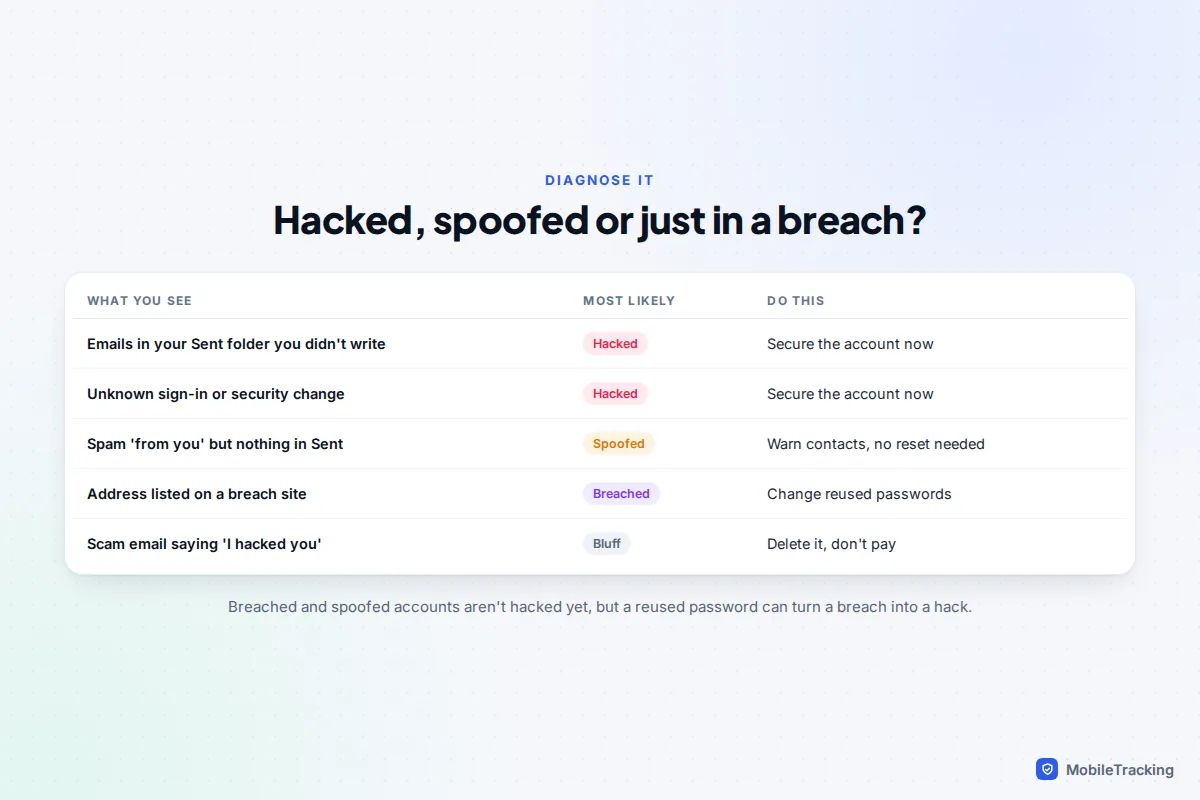
Three different situations get called “my email was hacked”, and each needs a different response.
Hacked
Someone signed in to your account. You will see evidence inside it: unknown sign-ins, sent messages, changed settings. Follow the first-hour steps below straight away.
Spoofed
Spammers can put any address in the “From” line of an email without touching your account, much like writing someone else’s return address on an envelope. If friends receive junk “from you” but it isn’t in your Sent folder and your activity page is clean, you have probably been spoofed. You can’t stop spoofing yourself, but you can warn contacts and ignore it. Changing your password won’t help, though it does no harm.
In a data breach
A company you used was breached and your email address (sometimes with a password) leaked. Have I Been Pwned lets you search your address for free, and its FAQ is clear that appearing in a breach doesn’t by itself mean your account was taken over. The danger is password reuse: if the leaked password is also your email password, a breach becomes a hack. Its Notify Me option emails you when your address turns up in a new breach.
What to do in the first hour if you’ve been hacked
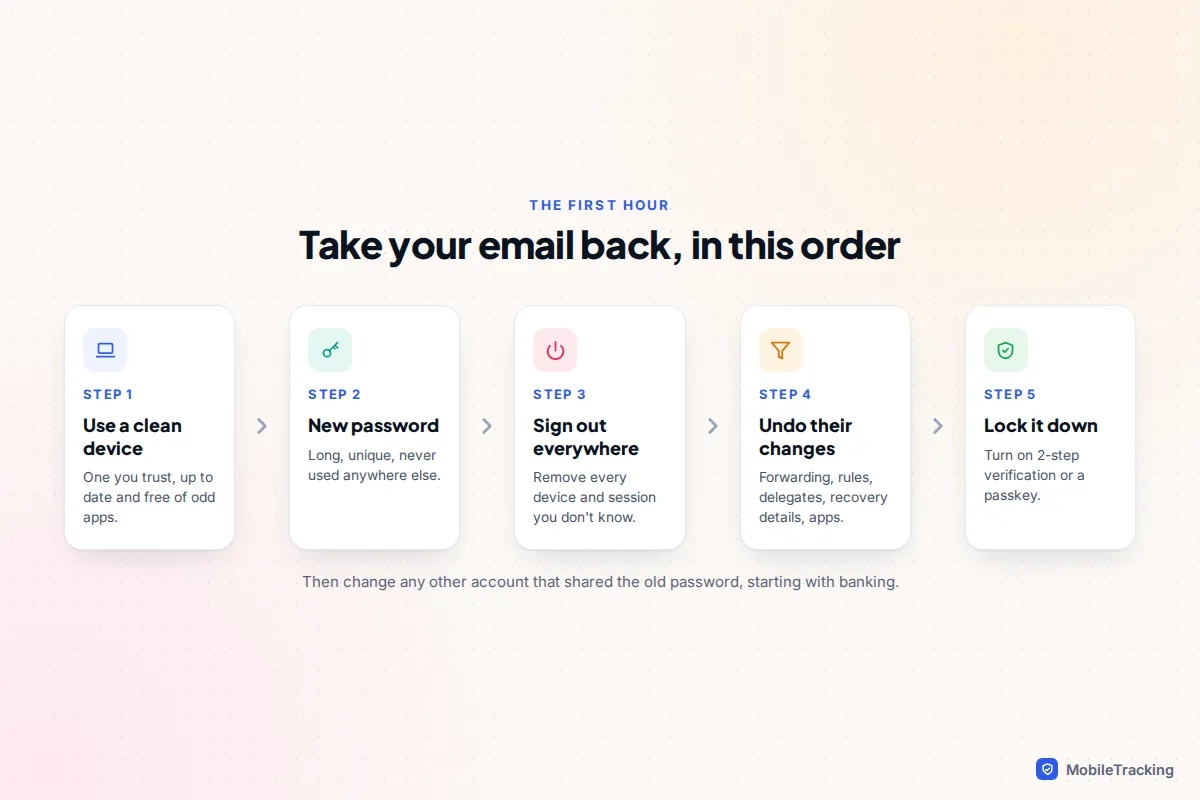
Work through these in order. The sequence matters: changing your password on a device that has spyware on it, or before you have signed the attacker out, can undo your effort.
- Use a device you trust. Ideally one that is fully updated and that nobody else uses. If you suspect your computer has malware, run a full scan first or use another device.
- Change the password. Make it long and unique, never used anywhere else. Our guide to strong passwords you’ll remember shows an easy method.
- Sign out every session you don’t recognise. Use the devices page (Google) or the sign-out option in your provider’s security settings, so the attacker’s session ends too.
- Undo their changes. Remove unknown forwarding addresses, filters, rules, delegates and connected apps. Correct your recovery phone and email.
- Turn on 2-step verification. An authenticator app or a passkey is stronger than text-message codes. See turning on two-factor authentication everywhere for the settings on each service.
- Secure the accounts that hang off your email. Change passwords anywhere you reused the old one, starting with banking, shopping and social media. Check those accounts for password reset emails in your inbox or Trash.
- Tell your contacts. A short message saying “ignore anything odd from me yesterday” stops a scam spreading to people who trust you.
- Watch your money. Check bank and card statements. If you have lost money, call your bank, then report it: in the UK to Report Fraud (which replaced Action Fraud), or the police on 101 in Scotland; in the US to the FTC at reportfraud.ftc.gov.
The UK’s National Cyber Security Centre has a similar checklist in its guide to recovering a hacked account, including what to tell your contacts.
If you’re locked out of your account
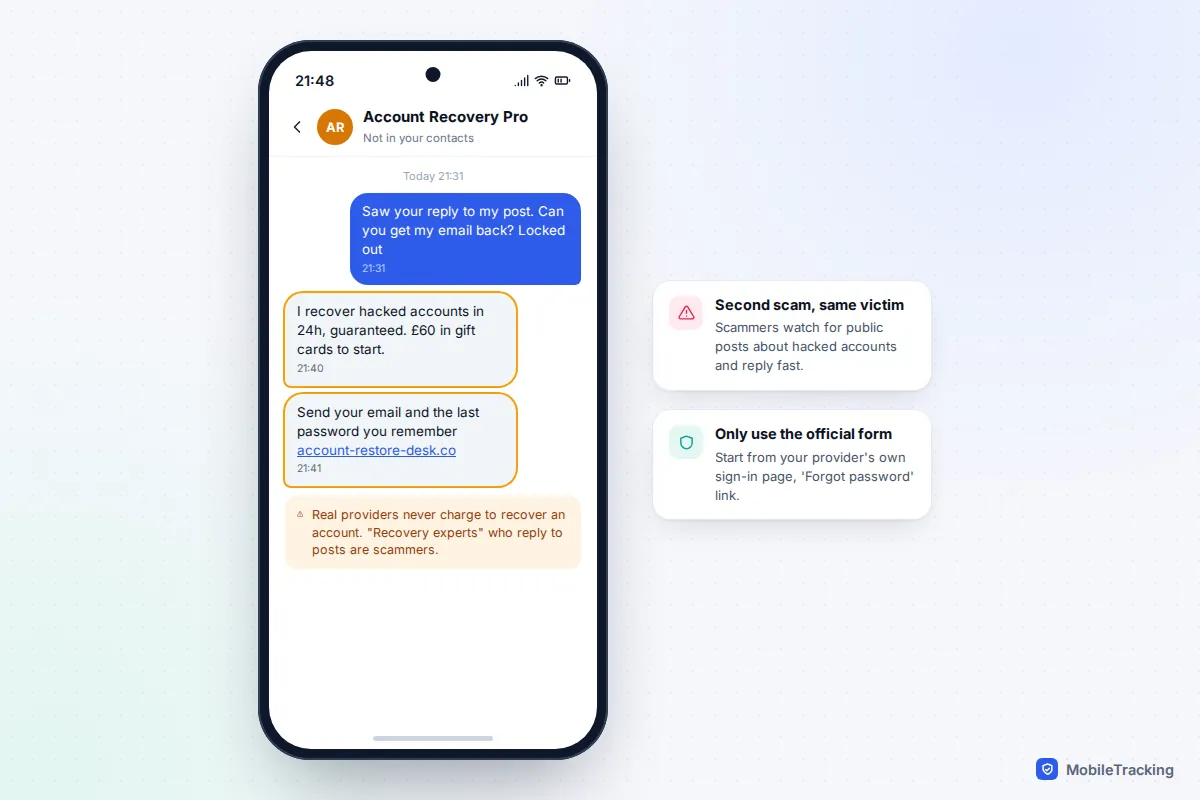
If the attacker changed your password and recovery details, you will need your provider’s recovery process. Start from the provider’s own sign-in page and choose “Forgot password”, never from a link in an email or a search advert.
Recovery forms work best when they can match you to your past behaviour, so give yourself the best chance:
- Use a device and Wi-Fi network you have signed in from before, such as your usual laptop at home.
- Answer every question, even if you are unsure. An old password, the rough date you created the account and addresses you email often all help.
- If the first attempt fails, wait and try again from the same device rather than filling in the form ten times in an hour.
Be very wary of anyone who offers to get your account back for you. Scammers watch social media for posts about hacked accounts and reply with offers of paid “recovery”, then take the fee, your details, or both.
A real-world example: Marcus noticed his email seemed quiet, with no receipts or delivery updates for a week. His password still worked and he had no alerts. The web settings told the story: a filter moved anything containing “order” or “invoice” into an old folder, and a forwarding address sent copies elsewhere. The attacker had been watching his mail to time a fake invoice to one of his customers. Removing both, changing the password and turning on 2-step verification closed it off.
Keeping it from happening again
Most email takeovers come down to one of three things: a reused password that leaked from another site, a phishing page that captured the password, or a missing second sign-in step. Fixing all three makes your account a far harder target than most.
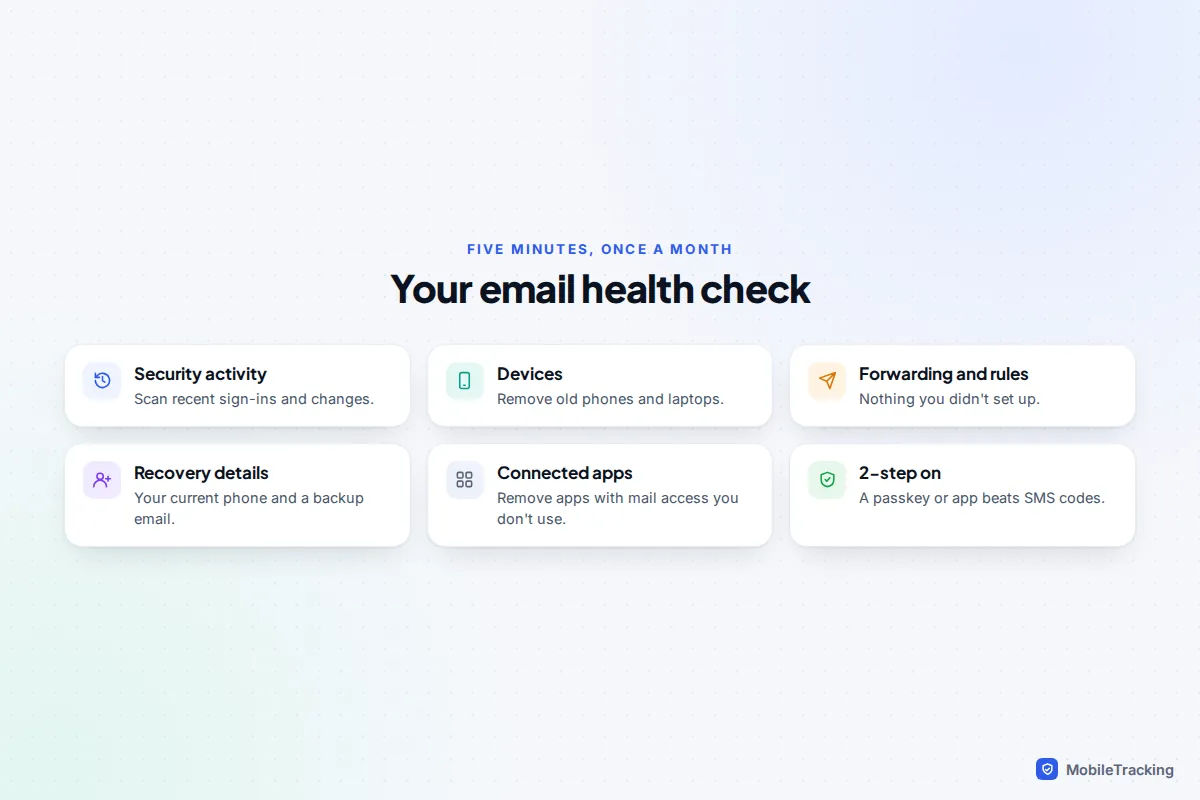
A password manager removes the temptation to reuse passwords. Passkeys, now supported by Google, Microsoft and Apple, can’t be phished in the usual way because there’s no password to type into a fake page. And a monthly look at your security activity catches the quiet, forwarding-style attacks that never set off an alert.
Your email deserves more protection than any other account because it is the key to the rest: whoever controls it can reset your banking, shopping and social media passwords. Treat it that way, and teach your children the same habit when they set up their first accounts.
Frequently asked questions
Can someone hack my email without changing the password?
Yes, and it’s common. If they know your current password, they can sign in, set up forwarding and leave everything else untouched so you don’t notice. That’s why checking sign-in activity and forwarding matters more than whether your password still works.
Why are my friends getting spam from me if my account is fine?
Most likely spoofing: the sender forged your address in the “From” line. Check your Sent folder and activity page. If both are clean, your account hasn’t been accessed.
Is my email hacked if it shows up on Have I Been Pwned?
Not necessarily. It means a company leaked your details. Change the password for that service and anywhere you reused it, and turn on 2-step verification for your email.
Will deleting my email account stop the hacker?
It is usually a bad idea. You lose the ability to reset passwords for everything linked to it, and some providers can recycle old addresses. Recover and secure the account instead.
Should I report a hacked email to the police?
If you’ve lost money or someone is impersonating you to defraud others, yes: Report Fraud in the UK, or the FTC and the FBI’s IC3 in the US. If nothing was lost, securing the account and warning your contacts is usually enough.
How long does account recovery take?
If you still have access to your recovery phone or email, often a few minutes. If you have to use a recovery form, it can take several days, and providers may ask you to wait before they will hand the account back.
This guide is general information, not legal or financial advice. Read our editorial policy.