
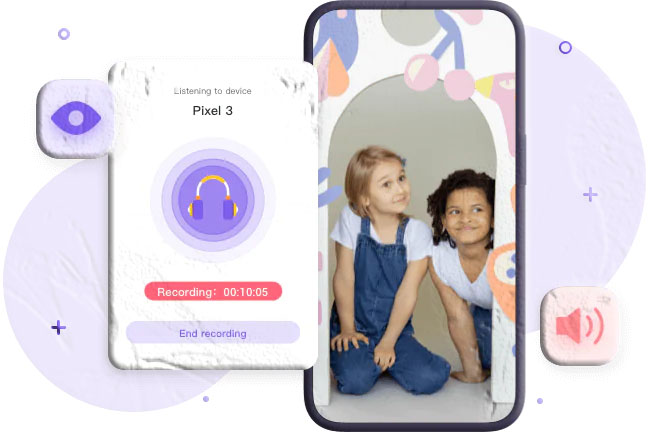
Most parenting concerns can be addressed with the right combination of communication, trust, and proportionate oversight. GPS tracking tells you where your child is. Call logs show you who they’re speaking to. Message monitoring gives you visibility into their digital conversations. For the vast majority of everyday parenting situations, these tools cover what parents actually need to know.
But there are situations — specific, serious, and thankfully uncommon — where a parent’s concern goes deeper than knowing location or reviewing messages. A child who is somewhere they shouldn’t be, with people the parent doesn’t know, in circumstances that feel genuinely unsafe. A situation where knowing a location isn’t enough, and a parent needs some understanding of what’s happening in the physical environment around their child’s phone.
For these situations, MobileTracking offers an advanced feature set that goes beyond the standard monitoring toolkit: ambient recording, which uses the monitored device’s microphone to capture surrounding audio, and remote camera access, which allows a parent to view what the phone’s camera can see from a remote location.
These are the most powerful — and the most legally and ethically significant — features in the MobileTracking platform. They’re not features for everyday monitoring, and this guide won’t present them as such. What this guide will do is explain thoroughly what these features do, how they work technically, the specific situations where parents have found them genuinely useful, the substantial legal framework that governs their use, how to approach them in a way that’s both responsible and effective, and how to set them up through MobileTracking when use is appropriate.
If you’re a parent researching these features because you have a specific safety concern, this guide gives you what you need to make an informed decision. If you’re a parent evaluating MobileTracking’s full feature set and want to understand what the advanced monitoring tools include, this guide provides that complete picture.
Understanding What Ambient Monitoring Actually Is
The term “ambient monitoring” covers a category of features that are distinct from other types of phone monitoring in an important way: rather than capturing records of what happened — call logs, message threads, location history — ambient monitoring captures what is happening in real time, in the physical environment around the device.
Ambient Recording
Ambient recording uses the monitored device’s built-in microphone to capture the sounds in the phone’s physical surroundings — voices, background noise, environmental audio — and transmit or store that audio for the monitoring parent to listen to. This is distinct from call recording, which captures telephone conversations between two parties. Ambient recording captures what’s audible in the space where the phone is located, regardless of whether the phone is being used for a call.
The practical picture: if a child’s phone is in their school bag and the bag is in a room where something concerning is happening, ambient recording would capture the audio from that room. If a child is somewhere they’ve said they’d be but the sounds around their phone tell a different story, ambient recording surfaces that discrepancy.
MobileTracking’s ambient recording feature allows parents to:
- Remotely activate the microphone on the monitored device without physical access to the phone
- Listen to surrounding audio in real time or record it for later review
- Schedule recording sessions for specific time windows
- Save recorded audio through the monitoring dashboard for future reference
Remote Camera Access
Remote camera access extends the ambient monitoring concept from audio to visual: it allows a parent to remotely activate the monitored device’s camera — front or rear — and see what the camera can see from a remote location. This functions regardless of whether the parent and child are on the same network; an internet connection on the child’s device is the only technical requirement.
MobileTracking’s remote camera feature allows parents to:
- Access either the front or rear camera on the monitored device remotely
- View a live feed of what the camera sees from anywhere with an internet connection
- Use the flashlight remotely for added visibility in low-light situations
How These Features Differ From Standard Monitoring
Most monitoring features — GPS, call logs, message monitoring, screen time data — work by recording events that have already happened and making that record available for a parent to review. They’re retrospective: you look back at what occurred.
Ambient monitoring features work differently. They provide access to what is happening right now, or the ability to capture what is happening now for later review. That real-time dimension is part of what makes them powerful, and also part of what makes them more ethically and legally sensitive than standard monitoring features.
The Technical Reality: How It Works
Understanding the technical operation of these features helps parents use them effectively and understand both their capabilities and their limitations.
Microphone Activation
Modern smartphones are designed with microphone access permission systems. For MobileTracking to activate the microphone remotely, the app must have been granted microphone permissions on the child’s device during the initial setup process. Once those permissions are established, the parent can trigger microphone activation from their monitoring dashboard — the feature activates on the child’s device without requiring any action from the child.
Audio captured through the microphone is transmitted over the internet to MobileTracking’s servers and made available through the parent dashboard — either as a live stream or as a recorded file, depending on which mode the parent has selected.
Signal quality and limitations: The quality of ambient recording depends on the phone’s hardware, the distance of the microphone from sound sources, background noise levels, and the strength of the internet connection. A phone in the bottom of a backpack will produce different audio quality than a phone sitting on a table in an open room. Parents should understand that ambient recording provides useful context and awareness, not necessarily high-fidelity audio.
Battery and data impact: Ambient recording uses the device’s microphone and transmits data over the internet, both of which consume battery and mobile data. Extended or frequent recording sessions can have a noticeable impact on battery life. Parents using this feature should be aware of this, particularly if the child’s device has limited battery capacity.
Camera Activation
Remote camera access follows a similar model: camera permissions must be established on the child’s device during setup, after which the parent can remotely trigger camera access from their dashboard. The camera feed is transmitted as a video stream to the parent’s monitoring account.
Front versus rear camera: MobileTracking supports access to both the front and rear cameras on compatible devices. The front camera provides a view of whoever is holding or facing the phone; the rear camera provides a view of the phone’s surroundings. Which camera is more useful depends on the specific situation and what information the parent is trying to gather.
Flashlight control: In low-light environments, MobileTracking’s remote camera feature includes the ability to activate the device’s flashlight remotely, improving the visibility of the camera feed.
Streaming quality: Remote camera feed quality depends on the internet connection speed on both the child’s device and the parent’s device. On a strong connection, the feed is smooth and clear. On a weaker connection, it may be lower resolution or intermittent. This is a function of network conditions rather than the app itself.
Scheduled Monitoring
MobileTracking’s ambient recording feature includes a scheduling function, allowing parents to configure recording sessions that activate automatically at specified times rather than requiring manual remote activation. For example, a parent who has a specific concern about a regular activity — a recurring appointment, a regular journey — could schedule recording to activate during that window automatically.
Scheduled recordings are saved to the monitoring account for later review rather than requiring real-time listening.
When These Features Are Appropriate: Thinking Through the Use Cases
Because ambient recording and remote camera access are the most powerful features in MobileTracking’s toolkit, it’s worth being clear-eyed about when they represent an appropriate parental response — and when other, less invasive features would serve better.
Situations Where Parents Have Found These Features Relevant
Genuine safety uncertainty about a child’s current environment
The clearest legitimate use case for ambient monitoring is a situation where a parent has a specific, serious concern about their child’s physical safety right now — not a general anxiety, but a concrete reason to believe that something may be wrong in the environment where the child currently is.
A child who has gone to an address the parent doesn’t recognize and isn’t responding to calls. A situation where the location data shows the child in a place that contradicts where they said they’d be. A pattern of behavior that has led to a specific concern about who the child is with and what the environment is like. In situations like these, ambient monitoring gives a parent real-time information they can use to decide whether to intervene and how.
Concerns about a specific regular situation
Some parents use scheduled ambient recording for specific recurring situations that have given them cause for concern — a regular activity where the child has previously encountered problems, a journey that has raised questions, or a time window where the child is consistently less reachable and the parent has reason to be worried.
Children with specific vulnerability or need
Parents of children with certain developmental needs, disabilities, or medical conditions that affect their ability to communicate distress may find that ambient monitoring provides a layer of safety awareness that isn’t achievable through other means. A child who cannot reliably communicate in an emergency benefits from having a parent who can assess their environment remotely when there’s reason to be concerned.
An escalating safety situation requiring rapid assessment
When a specific situation is escalating — a parent has received information that causes serious concern, or a child’s behavior has changed in ways that suggest something serious may be happening — ambient monitoring gives a parent the ability to gather real-time information quickly to inform a response.
Situations Where Standard Monitoring Features Are More Appropriate
The majority of everyday parenting situations don’t call for ambient monitoring. GPS tracking answers the question of where a child is. Call logs answer the question of who they’re speaking to. Message monitoring answers the question of what’s happening in their digital communication. Screen time data and web monitoring answer the question of how they’re spending time on their device.
Ambient monitoring is not a replacement for these features and is not suited to routine, ongoing monitoring of a child’s activities. Using it as a default monitoring tool — routinely listening in on a child’s environment as standard practice — goes beyond the proportionate parenting oversight that these features are designed to support, and creates the conditions for the kind of trust damage that makes parenting harder in the long run.
The principle that applies here is proportionality. The monitoring approach should be proportionate to the actual concern. For most situations, that means using the standard monitoring features that cover the relevant question effectively. Ambient monitoring is for the situations where those standard features don’t provide enough, and where the specific concern is serious enough to warrant a more significant intervention.
The Legal Landscape: What Parents Must Know Before Using These Features
This is the section that matters most for any parent considering ambient recording or remote camera access. These features intersect with privacy law in a way that requires careful understanding before use — not as an afterthought, but as a prerequisite.
Why These Features Carry More Legal Weight Than Standard Monitoring
Most parental monitoring features — location tracking, call logs, message monitoring — operate within a legal framework that generally recognizes parental rights to oversight of minor children’s digital activity. The legal position of parents monitoring this kind of data on devices they own is, in most jurisdictions, reasonably clear.
Ambient recording and remote camera access are different because they capture not just the child’s activity but the activity of everyone in the child’s environment. When a parent activates their child’s microphone, they capture the voices and conversations of everyone near the phone — friends, teachers, other adults — none of whom have consented to being recorded. When a parent accesses the rear camera, they see the faces and environments of everyone in the phone’s field of view.
This extends the legal question beyond parental rights over the child to privacy rights of third parties who haven’t agreed to any monitoring.
Recording Laws by Region
United States: Federal law under the Electronic Communications Privacy Act permits recording with the consent of one party to a communication. However, a significant number of US states — including California, Florida, Illinois, Michigan, Maryland, and others — operate under “all-party consent” laws that require all parties to consent before a conversation can be recorded. Ambient recording, which captures conversations without the knowledge of any participants, is treated under these laws as unauthorized recording, and the parental relationship with the device owner may not provide an exception. Penalties for violating state wiretapping and eavesdropping laws can be significant.
European Union: GDPR and national privacy laws across EU member states impose strong restrictions on recording individuals without consent. The “legitimate interests” basis that might apply to parental monitoring in other contexts is less clearly applicable to capturing conversations of third parties who are entirely unaware of the monitoring. Several EU member states have specific laws against unauthorized audio or video surveillance that apply regardless of who owns the recording device.
United Kingdom: The Investigatory Powers Act and related legislation impose significant restrictions on surveillance activities. The Regulation of Investigatory Powers Act has historically been interpreted to restrict private surveillance of third parties even by family members.
Australia: Australian privacy law, including the Privacy Act and state-level surveillance device laws, generally prohibits recording private conversations without consent of the parties involved.
Other jurisdictions: Most developed legal systems treat unauthorized audio and video surveillance seriously. If you’re operating outside the regions listed above, the specific laws in your country deserve careful research before enabling these features.
Parental Rights vs. Third-Party Privacy
The tension at the center of ambient monitoring’s legal complexity is between parental rights to monitor their minor children and the privacy rights of everyone else captured by that monitoring. Most legal systems that recognize parental monitoring rights do so with the implicit understanding that monitoring is of the child, not of the child’s entire environment including all bystanders.
A parent who activates their child’s microphone while the child is in a classroom is not just monitoring their child — they’re recording every student and the teacher in that room. A parent who accesses the rear camera while the child is at a friend’s house is not just monitoring their child — they’re capturing the interior of someone else’s home and potentially recording people who have no knowledge of the monitoring.
This third-party dimension is the primary legal complexity these features introduce, and it’s the primary reason that “I’m just monitoring my own child” may not be a complete legal defense depending on the circumstances.
Practical Guidance
Before enabling ambient recording or remote camera access, taking these steps is essential:
Research your specific jurisdiction’s recording laws. The Electronic Frontier Foundation provides accessible guidance on digital privacy laws across US states and internationally. For call and ambient recording specifically, the Reporters Committee for Freedom of the Press maintains a comprehensive state-by-state guide to US recording consent laws.
Consult a legal professional if uncertain. General guidance online, including this article, cannot account for the specific laws in every jurisdiction or the specific circumstances of your situation. If you’re uncertain whether using these features is lawful in your location, a brief consultation with a local legal professional is worthwhile.
Limit use to situations where the necessity is clear. In jurisdictions where parental monitoring of this type occupies a legal gray area rather than a clear authorization, limiting use to situations of genuine safety necessity — and being able to articulate that necessity clearly if asked — is the most defensible approach.
Understand that third-party recording is the primary legal risk. Your child’s presence in the recording doesn’t automatically make everyone else in the recording fair game. The environments and third parties captured matter to the legal analysis.
Ethical Considerations: The Conversation Beyond Legality
Legal permissibility and ethical appropriateness are related but not identical. Something can be legal and still not be the right approach. For features as powerful as ambient monitoring, thinking through the ethical dimensions alongside the legal ones is important.
Proportionality
The core ethical principle for parental monitoring is proportionality: the monitoring approach should be proportionate to the actual concern. Ambient monitoring is a significant intervention — capturing audio and video of a child’s environment without their awareness. For that intervention to be proportionate, the concern that motivates it should be serious and specific, not a general background anxiety about parenting.
Parents who find themselves tempted to use ambient monitoring routinely — to listen in on what their child is doing most afternoons, to check in on daily activities that don’t raise particular concerns — are in territory where the approach has likely become disproportionate to the actual situation.
The Parent-Child Relationship
Child development research consistently shows that children who experience their parents’ oversight as caring and proportionate develop better outcomes than children who experience it as controlling or surveillance-oriented. The American Psychological Association notes that parental involvement characterized by communication and responsiveness is associated with better adolescent outcomes than monitoring characterized by control.
Ambient monitoring, by its nature, is difficult to embed in a transparent parent-child relationship. Unlike location tracking, which can be disclosed openly (“I can see where you are, and I want you to know that”), ambient monitoring that the child knows about loses much of its practical function. This creates a tension: the feature works best as something the child doesn’t know about, but covert monitoring of this intensity can significantly damage trust if discovered.
Parents considering these features should think carefully about what they’d say to their child if the monitoring were discovered — and whether they’d be comfortable with that conversation. That thought experiment often clarifies whether the monitoring is appropriate to the situation.
The Data Security Dimension
Ambient recordings and camera feeds captured through monitoring software are stored on remote servers. Before using features that capture audio of your family’s home environment, your child’s school, their friends’ homes, and other sensitive spaces, it’s worth considering what happens to that data: where it’s stored, how long it’s retained, who has access to it, and what the company’s track record is on data security.
Audio and video of private spaces represents some of the most sensitive data that exists. The same due diligence that a thoughtful person would apply to any cloud storage service for sensitive personal data applies here — perhaps more so.
How to Set Up Ambient Monitoring in MobileTracking
If, having worked through the legal and ethical considerations above, you’ve determined that ambient monitoring is appropriate for your situation, here’s how to get it set up in MobileTracking.
Step 1: Download and Install MobileTracking
Install the MobileTracking Parental Control app on your own device — your phone, tablet, or access via the web dashboard at mobiletracking.app. This is the device from which you’ll manage monitoring and access recordings and camera feeds.
Platform requirements: Android 8.0 and above, or iOS 15 and above for both parent and child devices.
Step 2: Register Your Account
Open MobileTracking on your parent device, register for a free account using your email address, and sign in. The account is the hub through which all monitoring features — including ambient recording and camera access — are managed and accessed.
Account security is particularly important here given the sensitive nature of the data involved. Use a strong, unique password and take advantage of any additional security features the platform offers.
Step 3: Install MobileTracking on the Child’s Device and Bind
Install the MobileTracking child app on the monitored device and complete the binding process using the pairing code or QR code from your parent dashboard. Once bound, the child’s device appears in your monitoring account.
Critical: Permissions setup
For ambient recording and camera access to function, the app must be granted the relevant permissions during setup:
- Microphone permission: Must be set to allow access at all times (not just while using the app) for ambient recording to function in the background
- Camera permission: Must be granted for remote camera access to work
- Background operation: Ensure the app is exempt from battery optimization on Android (Settings → Battery → Battery Optimization → MobileTracking → Don’t optimize) so it can respond to remote activation commands while running in the background
Follow all on-screen setup prompts completely. The keep-alive settings prompted during installation are particularly important for these features — they ensure the app maintains its connection and can respond to remote commands even when the child’s device has been idle.
Step 4: Access Ambient Monitoring Features
Once setup is complete, ambient monitoring features are accessible through the Live Monitoring section of your parent dashboard:
For live listening: Navigate to the ambient monitoring section and select the live audio option. The app sends an activation command to the child’s device, which begins transmitting microphone audio to your dashboard.
For ambient recording: Select the recording option to capture and save audio. Recordings are saved to your account and can be accessed and reviewed at any time through the dashboard.
For scheduled recording: Set up a scheduled session by specifying the date, time, and duration. The app will automatically activate recording on the child’s device during the scheduled window and save the recording for later review.
For remote camera access: Select the camera option in the dashboard and choose front or rear camera. The app activates the specified camera on the child’s device and streams the feed to your dashboard. Flashlight control is available within this interface for low-light situations.
Integrating Ambient Monitoring With MobileTracking’s Broader Feature Set
Ambient monitoring features are most useful when they’re part of a broader monitoring approach rather than standalone tools. MobileTracking’s other features provide context that makes ambient monitoring more meaningful when it’s used.
Location data provides the “where” before ambient monitoring provides the “what’s happening there.” If GPS data shows your child at an unfamiliar location and you want to understand more about the environment, ambient monitoring gives you that next layer of information. Without knowing the location context, ambient audio is harder to interpret.
Call and message monitoring may surface the concern that leads you to consider ambient monitoring. A series of messages from an unknown contact, a call pattern that suggests something unusual, or communication that raises a red flag may be what leads a parent to want to know more about their child’s current environment. The standard monitoring features often provide the initial signal; ambient monitoring provides the more detailed response to that signal in specific situations.
Activity reports provide the pattern; ambient monitoring provides the moment. MobileTracking’s activity reports give parents a picture of how their child uses their device over time. That pattern can surface concerns that then motivate a more immediate response through ambient monitoring when a specific situation warrants it.
Frequently Asked Questions
Q: What is ambient recording and how is it different from call recording? Ambient recording captures the sounds in the physical environment around the monitored device — background audio, nearby conversations, environmental noise — using the device’s microphone, regardless of whether the phone is being used for a call. Call recording captures the audio of telephone conversations between two parties. They’re distinct features serving different purposes: call recording documents what was said in a phone conversation; ambient recording provides awareness of the physical environment around the device.
Q: Does ambient recording work if the child’s phone is locked or the screen is off? Yes. With the appropriate permissions and background operation settings configured during setup, MobileTracking’s ambient recording can activate even when the child’s phone is locked or the screen is off. Ensuring that battery optimization is disabled for MobileTracking during setup is important for reliable background operation.
Q: Do I need to be on the same Wi-Fi network as my child to access these features? No. MobileTracking’s ambient monitoring and remote camera features work over the internet and do not require the parent and child devices to be on the same network. The child’s device needs an active internet connection — Wi-Fi or mobile data — for the features to function. The parent can access these features from anywhere with internet access.
Q: Is it legal to use ambient recording on my child’s phone? The legality depends significantly on your jurisdiction and the specific circumstances of use. In many places, parental monitoring of minor children is legally recognized, but ambient recording — which captures the conversations of third parties who have not consented — introduces additional legal complexity. Laws on recording without consent vary substantially between countries and between US states. Researching the specific rules in your location and consulting a legal professional if uncertain is strongly recommended before enabling these features.
Q: Can my child tell that ambient recording is active? MobileTracking’s ambient monitoring features are designed to operate without visible indicators on the child’s device. However, some devices display microphone or camera access indicators at the system level that are outside the app’s control. On iOS in particular, a green dot appears when the camera is active and an orange dot when the microphone is active — these are system-level indicators that cannot be suppressed by third-party apps.
Q: How long are ambient recordings stored? MobileTracking saves ambient recordings to the monitoring account and makes them accessible through the dashboard. For specific data retention periods, consult MobileTracking’s privacy policy and support documentation, as these details may vary and are subject to change.
Q: Can I use the remote camera without the child knowing? The remote camera feature is designed to activate without notification to the child. However, as noted above, iOS devices display system-level camera access indicators that cannot be suppressed. On Android, behavior varies by device and operating system version. Parents should be aware of these platform-level limitations.
Q: Will using ambient recording drain my child’s phone battery quickly? Ambient recording uses the device’s microphone continuously and transmits data over the internet, both of which consume battery life. Extended recording sessions will have a more noticeable battery impact than brief ones. For situations where battery life is a concern, shorter, targeted recording sessions are preferable to extended continuous monitoring.
Q: What audio quality can I expect from ambient recordings? Audio quality depends on the child’s device hardware, the distance from sound sources, background noise levels, and connection quality. In quiet environments with the phone in an accessible position, audio can be clear and useful. In noisy environments or with the phone enclosed (in a bag, a pocket), quality will be lower. Ambient recording provides situational awareness rather than high-fidelity audio capture.
Q: How do I get started with MobileTracking? Download MobileTracking from the Google Play Store (Android) or App Store (iOS), or visit mobiletracking.app to get started. Create a free account, install the app on your child’s device, complete the binding process, and configure the necessary permissions during setup.
A Considered Approach to Advanced Monitoring
The features covered in this guide are genuinely powerful. Remote microphone access and camera streaming represent a level of environmental awareness that, a decade ago, would have seemed like something from a spy film rather than a family safety app. The fact that technology makes this possible doesn’t automatically mean it’s always the right tool to reach for — but it does mean that parents who face situations where standard monitoring features aren’t enough have options that didn’t previously exist.
Used in the right situations — specific, serious safety concerns where less invasive approaches have proven insufficient — ambient monitoring can provide information that meaningfully affects a parent’s ability to protect their child. The real-time audio and visual awareness it enables gives parents a way to assess their child’s environment remotely that goes meaningfully beyond what GPS coordinates or a call log can tell you.
Used thoughtfully, within the legal framework of your jurisdiction and with honest consideration of the proportionality of the response to the situation, these features represent the most capable end of what parental monitoring technology currently offers.
The decision to use them is one that deserves careful thought. The questions worth sitting with: Is this situation serious enough to warrant this level of monitoring? Have I considered the legal requirements in my location? Have I thought through what I’ll do with what I find? And am I using this as a targeted response to a specific concern, or has it become a routine approach to oversight that goes beyond what the situation actually calls for?
Parents who can answer those questions thoughtfully are in the best position to use these features in the way they’re most useful — as a last-resort safety tool for situations where it genuinely matters.
Explore MobileTracking’s complete feature set at mobiletracking.app.
MobileTracking is available free for Android devices running Android 8.0 and above and iOS devices running iOS 15 and above. Ambient recording and remote camera features require appropriate device permissions granted during setup. Feature availability may vary by device and operating system version. The legality of ambient recording and remote camera monitoring varies by jurisdiction — users are solely responsible for ensuring their use of these features complies with applicable local, state, and national laws. This article does not constitute legal advice.