

 MobileTracking Editor
Knowing where your family members are — in real time, without needing to call or text to check — is one of those things that seems like a small convenience until the moment it becomes essential. A child who hasn’t arrived home when they should have. An elderly parent who’s left the house and isn’t answering their phone. A teenager at a party in an unfamiliar neighborhood. In those moments, the difference between having a family tracking app set up and not having one can feel enormous.
But family tracking apps exist on a spectrum. Some are simple, single-purpose location sharers — effective at showing where someone is, limited in everything else. Others are comprehensive family safety platforms that combine GPS tracking with geofencing, location history, communication monitoring, and a range of parental controls. The right choice depends entirely on what your family actually needs, which devices you’re working with, and how much you’re willing to spend.
This guide works through eight of the most significant family tracking apps available — including MobileTracking, Life360, Google Family Link, FamiSafe, and others — with honest assessments of what each does well, where each falls short, and which situations each is best suited to. The goal is to help you make an informed choice rather than discover a limitation after you’ve committed.

What Makes a Good Family Tracking App?
Before comparing specific apps, it helps to understand what actually matters in a family location tool — because the marketing claims look similar across apps and the meaningful differences are often in the details.
Real-Time Location Accuracy
The primary function of any family tracker is showing where someone is. But “real-time” varies significantly between apps — some update location every few seconds, others every five to fifteen minutes, and some batch-update even less frequently. For routine family coordination, slower updates are acceptable. For safety situations, lag can matter.
Accuracy also varies based on the technology stack. Pure GPS is most accurate outdoors in open conditions. Hybrid approaches that combine GPS with Wi-Fi positioning and cell tower data maintain better accuracy in urban environments and indoors, where GPS signals are weaker.
Location History
Real-time location tells you where someone is now. Location history tells you where they’ve been — which is often more useful for understanding a situation, confirming someone actually went where they said they were going, or reconstructing what happened after an incident. The depth of history varies from 7 days to 30 days across different apps, and some offer no history at all.
Geofencing
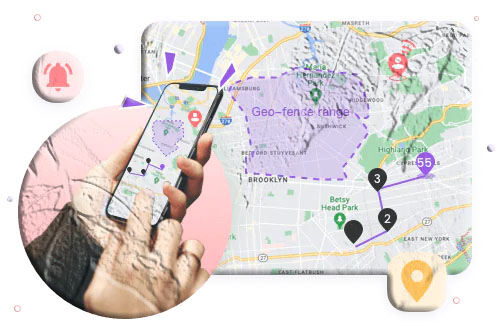
Geofencing — defining a geographic zone and receiving an alert when someone enters or leaves it — transforms location tracking from a passive to an active safety tool. Rather than requiring you to periodically check an app, geofencing brings information to you automatically when something relevant happens. Most family tracking apps offer geofencing, but the quality varies: how large the zones can be, how quickly alerts fire, and whether time-based restrictions can be layered on top.
Breadth of Features
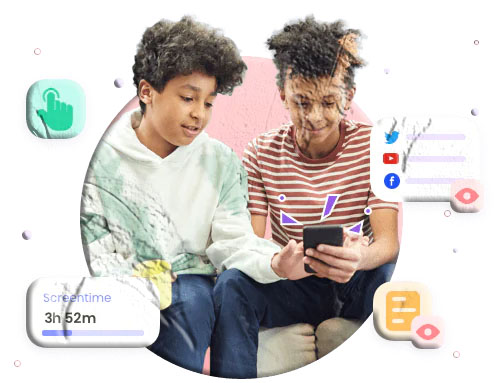
Some apps are location-only. Others integrate parental controls (screen time, content filtering, communication monitoring) with location tracking. Whether you need the broader feature set depends on whether your primary concern is location awareness or comprehensive oversight of your child’s digital activity.
Cost and Device Support
Family tracking apps range from completely free to $25 per month. Device support matters for mixed households: most apps work on both Android and iOS, but some have significantly reduced capabilities on one platform compared to the other.
The 8 Best Family Tracking Apps: Full Comparison
1. MobileTracking Family Tracker — Best for Comprehensive Family Safety
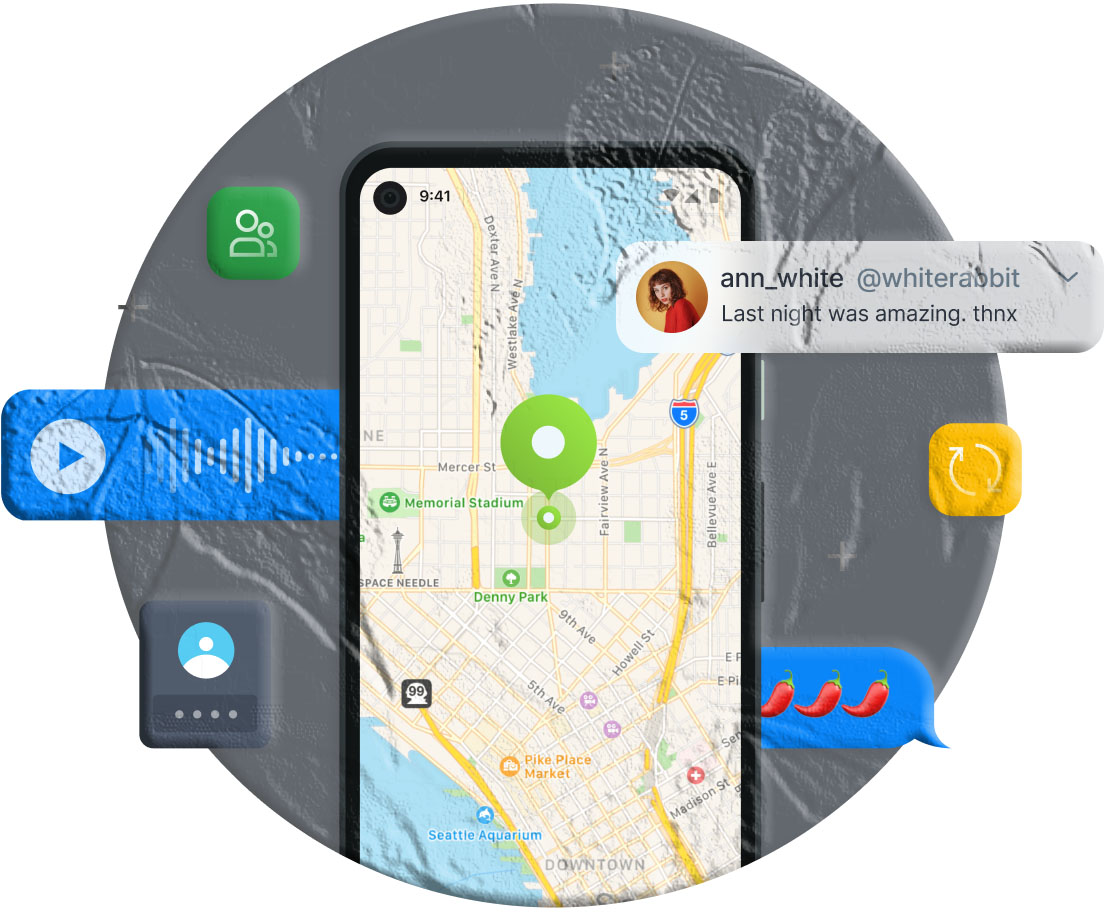
MobileTracking stands apart from the other apps in this comparison because it’s genuinely two things in one: a capable family location tracker and a comprehensive parental control platform. For parents who want location awareness alongside visibility into their child’s digital activity, MobileTracking covers both without requiring separate apps.
Location features:
- Real-time GPS and Wi-Fi tracking: Continuous location updates using both GPS hardware and Wi-Fi positioning, providing reliable accuracy across outdoor and indoor environments
- 15-day location history: One of the longer history windows in this comparison, displayed as a successive timeline so you can trace a day’s movements in sequence
- Geofencing: Set customizable zones around specific addresses with arrival and departure alerts. Supports multiple simultaneous geofences for different locations (home, school, activity venues)
- Surroundings awareness: Optional remote camera access and ambient audio monitoring — capabilities no other app in this comparison offers — that allow parents to understand not just where a device is but what’s happening in its physical environment (subject to legal requirements in your jurisdiction)
Beyond location:
MobileTracking extends well beyond location tracking into a comprehensive suite of parental monitoring tools:
- Call and message log monitoring
- Social media monitoring (WhatsApp, Snapchat, Instagram, Facebook Messenger, and more)
- Screen time limits and custom daily schedules
- App usage monitoring and app blocking
- Web browsing history and content filtering
- Screen mirroring and screenshot capture
- Real-time alerts for keyword searches, geofence crossings, and unusual activity
Platform: Android 8.0 and above (full feature set), iOS 15 and above (core features).
Number of devices: Multiple child devices supported under one parent account.
Cost: Free for core features including GPS tracking, location history, geofencing, and parental monitoring features.
Pros:
- Most comprehensive feature set in this comparison, covering location and full parental monitoring
- Free for core features — significant cost advantage over most alternatives
- 15-day location history is among the longest available
- Multiple simultaneous geofences with time-range configuration
Cons:
- The depth of features means more to configure than simpler location-only apps
- Some advanced features (ambient monitoring, remote camera) have platform and legal considerations that need to be understood before use
Best for: Families who want location tracking as part of a broader parental safety toolkit — particularly parents of children and teenagers who want visibility into digital activity alongside GPS monitoring.
2. Google Family Link — Best Free Option
Google Family Link is Google’s own family management platform, available completely free and integrated directly into the Google account ecosystem. For Android families who want basic location tracking, app management, and screen time controls without any cost, Family Link is a natural starting point.
Location features:
- Real-time location sharing: GPS location transmitted to the parent’s Family Link app, displayed on a map
- Location-based alerts: Notifications when family members arrive at or leave specific areas
- Manual location accuracy adjustment: Parents can customize the accuracy of location reporting
Beyond location:
Family Link includes app approval (controlling which apps can be installed from Google Play), screen time limits and device locks, content filtering through Google’s SafeSearch, and weekly activity reports showing app usage.
Platform: Android-primary for child devices; parent app available on both Android and iOS.
Number of devices: Up to 10 child devices.
Cost: Completely free.
Pros:
- Free, with no premium tier required for core features
- Deep integration with Google’s ecosystem on Android devices
- Includes parental controls (app management, screen time) alongside location
- Developed by Google — strong infrastructure reliability
Cons:
- Location tracking can be slow to refresh, reducing usefulness for real-time safety situations
- No location history beyond the current day
- No communication monitoring (calls, messages, social media)
- Primarily effective for Android child devices; iOS capability is limited
Best for: Families with Android devices throughout who want free location and app management without communication monitoring. A good starting point for younger children; likely insufficient as children grow into more complex digital social lives.
3. Life360 — Best for Mutual Family Location Sharing
Life360 is the most established dedicated family location-sharing app globally, with a large user base built around mutual, transparent location sharing between all family members. Rather than a parent-monitoring-child model, Life360 positions itself as a tool for families to stay connected with each other — everyone in the family “circle” can see everyone else’s location.
Location features:
- Live location tracking: Continuous real-time location visible to all circle members
- 2–30 days of location history: Longer history window on higher-tier plans
- Geofencing up to 2 miles: Among the larger geofence zones in this comparison — useful for monitoring broader geographic areas
- Bubble mode: A unique feature allowing family members to share their general area rather than precise location — a privacy option within the location-sharing framework
- Location check-ins: Family members can send their exact location to the group at a specific moment
- Driving reports: Speed monitoring, hard braking detection, and driving behavior analytics for teen drivers
Additional features:
Private messaging between circle members. SOS button for emergency situations. Crash detection with automatic emergency alert. Roadside assistance integration (premium plans).
Platform: Android and iOS.
Number of devices: Unlimited family members in a circle.
Cost: Free basic plan; Gold plan at $14.99/month; Platinum plan at $24.99/month. Many of the most useful features require a paid plan.
Pros:
- Mutual location sharing model — all family members can see each other
- Larger geofence zones than most competitors
- Driving behavior monitoring is uniquely comprehensive
- SOS functionality and crash detection
- Private in-circle messaging
Cons:
- All tracked family members must accept the invitation and install the app — cannot track without the person’s participation
- Core features like location history require paid subscription
- No parental monitoring features (message monitoring, content filtering, screen time)
- Comparatively expensive for full feature access
Best for: Families who want mutual, transparent location sharing where all members participate willingly — particularly families with teenage drivers where the driving monitoring feature is valuable. Less suited to situations where unilateral parental monitoring is the goal.
4. FamiSafe Family Locator — Best Cross-Device Parental Control with Location
FamiSafe, developed by Wondershare, combines GPS family location tracking with a reasonably comprehensive suite of parental controls — positioning it as a competitor to MobileTracking’s broader family safety approach at a comparable price point.
Location features:
- Real-time GPS tracking: Accurate location with good refresh rates
- 2–30 days of location history: History window scales with subscription tier
- Geofencing: Customizable zones with arrival/departure alerts and time-range configuration
- Driving detection: Real-time driving detection with speed alerts
Beyond location:
Screen time management and scheduling, app blocking, web content filtering, social media activity monitoring (suspicious content detection on YouTube, TikTok), browsing history, and activity reports.
Platform: Android, iOS, Windows, Mac, and Kindle Fire — one of the broader cross-device coverage sets in this comparison.
Number of devices: Up to 10 child devices.
Cost: $9.99/month or approximately $59.99/year with a 3-day free trial.
Pros:
- Solid combination of location tracking and parental controls
- Cross-platform including Windows and Mac for computer monitoring
- Driving detection and speed alerts
- Longer location history available on higher-tier plans
Cons:
- Communication monitoring is limited compared to MobileTracking — no direct message access
- Free trial has restricted features, making pre-purchase evaluation difficult
- Some users report slow location refresh under certain conditions
Best for: Families who want location tracking combined with parental controls across multiple device types including computers. A reasonable alternative for families willing to pay a subscription for features they can get free through MobileTracking.
5. Find My Kids — Best for Tracking Young Children Specifically
Find My Kids focuses its design specifically on parents tracking children under 18, with a feature set built around the specific needs of younger children rather than the broader family-sharing model of apps like Life360.
Location features:
- Accurate location using GPS, GPRS, and Wi-Fi: The multi-network approach improves reliability in areas where pure GPS is weak
- Approximately 16 days of location history: Updated based on continuous use
- Battery level monitoring: Tracks the child’s phone battery and sends low battery alerts — practically useful for parents who need to know when the child’s phone is about to die
- Geofencing with radius customization: Standard geofence alerting
- Sound Around: Optional ambient audio monitoring — similar to MobileTracking’s surroundings feature (purchased separately)
- GPS watch support: Can track children’s GPS watches alongside smartphones — useful for younger children who aren’t yet carrying smartphones
Platform: Android, iOS, and Web.
Number of devices: Up to 3.
Cost: $2.99/month for one device; pricing scales for additional devices. Sound Around feature purchased separately.
Pros:
- Lowest monthly cost per device in this comparison
- GPS watch compatibility for younger children
- Battery level monitoring is a practical addition not found in most apps
- SOS button for emergency alerts
Cons:
- Maximum 3 devices limits suitability for larger families
- No parental controls beyond location monitoring
- Sound Around (ambient audio) costs extra rather than being included
- Limited social and digital monitoring
Best for: Parents of younger children (particularly those using GPS watches rather than smartphones) who need affordable, reliable location tracking without broader parental control needs.
6. Family360 — Best Value Location-Only Tracker
Family360 is a straightforward family GPS tracker focused specifically on location — where family members are, where they’ve been, and how to get to them if needed. It’s simpler in scope than most apps in this comparison, which makes it both easier to set up and more limited in what it can do.
Location features:
- GPS tracking with up to 12-meter precision: Among the more precisely specified accuracy claims in this comparison
- Up to 30 days of location history: One of the longer history windows in this comparison if the claim is accurate in practice
- Up to 1 mile geofencing: Standard zone-based alerting
- Route to family member: One-tap navigation to any family member’s current location
- Distance display: Shows how far away each family member is at a glance
- Emergency panic button: Sends an immediate location-based alert to all family members
Platform: Android and iOS.
Number of devices: Up to 5.
Cost: $5.49/month, with a 21-day free trial — the longest free trial in this comparison.
Pros:
- 21-day free trial gives genuine time to evaluate before committing
- 30-day location history is among the longest available
- Simple, focused interface that’s easy to navigate
- Emergency panic button included
- Reasonable cost for a location-only tool
Cons:
- No parental control features — purely location-focused
- Location doesn’t always update reliably according to some user reports
- Smaller geofence zones than Life360
Best for: Families who want a simple, reliable location tracker without broader monitoring features — particularly families tracking older teenagers or extended family members where mutual location sharing (rather than parental control) is the goal. The 21-day trial makes it a low-risk option to evaluate.
7. T-Mobile Safe & Found — Best for T-Mobile Subscribers
T-Mobile Safe & Found is a family tracking app developed in partnership with T-Mobile (originally Sprint-developed), designed for T-Mobile customers as a family safety tool that integrates with their carrier services.
Location features:
- Accurate location using GPS, cellular, and Wi-Fi: The carrier integration provides cell tower data that can improve location accuracy and reliability
- 7-day location history: Shorter than most competitors
- Small geofencing zones: With location alerts
- Location check-ins: Family members can send their current location to the group
- Apple Watch support: Can track Apple Watches alongside smartphones
Beyond location:
Safe & Found is described as a “full-featured parental control app” — including content filtering, screen time management, and app controls alongside the location features.
Platform: Android, iOS, and Web.
Number of devices: Up to 10.
Cost: $6.99/month for T-Mobile customers, with a 15-day free trial. Not available to non-T-Mobile customers.
Pros:
- Carrier integration potentially improves location reliability
- Apple Watch support
- Built-in SOS service
- Includes parental controls alongside location
- 15-day free trial
Cons:
- Requires T-Mobile subscription — not available to customers of other carriers
- Location data latency of up to 30 minutes reported by some users — significant limitation for real-time monitoring
- Shorter location history (7 days) than most competitors
Best for: T-Mobile customers specifically who want a carrier-integrated family safety solution. The carrier restriction makes it irrelevant for families on other networks.
8. Family Locator — Best for Families with International Travel
Family Locator (not to be confused with FamiSafe Family Locator) is a straightforward family GPS tracking app with one distinctive feature that stands out from all other apps in this comparison: In-flight Mode, which allows family members to be tracked even when traveling by airplane.
Location features:
- GPS tracking: Standard real-time location
- 7-day location history
- Geofencing: Entry and exit alerts for defined zones
- In-flight Mode: Location tracking during flights — useful for families tracking family members who travel frequently by air
- SOS call function: Emergency alert capability
Platform: Android and iOS.
Number of devices: Up to 5.
Cost: $13.06/month (pricing varies by region), with a 3-day trial at $1.02 — effectively a paid trial rather than a free one.
Pros:
- In-flight location tracking is a unique feature not found in other apps in this comparison
- SOS emergency call function
- Straightforward, focused interface
Cons:
- Relatively expensive for the feature set provided
- The “3-day free trial” costs $1.02 — less consumer-friendly than genuinely free trials
- No parental control features
- Shorter location history than several less expensive alternatives
Best for: Families who specifically need location tracking during air travel — a niche use case that this app addresses when others can’t. For everyday family tracking without a travel requirement, better value options exist in this comparison.
Side-by-Side Comparison
| App | Real-Time Location | Location History | Geofencing | Parental Controls | Platform | Cost |
|---|---|---|---|---|---|---|
| MobileTracking | ✅ GPS + Wi-Fi | 15 days | ✅ Multiple zones | ✅ Comprehensive | Android, iOS, Web | Free |
| Google Family Link | ✅ (slow refresh) | None | ✅ Basic | ✅ Basic | Android primary | Free |
| Life360 | ✅ | 2–30 days | ✅ Up to 2 miles | ❌ | Android, iOS | $14.99–$24.99/mo |
| FamiSafe | ✅ | 2–30 days | ✅ | ✅ Moderate | Android, iOS, Win, Mac | $9.99/mo |
| Find My Kids | ✅ GPS/GPRS/Wi-Fi | ~16 days | ✅ | Limited | Android, iOS | $2.99/mo |
| Family360 | ✅ 12m precision | 30 days | ✅ 1 mile | ❌ | Android, iOS | $5.49/mo |
| T-Mobile Safe & Found | ✅ (30 min latency) | 7 days | ✅ Small zones | ✅ Basic | Android, iOS, Web | $6.99/mo (T-Mobile only) |
| Family Locator | ✅ + In-flight | 7 days | ✅ | ❌ | Android, iOS | $13.06/mo |
How to Choose the Right Family Tracking App
With eight options compared, the decision still comes down to your specific family’s situation. Here’s how to think through it.
If you want free and comprehensive
MobileTracking is the only option in this comparison that offers both free access and a comprehensive feature set — covering location tracking, location history, geofencing, and the full range of parental monitoring tools. If cost is a factor and you want more than basic location sharing, MobileTracking offers more than any other free option.
If you only need location sharing and want free basics for Android
Google Family Link handles free location tracking and app management for Android households without any cost. Its limitations (slow refresh, no history, no communication monitoring) are significant but may be acceptable if location sharing is all you need and your child uses Android.
If you want mutual, transparent family location sharing
Life360 is specifically designed for this model — all family members share their location with each other, everyone can see everyone else. The Bubble mode and driving monitoring are genuinely differentiating features. The subscription cost and the requirement that all family members actively participate are the trade-offs.
If you’re tracking young children or GPS watches
Find My Kids is the only app in this comparison with explicit GPS watch support, making it the practical choice for younger children who aren’t yet carrying smartphones. The per-device pricing is among the lowest in the comparison.
If you want the longest free trial to evaluate
Family360’s 21-day free trial is the longest in this comparison — enough time to genuinely test the app before deciding whether to pay. If you’re uncertain which app fits your needs, starting here while you evaluate other options costs nothing.
If you’re a T-Mobile customer specifically
T-Mobile Safe & Found may be worth exploring for its carrier integration and Apple Watch support. The 30-minute location latency is a meaningful limitation for real-time safety purposes.
If someone in your family travels frequently by air
Family Locator’s In-flight Mode addresses a use case no other app in this comparison covers. For families where tracking during air travel is a genuine need, the higher monthly cost is the trade-off for a unique feature.
Why Family Tracking Matters: The Broader Context
Family tracking apps are practical tools, and it’s worth briefly putting that practicality in context.
The primary value of location awareness for families is peace of mind — the reduction in background anxiety that comes from knowing your child arrived where they said they’d be, that your elderly parent is within expected bounds, that everyone made it home safely. Research from Pew Research Center shows that a substantial majority of parents already use some form of digital location tracking for their children. The practice has moved from unusual to mainstream precisely because the practical benefits are real.
But location awareness is most effective when it’s embedded in a broader approach to family safety that includes open communication. The Family Online Safety Institute consistently identifies the family relationship — specifically, whether children feel comfortable coming to parents with problems — as the most significant factor in children’s safety outcomes. Location tracking supports that relationship when it gives parents factual information for better conversations; it works against it when it substitutes for those conversations or creates a surveillance atmosphere that erodes trust.
Most families who use location tracking well describe the same dynamic: the tracking is largely invisible in normal life, surfaces when something specific warrants checking, and supports a conversation rather than replacing one.
Additional Tips for Protecting Your Children Online and Offline
Family tracking apps address the location awareness piece of child safety. These complementary practices address the rest.
Teach children about the difference between online and offline trust. Children who understand that online relationships need to be verified — that someone who claims to be a peer may not be — are better equipped to recognize and resist inappropriate contact. Research from Thorn identifies children’s understanding of online relationship dynamics as a significant protective factor against grooming.
Talk about what to share online. Many children post personal information — their school, their neighborhood, their daily routine — on social media without understanding the risks. Regular conversations about what’s appropriate to share publicly are a more durable protection than content filters alone.
Establish clear expectations for offline activities. Location tracking works best when children understand the expectations around where they can go, who they can be with, and when they need to communicate changes. The technology supports those expectations; it doesn’t replace them.
Maintain open lines of communication. Children who feel they can talk to their parents about uncomfortable or scary experiences online and offline — without fear of overreaction or disproportionate consequences — are significantly better protected than those who feel they need to hide problems. This is a relationship dynamic that no app can create.
Use geofencing proactively. Rather than setting up geofences only around places you’re concerned about, set them up around the regular places your child goes: school, friends’ homes, activity venues. When everything is within expected geofences, nothing is alarming. When something falls outside, you notice.
Revisit your monitoring approach as children grow. A monitoring approach appropriate for a 10-year-old isn’t appropriate for a 15-year-old. Regular reviews — perhaps annually, or when a child transitions between school stages — keep the monitoring proportionate to the child’s age and demonstrated judgment.
Frequently Asked Questions
Q: Which family tracking app has the most accurate GPS location? Most apps in this comparison use a combination of GPS hardware, Wi-Fi positioning, and cell tower data for location accuracy. MobileTracking’s combined GPS and Wi-Fi approach provides reliable accuracy across outdoor and indoor environments. Find My Kids also uses a multi-network approach (GPS, GPRS, Wi-Fi) that helps in areas where pure GPS is weak. Family360 specifies up to 12-meter precision. In practice, accuracy varies by device hardware and environment rather than app alone.
Q: Can I track a family member without them knowing? This depends on the app and the relationship. Google Family Link and MobileTracking can be installed without requiring the child to initiate location sharing. Life360 and Family360 require all tracked family members to accept an invitation. Legally, tracking minor children on devices the parent owns is generally permitted in most jurisdictions. Tracking adults without consent is illegal in most places regardless of relationship. For children specifically, many families find that transparent monitoring — where children know they’re being tracked and understand why — works better in practice than covert tracking.
Q: Is there a free family location tracker? Yes. Google Family Link is completely free with no premium tier required for core features. MobileTracking’s core location features — real-time GPS, location history, and geofencing — are also available free. Family360 offers a 21-day free trial, which is the longest free evaluation period in this comparison.
Q: Does family tracking work when a child’s phone is off? GPS tracking requires the device to be powered on and connected to data. When a device is off, tracking pauses. Some apps — particularly those that use cell tower data — can sometimes maintain a last-known location after the device loses connectivity, but live tracking requires an active device.
Q: How many family members can be tracked on one account? Most apps support between 5 and 10 devices on a single account. Life360 supports unlimited family members in a circle. Find My Kids limits to 3 devices, which may be a constraint for larger families.
Q: What’s the difference between MobileTracking and Life360? The fundamental difference is model and scope. Life360 is a mutual location-sharing app — all family members participate and can see each other. MobileTracking is primarily a parental monitoring platform where parents monitor children’s devices, extending to a comprehensive suite of parental controls (message monitoring, social media, screen time, content filtering) alongside location. Life360 requires all participants to willingly share their location; MobileTracking can be set up as a parental monitoring tool on a child’s device without requiring the child to initiate sharing.
Q: Which apps work on both Android and iPhone? Most apps in this comparison support both platforms: MobileTracking, Life360, FamiSafe, Find My Kids, Family360, T-Mobile Safe & Found, and Family Locator all work on Android and iOS. Google Family Link is primarily effective for Android child devices. T-Mobile Safe & Found is available regardless of device type but requires a T-Mobile carrier subscription.
Q: Do family tracking apps drain phone batteries? GPS tracking uses battery, and continuous background location tracking has some impact on battery life. The impact varies by how frequently the app updates location — apps that update every few seconds use more battery than those that update every few minutes. Most apps are designed to minimize battery impact, and modern smartphones handle background GPS relatively efficiently. The effect is noticeable but typically modest on devices with healthy batteries.
Q: Can my child disable the tracking? This depends on the app and how it’s configured. Life360 and similar mutual-sharing apps can be turned off by any participant. MobileTracking can be configured on Android with device administrator settings that make removal more difficult. Built-in iOS features like Screen Time can protect some monitoring settings from being changed. A determined teenager with technical knowledge can circumvent most monitoring systems — which is one reason many families find transparent monitoring (where children know about it) more sustainable than purely covert approaches.
Q: What should I do if the tracking app shows my child somewhere unexpected? Lead with the relationship rather than immediate enforcement. An unexpected location often has a benign explanation — a route change, a spontaneous stop, a phone left in a friend’s bag. A conversation starting from genuine curiosity (“I noticed you were near X today — what was happening?”) is more likely to produce honest engagement than one starting from accusation. When the explanation doesn’t add up, the location data gives you specific information to follow up on.
Choosing the App That Fits Your Family
The right family tracking app isn’t the one with the most features or the lowest price in isolation — it’s the one that fits your family’s specific situation, devices, and approach to safety.
For families who want location tracking as part of a comprehensive parental safety toolkit without paying a monthly subscription, MobileTracking delivers the most complete free package. For families who want mutual location sharing where all members participate transparently, Life360 is the established leader. For free basics on Android, Google Family Link is the natural starting point. For the youngest children using GPS watches, Find My Kids offers the only compatibility. For the lowest-risk evaluation period, Family360’s 21-day trial gives enough time to make a genuine assessment.
Whatever app you choose, pair it with the conversations that make any monitoring tool meaningful — about safety, about expectations, about trust, and about the child’s growing autonomy as they demonstrate they can handle greater independence. The technology is a support for that relationship. The relationship is the actual foundation.
Explore MobileTracking’s full family tracking and parental safety features at mobiletracking.app.
App features, pricing, and availability described in this article are based on information available at the time of writing and may have changed. Always verify current details directly with each app’s official website. MobileTracking is available free for Android devices running Android 8.0 and above and iOS devices running iOS 15 and above. Users are responsible for ensuring their tracking practices comply with applicable local laws and regulations.




Add comment