Go to android.com/find on any computer or borrowed phone, sign in with the Google account that was on the stolen phone, and Google’s Find Hub shows where it is on a map. Before you do anything else, choose Mark as lost so the phone is locked and signed out of your Google account. If you can’t sign in because your codes go to the stolen phone, lock it at android.com/lock with just its phone number instead.
Then protect the things a thief actually wants: your bank, your email and your number. Report the theft to the police with the phone’s IMEI, and never go to the location yourself. The order matters, so this guide takes it step by step, including what happens if the thief wipes the phone.
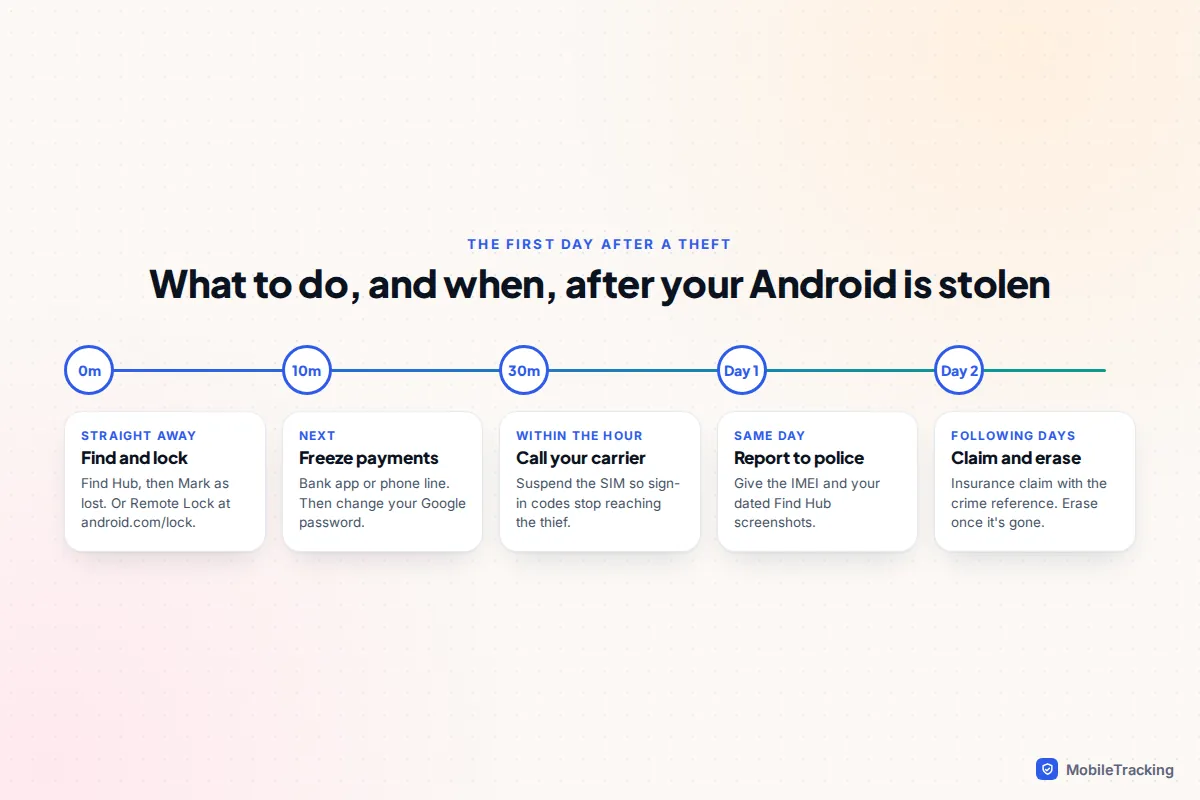
The first 15 minutes: what to do, in order
A snatched phone tends to go dark quickly. Thieves switch it off, pull the SIM or put it in airplane mode, so the most useful things you can do are the ones that work even when the phone is offline.
- Find it and lock it. Open Find Hub, note the location and time, then choose Mark as lost. If you can’t sign in, use Remote Lock at android.com/lock.
- Freeze payments. Call your bank or use its app on another device to freeze cards linked to Google Wallet and banking apps on the phone.
- Change your Google password from a trusted device, then change the password on your main email if it’s different.
- Call your carrier to suspend the SIM, so your texts and sign-in codes stop reaching the thief, and ask them to block the phone’s IMEI.
- Report it to the police and keep the crime reference number for your insurer.
If the phone was snatched in the street a moment ago and you or anyone else is in danger, call 999 in the UK or 911 in the US first.
How to see where the stolen phone is in Find Hub
Find Hub is the name Google gave Find My Device in 2025. It works on Pixel, Samsung, Motorola, OnePlus and most other Android phones, as long as the phone was signed in to a Google account with Find Hub switched on.
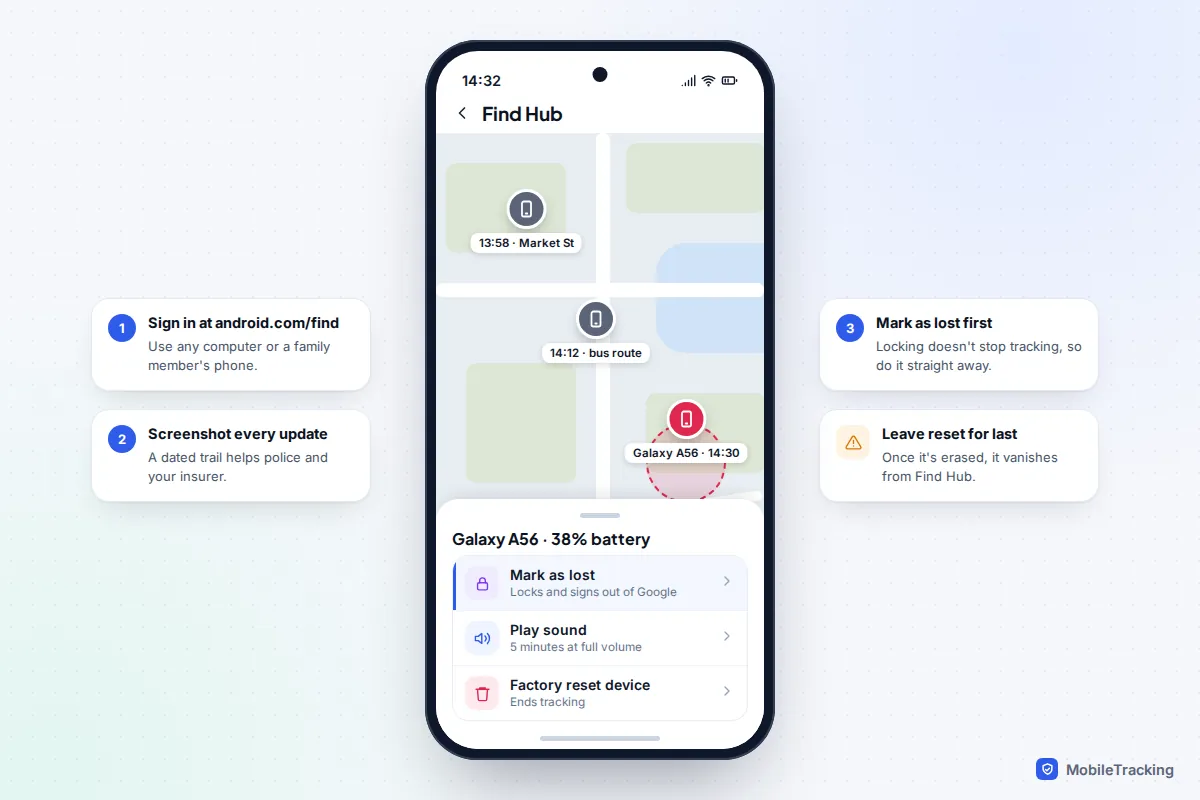
- Go to android.com/find in a browser, or open the Find Hub app on a family member’s Android phone and sign in with your account.
- Sign in with the Google account on the stolen phone and select it.
- Read the location, the time it was last seen and the battery level. Take a screenshot each time it updates; police and insurers find a dated trail more useful than one pin.
If it shows as offline
An offline phone shows its last known location. Keep checking: many thieves turn a phone back on later to test it or sell it. A Pixel 8, 9 or 10 can also be picked up by the Find Hub network for several hours after it is switched off, and any Android phone that is on but offline can be reported by passing Android devices, if the offline finding setting allows it. The default only covers busy places; With network everywhere gives better coverage but has to be chosen in advance.
If you use Play sound, the phone rings at full volume for five minutes, even on silent. That is useful at home or in a café where you think it was simply picked up, but pointless if it is clearly moving across town.
Lock it: Mark as lost or Remote Lock
Google’s own lost or stolen phone advice says Mark as lost locks the phone with your PIN, pattern or password and signs it out of your Google account, cutting the phone off from your email, photos and other data. You can add a message and a contact number for the lock screen. On phones running Android 17 or later with fingerprint or face unlock, unlocking then needs your PIN and your biometric.
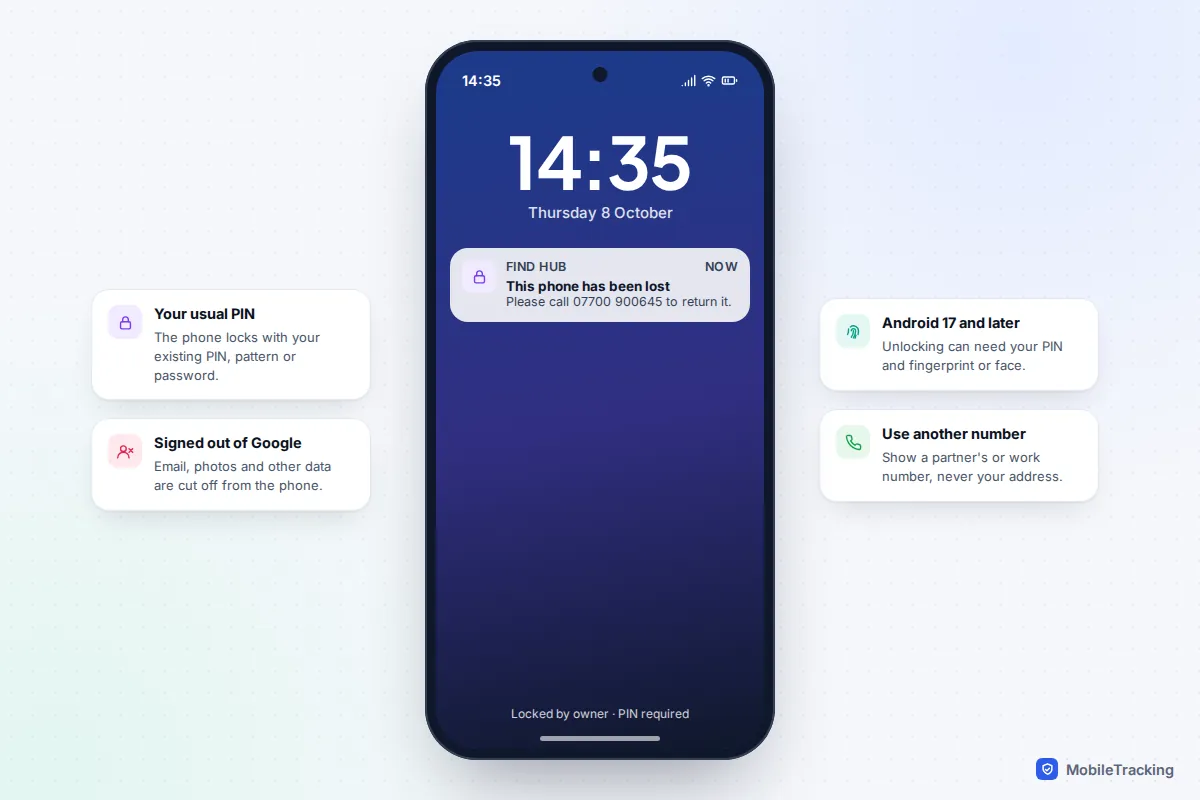
Remote Lock at android.com/lock is the fallback when you can’t get into your Google account. You enter the stolen phone’s number, pass a check and answer your security question if you set one. It only locks the screen, it works at most twice in 24 hours, and it must have been switched on beforehand, but it applies as soon as the phone reconnects. Our guide to locking a lost phone remotely covers both options in detail.
Locking does not stop tracking. Keep an eye on Find Hub after you lock it, and leave erasing until you have given up on getting the phone back.
The protections that may already be working for you
Recent Android versions include several theft features that act without you doing anything. They arrive through Google Play services on Android 10 and later, although some need Android 15 or a particular phone. You’ll find them at Settings › Google › All services › Theft protection, or on a Galaxy at Settings › Security and privacy › Lost device protection › Theft protection.
| Feature | What it does for a stolen phone | Where it works |
|---|---|---|
| Theft Detection Lock | Locks the screen if the phone is snatched from an unlocked state and carried off | Android 10 and later |
| Offline Device Lock | Locks the screen if an unlocked phone is cut off from the internet | Android 10 and later |
| Failed Authentication Lock | Locks the phone after repeated wrong guesses | On by default on compatible phones |
| Identity Check | Needs your fingerprint or face to change the PIN, turn off Find Hub or reset the phone away from trusted places | Pixels on Android 15 and later, Galaxy phones on One UI 7 and later |
| Factory reset protection | Stops a wiped phone being set up without your Google account or screen lock | Strengthened in Android 15 |
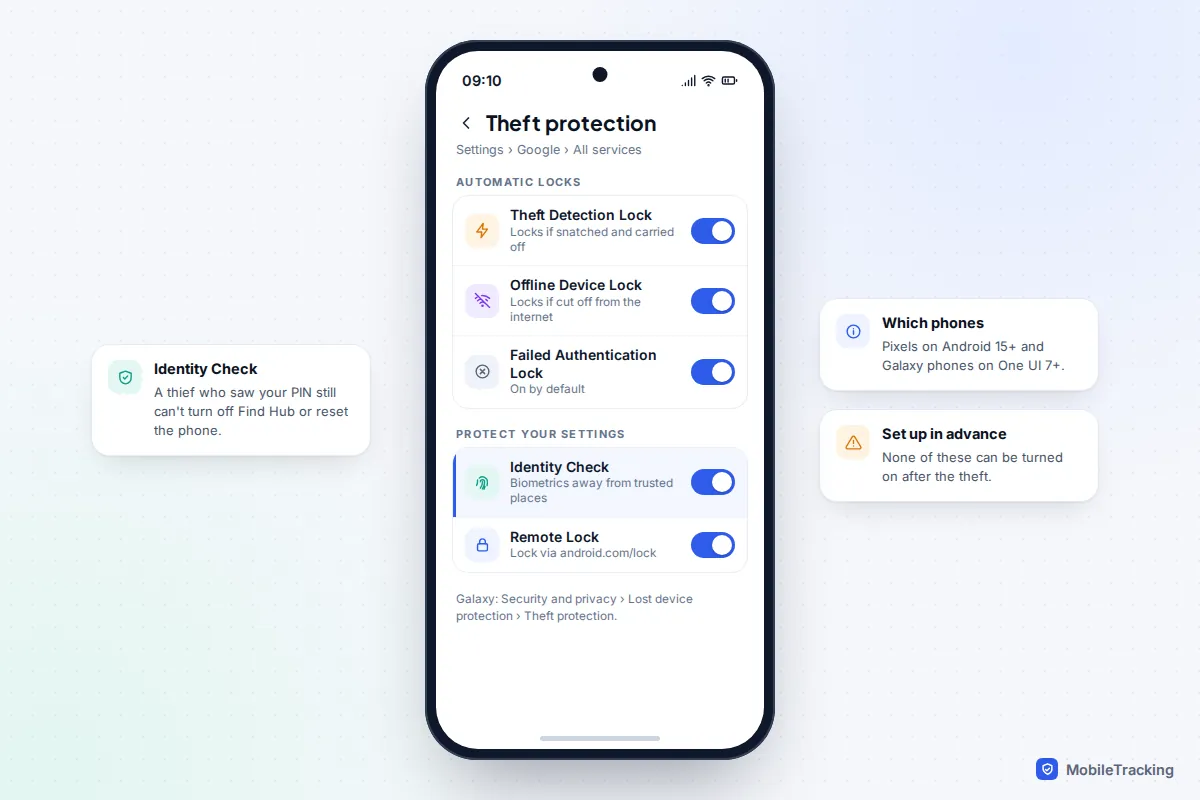
According to Google’s theft protection help page, Identity Check also guards saved passwords and passkeys, Google account changes and developer options. The practical effect is that even a thief who knows your PIN has a hard time turning off the very features you are using to track the phone.
Samsung Galaxy: use Samsung Find as well
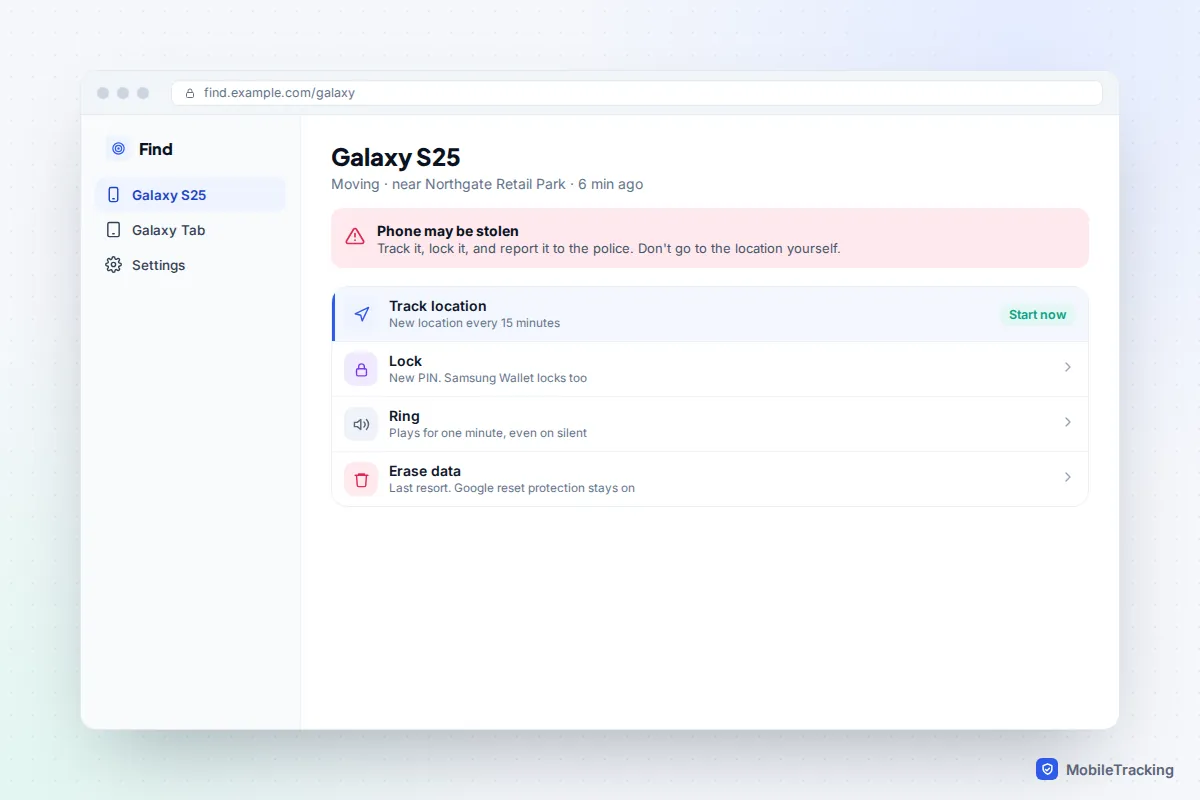
A Galaxy phone appears in Find Hub and in Samsung Find at samsungfind.samsung.com, which uses your Samsung account. Check both, because either may have the newer location. Samsung Find adds a few tools that suit a theft:
- Track location sends an updated location every 15 minutes, which is ideal when the phone is on the move.
- Lock sets a new PIN for the phone and, Samsung says, automatically locks Samsung Wallet and asks card issuers to suspend payments from the device.
- Erase data wipes the phone when you’ve given up on it. Your Google account’s reset protection still applies afterwards.
For the future, Galaxy owners should also look at Lock network and security under the lock screen’s Secure lock settings. Samsung says it keeps network and security functions locked while the phone is locked, which makes it harder for a thief to take the phone offline.
Report it, and don’t go after it yourself
Seeing your phone on a map at a stranger’s address is maddening, but walking up to that door is how people get hurt. You don’t know who is there, the pin can be tens of metres out, and the phone may already have changed hands. Police advice is consistent: report it and let officers decide whether to act.
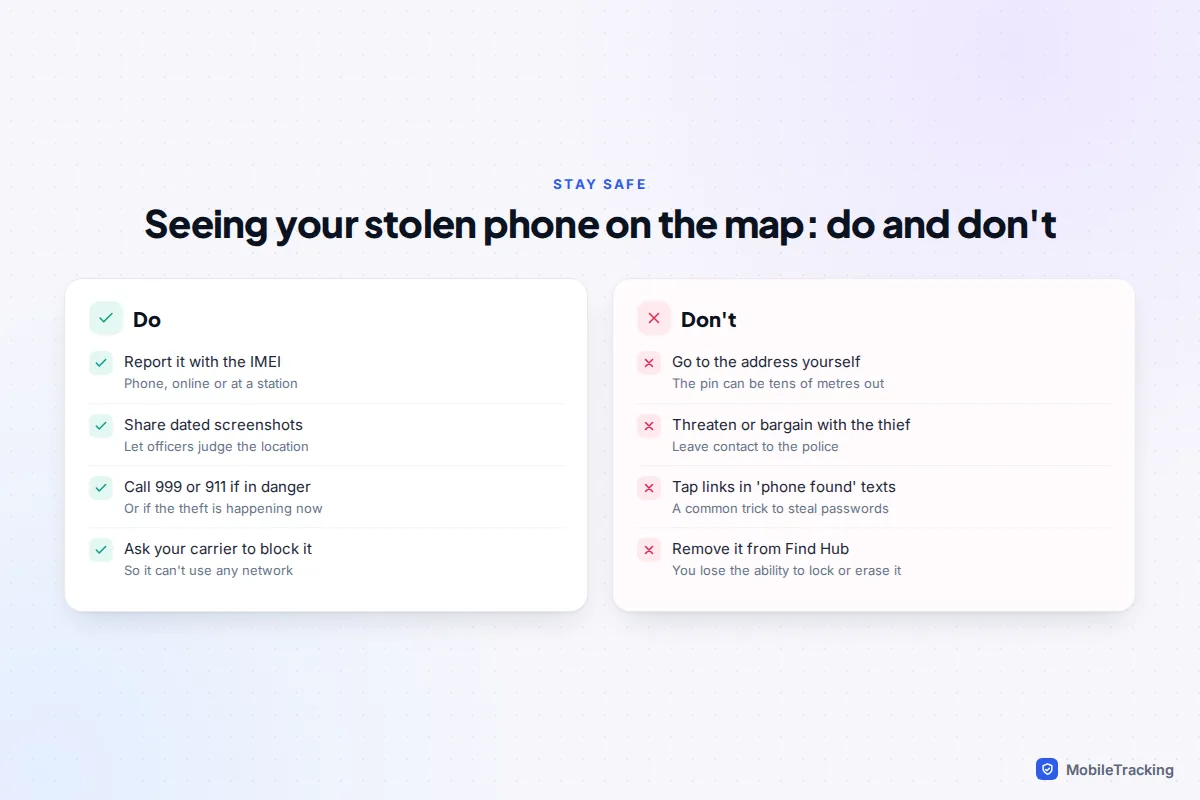
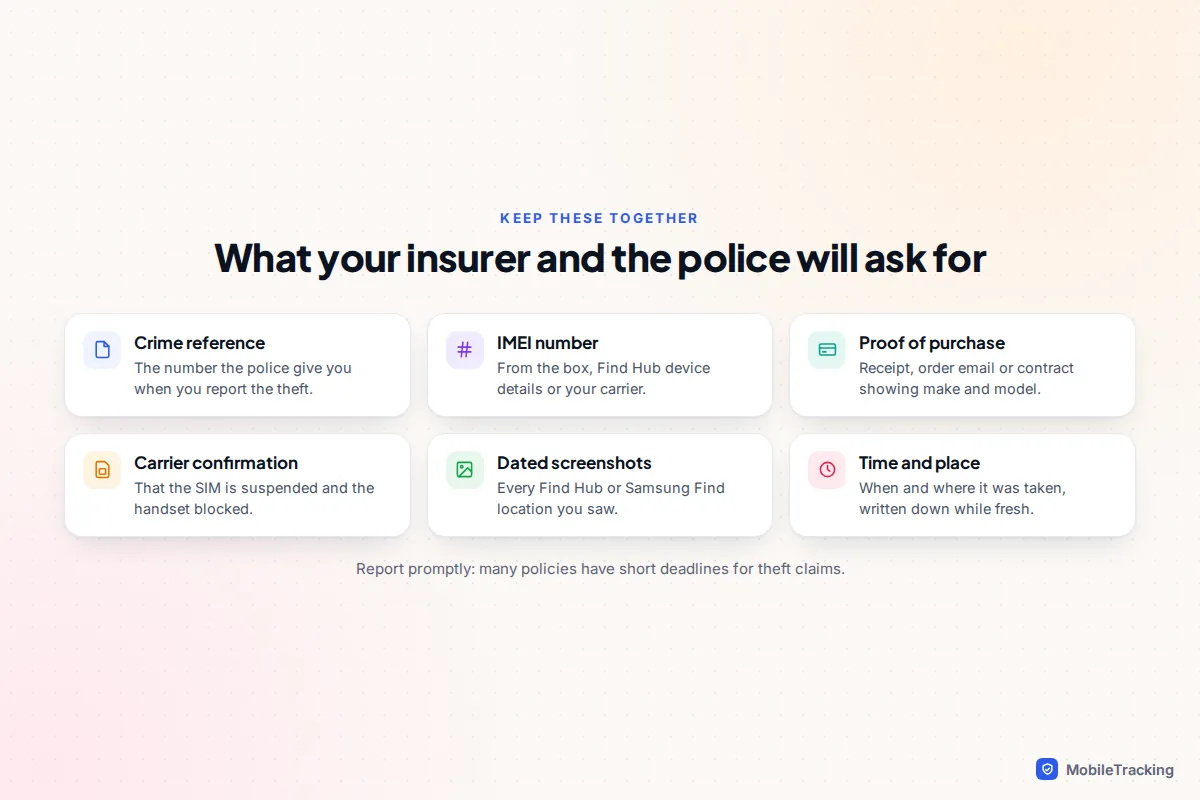
When you report it, whether by phone, online or at a station, have these ready:
- The phone’s make, model and colour, plus any case or damage that identifies it.
- The IMEI number, which you can find on the box, in Find Hub’s device details, or with your carrier. Our guide to finding your phone’s IMEI lists every route.
- The time and place it was taken, and your dated Find Hub screenshots.
Give the IMEI to your carrier too. Carriers can add a stolen phone’s IMEI to a block list shared with other networks, so the phone can’t connect to them even with a new SIM. In the UK, you can also record the phone on the Immobilise property register, which police use to reunite recovered items with owners.
Lock down your accounts, money and number
Thieves increasingly want the accounts on a phone more than the phone itself. Work through these from a device you trust, starting with whatever could cost you money.
- Bank and payment apps. Freeze cards and tell your bank the phone was stolen. Google says a locked phone can’t be used to pay in shops with Google Wallet, and erasing it removes the cards, but your bank can block them straight away.
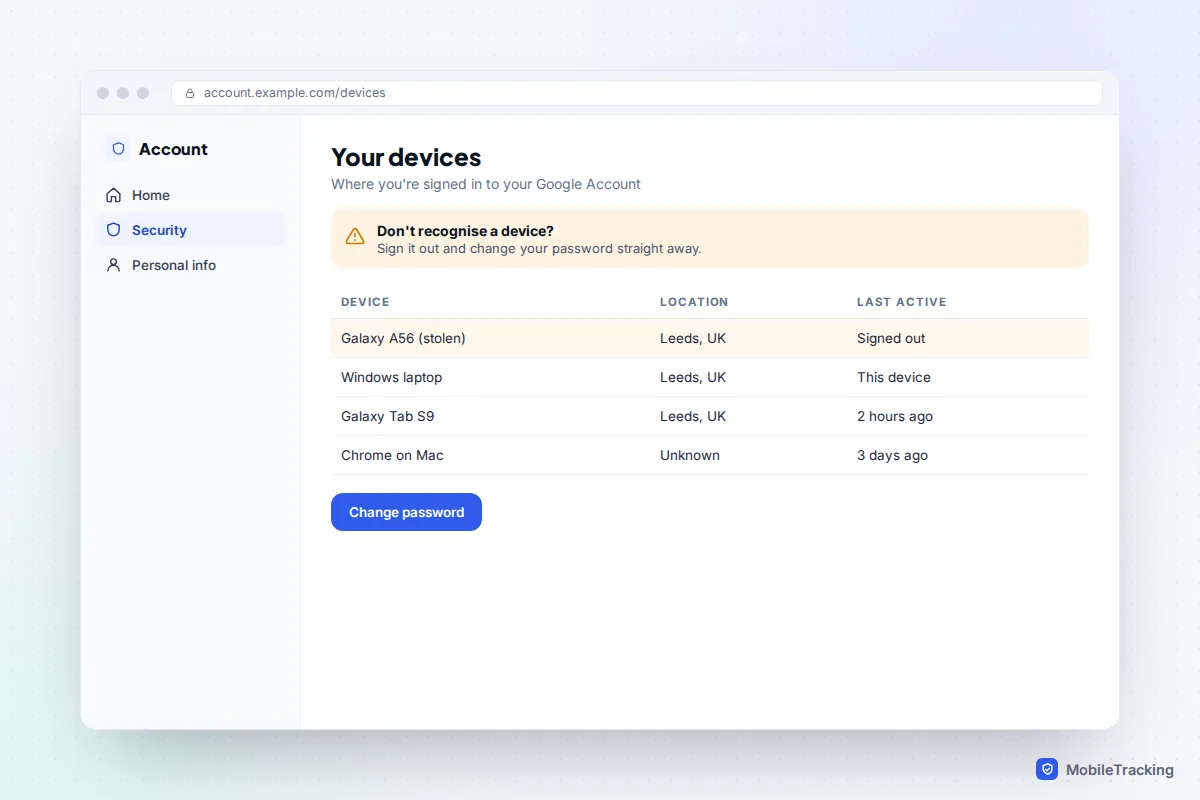
- Google account. Change your password, then open your Google Account, go to Security, and review Your devices for anything you don’t recognise. Our guide to seeing devices logged into your Google account shows how.
- Your phone number. Ask the carrier to suspend the SIM or eSIM and issue a replacement. Until then, codes sent by text could reach whoever has the phone.
- Email, social media and shopping accounts. Change passwords, starting with any that use the stolen phone for sign-in codes, and switch two-step verification to an authenticator on your new phone.
When the thief resets it, and your real chances
Being honest helps you plan. A phone taken by an opportunist from a café table is often dumped or handed in once the thief finds it locked. A phone snatched in the street is usually switched off within minutes and passed on quickly. Police can’t act on every pin, especially a vague one inside a block of flats, so recovery is never guaranteed.
If the thief factory resets the phone, it disappears from Find Hub for good. That is not the end of your protection, though. Google says factory reset protection means your Google account details are needed to set the phone up again, which makes it hard to sell as a working handset. Don’t remove the phone from Find Hub or your Samsung account while there’s any chance it will resurface: you would lose the ability to lock, locate or erase it.
Here is how it tends to go. Leon’s Pixel was taken from his bag on a train. Within ten minutes he had marked it as lost from his partner’s phone, frozen his debit card and changed his Google password. Find Hub showed it at a station two stops on, then nothing. He reported it with the IMEI and his screenshots, his carrier blocked the handset, and his insurer accepted the claim with the crime reference number. The phone never came back, but nothing was taken from his accounts.
Insurance and erasing
Check your phone insurance, home contents policy, bank account perks and credit card cover, since phones are often covered somewhere. Policies usually have short deadlines for reporting, so claim promptly; our guide to insuring a phone against loss and theft explains what to look for. When you are sure the phone is gone, erase it remotely from Find Hub or Samsung Find. The erase waits until the phone next comes online, and after that you can no longer track it.
Frequently asked questions
Can I track a stolen Android phone if it’s turned off?
Only partly. You’ll see its last known location, and a Pixel 8, 9 or 10 may be found by the Find Hub network for several hours after power-off. Most other phones reappear only when they are switched on and connected again.
Can the police track my phone with the IMEI?
Not in the way people imagine. The IMEI lets your carrier block the phone and helps police identify it if recovered. Network location data can only be requested through formal legal processes, which is usually reserved for serious crimes.
Will Find Hub still work if the thief removes my SIM?
Yes, if the phone connects to Wi-Fi or is picked up by the Find Hub network. Offline Device Lock may also lock the screen once it loses its connection, if it was unlocked when taken.
Can a thief use my stolen phone after a factory reset?
Not easily. Factory reset protection asks for your Google account or previous screen lock during setup, which is why stolen phones are often sold for parts instead. Keep the phone listed in Find Hub too, so you can still lock or erase it if it comes back online before a reset.
Should I sign out of my Google account on the stolen phone?
Mark as lost already does this for you. After that, review the other devices on your Google account and change your password, so nobody can get back in with a saved session.
This guide is general information, not legal or financial advice. Read our editorial policy.