
To share your location with a partner safely, agree the reason first, then choose the lightest setting that answers it: a check-in or a timed share for a late journey, and a mutual, open-ended share only if you both actually want one. Use tools you can both see and stop, such as Find My on iPhone or Google Maps on any phone, and check what the other person can see, including arrival alerts and battery level. Healthy sharing is offered, mutual and easy to pause. If one of you has to share, is questioned about every stop, or is punished for switching it off, it has stopped being about safety.
This guide covers the conversation, the settings on iPhone and Android, the privacy options most couples miss, the warning signs of control, and how to stop sharing without putting yourself at risk.
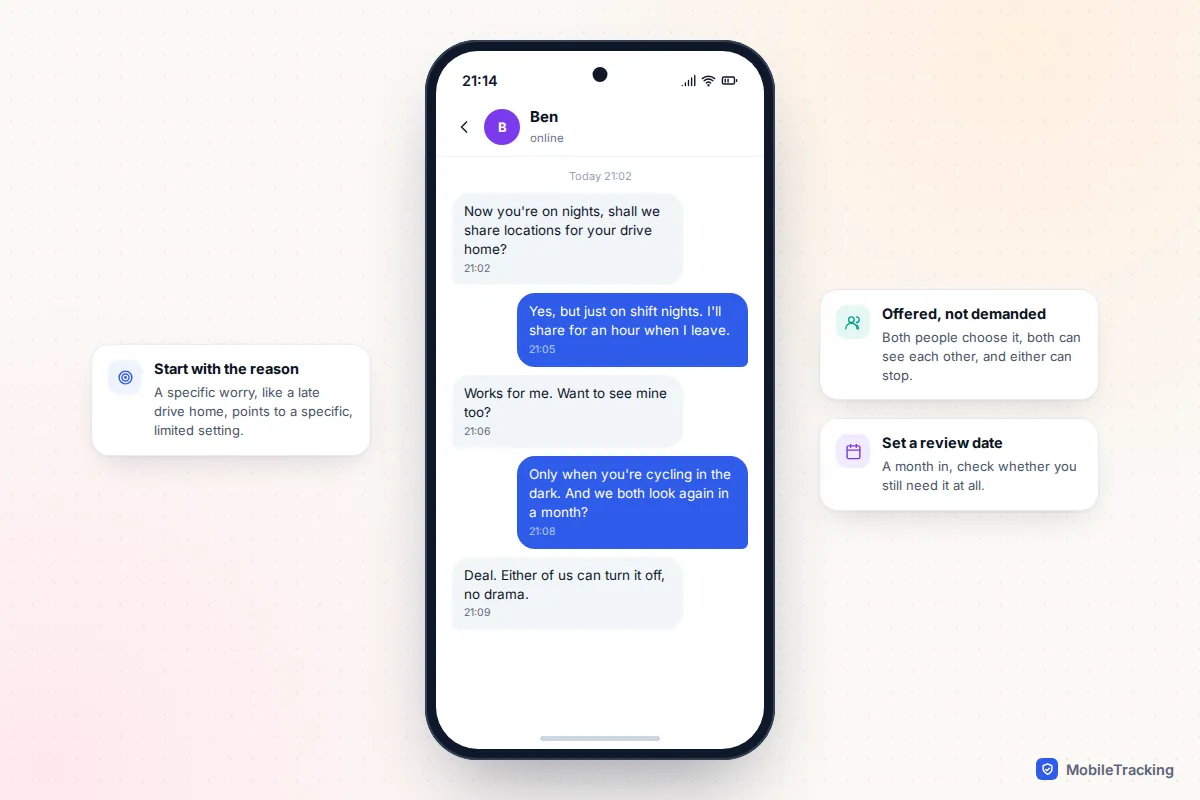
Agree why and when before you switch anything on
Most couples start sharing for a practical reason: one of you drives home late, cycles in the dark, travels for work or has a health condition. The reason matters because it tells you what kind of sharing you need. “I want to know you got home after a night shift” is answered by a single arrival, not by a live dot that runs all week.
Talk through these questions together, ideally before anyone opens an app:
- What worry are we solving? Name it. If neither of you can, you may not need to share at all.
- Both ways or one way? Mutual sharing avoids one person becoming the watcher. If only one of you wants to share, that is fine too, as long as it is their choice.
- When? Always, only on certain journeys, or only when travelling.
- What happens if it pauses? Agree that a pause means nothing more than a flat battery or a wish for privacy, and that a text is the right response.
- When do we review it? A month in is a good first check.
Nadia and Ben had this conversation when Nadia started night shifts. They agreed she would share for an hour when she left the hospital, Ben would share while cycling home in winter, and neither would look at the map outside those times. When the clocks went forward they stopped Ben’s share altogether, and nobody felt it was a statement.
Which option should you use?
You do not need a special app. The tools already on your phones cover almost every situation, and each shows clearly when it is on.
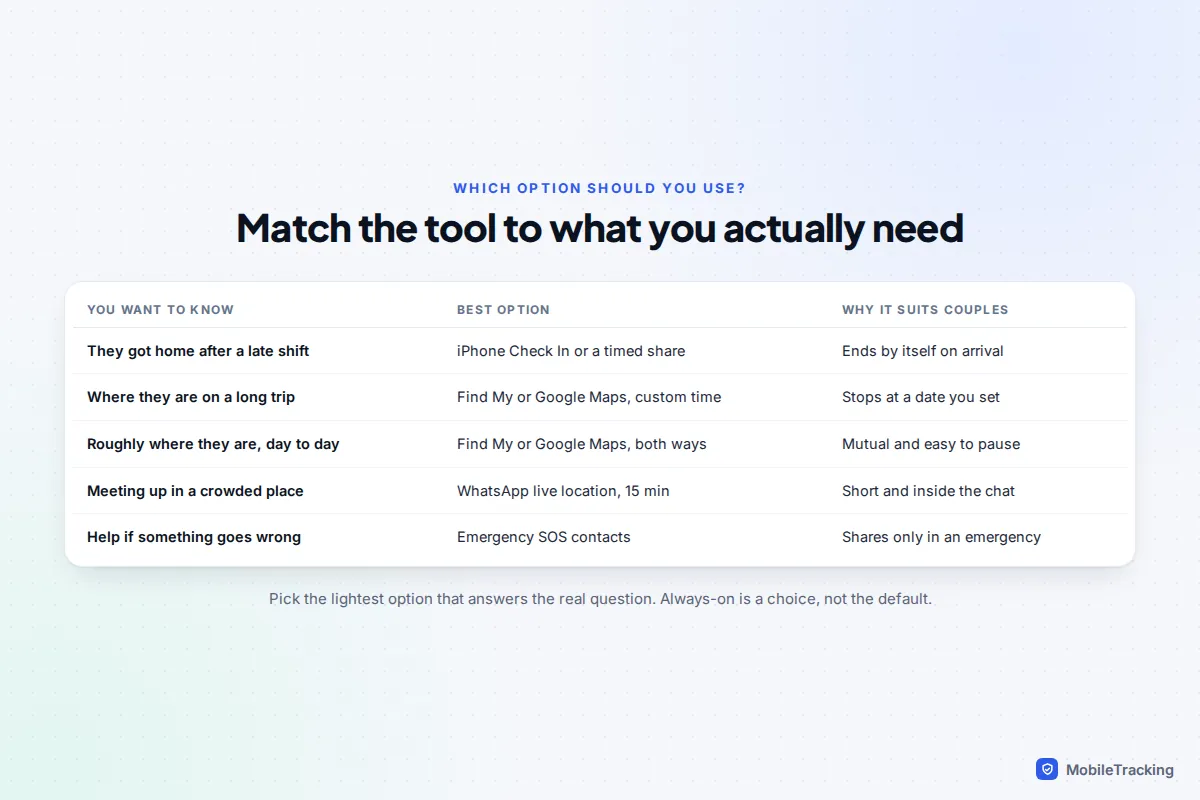
- Check-ins for single journeys. Between two iPhones on iOS 17 or later, Check In in Messages ends by itself when you arrive, and only alerts your partner if you do not. Our guide to setting up check-ins instead of constant tracking covers it step by step, plus the Android equivalents.
- Timed shares for trips and evenings. Find My and Google Maps both let you share for a set time, after which sharing stops without anyone having to remember.
- Open-ended, mutual sharing. Find My between iPhones, or Google Maps between any phones, if you both genuinely want to see each other day to day.
- WhatsApp live location for meeting up in a crowd: 15 minutes, 1 hour or 8 hours, visible in the chat.
- Family locator apps such as Life360. Useful if you already use one with children, but they keep location history (2 days on Life360’s free plan, longer on paid plans) and show labels when you pause, which suits families better than couples.
How to set it up so it is mutual and time-limited
iPhone: Find My
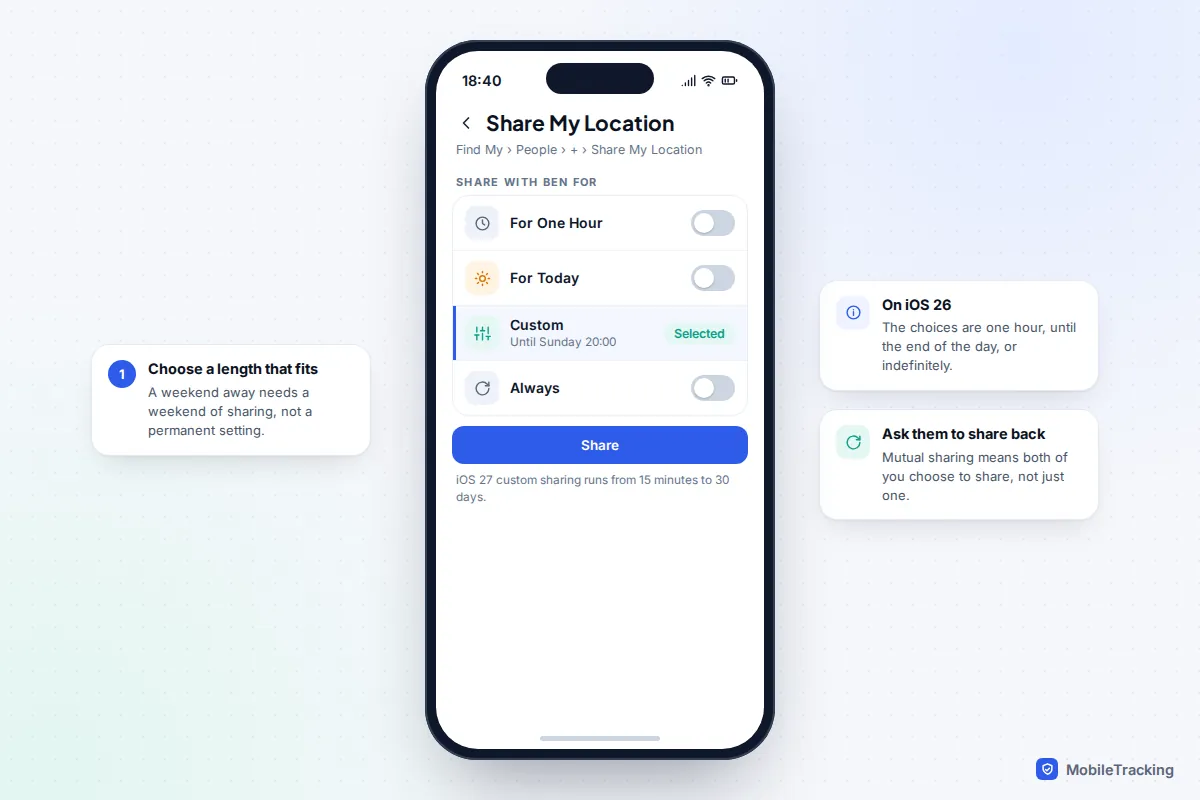
- Open Find My, tap People, then the + button and Share My Location.
- Type your partner’s name or number and tap Send.
- Choose how long. On iOS 26 the choices are one hour, until the end of the day, or indefinitely.
- Your partner gets a notification and can choose to share back.
iOS 27, released on 14 September 2026, adds a Custom option that lets you share for anything from 15 minutes to 30 days, or until a date and time you pick. For a weekend away or a work trip, that is far better than “indefinitely” followed by a promise to remember to switch it off.
Android or a mixed couple: Google Maps
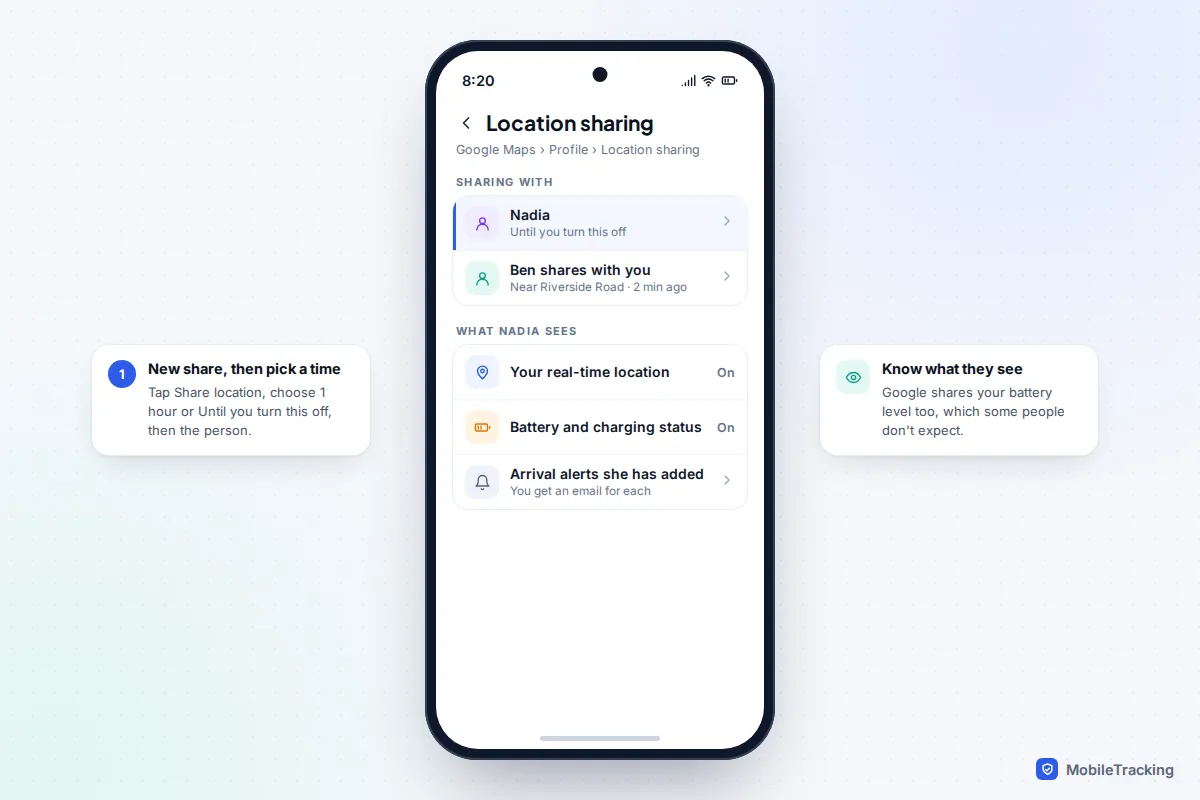
- Open Google Maps, tap your profile picture, then Location sharing.
- Tap Share location (called New share on some versions).
- Choose For 1 hour, using + and – to change the time, or Until you turn this off.
- Pick your partner and tap Share. They need a Google Account to see you in their app.
This works identically on an iPhone with Google Maps installed, which makes it the simplest choice when one of you has an iPhone and the other has Android. The same share also appears in the People tab of Google’s Find Hub app on Android.
Privacy settings worth checking together
Sharing a dot on a map often reveals more than people expect. Spend five minutes going through these details as a couple.
- Battery level. Google Maps shows people you share with your battery level and whether you are charging. Harmless for most couples, but worth knowing.
- Arrival and leaving alerts. In Find My and Google Maps, the person who can see you can ask to be alerted when you arrive at or leave a place. You are always told: Find My asks you to approve recurring alerts, and Google sends you an email. If you would rather nobody set alerts about you, turn off Allow Location Sharing notifications in your Google Account’s location sharing settings. You keep sharing, but alerts stop.
- Short breaks. On iOS 27, Hide Location on a person’s card in Find My hides you from that one person for the rest of the day without an alert; they see “No location found”. Agree in advance that using it is normal, for a surprise present or simply some quiet time.
- History. Find My and Google’s sharing show where someone is now, not a trail of where they have been. Family locator apps usually do keep history.
- Life360 Bubbles. A Bubble shows only an approximate area for up to 6 hours. Be aware that Circle members are notified when you create one, any member can burst it to reveal your exact location, and a Circle admin can switch Bubbles off for everyone.
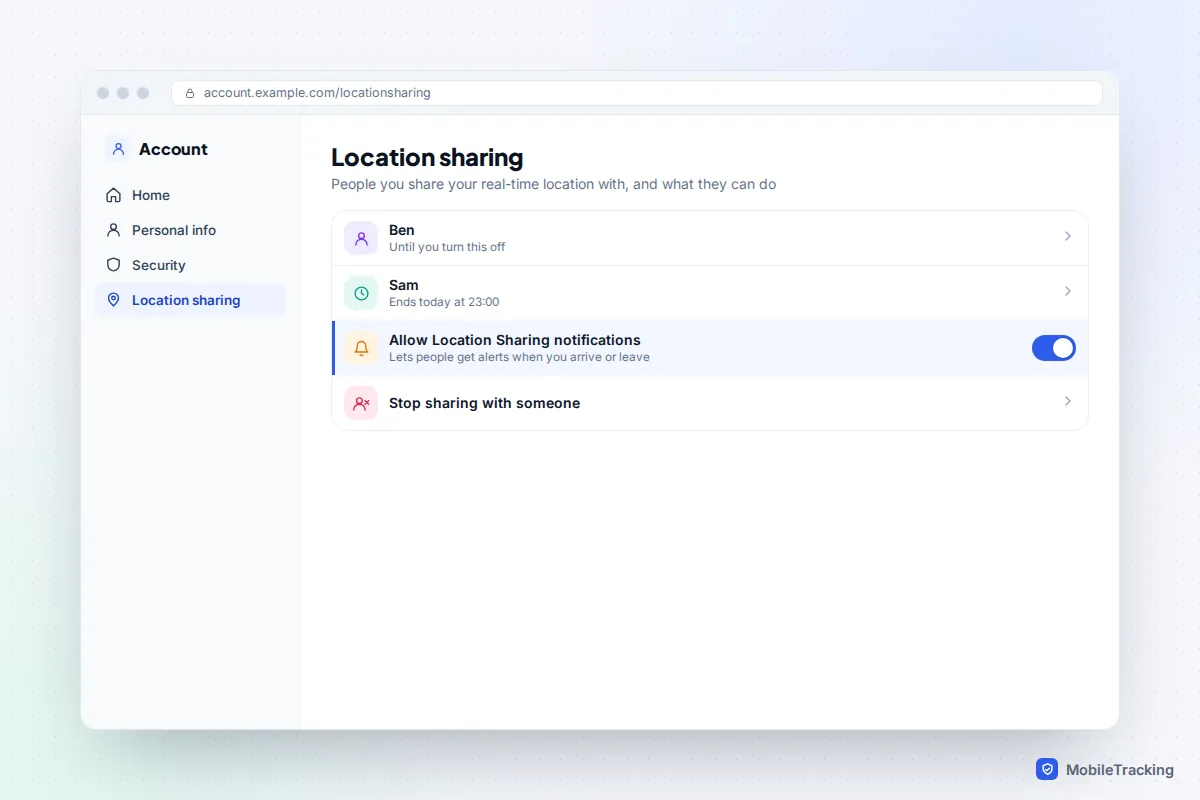
A good habit is to open that list every few months. Shares set up “just for the festival” with friends or an ex have a way of running for years.
Warning signs that sharing has become control
Location sharing can be caring. It can also be one of the ways a partner monitors and restricts someone. The difference is rarely the app; it is how the sharing started and what happens around it.
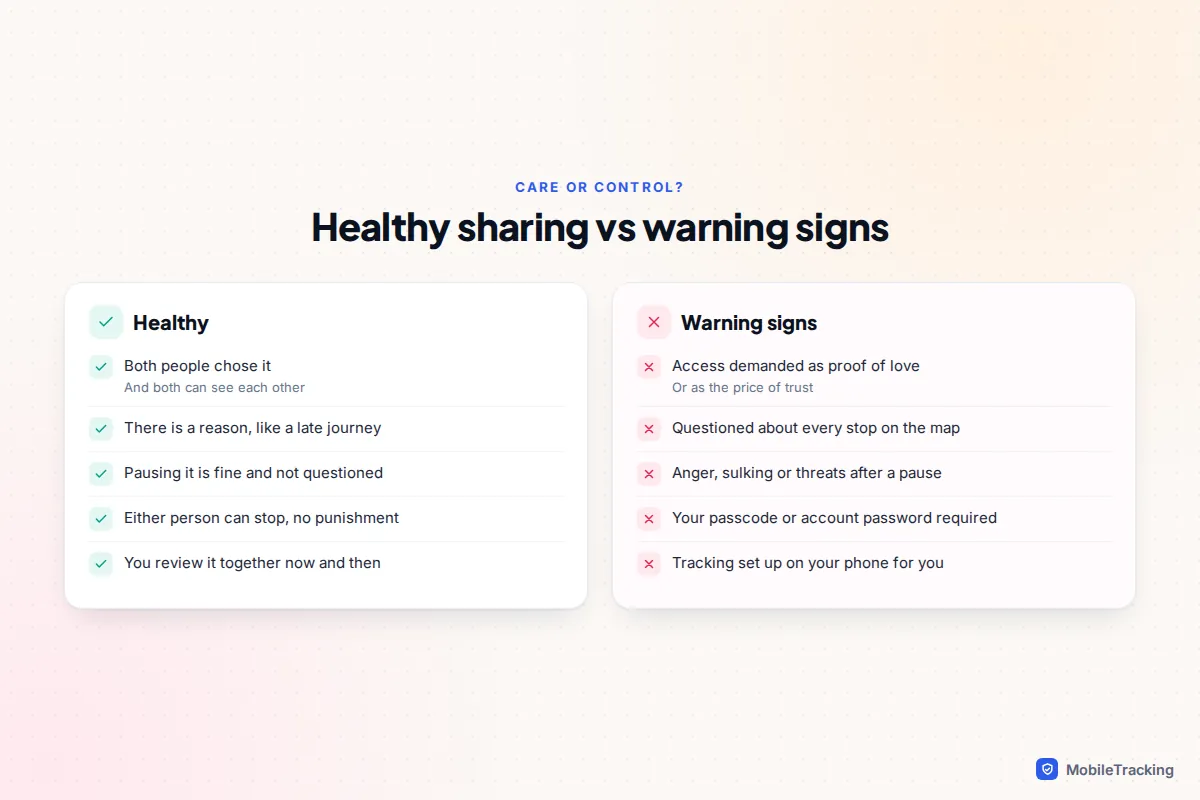
Watch for these patterns, in your relationship or a friend’s:
- Sharing is demanded as proof of love or loyalty, or refusing is treated as an admission of cheating.
- Only one person shares, and it is not the one who asked for it.
- You are questioned about every stop, route or delay the map shows.
- A pause, a flat battery or Hide Location leads to anger, sulking, accusations or threats.
- Your partner insists on knowing your passcode, Apple Account or Google password, or sets up sharing on your phone for you.
- They seem to know where you have been even though you are not sharing.
Controlling behaviour like this is recognised as abuse. In England and Wales, controlling or coercive behaviour in an intimate relationship has been a criminal offence since 2015. You do not need to be sure it is “bad enough” to talk to someone about it.
How to stop sharing safely
In an ordinary relationship, the safest way to stop is also the simplest: say so, then stop. “I’m going to turn off sharing now the evenings are lighter” avoids the worry a silent change can cause. In Find My, open People, tap your partner and choose Stop Sharing My Location. In Google Maps, go to Location sharing, tap your partner and tap Stop. Neither app sends an alert, but your partner will see that you have gone from their list, and any arrival alerts they set about you will stop.
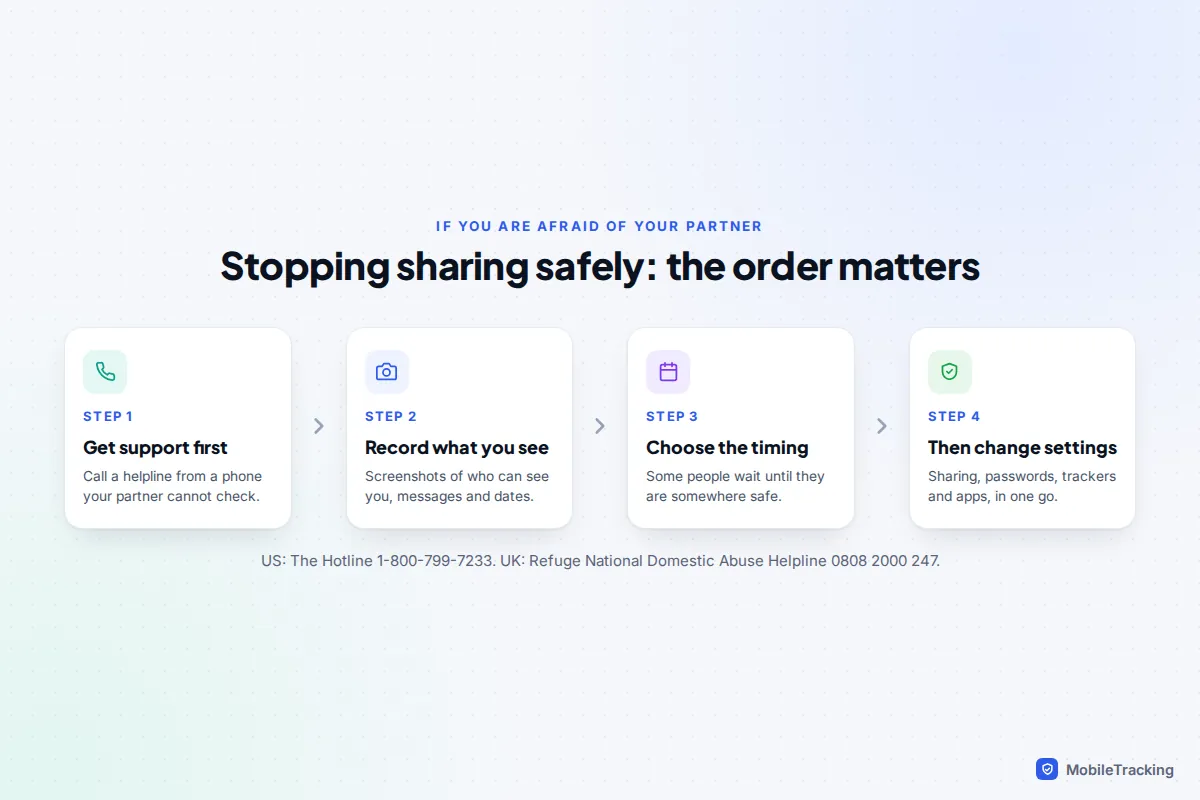
If you are frightened of how your partner will react, the order matters more than the button. A person who monitors you may notice a change within minutes, and a sudden loss of control can increase the risk. Talk to a specialist first, from a phone or computer your partner cannot check:
- US: The National Domestic Violence Hotline, 1-800-799-7233, or thehotline.org.
- UK: the free, 24-hour National Domestic Abuse Helpline run by Refuge, 0808 2000 247.
- In immediate danger, call 911 in the US or 999 in the UK.
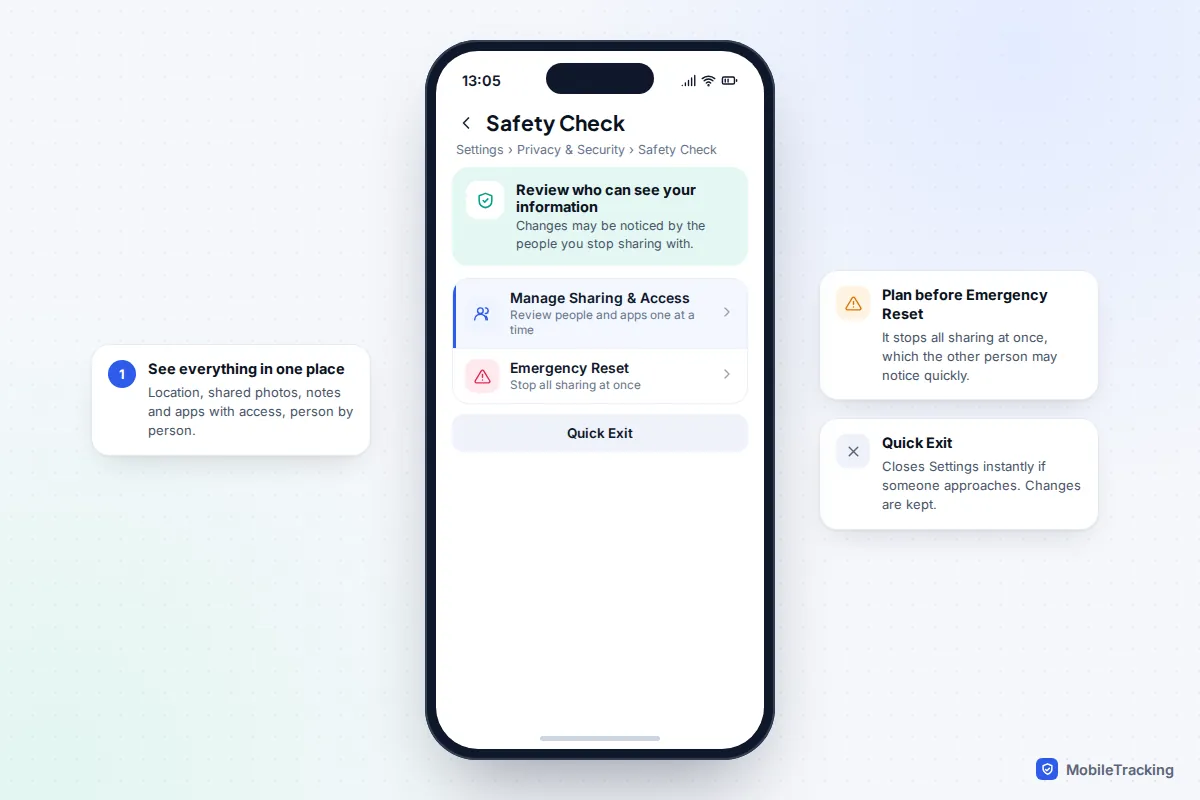
On iPhone, Safety Check (Settings, then Privacy & Security, then Safety Check, on iOS 16 and later) shows everyone you share location and other information with. Manage Sharing & Access lets you review one person at a time, while Emergency Reset stops all sharing at once, and Quick Exit closes Settings instantly. Our guide on stopping sharing your location without anyone knowing explains exactly what the other person sees with each method.
Check for stalkerware and hidden trackers
Stopping a share in Find My or Google Maps does nothing about other routes. If a partner still seems to know where you are, check three things.
Hidden trackers such as AirTags
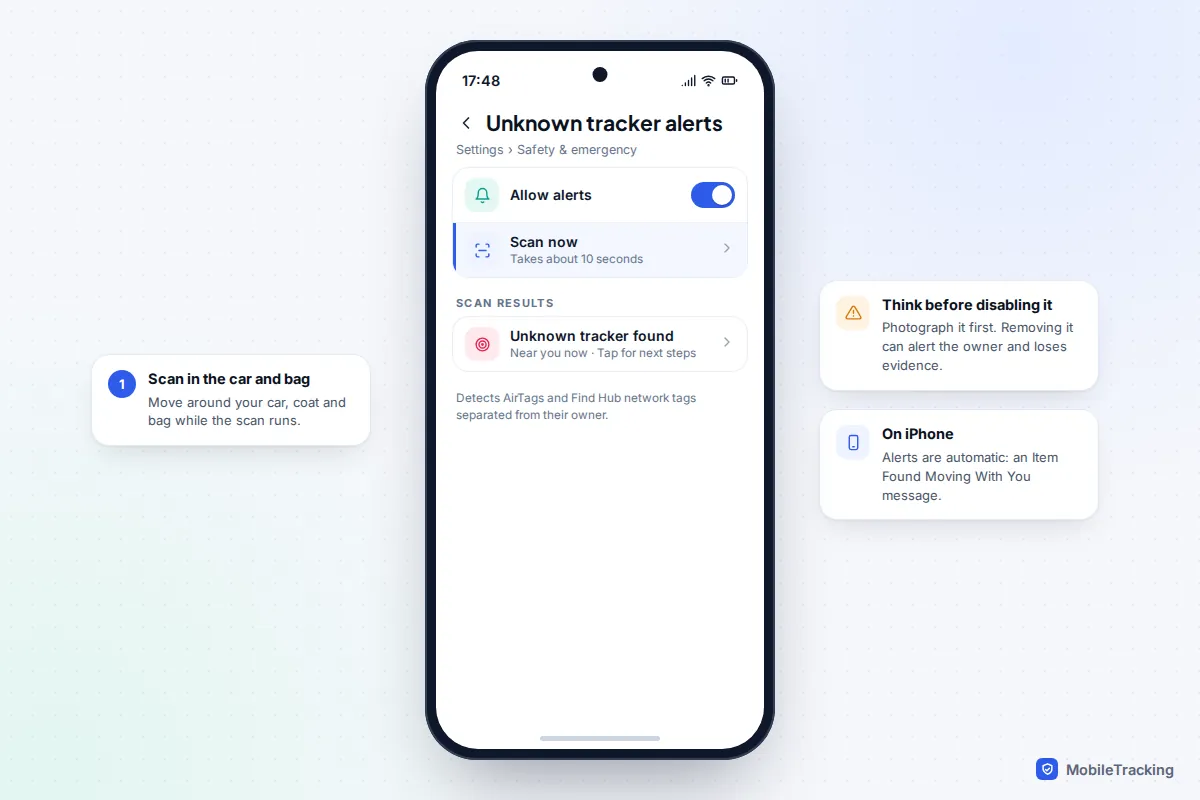
iPhones warn you with an “Item Found Moving With You” alert when an unfamiliar AirTag is travelling with you, and since iOS 17.5 the same applies to compatible tags from other makers. The alert lets you play a sound to find the tag. Android phones running Android 6 or later get similar alerts automatically, and you can run a manual check: go to Settings, then Safety & emergency, then Unknown tracker alerts, then Scan now. The scan takes about 10 seconds, so walk around your car, coat and bag while it runs. Menu names vary slightly between manufacturers.
Stalkerware and account access
Monitoring apps usually need someone to have had your unlocked phone, or your account password. Warning signs include unfamiliar apps with device admin or accessibility access on Android, a device management profile you did not install on iPhone (Settings, then General, then VPN & Device Management), unknown devices signed in to your Apple Account or Google Account, and a partner who knows things you only said in messages. Our guides to detecting stalkerware on Android and iPhone go through each check.
Frequently asked questions
Is it normal for couples to share their location?
Plenty of couples do, and it can be practical and reassuring. What makes it healthy is that both people chose it freely, both can see how it works, and either can pause or stop it without a fight.
Should location sharing always be two-way?
Not necessarily. One-way sharing is fine when it is the sharer’s own choice, for example on a long solo drive. It becomes a concern when one person expects to see the other while keeping their own location private.
Does my partner get a notification when I stop sharing?
Find My and Google Maps do not send an alert, but your partner will see you are missing from their list, and any arrival alerts they set will stop. Telling them first is usually the calmest option in a healthy relationship.
Can my partner track me without me knowing?
Not through Find My or Google Maps, which only share after you turn sharing on and show clearly that it is on. Hidden trackers, stalkerware or access to your account passwords can reveal your location, which is why the checks above matter.
My partner says sharing proves I have nothing to hide. What should I do?
You are entitled to privacy even in a close relationship. If refusing leads to pressure, accusations or anger, that is a warning sign in itself. Talking to The Hotline or Refuge is confidential, and you do not have to decide anything straight away.
This guide is general information, not legal or financial advice. Read our editorial policy.