
If you have an iPhone and your car has CarPlay or Bluetooth audio, open Apple Maps and look for Parked Car in the search card, or ask Siri “Where did I park?”. On Android, open Google Maps and search for Parking location, which only works if you tapped Save parking when you arrived. If neither shows anything, work outwards from what you do know: the entrance you walked out of, any photo you took, and the lock button on your key.
For next time, the most reliable method costs nothing: before you walk away, take a photo of the nearest level and bay sign. Phones are good at remembering which car park you used, but they cannot tell which floor you are on, and GPS often fails underground. The sections below cover every option, what each one really records, and how to cope with airports, festivals and multistorey car parks.
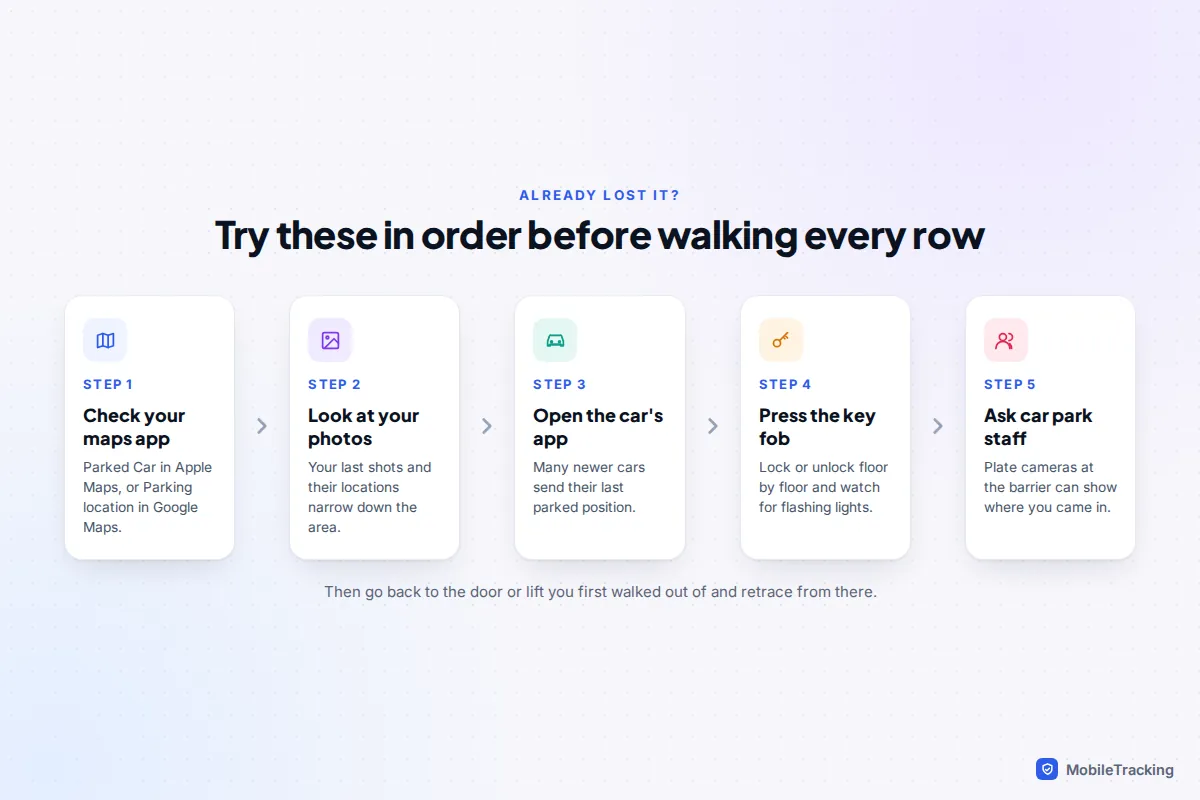
Lost it already? Try these in order
Stop walking the rows and check what your phone may have recorded without you asking. It takes a minute and often ends the search.
- iPhone: open Maps and look for Parked Car under the search field, or type “Parked Car” into the search. You can also ask Siri “Where did I park?”.
- Google Maps (Android or iPhone): tap the search bar and look for Parking location, or look for a “P” or car icon on the map near where you arrived.
- Photos: check the last pictures you took. Swipe up on one to see where it was taken.
- Your car’s own app: many recent cars report their last parked position to the manufacturer’s app when the ignition is switched off.
- The key: press lock or unlock as you walk each likely floor and watch for flashing indicators.
- Ask staff. Large shopping centres and airport car parks often use number-plate cameras at the barriers, and some have “find your car” kiosks where you type your registration.
If none of these helps, go back to the door, lift or stairwell you first came out of and retrace from there. It works far better than sweeping every level.
iPhone: Apple Maps remembers where you parked
Apple Maps drops a Parked Car marker automatically when your iPhone disconnects from your car’s CarPlay or Bluetooth audio system. A car with only an aux cable, or no audio link at all, gets no marker. Three settings must be on; check them before you rely on it.
- Go to Settings › Privacy & Security › Location Services and make sure it is on.
- On the same screen, tap System Services › Significant Locations & Routes (called Significant Locations on some versions) and turn it on. You will need Face ID or your passcode.
- Go to Settings › Apps › Maps and turn on Show Parked Location. On older versions of iOS this is directly under Settings › Maps.
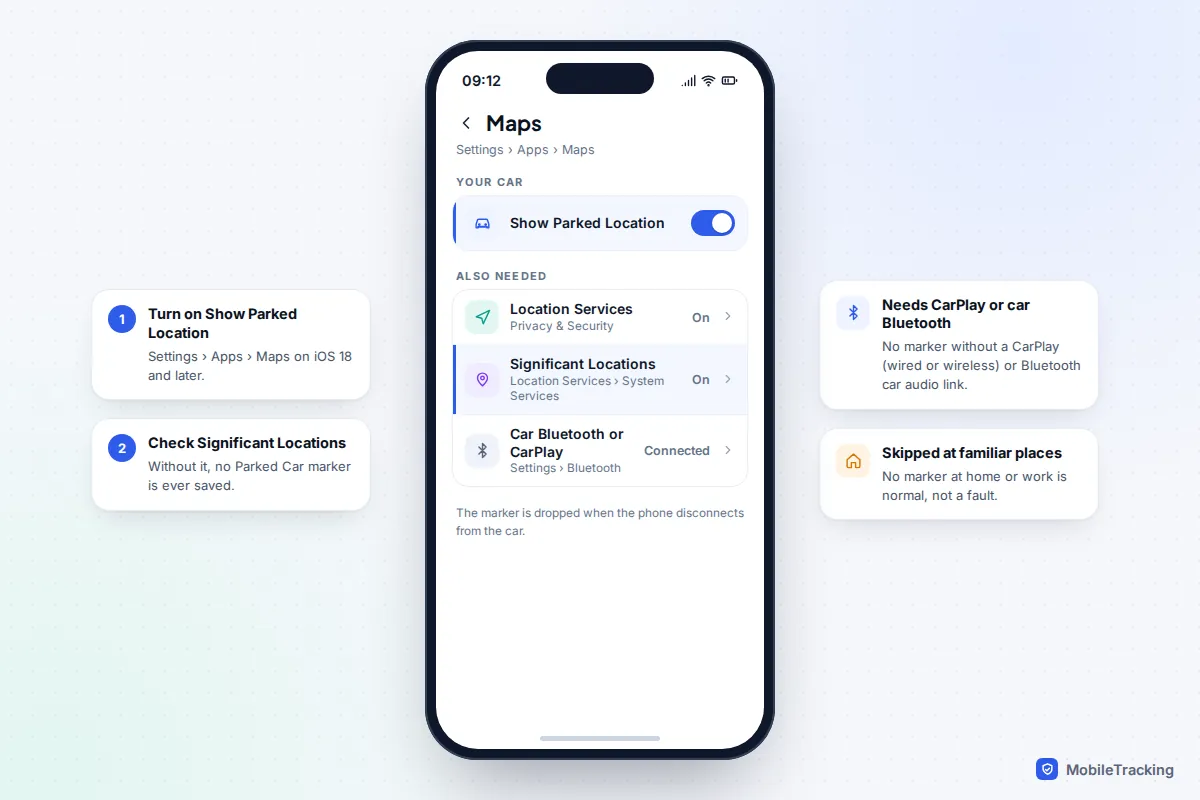
When you park, you may see a notification saying your car has been parked. To find it later, open Maps and tap Parked Car, then Directions and choose walking. Tapping the marker also lets you add a photo, type a note such as “Level 3, blue zone, near lifts”, or use Move to drag the pin to the right spot if it landed on the road outside. Remove Car clears it.
On an Apple Watch, the Compass app can show a Parked Car waypoint, and iOS 27 adds a Parked Car widget to the watch’s Smart Stack.
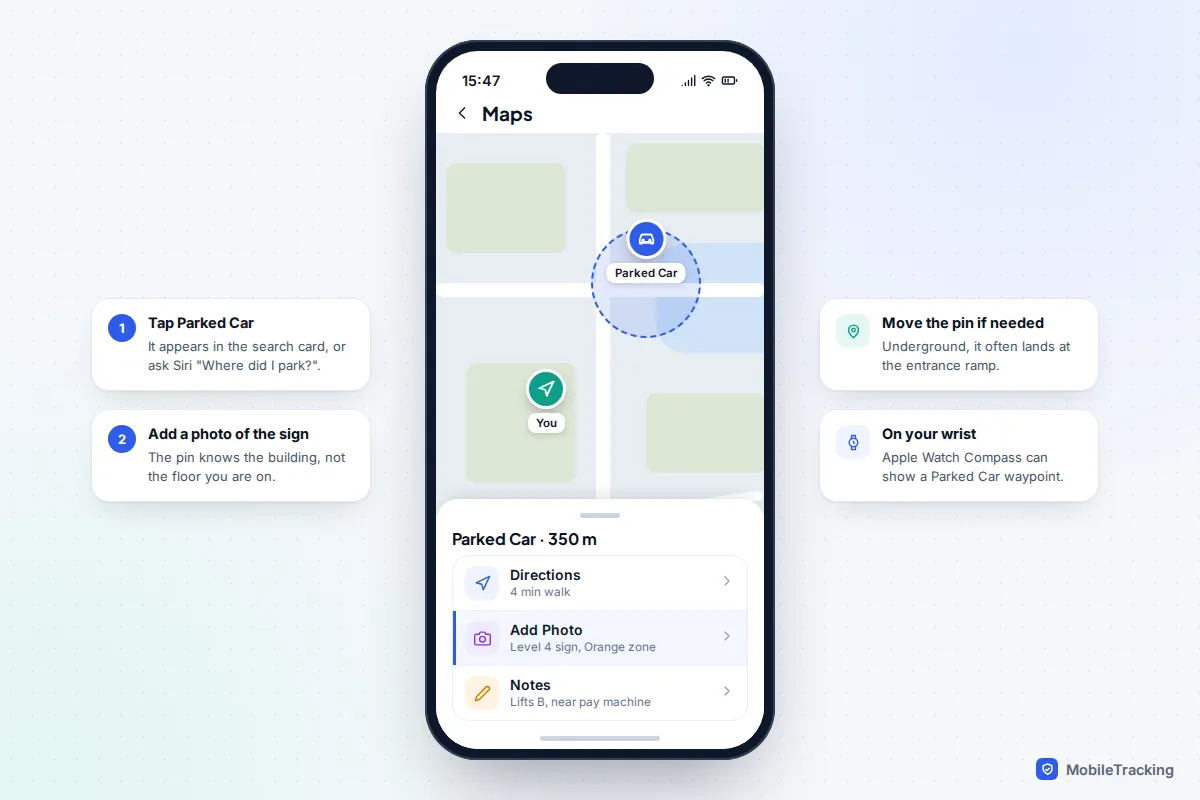
Why the Parked Car marker doesn’t appear
- Your phone doesn’t know the Bluetooth device is a car. In Settings › Bluetooth, tap the info button next to your car and set Device Type to Car Stereo. It is worth trying if markers never appear.
- You parked somewhere you park every day. Apple deliberately skips familiar places such as home and work, so a missing marker outside your house is expected.
- The phone stayed connected. If the car keeps Bluetooth alive while you sit in it, the pin is dropped where the connection finally breaks, which can be a few metres away.
- No GPS fix underground. Covered below: the marker may sit at the car park entrance rather than your bay.
Google Maps: Save parking on Android and iPhone
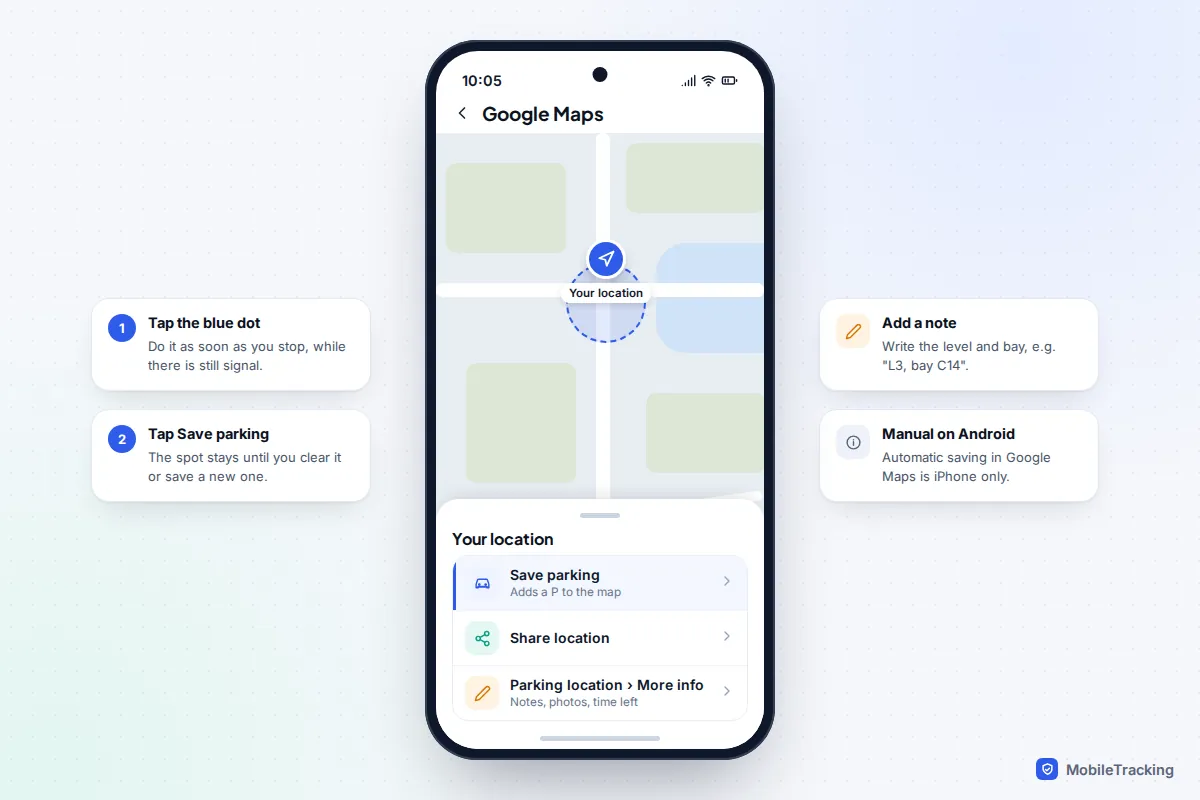
Google Maps stores one parking spot in your account. On Android you save it yourself, which takes two taps.
- After you park, open Google Maps.
- Tap the blue dot that shows your location.
- Tap Save parking. A “P” appears on the map and stays until you clear it.
- To add details, tap the search bar, then Parking location, then More info. You can add notes, photos and how much time is left on your ticket.
To walk back, tap the search bar, choose Parking location and tap Directions. You can also share the spot from the same screen. If the pin is slightly out, Change location moves it and Clear removes it.
Does Android save parking automatically?
Not in Google Maps on the phone itself, as of September 2026. In late 2025 Google added automatic parking detection to Google Maps on iPhone: it uses your phone’s motion and works best when the iPhone connects to the car by Bluetooth, USB or CarPlay. You can check it under Settings › Navigation › Automatically save parking in Google Maps. The saved spot lasts 48 hours or until you drive again.
Android phones don’t have this, which surprises many people. The closest option is Android Auto, which offers a button to save your parking location when you arrive; tap it before getting out. Waze can also remember where you parked. Otherwise, make Save parking as much of a habit as locking the car.
Car maker apps and tracking tags
Your car’s own app
Most recent cars have a manufacturer app that shows where the car was switched off. It works even if your phone was flat when you parked, because the car does the reporting.
The drawbacks: many brands need a subscription after a free trial, and the car’s GPS has the same trouble underground as your phone, so a basement spot may show as the ramp on the way in. If you want to use your car’s location more widely, including sharing it with family, see our guide to tracking your car’s location for free.
An AirTag or other tracker in the car
A tracker in the glovebox suits older cars. An AirTag has no GPS or mobile signal of its own; it reports through nearby Apple devices, so in a busy car park it usually updates. The second-generation AirTag, released in January 2026, extends Precision Finding range by up to 50 percent, which helps on the last few rows. Samsung Galaxy phone owners can use a Galaxy SmartTag with SmartThings Find, and other Android owners can use trackers that work with Google’s Find Hub.
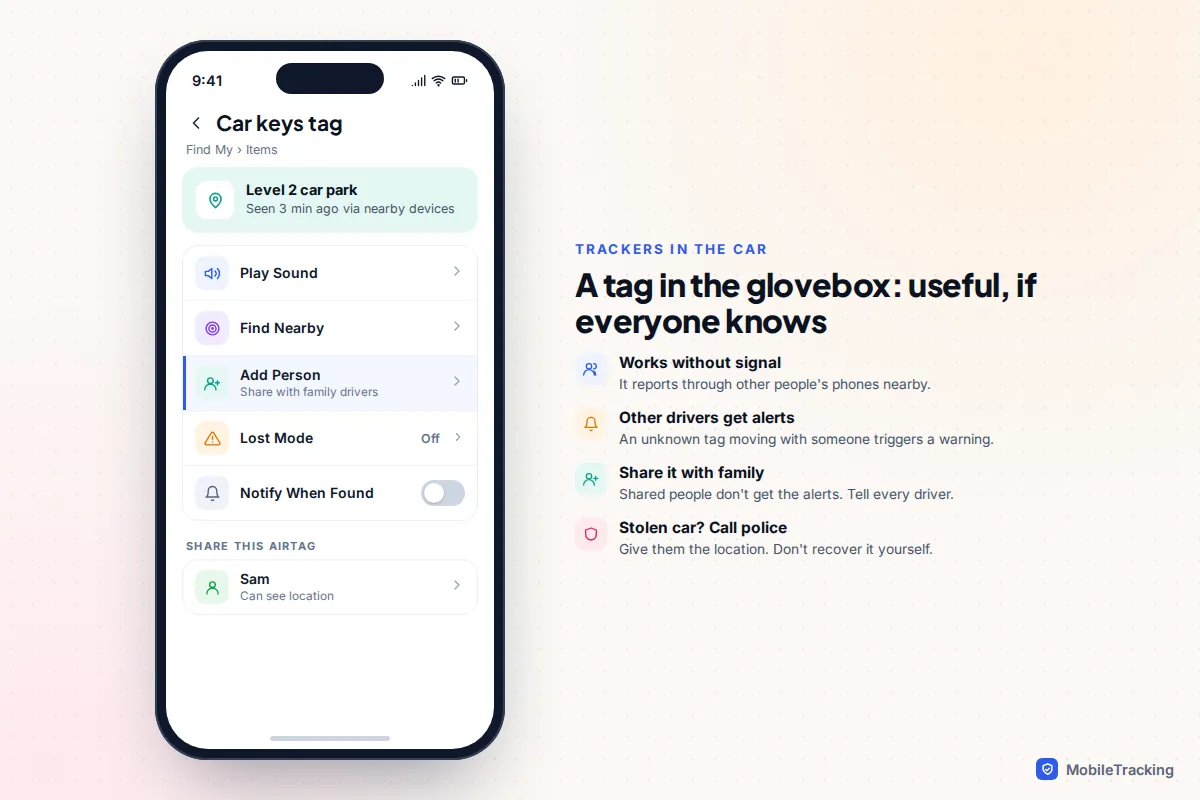
Know how the anti-stalking protections behave. Trackers warn people when an unknown tag is moving with them. If your partner or teenager borrows the car, their iPhone may show “AirTag Found Moving With You”, and Android phones give their own unknown-tracker alerts. On iPhone you can avoid this by sharing the AirTag with them in the Find My app (Items › your AirTag › Add Person); they need iOS 17 or later. Always tell anyone who drives the car that a tracker is in it. Using a tag to follow another adult without their knowledge is not only wrong but in many places a crime.
The same alerts will also warn a thief. If your car is stolen, don’t go and recover it yourself: report it to the police and give them the tracker’s location.
Multistorey and underground car parks: what GPS can’t do
Satellite positioning has two blind spots in car parks. First, the location your phone records is a point on a flat map. It has no idea whether you are on level 1 or level 6 of a multistorey, so Apple Maps and Google Maps will lead you to the right building and then stop helping. Second, GPS signals don’t reach underground. Your phone falls back on Wi-Fi and mobile masts, or on the last position it had, so the pin often lands at the entrance ramp or on the street above.
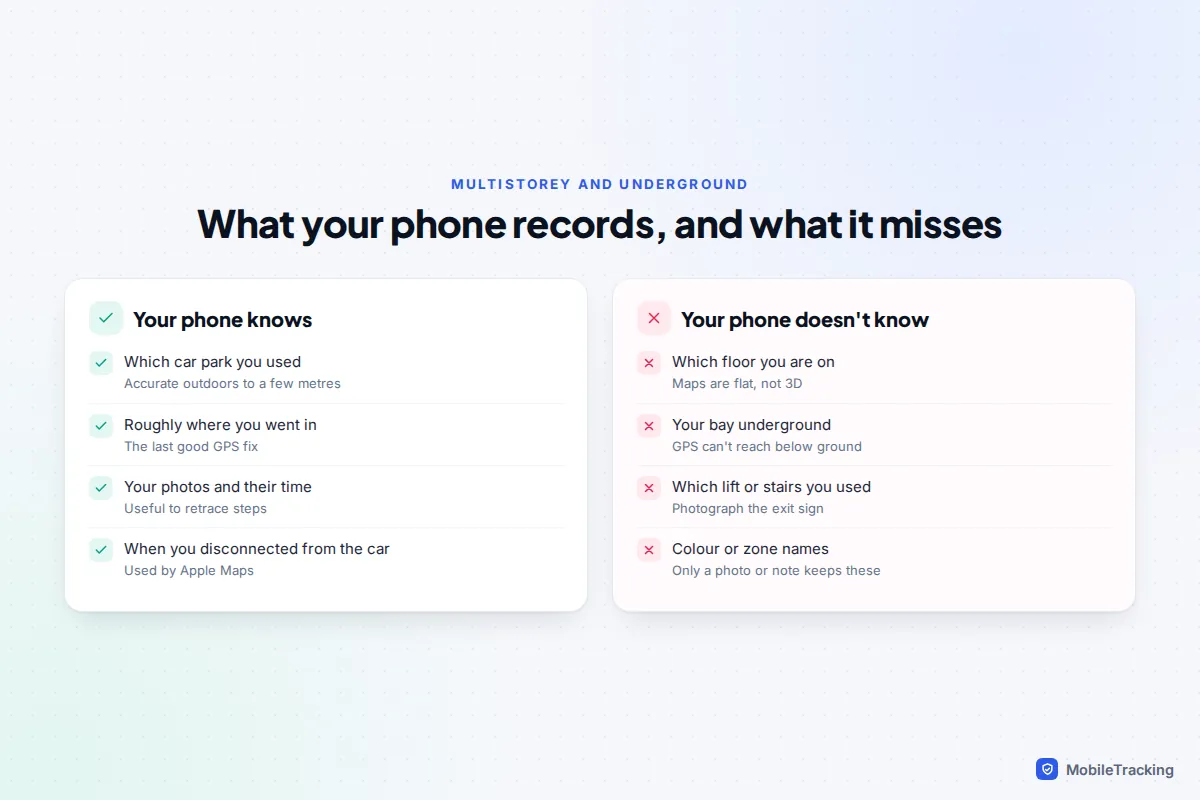
This is why the low-tech tricks are not a fallback but the main event in a multistorey:
- Photograph the level and bay sign, ideally with your car in the frame. Many car parks paint the level number and a colour or animal on the pillars.
- Photograph the exit you use, such as “Lifts B, to Level 0 shops”. Car parks with several stair cores are where most people get lost.
- Save the spot when you surface. If you parked underground, open Google Maps at ground level and save parking there, then add the floor as a note.
If you want to understand why readings drift indoors and underground, our explainer on how accurate phone location tracking is goes into the detail.
Airports, festivals and other huge car parks
You return to airport car parks days later, often tired and in the dark. Before the transfer bus, photograph the zone and row sign and the bus stop number, and write the car park name in the parking note or marker, because a week of holiday photos will bury the picture. Apple’s automatic marker helps too, as an airport isn’t a familiar place.
Festivals in fields are harder: no signs and thousands of similar cars. Mobile data often slows to a crawl when a crowd arrives, but GPS works without data, so your blue dot still moves as long as the map is already on your phone.
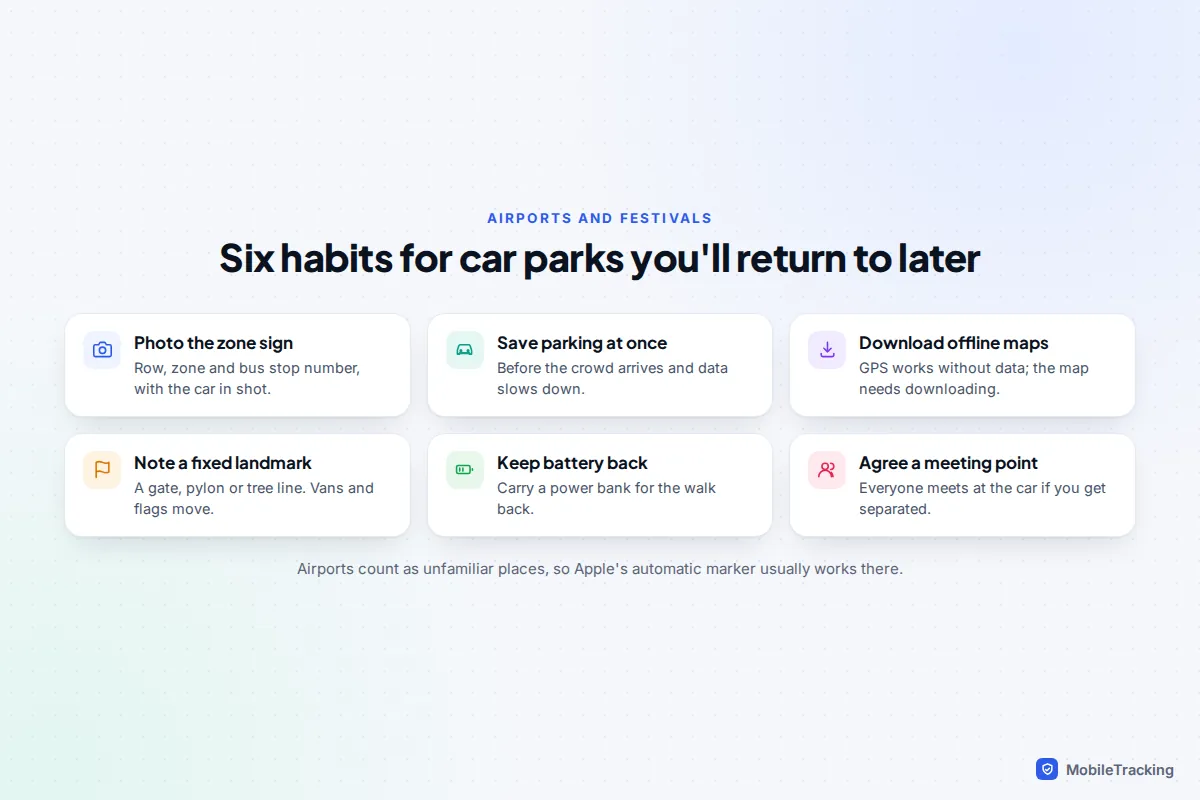
- Download the area for offline use before you leave home. Both Apple Maps and Google Maps offer offline maps.
- Save parking as soon as you stop, while there is still some signal to load the map.
- Note a landmark that won’t move: a pylon, a gate number, a tree line. Flags and vans can be moved during the day.
- Keep enough battery, or carry a power bank.
If you are there with children or a group, agree a meeting point at the car as well. Our guide to finding family in a crowded place has more on this.
Which option should you use?
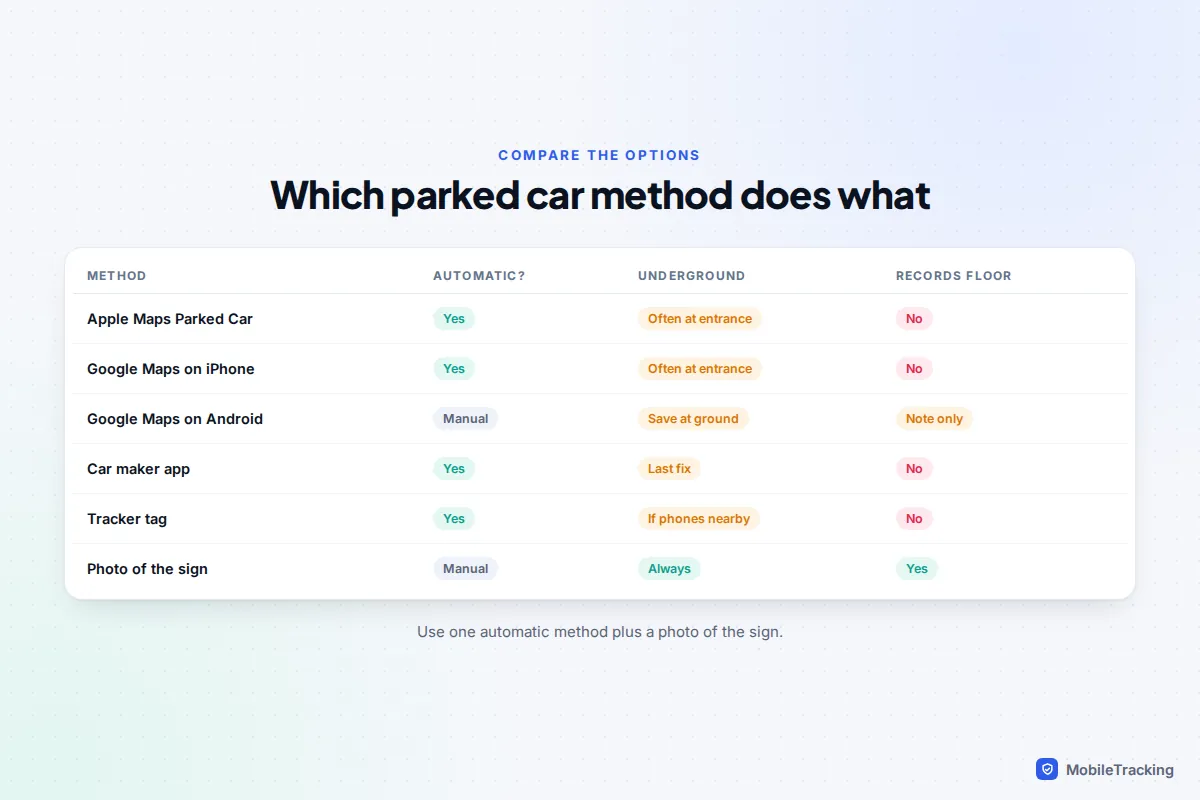
Most people need one automatic method plus the photo habit. Pick based on your phone and car.
| Your situation | Best main method | Add this |
|---|---|---|
| iPhone, car with CarPlay or Bluetooth | Apple Maps Parked Car (automatic) | Photo of level sign, added to the marker |
| iPhone, car with no Bluetooth | Google Maps automatic parking, or Save parking by hand | Photo of the sign |
| Android phone | Google Maps Save parking (manual) | Android Auto’s save prompt if your car supports it |
| Newer car with a connected app | The car maker’s app | Phone method as backup underground |
| Older car, shared by the family | A tracker shared with every driver | Tell everyone it is there |
| Airport, festival, huge event | Save parking plus offline map | Photo of the zone sign and a landmark |
A short example: Priya parks on level 4 of a shopping centre on a Saturday. Her iPhone drops a Parked Car marker, but it sits at the ramp because level 4 has no GPS. She takes a photo of the “4 Orange” pillar and attaches it to the marker. Three hours later Maps walks her to the right building and the photo takes her straight to the bay.
What your phone stores to make this work
Apple’s parked car feature depends on Significant Locations, which learns places that matter to you, such as home and work. Apple says this data is end-to-end encrypted when it syncs between your devices and cannot be read by Apple. Stolen Device Protection also uses it to recognise familiar places.
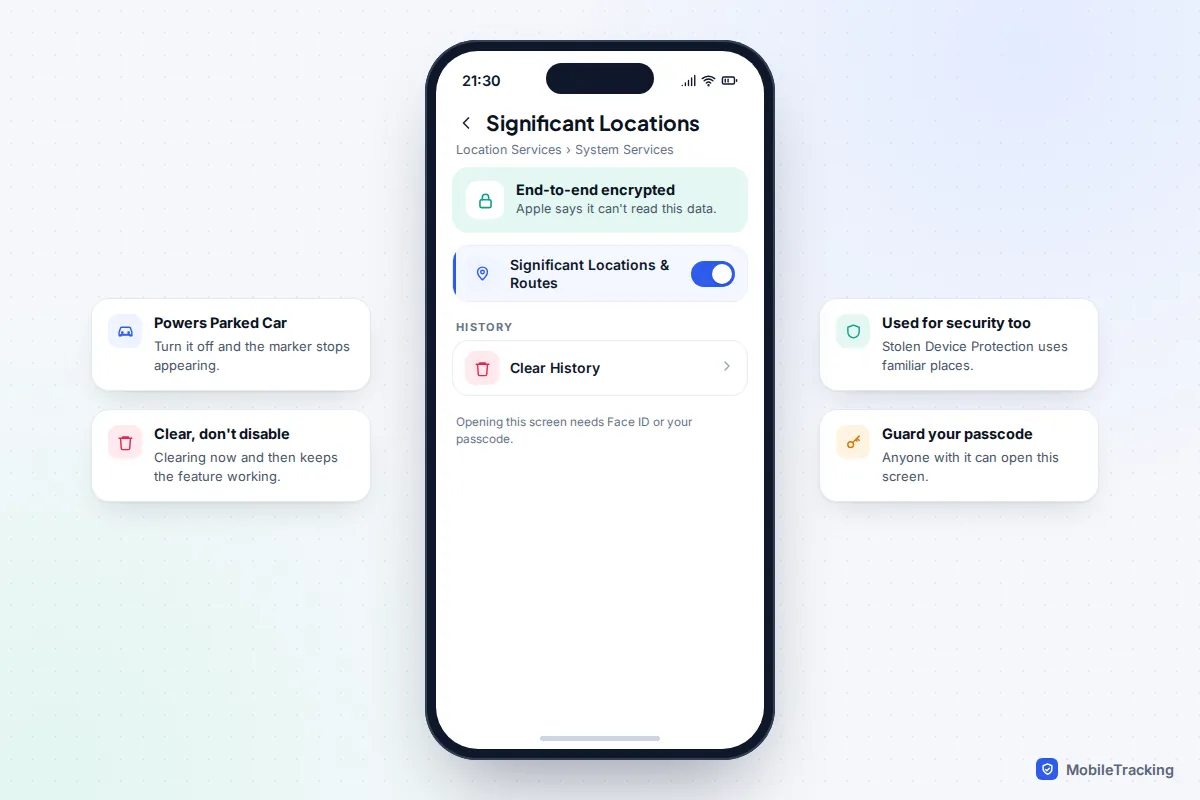
The screen needs Face ID or your passcode, which matters if someone else knows your code. You can tap Clear History at any time. Turning Significant Locations off entirely stops Parked Car working, so clearing the history now and then is a reasonable middle ground. Google Maps’ saved parking spot is stored in your Google Account and visible on any phone signed in to it, so sign out of shared or old phones. If you use Google Maps Timeline as well, our guide to seeing the location history on your own Google account explains what it keeps and how to delete it.
Frequently asked questions
Why does my iPhone not show Parked Car?
Usually Significant Locations or Show Parked Location is off, the car has no CarPlay or Bluetooth connection, or you parked somewhere familiar like home. Setting the car’s Bluetooth Device Type to Car Stereo can help. Apple’s own page on finding your parked car with Maps lists the same requirements.
Can Google Maps save my parking automatically on Android?
Not as of September 2026. Automatic saving in Google Maps is on iPhone only. On Android, tap the blue dot and choose Save parking, or use the save button Android Auto offers when you arrive. Google’s help page on saving parking locations has the current steps.
Will my phone know which floor I parked on?
No. Phone maps record a position on a flat map, not a height, and GPS rarely reaches inside car parks. Add the level as a note or a photo when you park.
Does saving my parking spot work without mobile data?
GPS works without data, so your phone still knows where you are. You need data or an offline map to see the map itself.
Is it legal to put an AirTag in my own car?
Tracking your own property is generally fine. The problem is a tracker following another adult without their knowledge, which is why the alerts exist. Tell everyone who drives the car.
This guide is general information, not legal or financial advice. Read our editorial policy.