
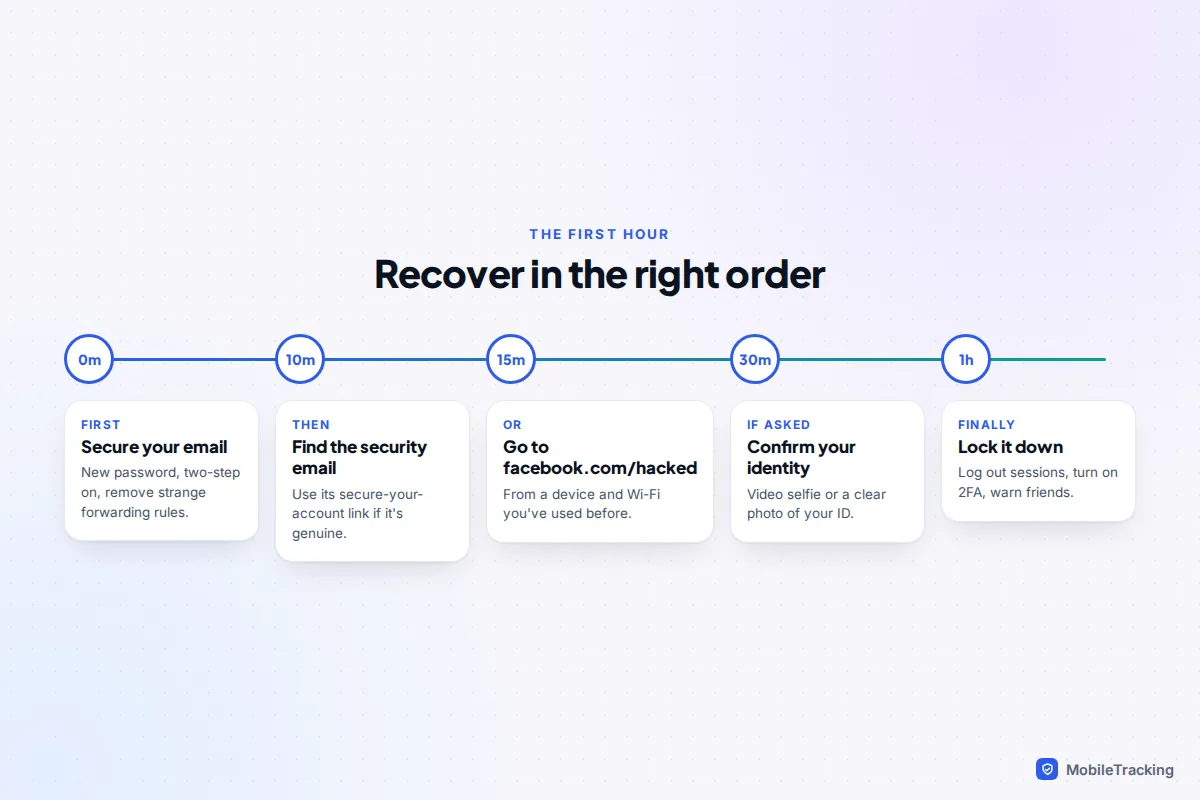
To recover a hacked Facebook account, go to facebook.com/hacked, ideally on a phone or computer you have used Facebook on before, and follow the steps to identify your account and prove it’s yours. If the hacker changed your email address, look in your old inbox first: Meta usually emails the previous address when it changes, with a link to secure the account and undo the change. If none of that works, Meta may ask you to confirm your identity with a short video selfie or a photo of your ID.
Speed matters, but so does order. Secure your email before anything else, don’t sign out of any device that still has Facebook open, and ignore anyone who contacts you offering to get the account back for a fee. The sections below take you through each route, then the clean-up that stops the same person getting straight back in.
Before you start: three things to do first
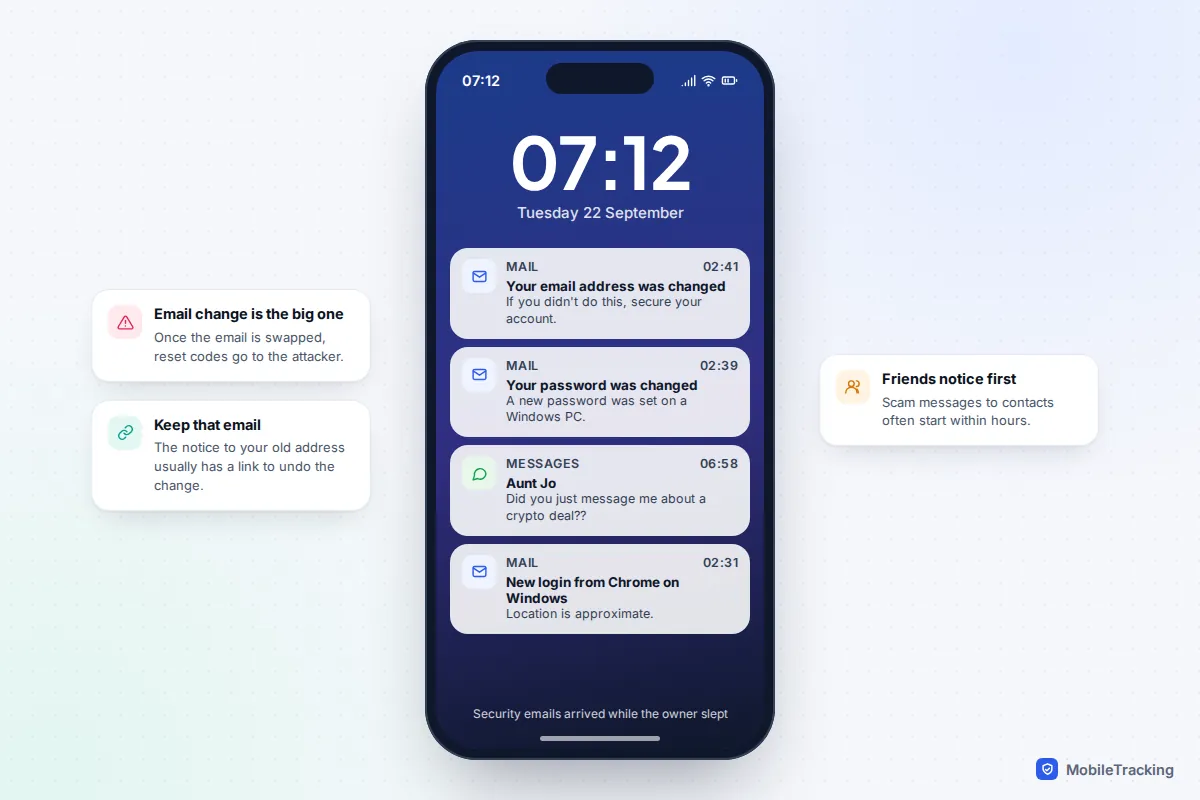
Many hacked Facebook accounts are taken over through the email address or phone number behind them, or through a password reused from another site. If you rush into Facebook recovery while the attacker still controls your email, they can simply take it back.
- Check whether you are still logged in anywhere. Look at your phone’s Facebook app, a tablet, an old laptop. If any of them still opens your account, don’t log out, don’t delete the app and don’t clear its data. That session may be your easiest way back in.
- Secure your email account. Change its password, turn on two-step verification and look for forwarding rules or filters you didn’t create. Our guide on how to tell if your email was hacked walks through this for Gmail and Outlook.
- Check your phone number still works. If your mobile suddenly lost signal around the time of the hack, call your network from another phone. A swapped SIM means reset codes are going to someone else.
Use Facebook’s hacked-account page
Meta’s hacked-account flow is different from the normal “Forgotten password?” link. It is designed for accounts where the attacker has changed details, and it asks questions that a password reset doesn’t. Meta says its recovery now recognises trusted devices and familiar locations, so it helps to use a phone or computer you have logged in on before, on your usual home Wi-Fi.
- Open a browser and go to facebook.com/hacked. Type the address yourself rather than following a link from an email or message.
- Choose the option that says your account was compromised or hacked.
- Find your account using an email address, phone number or username that has ever been linked to it, including old ones the hacker removed.
- Pick where to receive a code. Only choose an email or number you control today. If none of the listed options are yours, look for a link such as No longer have access to these? or Try another way.
- Set a new password that you have never used anywhere else, then follow the prompts to review recent changes.
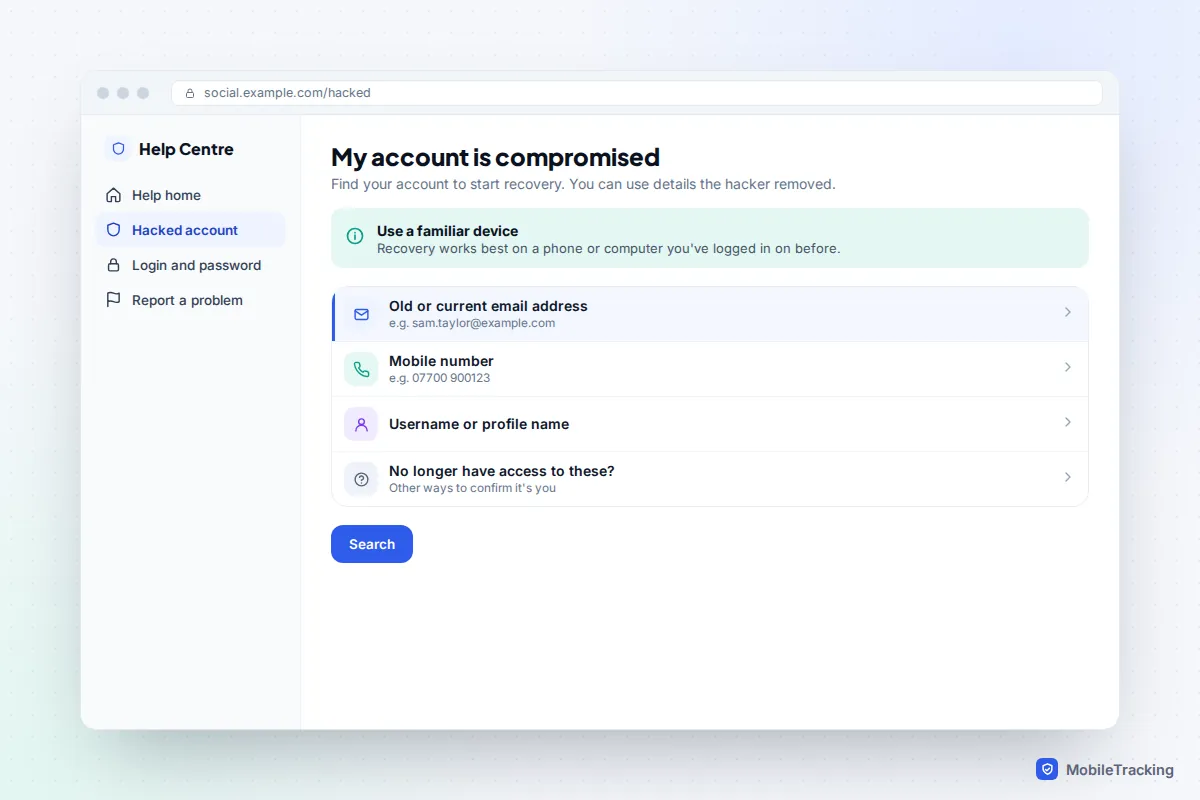
Meta’s own help page, recover your Facebook account if you were hacked, lists the current options for your region. Wording and steps vary by country, device and what the account has on file, so don’t worry if your screens differ slightly.
If the hacker changed your email and phone number
This is the most common and most stressful version, but it is often recoverable. Start with your inbox rather than Facebook.
Use the security email
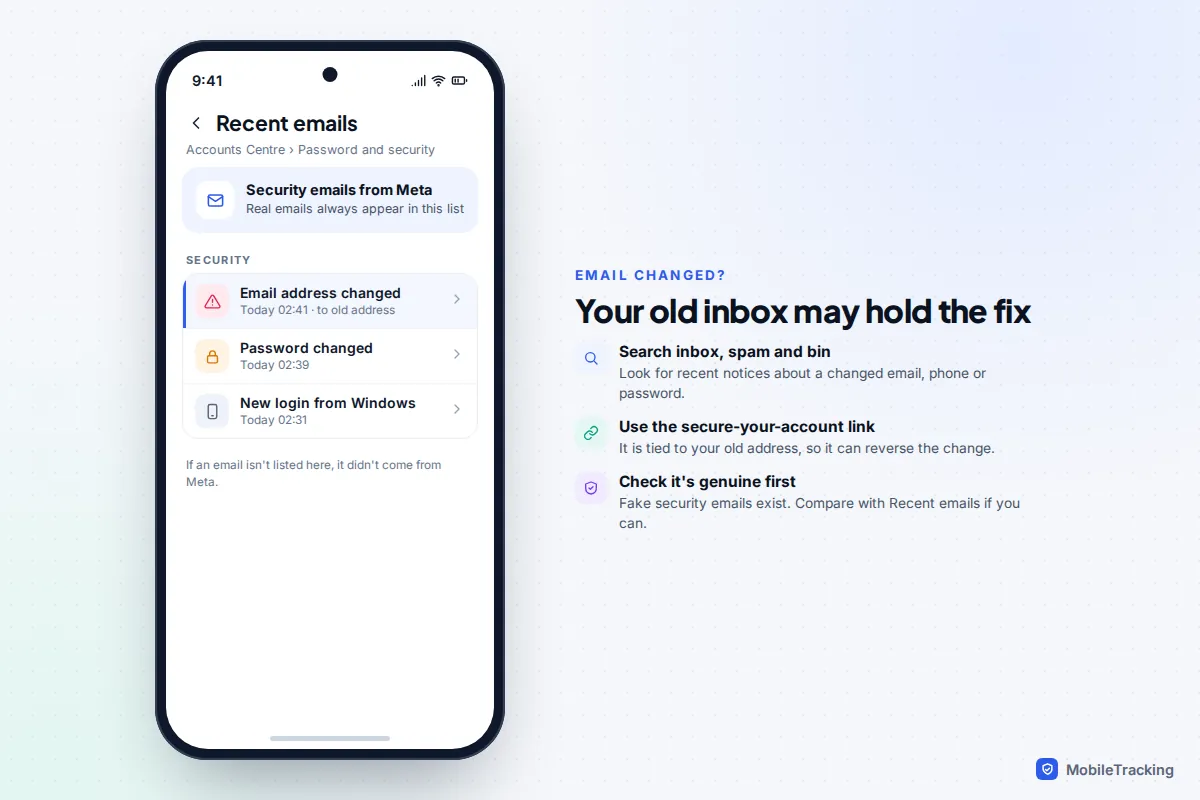
When a Facebook email address is changed, Meta normally sends a notice to the old address. It usually contains a link along the lines of If you didn’t do this, secure your account. That link is tied to your old address, so it can reverse the change even though the attacker now controls the login details. Search your inbox, spam folder and bin for recent messages from Facebook or Meta about a changed email, phone or password.
Before you click anything, check the message is genuine. Scammers send fake “security” emails too. If you can reach any logged-in session, go to Accounts Centre › Password and security › Recent emails, which lists every real security email Meta has sent you. If the email isn’t there, it’s fake.
Confirm your identity
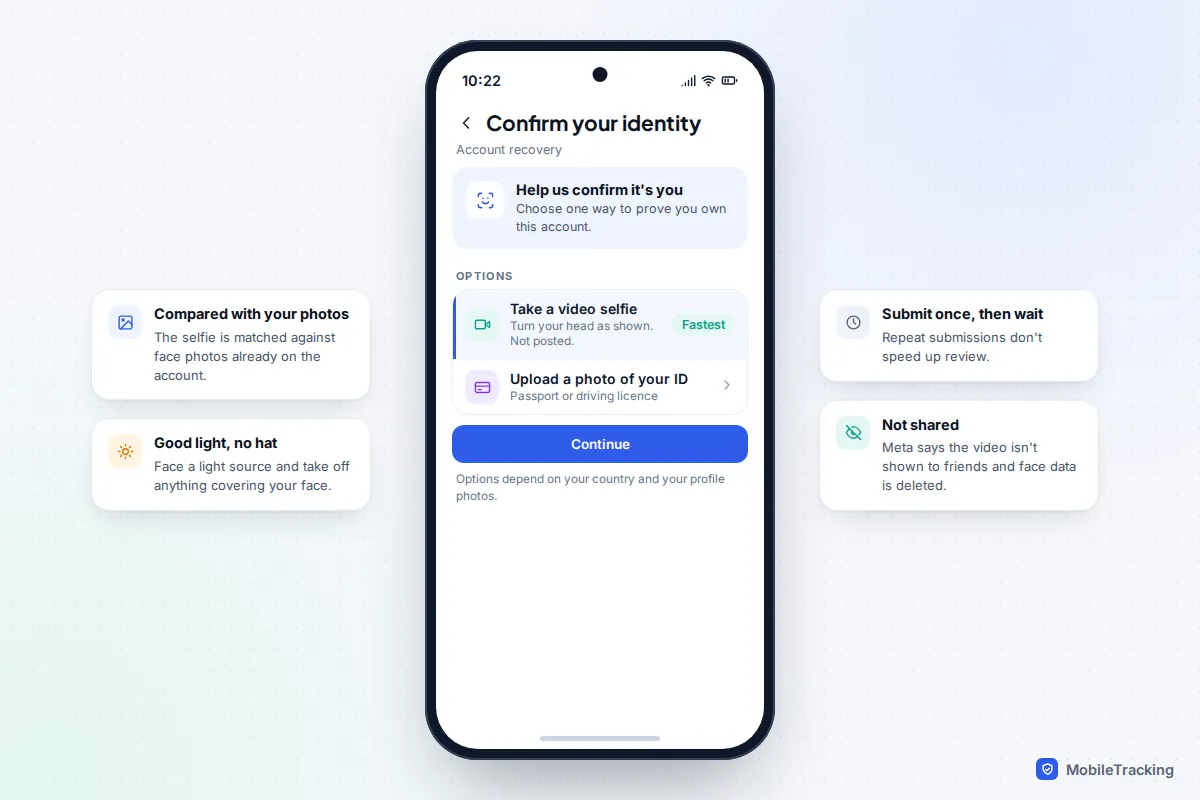
If there is no usable email or number, the hacked-account flow may ask you to prove who you are. Depending on your country and the account, that can mean:
- A video selfie. You record a short clip turning your head in different directions. Meta compares it with photos on the account and says the video is never posted or shown to friends, and facial data from the comparison is deleted afterwards. It only works if your profile has clear photos of your face.
- A photo of your ID. Use a well-lit, uncropped photo of a passport, driving licence or other accepted document. The name should match the account name.
Submit once and wait. Sending the same thing repeatedly doesn’t speed things up and can trigger extra checks. Keep any confirmation or case number you are given.
Other routes: trusted devices and Meta Verified
If you are still logged in on another phone, tablet or computer, you can often fix everything from there. Change the password and contact details straight away in Accounts Centre › Password and security. When you then sign in on a new device, Facebook may send an approval request to the one that is already trusted.
If you pay for Meta Verified, the subscription includes access to account support from a real person, which you reach from inside the app. That only helps if you subscribed before the hack; you can’t sign up for it from outside a locked account. It also isn’t a guarantee: US news reports in 2024 described subscribers whose complex cases still went unresolved for weeks.
Use this decision table to pick your route.
| Your situation | Best route |
|---|---|
| Still logged in on some device | Change password, email and phone from that session, then log out everything else |
| Only the password was changed | “Forgotten password?” with a code to your own email or phone |
| Email or phone changed, old inbox still yours | The “secure your account” link in the security email |
| Email and phone both changed, no working link | facebook.com/hacked, then video selfie or ID if offered |
| Account disabled after the hacker posted content | Follow the appeal shown when you try to log in |
| Hacker deleted the account | Log in within 30 days of the deletion request to cancel it |
If your account was scheduled for deletion, our guide to recovering a deleted Facebook account covers the 30-day window in more detail.
Once you’re back in: lock the door behind you
Getting back in is only half the job. Attackers commonly add their own email, phone number or two-factor method, so they can return days later. Work through this list in one sitting.
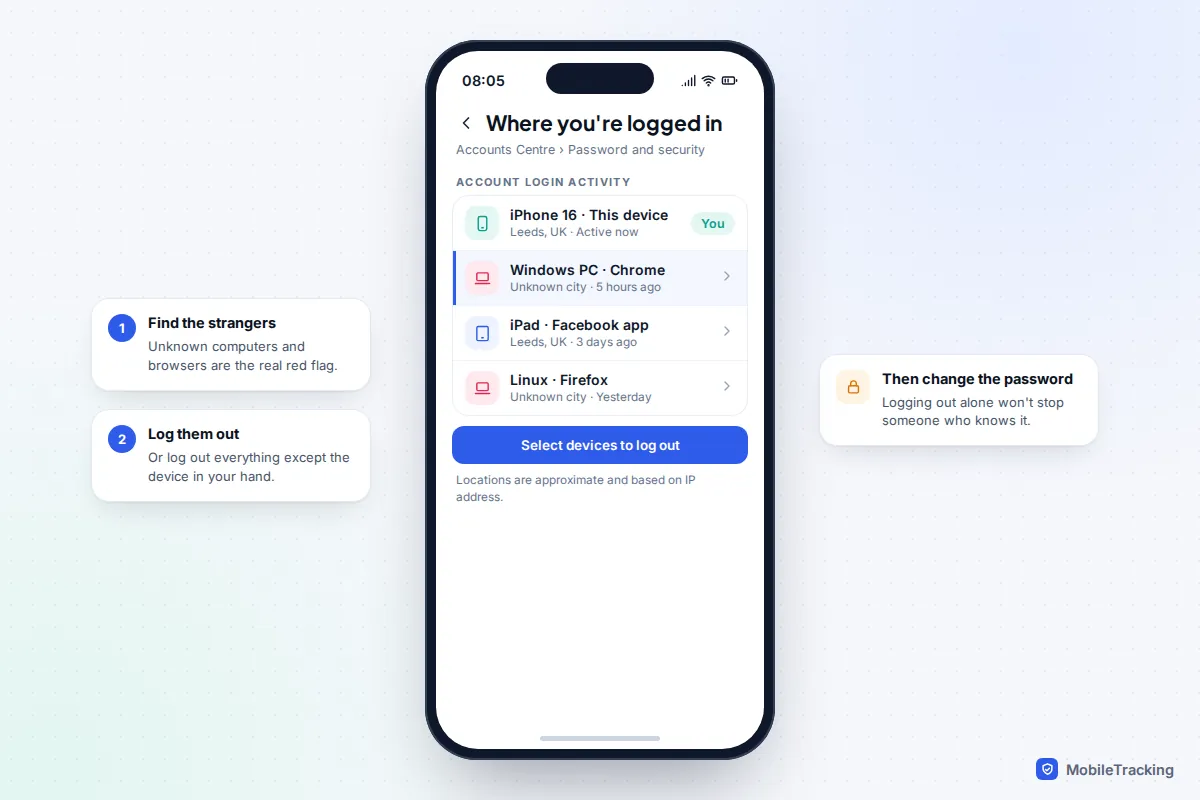
- Log out every other session. In the app, tap Menu › Settings & privacy › Settings › Accounts Centre › Password and security › Where you’re logged in. Select your account and log out of every device you don’t recognise, or all of them except the one in your hand.
- Check contact details. In Accounts Centre › Personal details › Contact info, remove any email or number that isn’t yours.
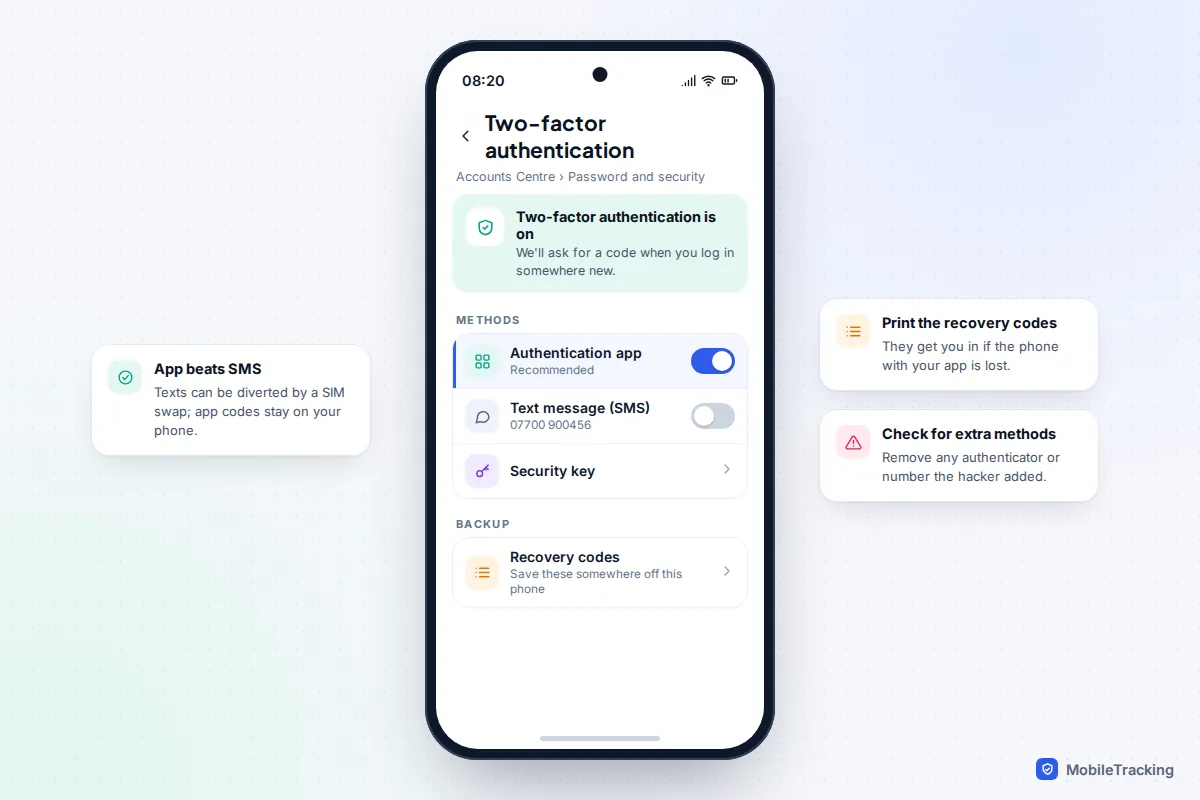
- Turn on two-factor authentication. Go to Password and security › Two-factor authentication. An authentication app or a security key is safer than text messages, which can be intercepted by SIM swap. Save the recovery codes somewhere off the phone. Our guide to turning on two-factor authentication everywhere explains the options.
- Remove unknown apps. In Settings & privacy › Settings › Apps and websites, remove anything you didn’t add.
- Check linked accounts. In Accounts Centre, look under Accounts. Hackers sometimes connect your Facebook to an Instagram account they control, or take over your Instagram too. Remove anything that isn’t yours.
Then check the damage. Look through your recent posts, messages, Marketplace listings and any Pages you manage. If you have ever run ads, open Ads Manager and look for campaigns you didn’t create, and check your card statement for charges from Meta. If your Instagram was affected, follow our separate guide to recovering a hacked Instagram account.
Warn your friends
Hijacked accounts are used to message friends, because a request from you is trusted. Typical messages ask for money in an emergency, push a “crypto investment”, claim a friend won a prize, or ask for a code “sent to your phone by mistake”, which is often an attempt to hijack their account too. Post a short note and message close contacts through another app: “My Facebook was hacked on Tuesday. Ignore any message from me asking for money or codes.” Ask anyone who sent money to contact their bank at once.
Watch out for “recovery” scammers
Within hours of posting that you’ve been hacked, you may hear from people offering to recover your account. Some claim to be Meta staff, some call themselves ethical hackers, and some are fake accounts with names like “Meta Support”. They are scammers. They take an upfront fee, sometimes ask for your ID or login codes, and never deliver.
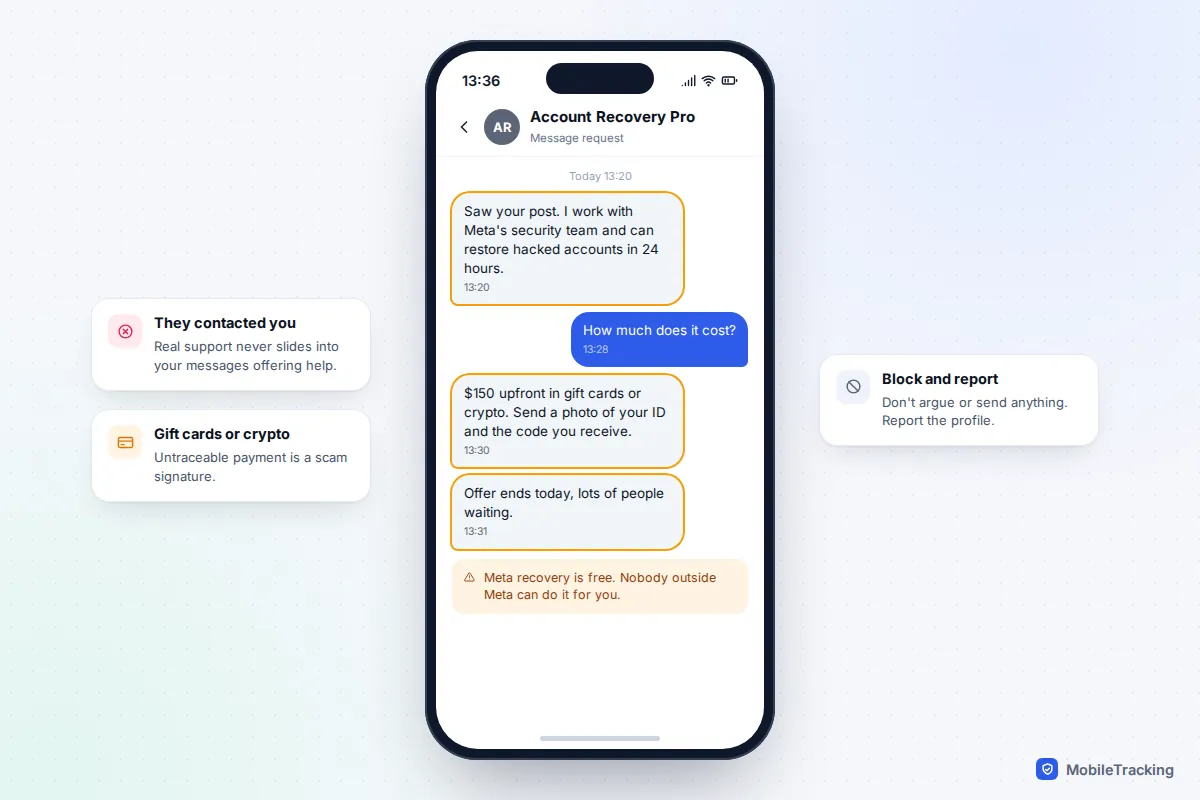
Meta’s recovery tools are free, and nobody outside Meta can access its systems for you. Never share passwords, codes or photos of your ID in a chat, and never pay anyone who contacts you first.
Report it
- Report the takeover to Meta through facebook.com/hacked, and ask friends to report any fake or duplicate profile using your photos.
- If money was lost, contact your bank first. In England, Wales and Northern Ireland, report it to Report Fraud (reportfraud.police.uk or 0300 123 2040), the service that replaced Action Fraud; in Scotland, call Police Scotland on 101. In the US, use the FTC’s ReportFraud.ftc.gov.
- For a general checklist that covers other accounts as well, the NCSC’s guide to recovering a hacked account is clear and practical.
When recovery doesn’t work
Meta says the success rate for recovering hacked accounts rose by more than 30% in the US and Canada in 2025, but plenty of cases still stall. Here is what usually lies behind each symptom.
- Codes go to an email or number you don’t recognise: that is the hacker’s. Don’t request more; look for “No longer have access to these?” or the hacked-account route instead.
- The video selfie fails: try again in good light with no hat or glasses, then use ID if it’s offered. Profiles without clear face photos rarely pass.
- You’re stuck in a loop: note the exact message and wait for any stated waiting period before trying again. Trying from your usual device and home Wi-Fi can open different options.
- Your account was disabled: the appeal appears when you try to log in. Explain briefly that the account was hacked and the content wasn’t yours.
Some accounts can’t be recovered, particularly ones with no photos of the owner, no old contact details and a name that doesn’t match any ID. In that case, start a new account, tell friends which one is real and report the old one as compromised.
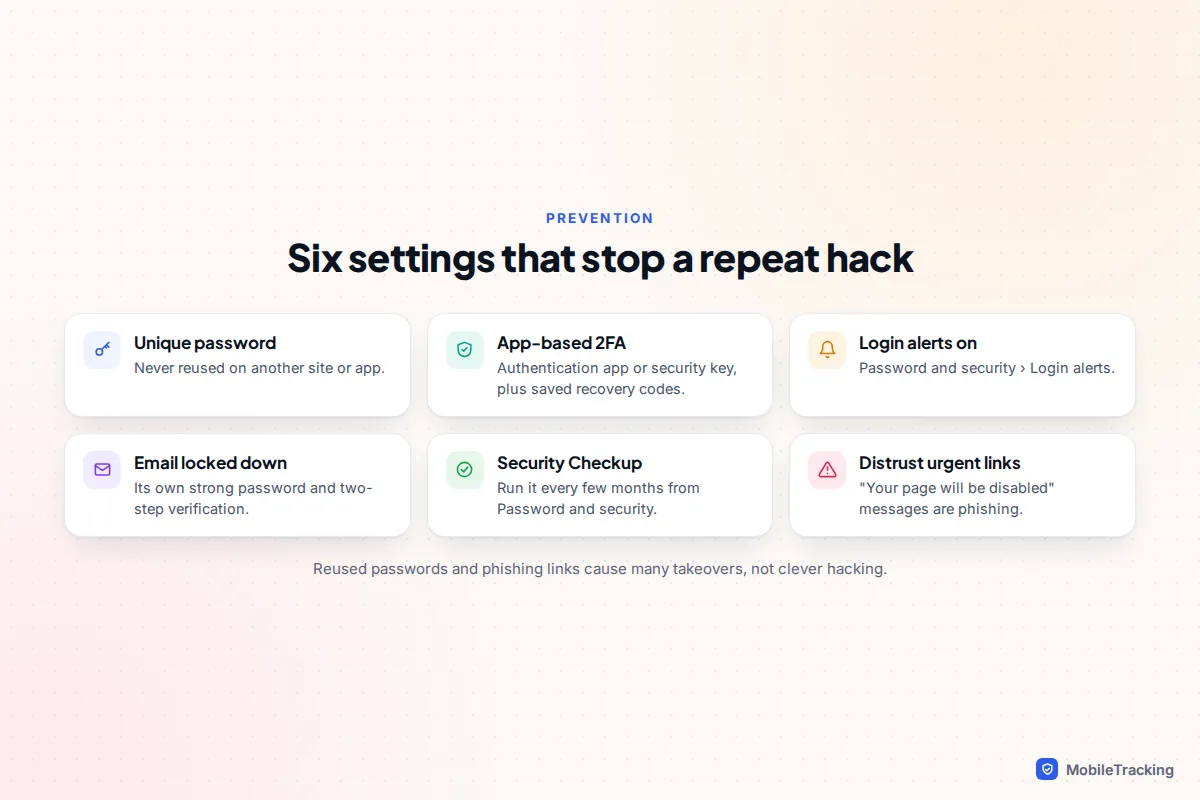
Stop it happening again
Use a password that exists nowhere else; our guide to creating strong passwords you’ll remember makes that easier. Turn on login alerts under Password and security › Login alerts, run Security Checkup in the same menu every few months, and consider adding a passkey. Be suspicious of any message saying your page will be disabled, or asking you to log in through a link: genuine Meta security emails always appear in Recent emails, and Meta doesn’t send account warnings through Messenger.
Frequently asked questions
How long does it take to recover a hacked Facebook account?
If you can use a security email link or a code to your own phone, it can take minutes. Identity checks can take anywhere from a day to several weeks, and Meta doesn’t publish a standard time.
Can I call Facebook to get my account back?
No. Meta has no public phone line for account recovery, so any number claiming to be Facebook support is a scam. Meta Verified subscribers get chat or email support, but only through the app or Help Centre.
Will my friends be told that my account was hacked?
Not automatically. That’s why it’s worth posting a warning and messaging close contacts yourself, especially if the hacker sent messages asking for money.
The hacker turned on two-factor authentication. Can I still get in?
Often, yes. Use the hacked-account route rather than the normal login, and look for the option saying you can’t access your codes. Meta may then check your identity another way, such as a video selfie.
Is my Instagram safe if only Facebook was hacked?
Not necessarily, especially if both are in the same Accounts Centre or share a password. Check Instagram’s login activity and contact details, and change its password too.
This guide is general information, not legal or financial advice. Read our editorial policy.