The quickest free way to find out who a number belongs to is to search your own email and messages for it, then type it into a search engine in quotes, then see what your phone’s built-in caller ID or a messaging app like WhatsApp shows. Between them, those checks identify most businesses, scammers and forgotten acquaintances within five minutes. If nothing turns up, a polite “Sorry, who is this?” text usually does the rest.
What you generally can’t do is get a private person’s name from a mobile number. Neither the UK nor the US has a public directory of mobile numbers, networks won’t tell you who owns one, and “reverse lookup” sites that promise a name mostly sell guesses behind a paywall. If a number is harassing you, the people who can identify it are the police, working with the phone network.
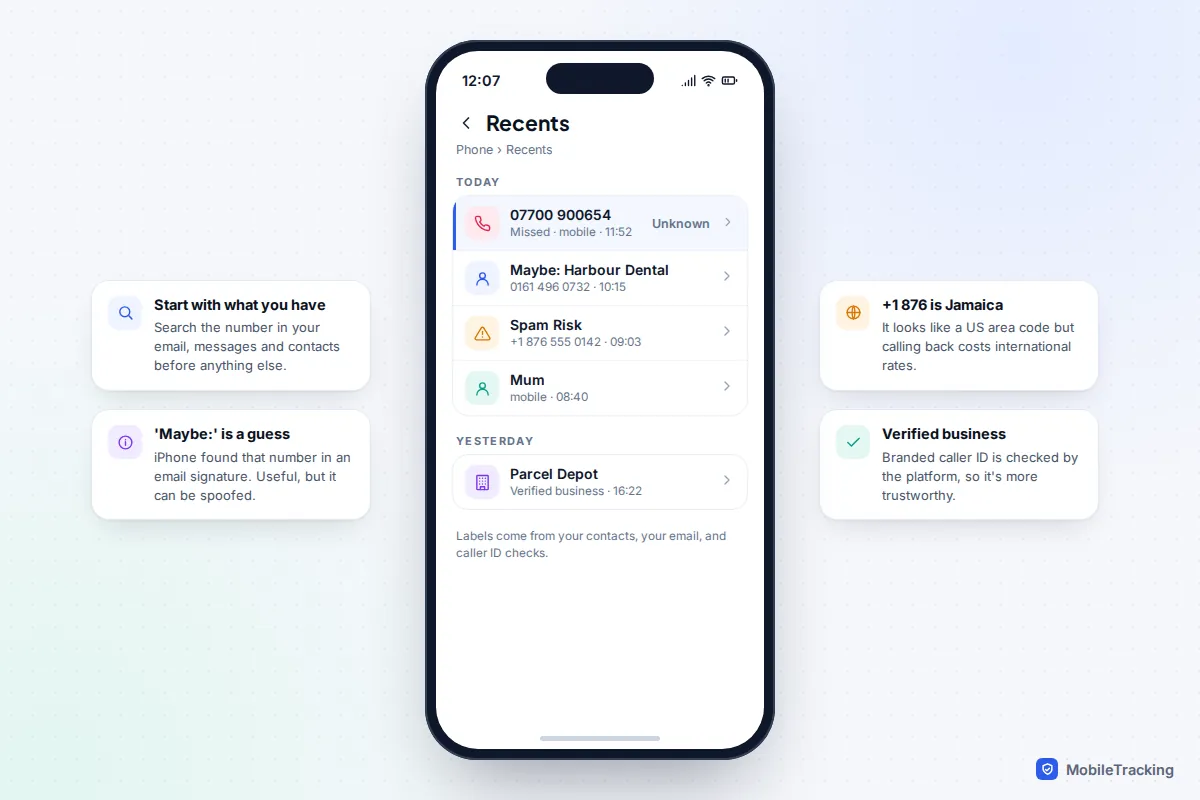
Start with the five-minute check
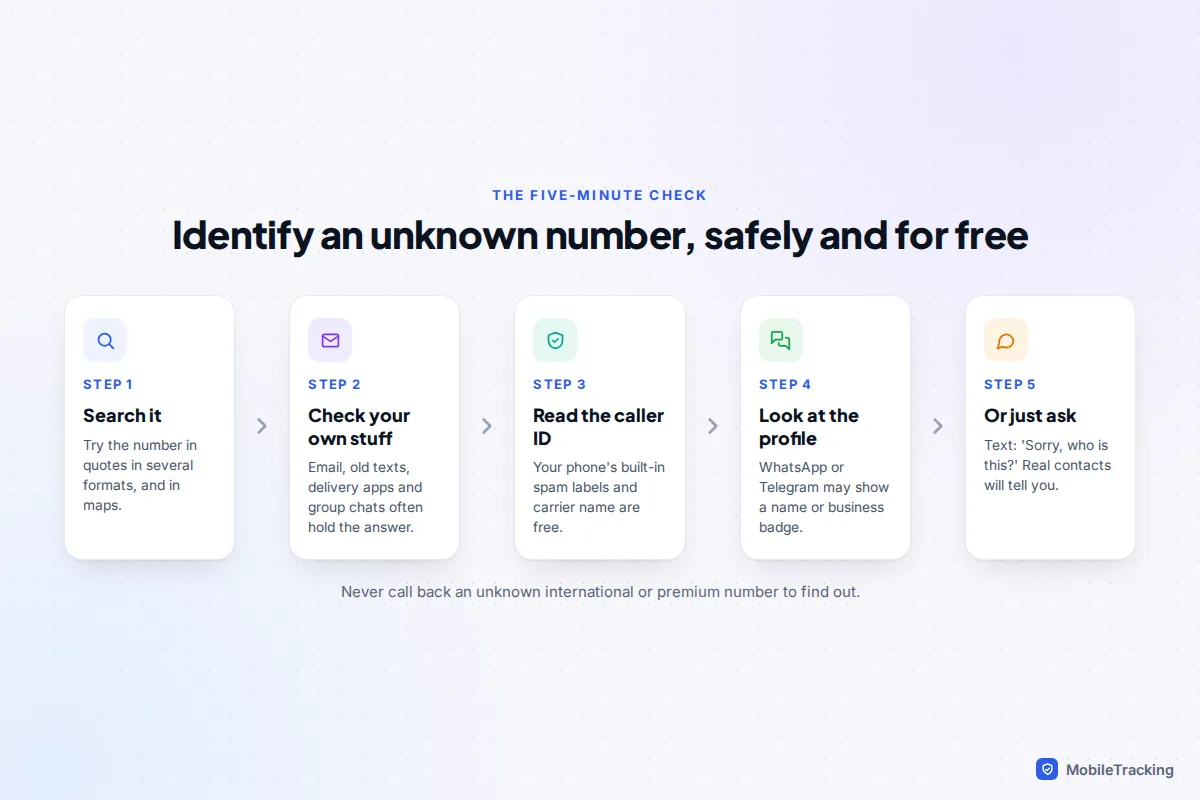
Work through these in order. Each step is free, legal and leaves no trace with the caller.
- Search your own things first. Put the number into the search bar in your email, your messages app and WhatsApp. Delivery drivers, tradespeople, schools and clubs often reach you from numbers you have seen before in a booking confirmation or group chat. On iPhone, a label such as Maybe: Harbour Dental means iOS found the number in an email signature or message; it’s a helpful hint, not proof.
- Search the web, in several formats. Put the number in quotation marks and try it with and without spaces and the country code: “07700 900654”, “07700900654” and “+44 7700 900654”. For US numbers, try “(202) 555-0142”, “202-555-0142” and “+1 202 555 0142”. Different sites format numbers differently.
- Search a maps app. Businesses list their phone numbers on their maps profile, so pasting a landline number into Google Maps or Apple Maps can show you the surgery, garage or shop straight away.
- Check caller ID and messaging profiles. Both are covered below.
- Ask. A short text works: “Hi, I missed a call from this number, who is it please?” Genuine callers answer. Scammers usually either vanish or reply with a script, which tells you what you need to know.
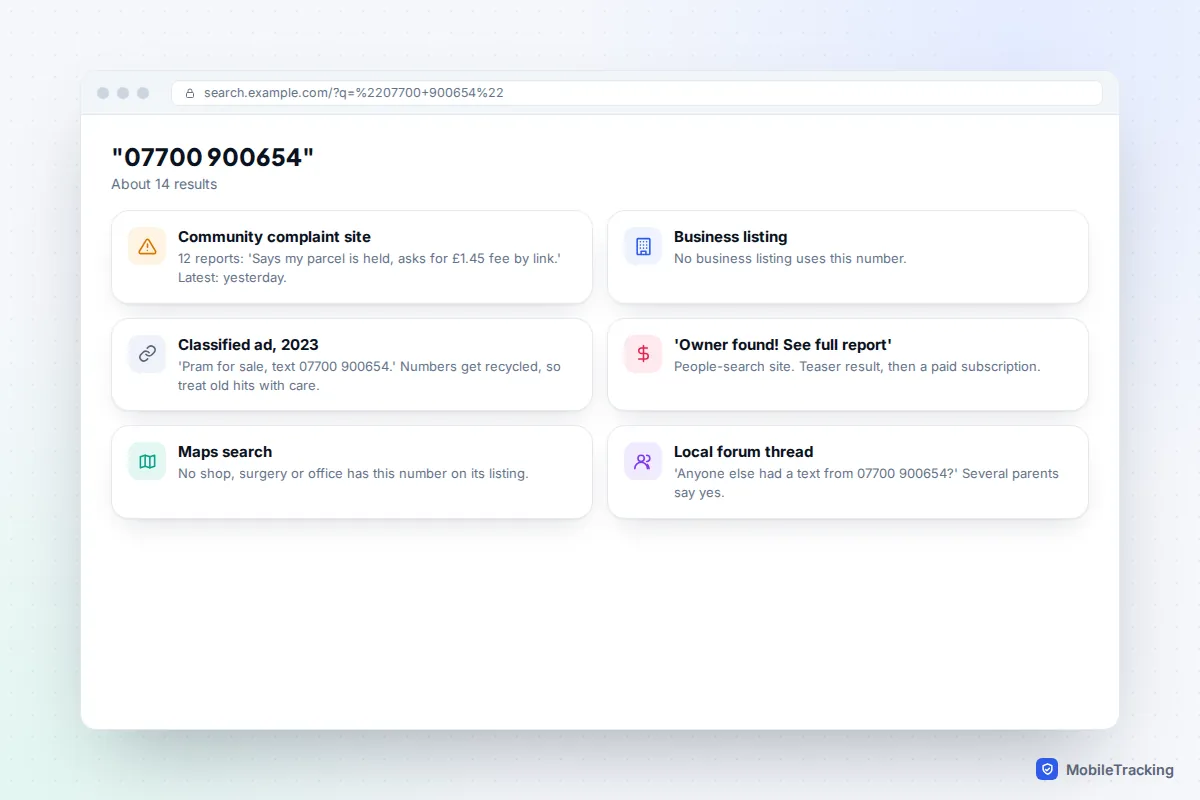
When you read search results, look at the dates. A cluster of recent reports on a complaint site saying “parcel fee scam” is strong evidence. A single classified advert from 2023 is weak, because mobile numbers that are left unused are eventually reissued to someone new.
What your phone and network already tell you
Before installing anything, switch on the caller ID you already have.
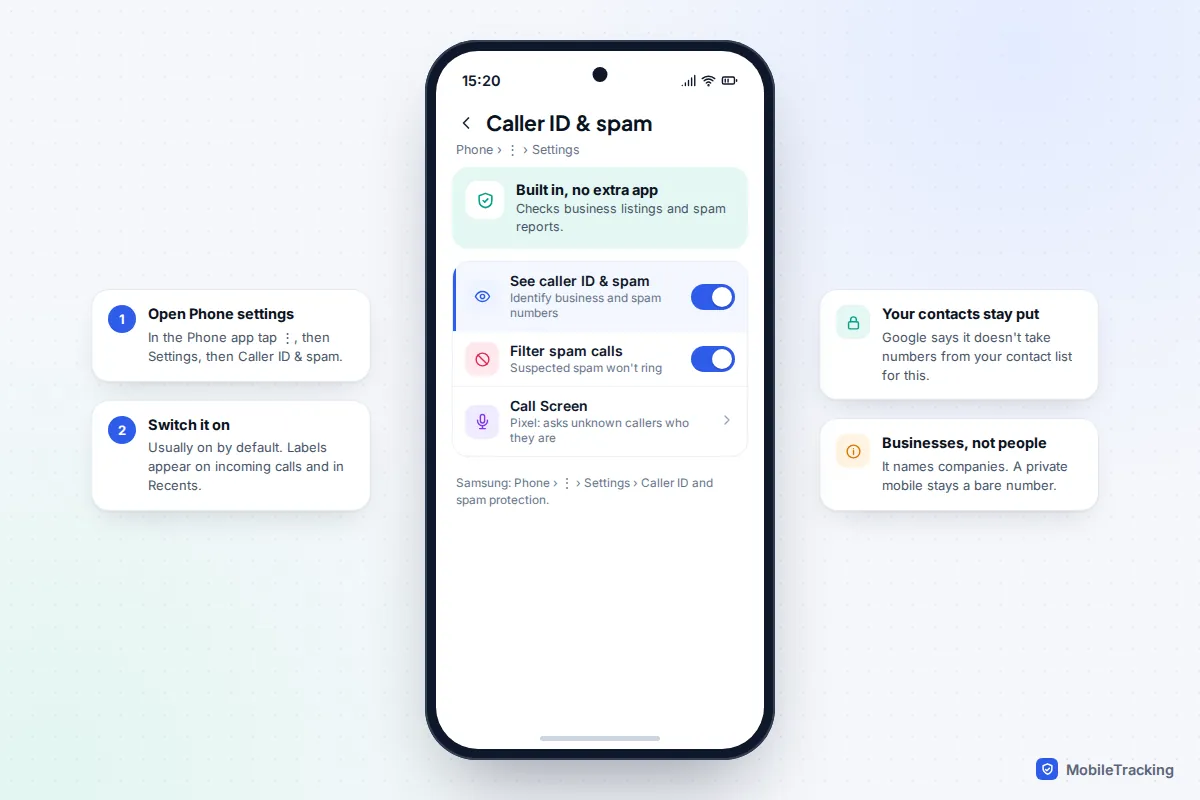
Android
In the Google Phone app, used on Pixels and many other Android phones, tap ⋮ › Settings › Caller ID & spam and make sure See caller ID & spam is on. It is on by default. Google checks incoming numbers against business listings and spam reports, and says it doesn’t collect numbers from your contact list for this feature. You can read the details on Google’s page about caller ID and spam protection. Pixel phones in supported countries also offer Call Screen, which answers unknown callers and asks who they are.
Samsung Galaxy phones have their own version: open the Phone app, tap ⋮ › Settings › Caller ID and spam protection, and agree to the terms to turn it on.
iPhone
iPhones show names from your contacts, “Maybe:” suggestions, and carrier spam labels such as Spam Risk. Apple’s Business Caller ID, announced in 2024, adds a verified name and logo for companies that register with it. In iOS 26 and later, Settings › Apps › Phone › Screen Unknown Callers offers Ask Reason for Calling, which answers in the background and shows you the caller’s name and reason before your phone rings, or Silence, which sends unknown numbers to voicemail. Screening is only available in some languages and regions.
Carrier caller name (CNAM)
In the US, the name shown on a landline or some mobile plans comes from a caller name database, known as CNAM, which the receiving carrier looks up. The name is limited to 15 characters, often reads like “WIRELESS CALLER” or a city name for mobiles, and is only as accurate as the database. Some carriers charge for fuller caller ID: Verizon, for example, includes Caller ID in its paid Call Filter Plus tier. UK networks don’t generally show names for numbers you haven’t saved.
Caller ID apps: useful, with a privacy price
Third-party apps such as Truecaller and Hiya can name more callers than built-in tools because they have bigger databases. It’s worth knowing where those names come from. Truecaller’s directory has been built partly from address books uploaded by its users, so your friends’ names and numbers can end up in it without them ever installing the app.
If you try one, read the permission requests carefully. Refusing access to your contacts and SMS usually still leaves basic spam blocking working. If you find your own number listed in Truecaller and want it removed, the company runs an unlisting page on its website; you have to deactivate your own Truecaller account first if you have one.
For most families, the built-in Google, Samsung or iPhone tools plus a quick web search are enough, and nobody else’s details get shared along the way. Our guide to blocking unknown callers covers the settings that stop repeat nuisance calls once you’ve identified them.
Check WhatsApp, Telegram and Signal
If the number texted you on WhatsApp, open the chat and tap the name or number at the top. A name shown with a tilde, such as ~Jess, is the name that person typed into their own profile, so treat it as a claim rather than proof. What you see beyond that depends on their privacy settings: the profile photo, About text and last seen can all be restricted to contacts only.
The most useful clue is often Groups in common. If you share a class parents’ group or a sports club chat, that is probably where they got your number. Business accounts show the business name, and some carry a verified badge.
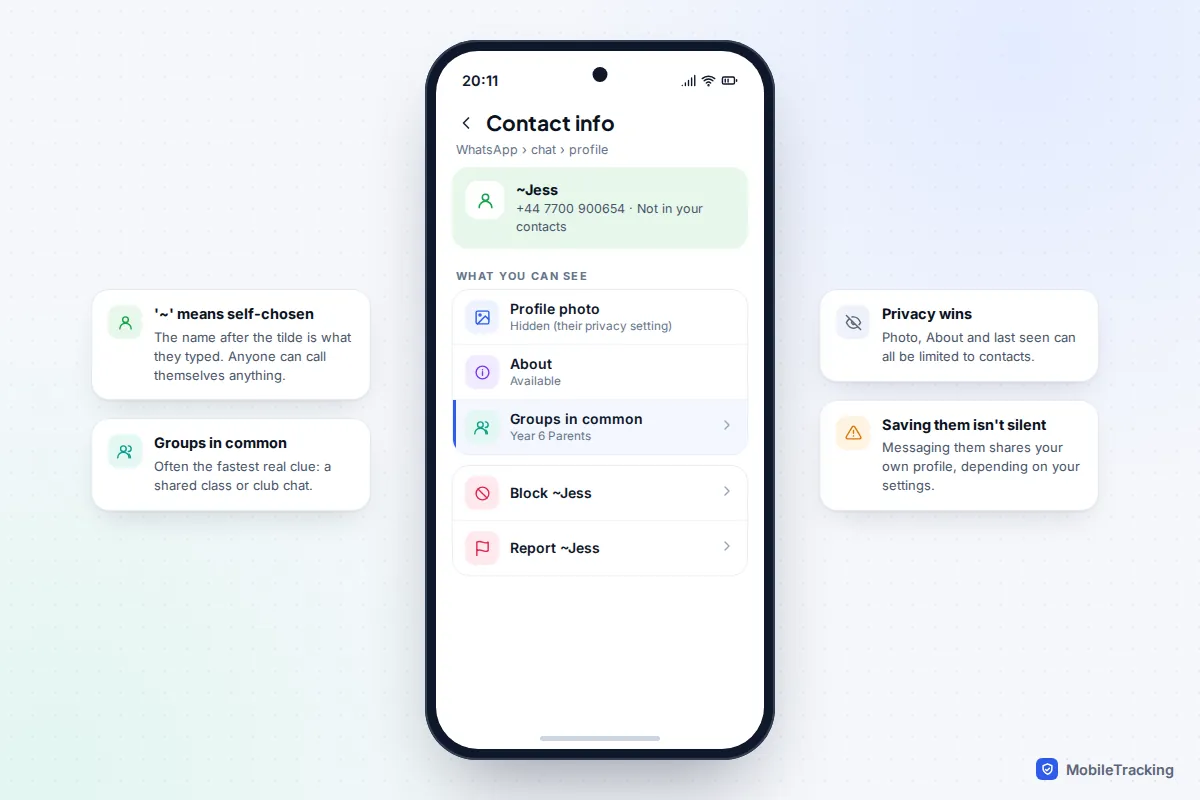
Saving an unknown number to your contacts so you can see its WhatsApp photo is not completely invisible: depending on your own settings, that person may then see your photo and status too. Telegram and Signal both let users hide their phone number from strangers, so searching those apps often finds nothing.
Scam messages that start “Hi Mum, this is my new number” are designed to exploit exactly this uncertainty. Before helping, call the old number you have saved for your child or ask a question only they could answer.
What the digits tell you, and what they don’t
The prefix of a number tells you what kind of line it is, not who owns it or where they are. UK mobile numbers beginning 07 carry no location at all, and because people can move their number between networks, you can’t reliably tell which network it’s on either.
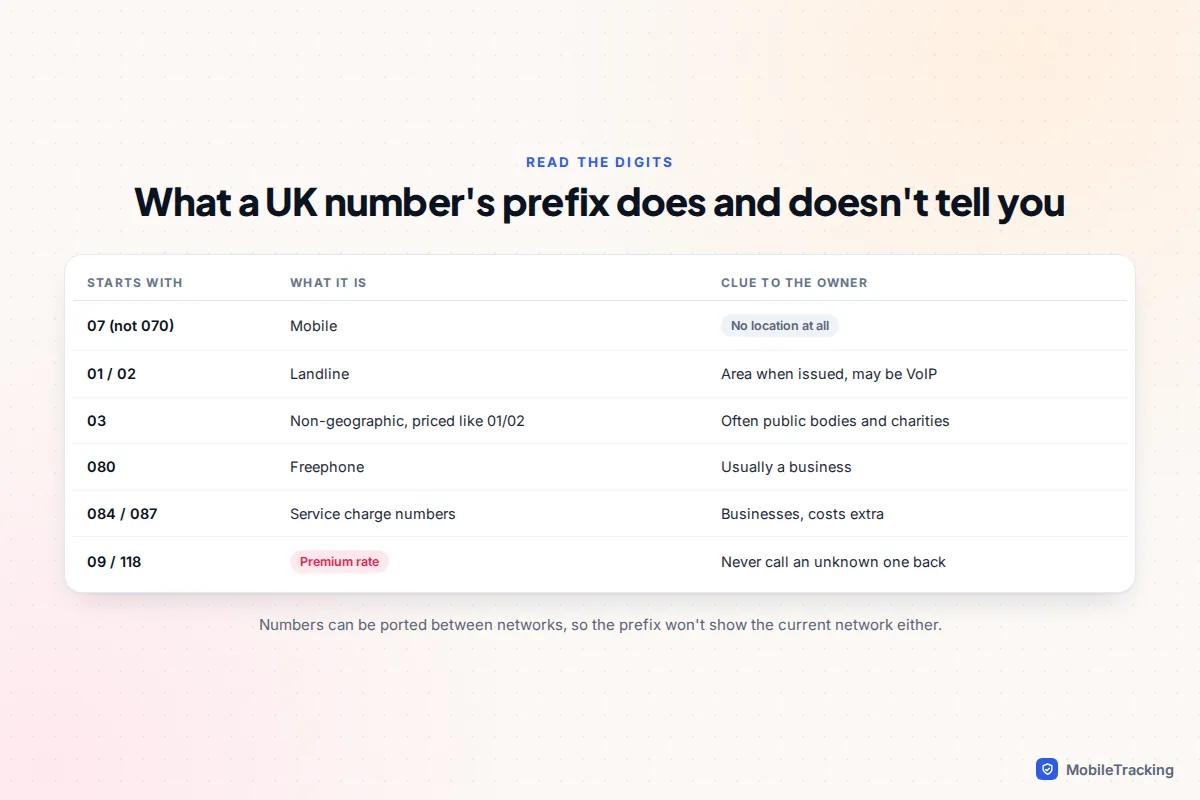
Landline codes such as 0161 (Manchester) show the area where the number was first issued, but internet phone services let anyone take a number from any area. In the US, area codes have the same weakness: people keep their mobile number when they move, so a 212 number may belong to someone living in Texas.
Some international codes look domestic. Numbers starting +1 876 (Jamaica), +1 809 (Dominican Republic) or +1 473 (Grenada) fit the US pattern but are charged as international calls. The US Federal Communications Commission warns about “one ring” scams, where a call rings once from such a number hoping you’ll call back and run up charges. In the UK, the equivalents to avoid are 09 and 118 numbers, which are premium rate.
If you do decide to ring an unfamiliar UK or US number back, you can hide your own number for that call by dialling 141 before it in the UK or *67 in the US.
Reverse lookup sites: paywalls and bait
Search for almost any number and you’ll find sites claiming “Owner found! See full report.” In practice they show a partly blurred name and a town, then ask for a small payment that turns into a monthly subscription. The data comes from old public records, marketing lists and data brokers, so it is often years out of date or matches a previous owner of the number. For UK mobiles especially, there is simply no official source these sites can draw on.
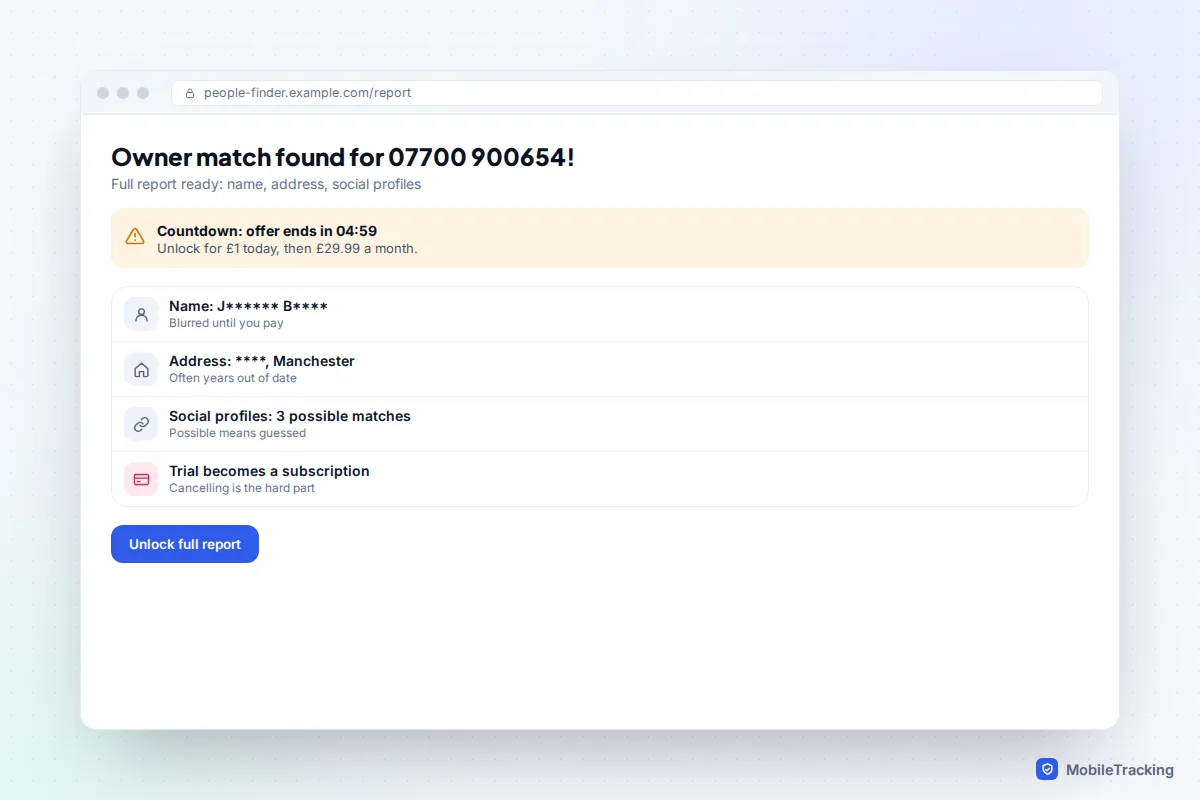
Some are worse than useless: they harvest the number you search, sign you up for recurring charges that are hard to cancel, or push you towards “tracking” the phone. No legitimate service can locate a phone or reveal its owner from the number alone, as we explain in are phone-number tracking sites real or a scam. If a site charges you and delivers nothing, contact your card provider about a refund.
Scams, spam and harassment: what to do next
Once you know, or strongly suspect, that a number is a scammer, report it rather than just ignoring it. In the UK, forward scam texts free to 7726; for a scam call, text the word “call” to 7726 and the network will ask for the number. Fraud where you lost money goes to Report Fraud, the service that replaced Action Fraud in England, Wales and Northern Ireland (Police Scotland handles reports in Scotland). In the US, the FTC advises forwarding spam texts to 7726, reporting them in your messaging app and filing a report at ReportFraud.ftc.gov. Our guide to reporting a scam call goes through each route step by step.
Harassment is different. Repeated unwanted calls or messages, threats, or contact from someone who is hiding their identity can be a criminal offence in both countries, for example under the Protection from Harassment Act 1997 and the Communications Act 2003 in the UK, and state and federal telephone harassment laws in the US. You don’t need to know who it is to report it.
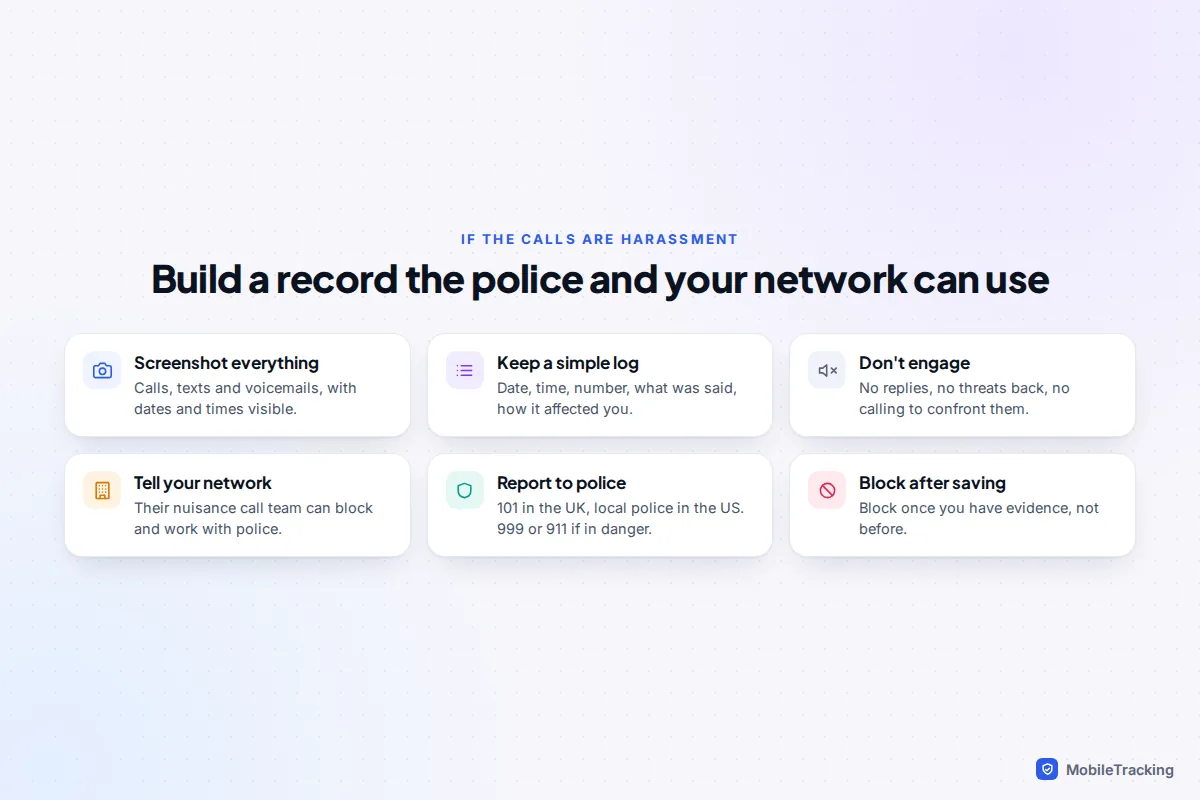
Tell your network provider too. Networks have nuisance or malicious call teams that can block numbers, change your number if needed and share records with the police when there’s an investigation. They won’t tell you the owner’s name, and that protection works both ways. If you are in immediate danger, call 999 in the UK or 911 in the US. If the harassment comes from a current or former partner, The Hotline (1-800-799-7233) in the US and Refuge (0808 2000 247) in the UK can help you plan safely.
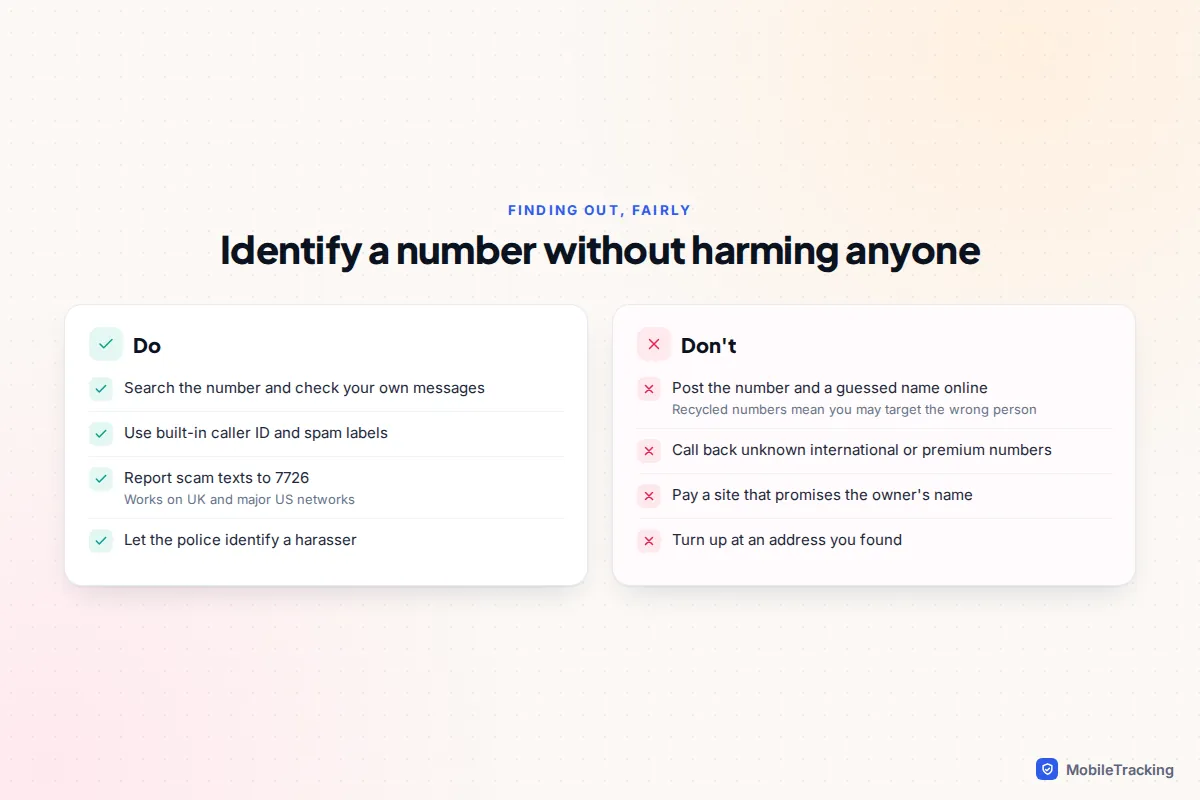
Whatever you find, don’t post the number and a guessed name online, confront someone at an address, or share a screenshot “so everyone knows who it is”. Numbers get recycled, names get confused, and doxxing the wrong person causes real harm and can land you in legal trouble. Let the police and the network do the identifying.
Frequently asked questions
Can my phone network tell me who owns a number?
No. UK and US networks won’t disclose another customer’s name or address to you. They will act on nuisance and malicious calls, and they can share details with the police as part of an investigation.
Is there a free reverse phone lookup that actually works?
For businesses, yes: search engines, maps and built-in caller ID usually name them for free. For private mobile numbers, no reliable free or paid service exists, because there is no public directory of mobile numbers to draw on.
Why does the caller ID say “No Caller ID” or “Unknown”?
The caller has hidden their number (for example with 141 or *67), or it came through a system that didn’t pass it on. You can’t reveal a withheld number yourself, but your network and the police can trace malicious calls.
Can I find where a phone is from its number?
Only very roughly for landlines, and not at all for mobiles. Area codes reflect where a number was issued, not where the phone is now. Our article on tracking a phone with just the number explains why.
Is it legal to look up who a number belongs to?
Yes, using public information such as search engines, business listings and caller ID is legal. Using what you find to harass, stalk or expose someone is not, and neither is tricking a network into revealing a customer’s details.
This guide is general information, not legal or financial advice. Read our editorial policy.