
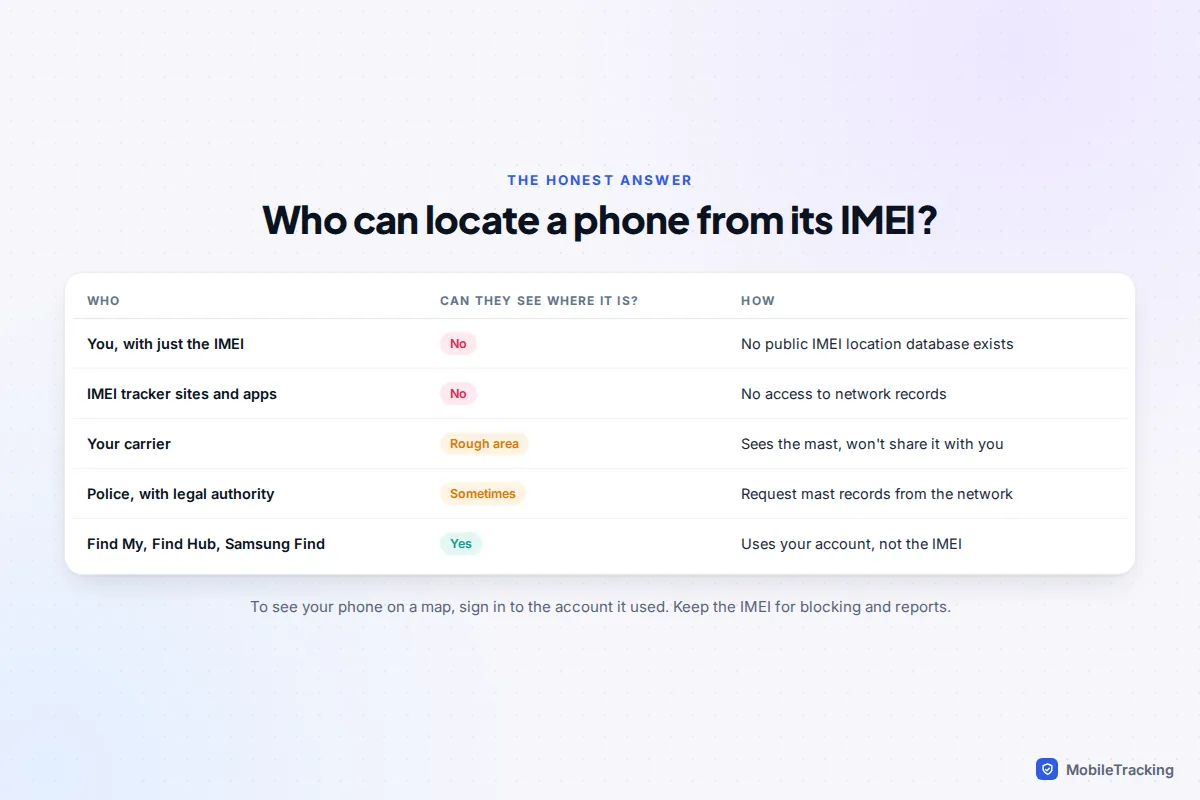
You can’t find a lost phone yourself using only its IMEI number. No website, app or “IMEI tracker” can turn those 15 digits into a location, and any service that asks for money or your account password to do it is a scam. The only organisation that can link an IMEI to a place is the mobile network the phone is connected to, and networks share that information with the police under legal authority, not with the public.
The IMEI still matters: your carrier uses it to block the phone, the police record it so they can return the handset, and your insurer asks for it. What actually shows you where the phone is on a map is the account it was signed in to: Find My for an iPhone, Find Hub for Android, and Samsung Find for Galaxy phones. This guide covers both halves, so you spend your first hour on the steps that work.
Why an IMEI can’t be tracked by you
Every time a phone connects to a mobile network, it tells the network its IMEI along with the SIM’s details. The network records which mast (cell site) handled the connection. That record sits inside the operator’s systems. There is no public database that maps IMEIs to locations, and the phone doesn’t broadcast its GPS position alongside its IMEI to anyone who asks.
Three practical facts follow from this:
- Only your phone’s current network has the data. If a thief puts in a SIM from a different carrier, the location record sits with that carrier, not yours.
- Mast data is rough. In a city a mast can cover a few hundred metres; in the countryside it can be several kilometres. It tells investigators an area, not a flat number.
- A phone that’s off, or on Wi-Fi with no SIM, isn’t talking to a mobile network at all. In that state there is no fresh IMEI record anywhere, which is why thieves often pop the SIM out straight away.
Find My and Find Hub don’t use the IMEI either. They work through the account the phone was signed in to, so that’s the question to ask first.
IMEI tracking sites and apps: how the scam works
Search for “track phone by IMEI” and you’ll find websites with a box for the 15 digits and app store listings with “IMEI tracker” in the name. Some ask for a fee or “verification” payment first. Others show a loading bar and a map pin near you, based on your own internet connection, not the missing phone. The apps are at best ordinary location-sharing apps that only find a phone they were installed on beforehand. None of them has access to network records.
The nastiest version targets iPhone owners after the theft. A text or email arrives saying your lost iPhone “has been found” with a link to view its location. The page looks like Apple’s, and it asks for your Apple Account password. Thieves use it to remove Activation Lock so the phone can be wiped and resold. Treat any “your device was found” message with suspicion, however official it looks, and never sign in through its link: go to icloud.com/find yourself by typing the address. Our guide to phone-number tracking sites covers the same tricks used with phone numbers.
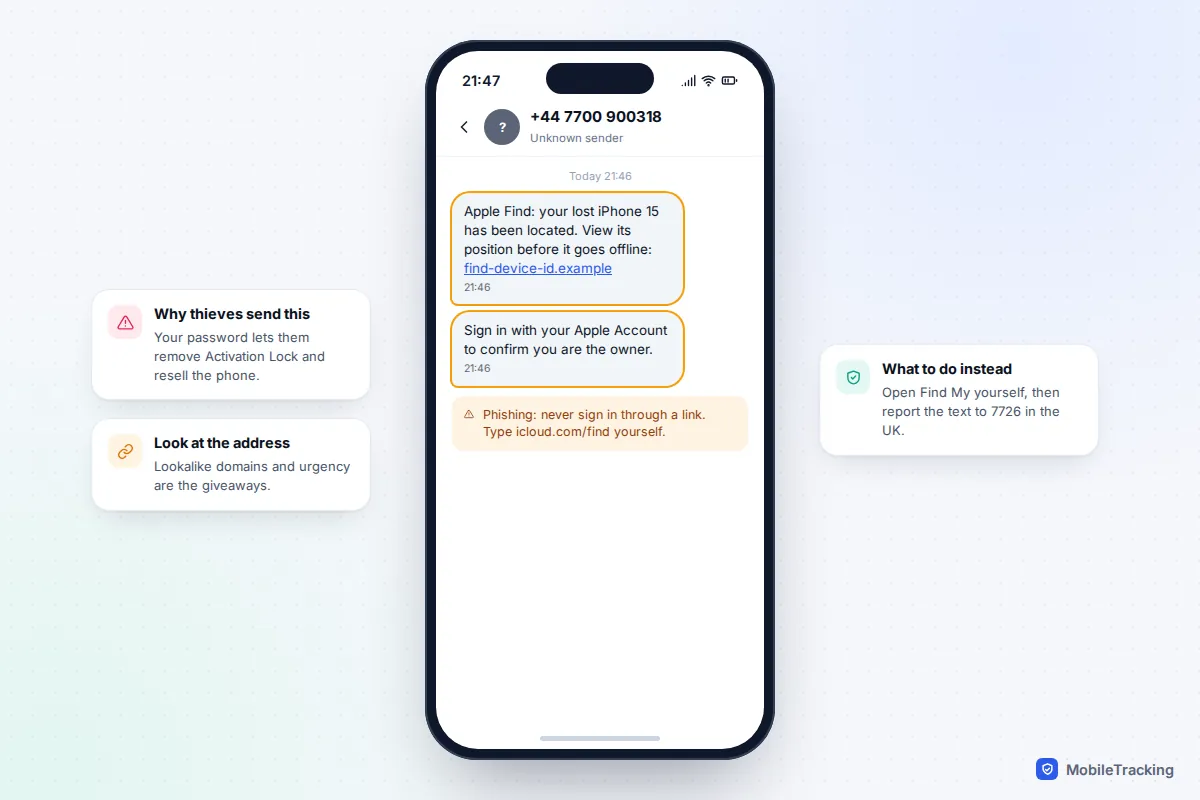
Red flags that an IMEI service is fake:
- It promises a live location or “GPS coordinates” from the IMEI alone.
- It wants payment, a gift card or cryptocurrency before showing a result.
- It asks for your Apple Account, Google or Samsung password.
- It claims to work “even if the phone is off” or “with no app installed”.
What your IMEI is actually useful for
Once you stop expecting the IMEI to reveal a location, it becomes a very practical tool. If you need to look it up first, our guide on finding your phone’s IMEI lists every place it’s recorded, and there’s a short version further down this page.
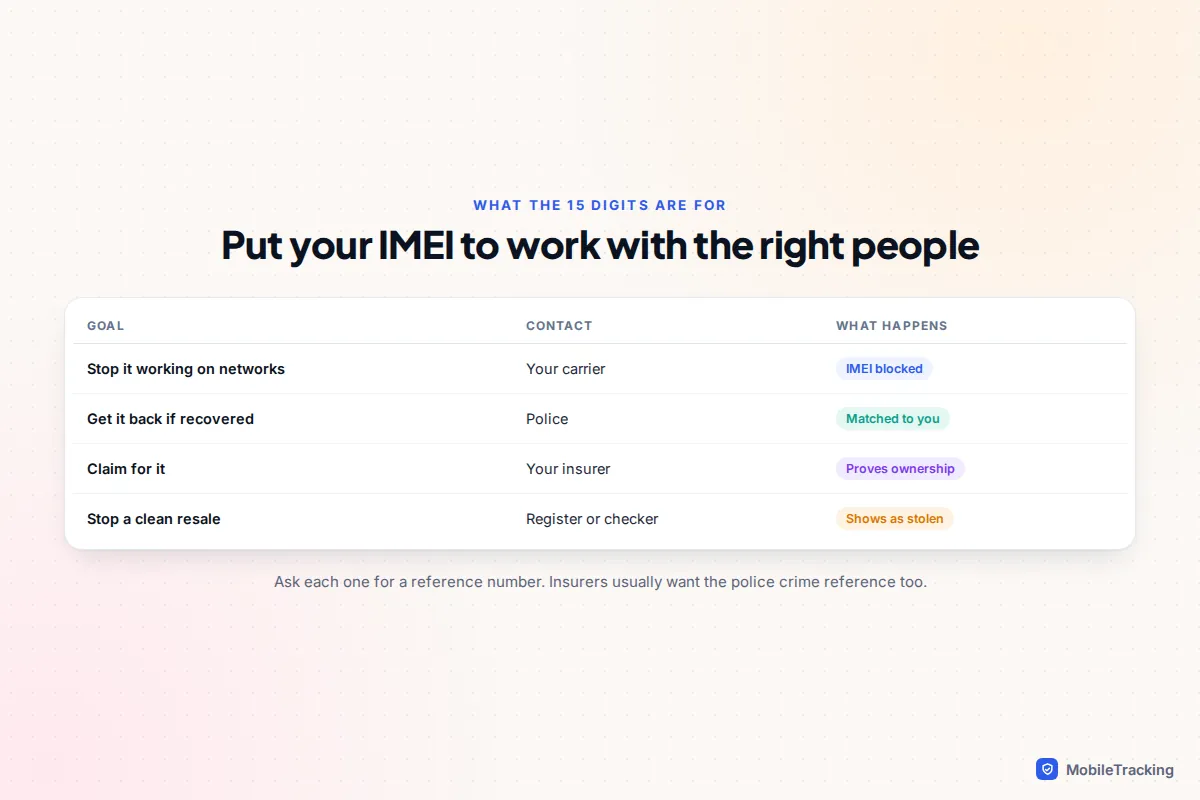
| What you want | Who to contact | What the IMEI does |
|---|---|---|
| Stop the phone being used on mobile networks | Your carrier | Added to a shared blocklist, so it won’t connect with any SIM on participating networks |
| Get it back if police recover it | Police (101 or online in the UK, non-emergency line in the US) | Recorded with your crime report so a recovered handset can be matched to you |
| Claim on insurance | Your insurer | Proves which handset you owned; most claims also need a crime reference number |
| Stop it being resold as clean | Carrier block plus a national register | Buyers who check the IMEI will see it’s reported |
Blocking is the big one. Your carrier suspends the SIM and adds the IMEI to a blocklist that networks share, largely through the GSMA’s device database. A blocked phone still works on Wi-Fi, so it doesn’t protect your data, but it becomes much harder to sell. That’s why you lock the phone with Find My or Find Hub first and block it once you’re fairly sure it’s gone.
National registers, country by country
None of these shows you a location, but each adds a layer of protection.
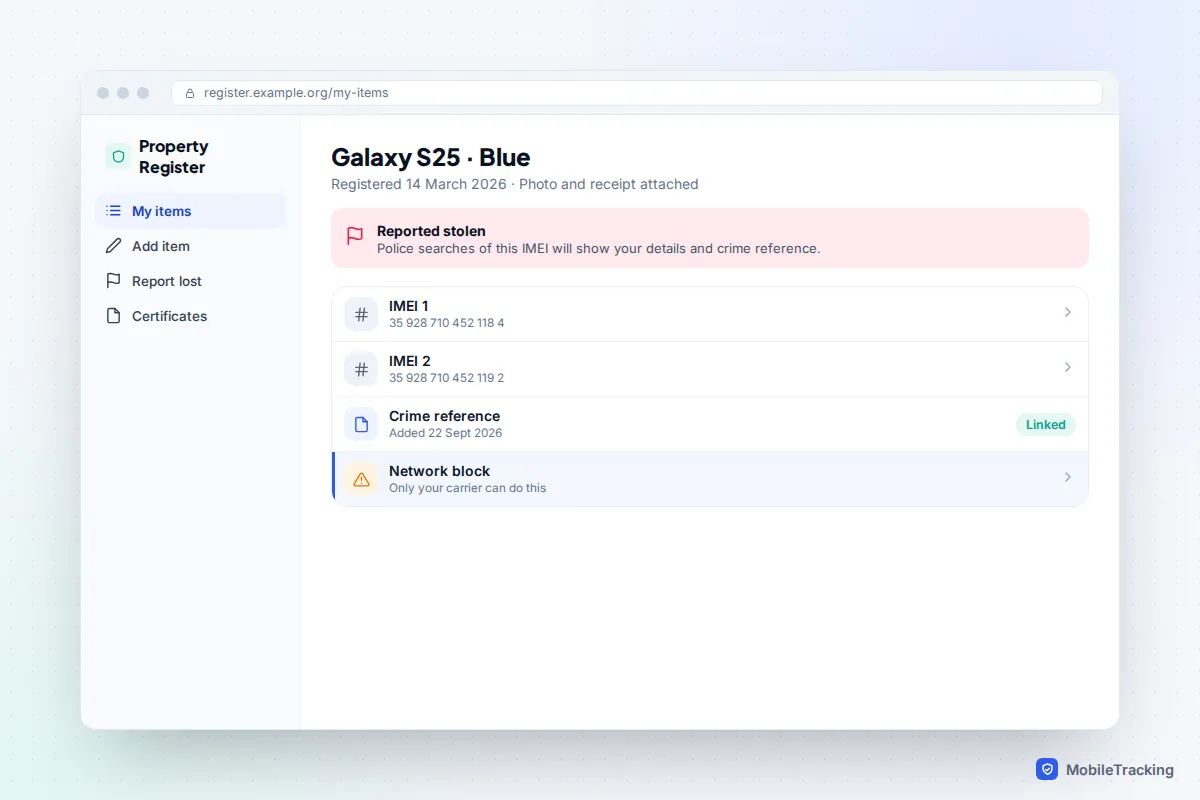
- UK: Immobilise. A free property register. You record the IMEI in advance and mark the phone stolen if it goes. Police search recovered property against the National Mobile Property Register, which draws on Immobilise, so a registered phone leads back to you. It doesn’t block the phone.
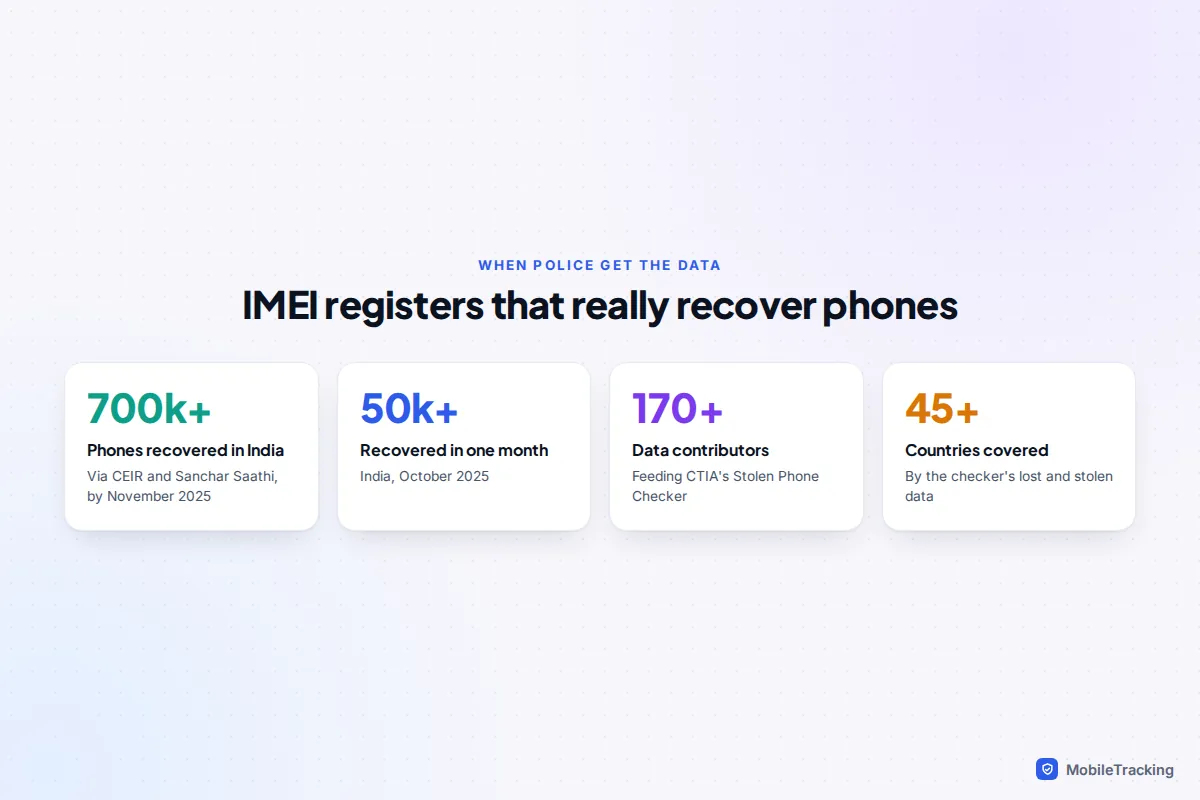
- US: CTIA Stolen Phone Checker. A free lookup at stolenphonechecker.org showing whether an IMEI has been reported lost or stolen, drawing on more than 170 contributors in over 45 countries. It’s for second-hand buyers; your carrier’s report is what makes your phone show up there.
- India: CEIR through Sanchar Saathi. The government’s Central Equipment Identity Register lets you block a lost phone across all Indian networks yourself, with a copy of your police complaint, ID and a number to receive a one-time code (often a replacement SIM). If the blocked handset is later used with a new SIM, the details are shared with police for tracing, and you can unblock it with your request ID once it’s back.
India’s system is the closest thing to “finding a phone by IMEI”, and it works because police, not the public, get the tracing data. By November 2025 it had helped recover more than 700,000 phones.
What carriers and police can do with legal authority
When people say “the police can track it by IMEI”, this is what they mean. An investigating officer can ask the network that the phone is currently using for records of which masts it has connected to, and when. In the US, the Supreme Court’s 2018 decision in Carpenter v. United States means police generally need a warrant for historical cell-site location records. In the UK, requests for this kind of communications data go through an authorisation process under the Investigatory Powers Act 2016.
Be realistic about what happens next. Police weigh these requests against the seriousness of the crime, and a phone lost on a bus rarely qualifies. They are more likely to act when it’s linked to a robbery or a string of thefts. If someone’s safety is at risk, for example a missing child or a vulnerable adult who has the phone, call 999 in the UK or 911 in the US and say so. Emergency requests are handled very differently from property crime.
You can help by giving the police the IMEI, the model and colour, and any Find My or Find Hub location with a time. If you later see the phone move on a map, tell them rather than going to the address yourself.
The methods that actually find a phone
These all rely on your account, not the IMEI, and they work best if they were switched on before the phone went missing. If they were, you may be able to see it on a map within a minute.
iPhone: Find My
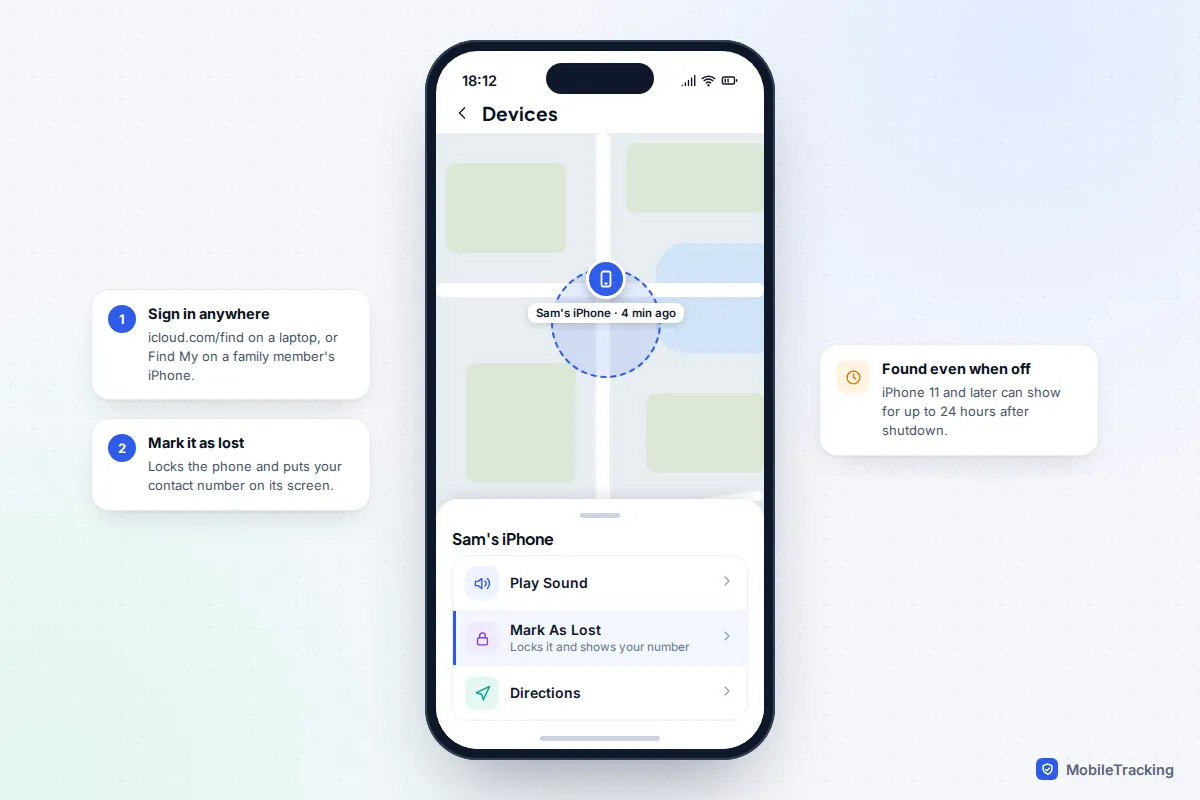
Sign in at icloud.com/find on any browser, or open the Find My app on another Apple device, and choose the iPhone under Devices. You can see its location, play a sound and turn on Mark As Lost. Apple lets you open Find Devices on the web without the two-factor code that would normally go to your trusted device, which matters when that device is the one you’ve lost.
Because of the Find My network, iPhone 11 and later models (except the SE and “e” models) can often be located for up to 24 hours after being switched off, and in Power Reserve after the battery runs flat, provided Find My network was on. For next time, check Settings › [your name] › Find My › Find My iPhone and turn on all three switches: Find My iPhone, Find My network and Send Last Location. iOS 27 didn’t change these controls.
Android: Find Hub
Google renamed Find My Device to Find Hub in 2025. Go to android.com/find in any browser or open the Find Hub app on another phone, sign in with the Google account from the lost phone and select it. According to Google’s guide to being ready to find a lost device, offline finding uses other Android devices nearby to report its position, and some Pixel models (Pixel 8 and later) can be found for several hours after being turned off if a network-based offline finding option was chosen.
On your next phone, check it’s switched on: Settings › Security (Security & privacy on newer Pixels) › Find Hub, or search Settings for “Find Hub”. Under Find your offline devices, pick one of the “with network” options.
Samsung Galaxy: Samsung Find as well
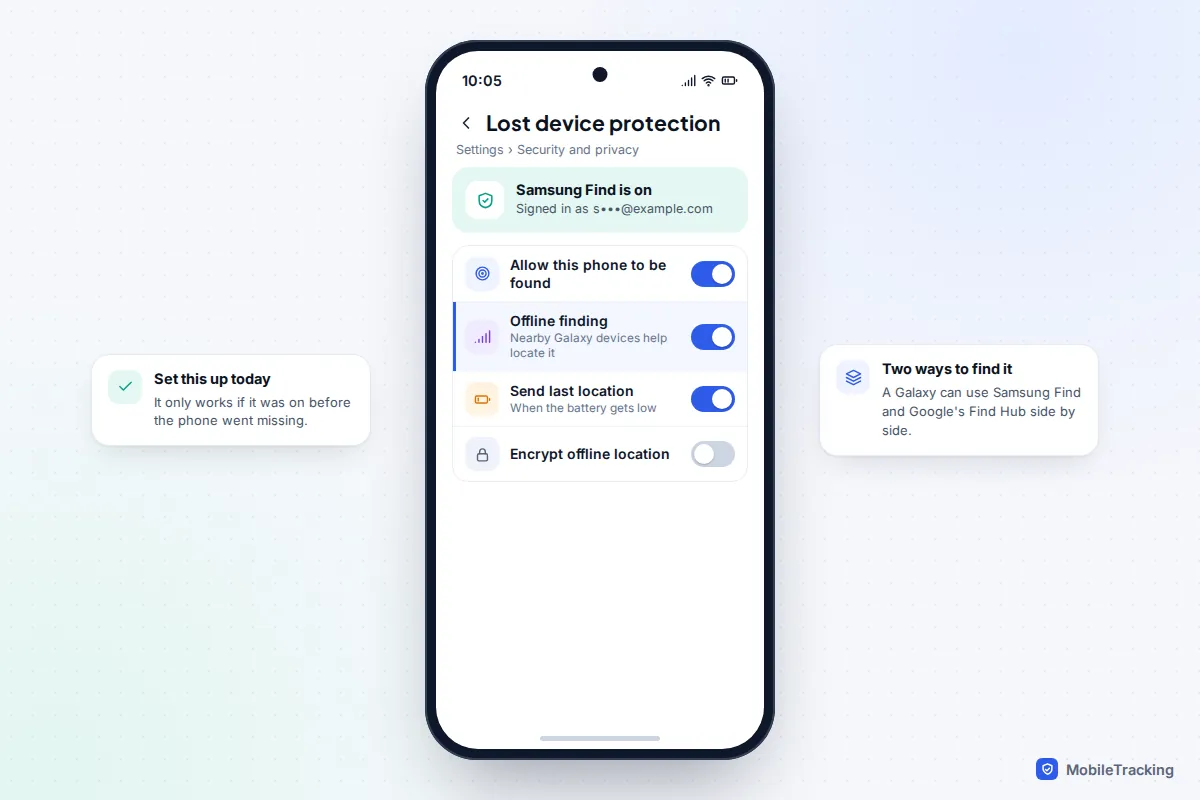
Galaxy phones can also be found through Samsung’s own service at samsungfind.samsung.com (the older SmartThings Find address still works). It can locate, ring, lock and erase the phone, and switch on maximum power saving remotely. It only works if you signed in with a Samsung account and turned on Settings › Security and privacy › Lost device protection, including Offline finding and Send last location.
Your Google Account’s device list
Even without Find Hub, your Google Account can give you a clue. Go to myaccount.google.com › Security › Your devices › Manage all devices. It shows when each device was last active and often the last city: not a map pin, but a sign of whether the phone has been used since. Google’s lost device help page explains how to sign the phone out from the same screen.
Google Maps Timeline used to be a common tip, but Google moved Timeline onto the phone itself and the web version no longer shows your history. If the phone is gone, so is its Timeline.
If the phone is switched off and none of these show anything useful, our guide on finding a phone that’s turned off covers what else is worth trying.
If you didn’t write the IMEI down
You’ll need the number for the carrier, police and insurer. The fastest places to check when the phone is already gone:
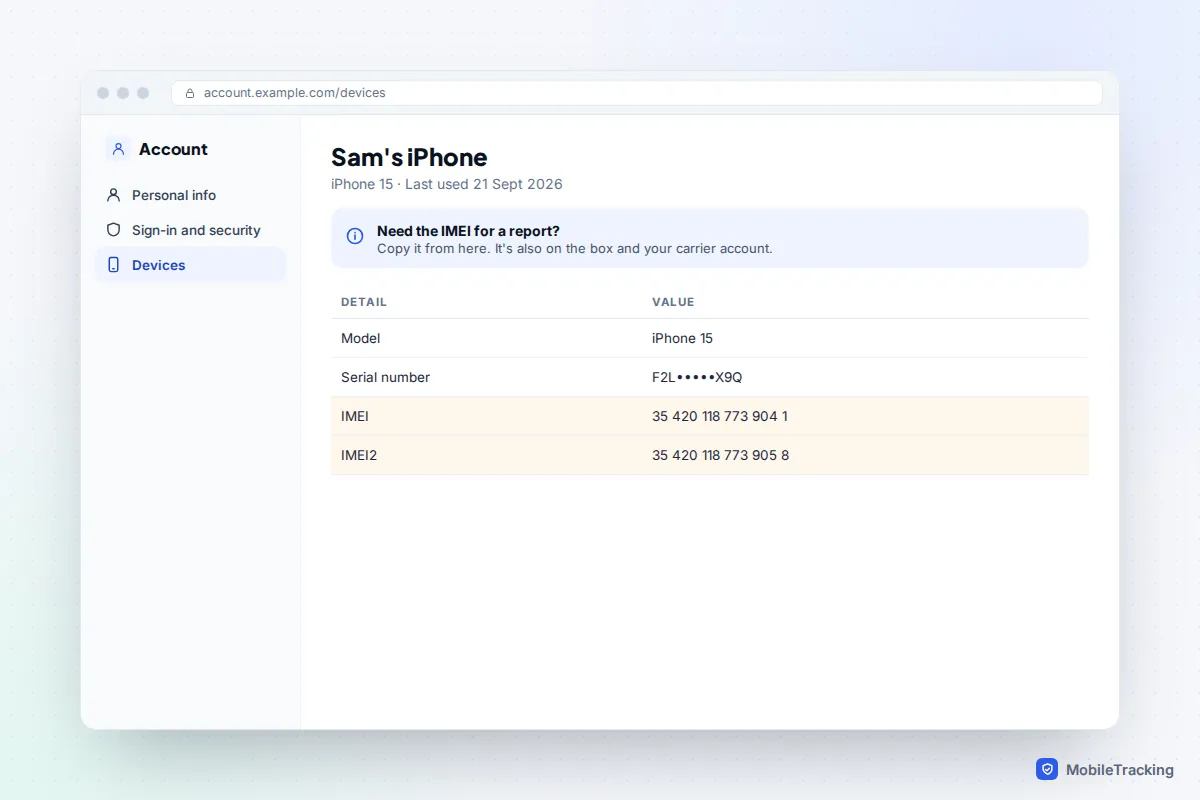
- iPhone: sign in at account.apple.com, open Devices and select the phone. The IMEI is shown with the serial number.
- Android: in Find Hub, select the phone and open its settings (the gear icon or device details). The IMEI is listed even if the phone is off.
- The box: the barcode label on the original packaging carries the IMEI.
- Your carrier: phones bought on a contract are recorded against your account; the app or customer service can read it back after security checks.
- Your inbox: search your email for “IMEI”. Order confirmations, insurance schedules and trade-in quotes often include it.
Your first hour: the order that works
Here’s a real-world example. Sam left his Galaxy on a train and, after a friend showed him an “IMEI tracker” site, nearly paid £19.99 for a “location report”. Instead he opened Find Hub on a laptop, saw the phone at the end of the line, marked it as lost with a contact number and rang lost property. It was handed in that evening, and the IMEI mattered only when the desk asked him to prove it was his.
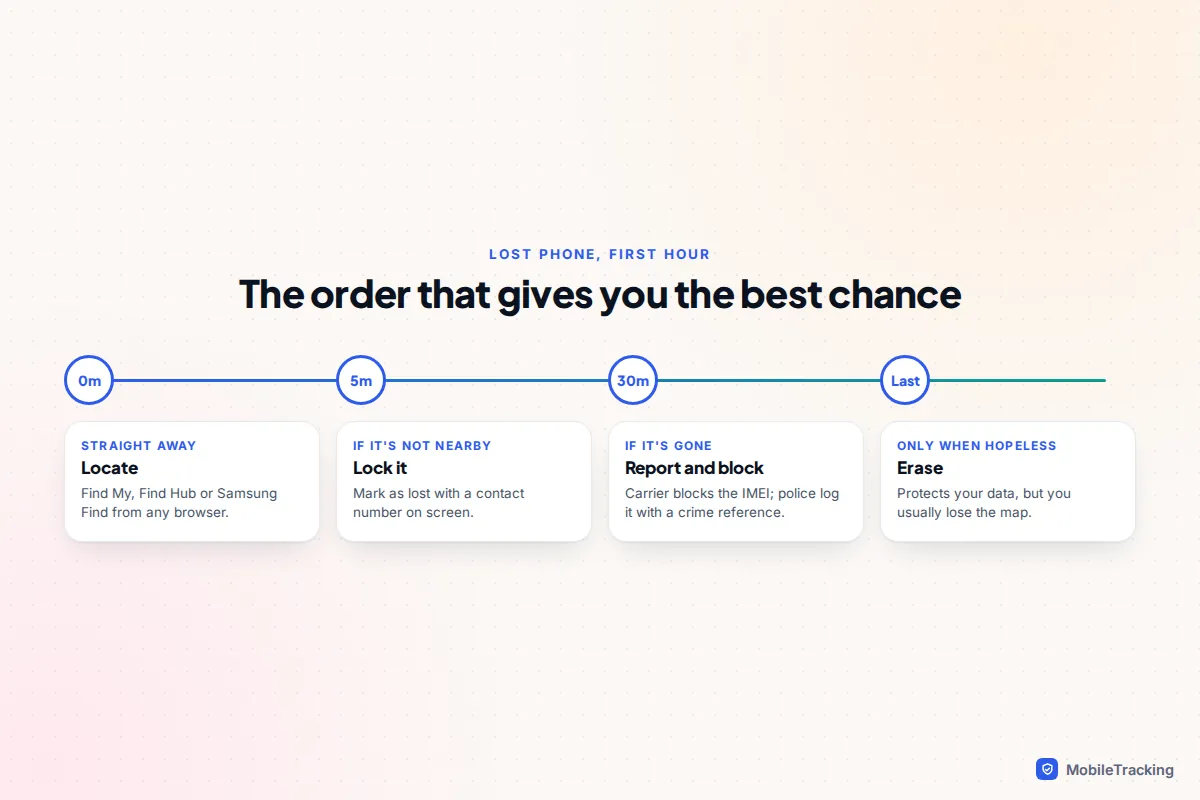
Follow the same sequence:
- Locate: Find My, Find Hub or Samsung Find from any browser. Ring it if it’s nearby.
- Lock: Mark As Lost or Mark as lost, with a contact number on the screen. Our guide to locking a lost phone remotely walks through each service.
- Report: carrier (SIM suspension and IMEI block) and police, collecting both reference numbers.
- Protect accounts: change your main passwords and sign the phone out of email and banking apps.
- Claim: give your insurer the IMEI and crime reference.
- Erase last: only when you’ve given up on getting it back. Erasing a lost phone remotely explains why this step comes at the end.
Frequently asked questions
Is there any free app that can find my phone by its IMEI?
No. The free tools that really find phones, Find My, Find Hub and Samsung Find, use your account and are already built in.
Will the police track my phone if I give them the IMEI?
They’ll record it, and that is how recovered phones get back to their owners. Active tracking through the network needs legal authorisation and is usually reserved for more serious crimes. Giving police a Find My or Find Hub location makes action far more likely.
Does blocking the IMEI stop a thief using the phone?
It stops the phone connecting to participating mobile networks with any SIM. It still works on Wi-Fi, and a phone blocked in one country may work on networks abroad that don’t share the list. Lock it with Find My or Find Hub as well, so your data is protected.
Can a thief change the IMEI?
It’s technically possible on some handsets with specialist tools, but it’s illegal in the UK under the Mobile Telephones (Re-programming) Act 2002, and in many other countries. On modern iPhones and most Android phones, Activation Lock or Factory Reset Protection is the bigger obstacle for a thief anyway.
If I get my phone back, can the block be lifted?
Yes. Contact the carrier that placed the block (or use your request ID on India’s CEIR portal), prove you’re the owner and ask for it to be removed. It can take a little while for the change to reach every network.
This guide is general information, not legal or financial advice. Read our editorial policy.