
The quickest way to reduce mobile data usage is to find the one or two apps responsible, because it is almost always video. Open Settings > Mobile Service on an iPhone (Cellular in the US) or Settings > Network & internet on Android, look at the per-app list, then turn down that app’s streaming quality and switch on Low Data Mode (iPhone) or Data Saver (Android). Those three moves fix most runaway bills.
After that, the savings come from things that happen without you noticing: the phone falling back to mobile data when Wi-Fi is weak, photo backups, app updates and WhatsApp videos downloading themselves. This guide works through each one, with the real menu names for iPhone, Pixel and Samsung, and realistic figures for how much each activity uses.
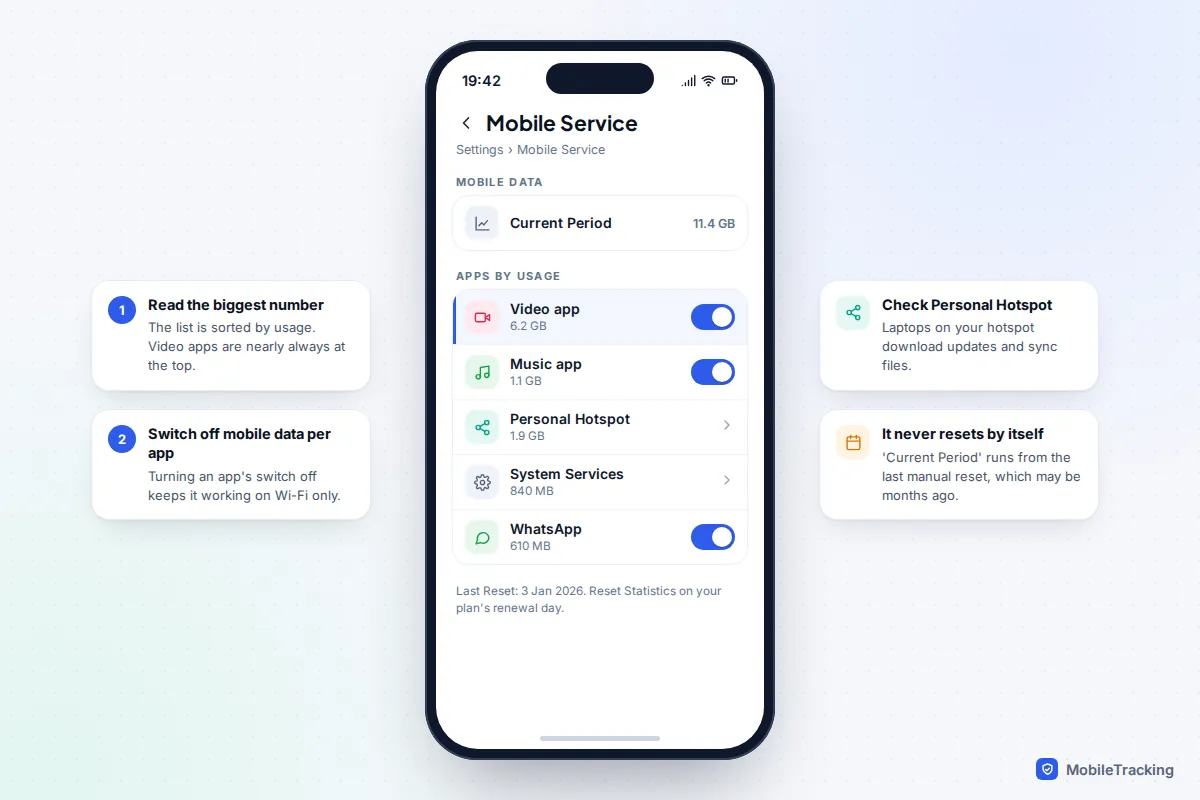
Step one: find out what is actually using your data
Both systems keep a per-app tally that takes under a minute to read.
iPhone
- Open Settings > Mobile Service (called Cellular in the US, and Mobile Data on some older versions).
- Scroll down to the list of apps. The figure next to each one is the data it has used in the Current Period.
- Scroll to the bottom and note the date under Reset Statistics. The iPhone does not reset this list each month, so “Current Period” may cover a year. Tap Reset Statistics on the day your plan renews and the list will match your bill from then on.
Two rows are easy to miss. Personal Hotspot shows data used by laptops and tablets connected to your phone, and System Services covers things like software downloads and iCloud.
Android
- Pixel: Settings > Network & internet > Internet, tap the gear next to your network, then App data usage. Use the date menu to pick your billing period. (On some versions the route is Network & internet > SIMs.)
- Samsung Galaxy: Settings > Connections > Data usage > Mobile data usage. Set Billing cycle and data warning to your renewal date so the totals line up.
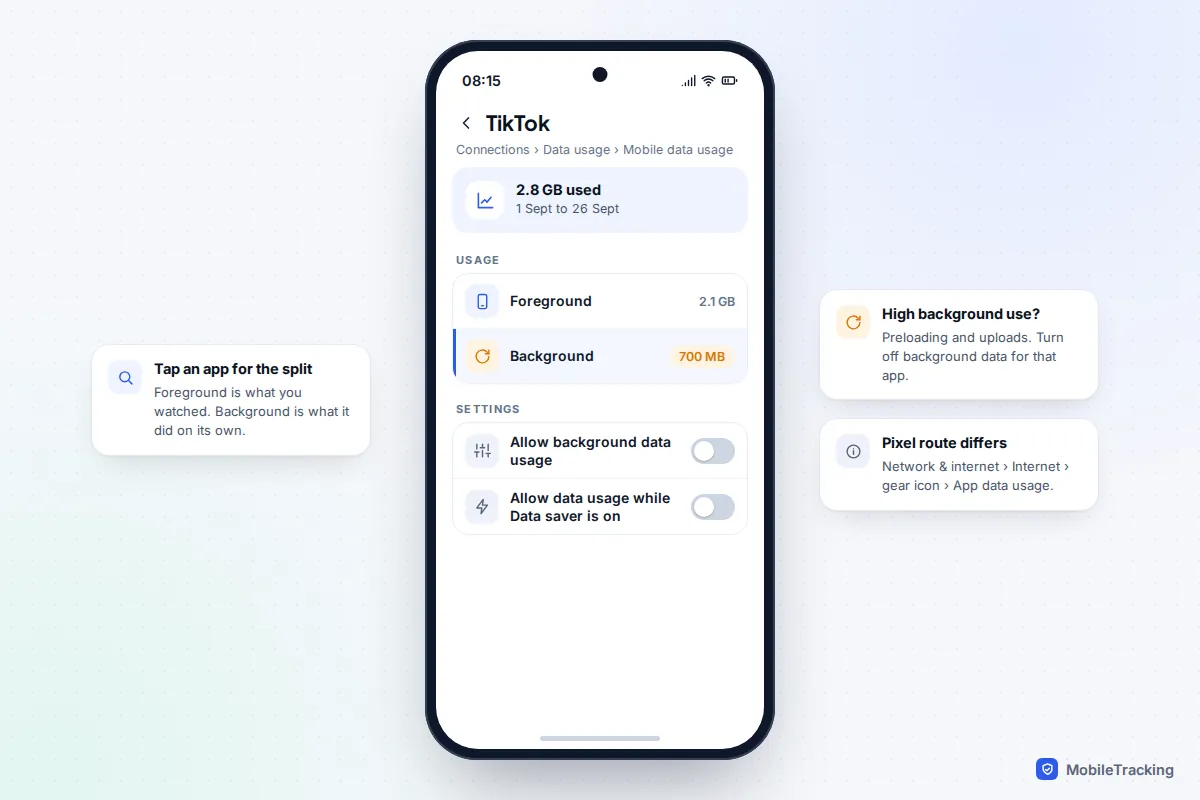
Tap any app to see how much it used in the foreground versus the background. A big background number on an app you rarely open is a sign it is syncing or uploading on its own.
Is that number normal? What things really use
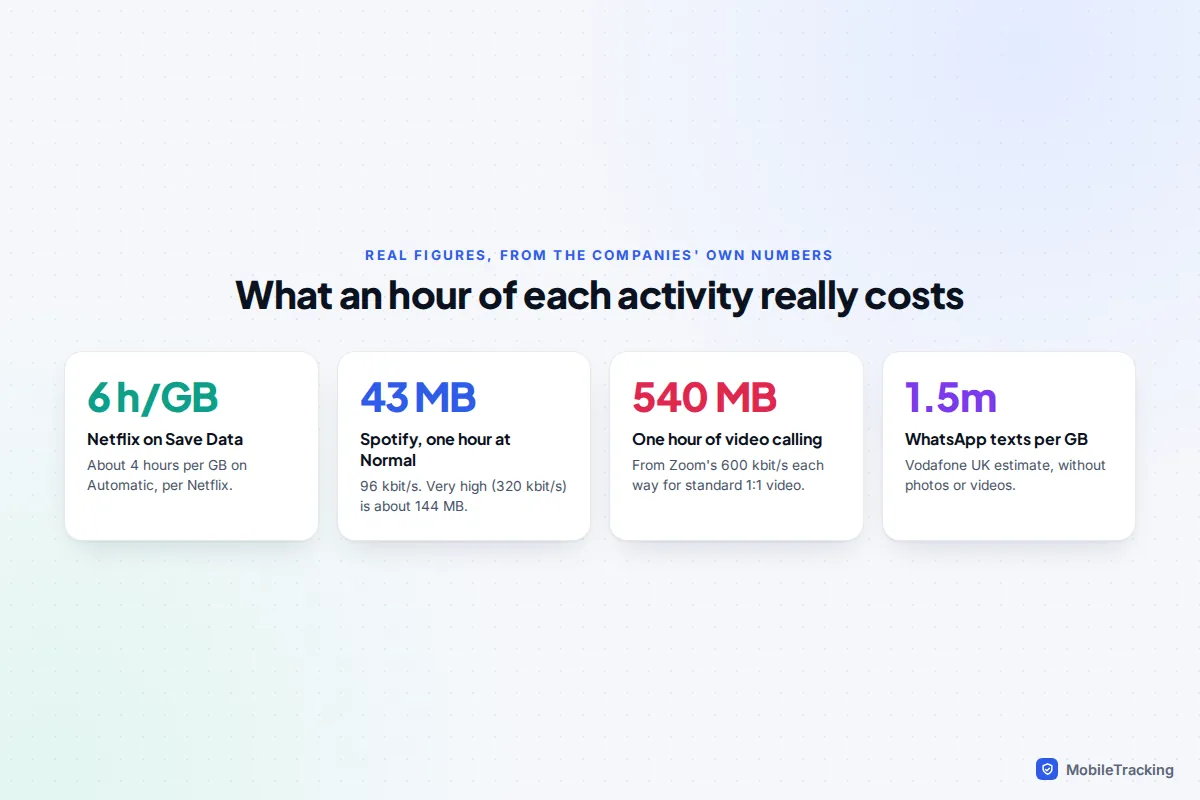
Once you know the culprit, it helps to know what normal looks like. These figures come from the companies’ own published numbers; everything else on your phone, from email to maps, is tiny by comparison.
| Activity | Typical use | Source |
|---|---|---|
| Netflix on “Save Data” | About 6 hours per GB | Netflix Help Centre |
| Netflix on “Automatic” | About 4 hours per GB | Netflix Help Centre |
| Netflix on “Maximum Data” | 1 GB every 20 minutes or more | Netflix Help Centre |
| Spotify at Normal (96 kbit/s) | About 43 MB per hour | Worked out from Spotify’s bitrates |
| Spotify at Very high (320 kbit/s) | About 144 MB per hour | Worked out from Spotify’s bitrates |
| One-to-one video call, standard quality | About 540 MB per hour | From Zoom’s 600 kbit/s each way |
| WhatsApp text messages | Over 1.5 million per GB | Vodafone UK data calculator |
YouTube, TikTok and Instagram don’t publish per-hour figures, but they behave like any video service: the higher the resolution and the more clips they preload, the faster your allowance goes. An hour of scrolling short videos can easily cost as much as a Netflix episode.
Turn on Low Data Mode or Data Saver
These are the system-wide brakes. They don’t stop you using any app, but they stop the phone doing optional work over mobile data.
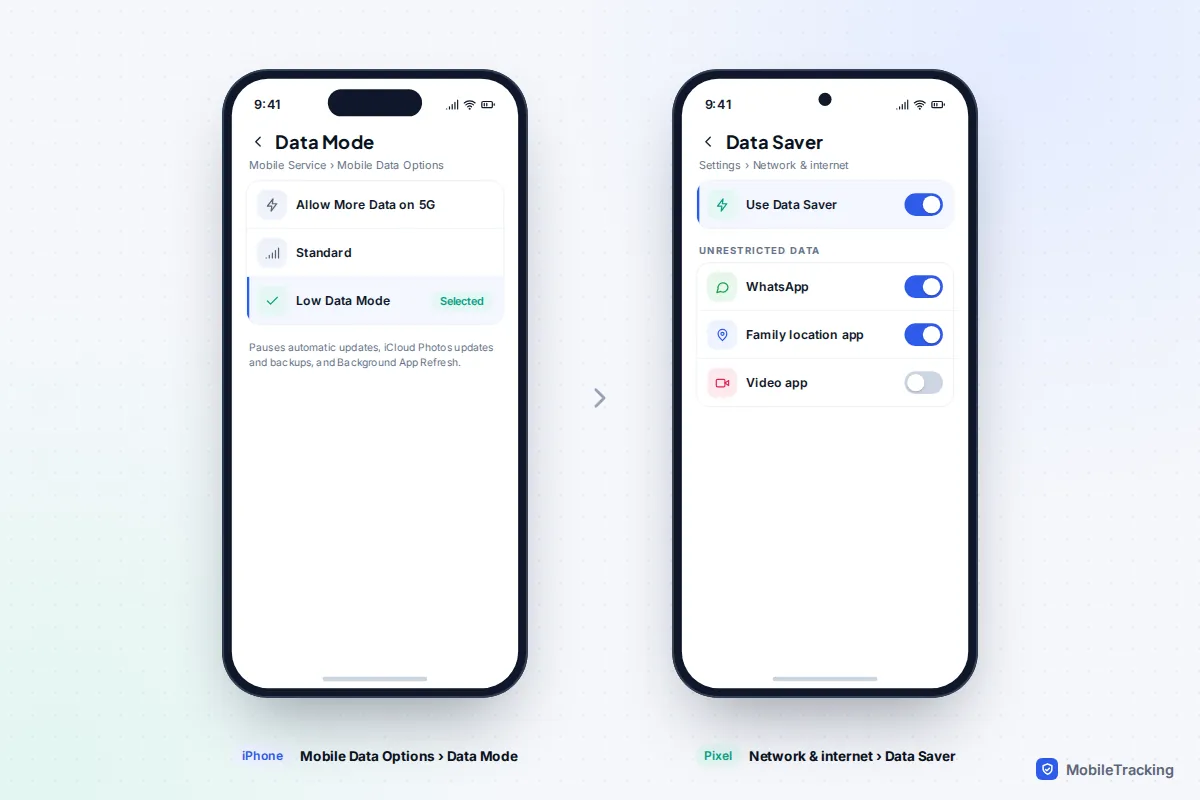
iPhone: Low Data Mode
- Go to Settings > Mobile Service > Mobile Data Options. With two SIMs, tap the line first.
- On a 5G iPhone, tap Data Mode and choose Low Data Mode. On older models it is a simple Low Data Mode switch.
According to Apple’s Low Data Mode guide, it pauses automatic app updates and downloads, iCloud Photos updates and automatic backups, turns off Background App Refresh, limits high-quality streaming in Apple’s own apps and lowers FaceTime’s video bitrate. If your iPhone is set to Allow More Data on 5G, that option lets apps use more data for higher-quality video and downloads, so switch to Standard or Low if you are on a limited plan.
Android: Data Saver
- Pixel: Settings > Network & internet > Data Saver, then turn on Use Data Saver. Samsung: Settings > Connections > Data usage > Data saver.
- Open Unrestricted data (Samsung: Allowed to use data while Data saver is on) and add the apps that must keep working in the background.
Data Saver blocks background data for most apps on mobile data, and apps you have open may load images only when you tap them. That second step matters: without it, messages can arrive late and a family location app may stop updating until someone opens it. Google’s Data Saver help page has the current steps for Pixel.
Stop the phone quietly swapping Wi-Fi for mobile data
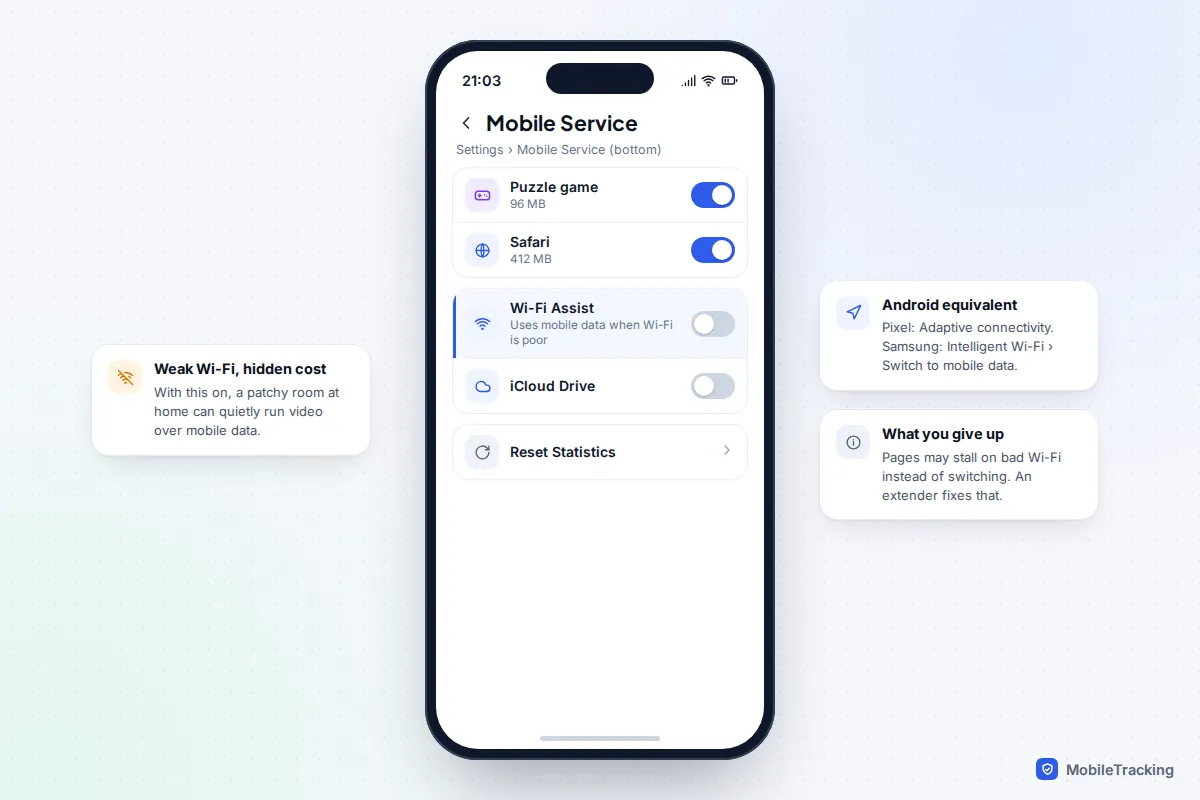
Every modern phone will fall back to mobile data when Wi-Fi is weak, and it does so without asking. If your house has a patchy spot, a child’s bedroom or the garden, hours of video can be going over the mobile network while the Wi-Fi icon still shows.
- iPhone: Settings > Mobile Service, scroll past the app list and turn off Wi-Fi Assist. Apple says it works only for apps on screen, not background downloads, and never while roaming.
- Pixel: Settings > Network & internet > Adaptive connectivity. Recent Android 16 updates split this into two switches; turn off Auto-switch to mobile network and keep the battery option if you like.
- Samsung: Settings > Connections > Wi-Fi, tap the three dots, then Intelligent Wi-Fi and turn off Switch to mobile data. Newer One UI versions may add AI-based switching options here too.
The trade-off is that a web page may stall on bad Wi-Fi instead of loading. A Wi-Fi extender fixes the real problem.
Turn down video and music quality, app by app
System settings only go so far; streaming apps choose their own quality. Change these once and they stick.
| App | Where to find it | Choose |
|---|---|---|
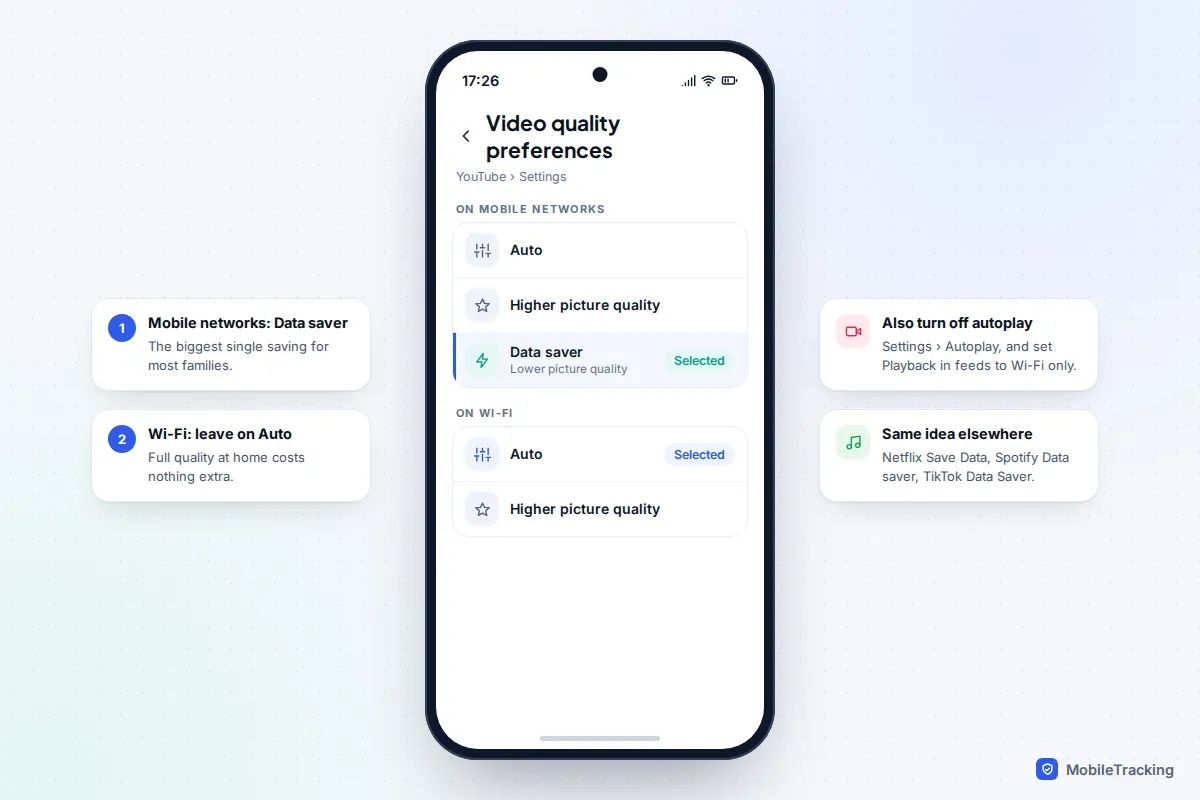
| YouTube | Profile picture > Settings > Video quality preferences | Data saver on mobile networks |
| Netflix | My Netflix > App Settings > Mobile Data Usage (Cellular in the US) | Save Data or Wi-Fi Only |
| Spotify | Profile > Settings and privacy > Data-saving and offline | Data saver on; downloads over mobile data off |
| TikTok | Profile > menu > Settings and privacy > Cache & cellular | Data Saver on |
| Settings and privacy > Data usage and media quality | Use less mobile data (iPhone) or Data Saver (Android) |
Netflix publishes its figures in its data usage help article. Autoplay is the other hidden cost. In YouTube, turn off Autoplay in Settings and set Playback in feeds to Wi-Fi only, so videos don’t start playing as you scroll. In the App Store, Settings > Apps > App Store > Video Autoplay can be set to Wi-Fi Only.
Stop silent uploads, backups and downloads
These are the jobs that happen while the phone sits in your pocket. Each is small on a normal day and huge the day after a holiday.
- iCloud Photos: Settings > Apps > Photos, turn off Mobile Data. Photos then sync on Wi-Fi only. If you leave it on, make sure Unlimited Updates is off.
- iCloud Backup: on 5G iPhones, tap your name in Settings, then iCloud > iCloud Backup and turn off Back Up Over Mobile Data.
- App Store: Settings > Apps > App Store; under Mobile Data, turn off Automatic Downloads and set App Downloads to Ask If Over 200 MB.
- Google Photos: profile picture > Photos settings > Backup > Mobile data usage. Set a small daily limit or no data, and turn off Back up videos over data and Back up while roaming.
- Play Store: profile picture > Settings > Network preferences, set Auto-update apps to Wi-Fi only.
Worried this leaves your photos unprotected? It doesn’t, as long as the phone reaches Wi-Fi most days. Our guide to backing up your photos to the cloud covers how to check a backup actually finished.
WhatsApp and other chat apps
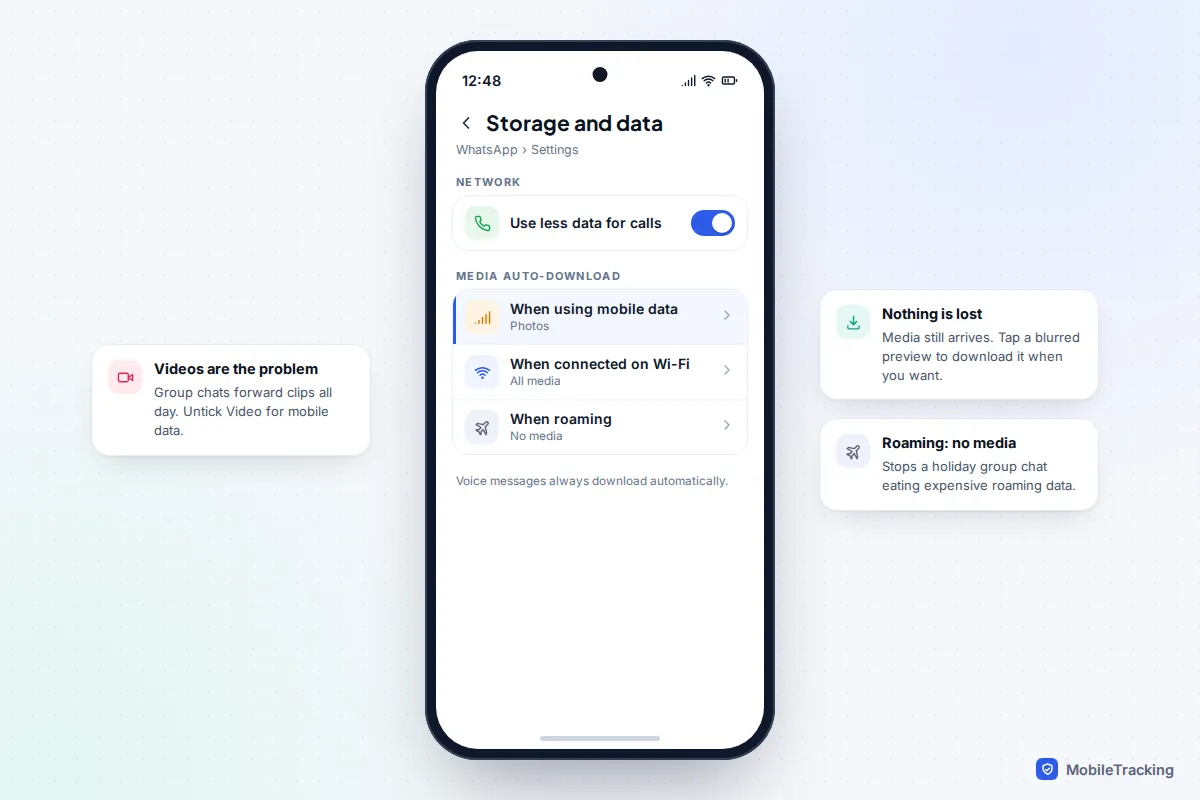
Busy family and school groups are a classic drain because every forwarded video downloads itself. In WhatsApp, open Settings > Storage and data > Media auto-download and set When using mobile data to photos only, or nothing. Media still arrives; you just tap to download the clips you want. In the same menu, Use less data for calls lowers call quality slightly to save data.
Travel, hotspots and roaming
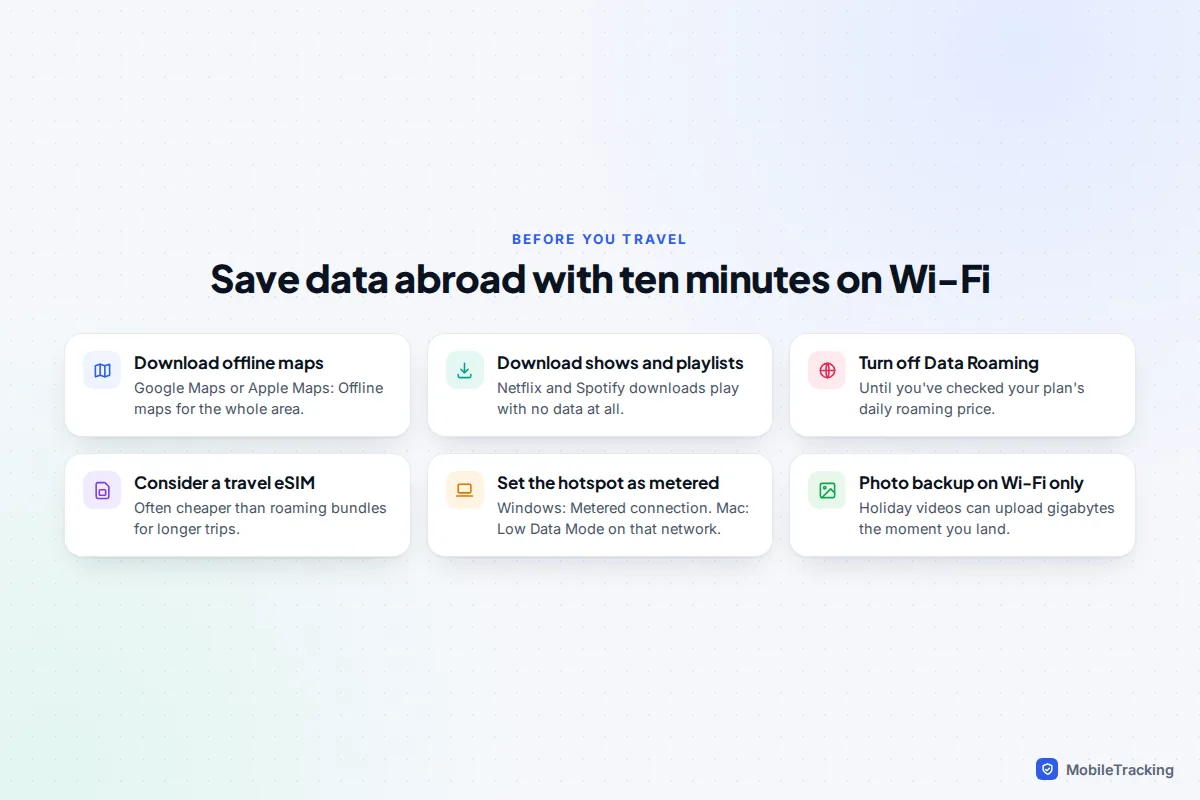
Download maps before you go. In Google Maps, tap your profile picture, then Offline maps > Select your own map. Apple Maps on iOS 17 and later has the same thing under your profile: Offline Maps > Download New Map. Download playlists and episodes on Wi-Fi too; Spotify and Netflix both keep downloads for offline use.
Treat your hotspot as metered. A laptop connected to your phone behaves as if it’s on home broadband: it installs updates and syncs cloud folders. On Windows, open the hotspot network’s properties in Settings > Network & internet > Wi-Fi and turn on Metered connection. On a Mac, open System Settings > Wi-Fi, click Details next to the hotspot and turn on Low Data Mode.
Check roaming before you board. Many UK plans now charge a daily fee for using your allowance in Europe, and outside the EU costs can be far higher. Turn off Data Roaming (iPhone: Mobile Service > Mobile Data Options; Pixel: Network & internet > SIMs > Roaming; Samsung: Connections > Mobile networks > Data roaming) unless you’ve checked the price. A local or travel eSIM is often cheaper; see how to use an eSIM.
Setting data limits on a child’s phone
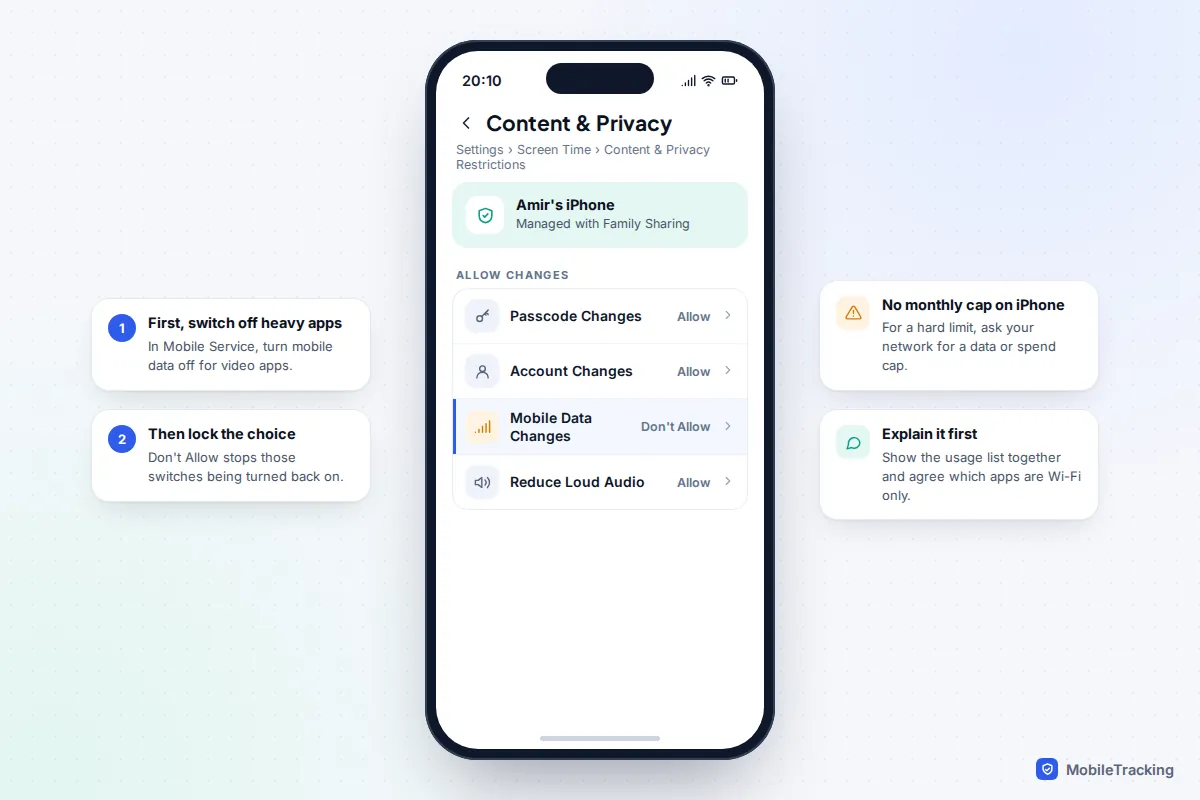
Children rarely overspend on purpose; they just don’t feel data the way they feel battery. A short scenario: Amir, 12, gets through his 10 GB in eight days. The list shows YouTube at 7 GB, most of it at the bus stop and in a bedroom where Wi-Fi drops out. Setting YouTube to Data saver on mobile networks and turning off Wi-Fi Assist gets him through the month.
Your options, from the phone outwards:
- iPhone: there is no built-in monthly cap. Instead, switch off mobile data for the heaviest apps in Settings > Mobile Service on the child’s phone, then lock that choice in Screen Time > Content & Privacy Restrictions > Mobile Data Changes > Don’t Allow (from your own iPhone, tap your child’s name in Screen Time first). Our iPhone parental controls guide covers Screen Time in full.
- Android: Pixel and Samsung both have Set data limit, which turns mobile data off at a figure you choose. On Pixel it lives in Data warning and limit; on Samsung it’s Limit mobile data usage in the billing cycle settings. A determined child can switch it off, so treat it as a reminder, not a lock.
- Your network: this is the only limit a child can’t change. In the US, Verizon’s family controls can set data limits on a child’s line with alerts, and T-Mobile’s FamilyMode can pause internet access. In the UK, most networks offer a spend cap, and some, including Vodafone and Three, offer a data cap. Ask for a cap on the child’s line so they can’t buy add-ons either.
Still using too much? Troubleshooting by symptom
| Symptom | Likely cause | Fix |
|---|---|---|
| Data gone but the app list looks normal | Personal Hotspot or System Services | Check those two rows; set the laptop to metered |
| Heavy use at home | Wi-Fi Assist or Adaptive connectivity | Turn off auto-switching; fix the weak Wi-Fi spot |
| Big spike after a trip or party | Photo and video backup over mobile data | Restrict backups to Wi-Fi |
| Numbers don’t match your bill | iPhone statistics never reset | Reset on your renewal date; trust the network’s app for the total |
| Messages arrive late after Data Saver | App not on the unrestricted list | Add chat and safety apps as exceptions |
If background activity is the pattern, our guide to stopping Background App Refresh helps with both data and battery.
Frequently asked questions
Does Low Data Mode slow down my internet?
Not for what you’re actively doing. Pages load at normal speed; the difference is that background jobs pause and some apps pick lower video quality. If a video call looks soft, that’s why.
Does Wi-Fi calling use my mobile data?
No. Wi-Fi calling carries the call over Wi-Fi, and ordinary voice calls use your minutes, not data. Calls in WhatsApp, FaceTime or similar apps do use data when you’re not on Wi-Fi.
Why is my phone’s figure different from my network’s?
The phone counts from its own start date, which on an iPhone is the last time statistics were reset, and networks may round up each session. Your network’s app or account page is the figure you’re billed on.
Is it worth turning mobile data off completely?
Only if you rarely need it. You’ll miss chat messages and maps when away from Wi-Fi, and family location apps stop updating. Cutting the heavy apps usually saves more with less hassle.
Do offline downloads count against my data?
Only if you download them over mobile data. Saved over Wi-Fi, a downloaded film or playlist plays with no data at all.
This guide is general information, not legal or financial advice. Read our editorial policy.