
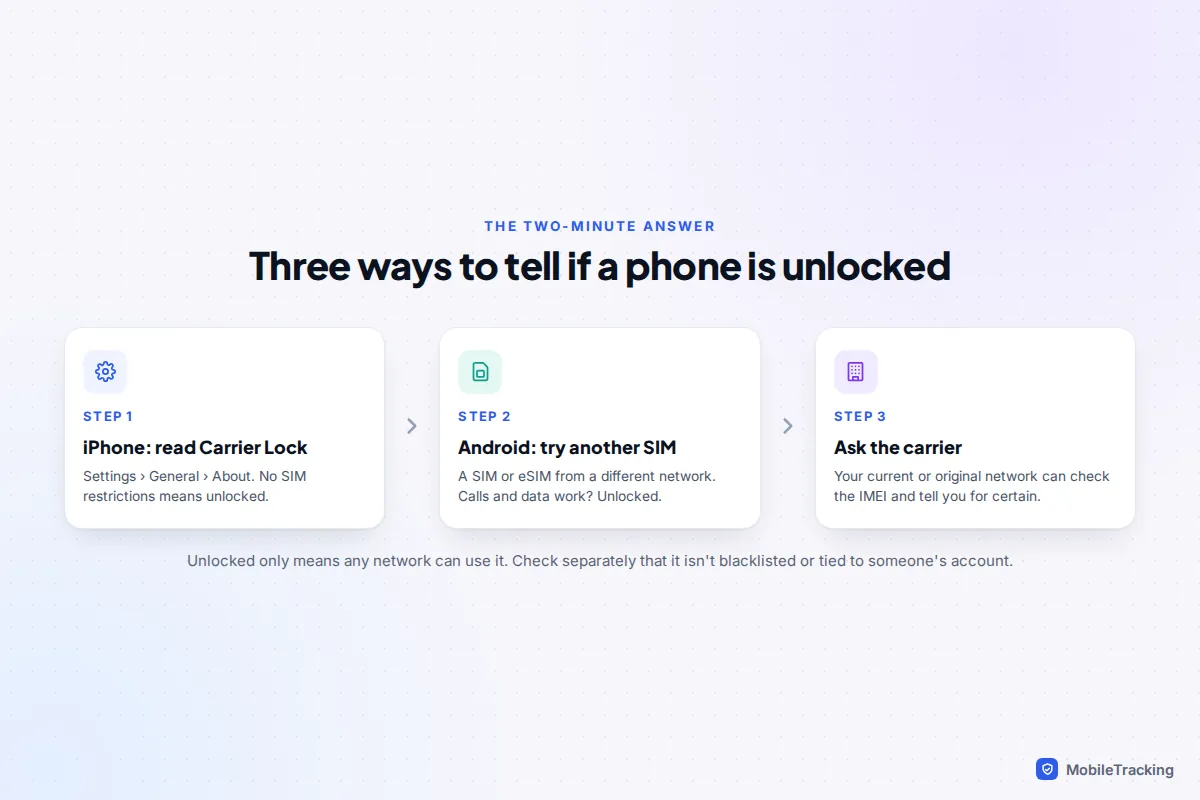
On an iPhone, go to Settings › General › About and scroll down to Carrier Lock. If it says No SIM restrictions, the phone is unlocked and will work with any compatible network. Anything else, such as “SIM locked”, means it is still tied to one carrier. Android has no equivalent screen that every phone shares, so the dependable test is to put in a SIM or eSIM from a different network and make a call. If it connects, the phone is unlocked. If you get a “SIM not supported” message or a request for a SIM network unlock PIN, it is locked.
If you can’t borrow another SIM, ask the carrier the phone came from. They can look up the IMEI and tell you its status for certain. The rest of this guide covers each method in detail, the current unlocking rules in the US and UK, eSIM quirks, and what else to check when you are buying second-hand.
What “carrier-unlocked” means, and what it doesn’t
A carrier lock is a software restriction that stops a phone from working with any SIM except those from the network that sold it. Carriers use it to protect phones sold on instalments or at a discount. Once the conditions are met, usually once the phone is paid off, the carrier removes the lock remotely and permanently.
An unlocked phone can take any network’s SIM or eSIM, which matters if you want to switch to a cheaper plan, use a local SIM abroad or sell the phone. It does not mean the phone is free of every restriction. A phone can be unlocked and still be blacklisted as stolen, or still be tied to the previous owner’s Apple or Google account. Those are separate checks, covered below.
It also doesn’t guarantee the phone supports every network’s frequencies. That is rarely a problem with recent phones in the US and UK, but a phone bought in another region can miss some 5G or 4G bands. Most carriers have an online compatibility checker that takes the IMEI and tells you.
How to check on an iPhone
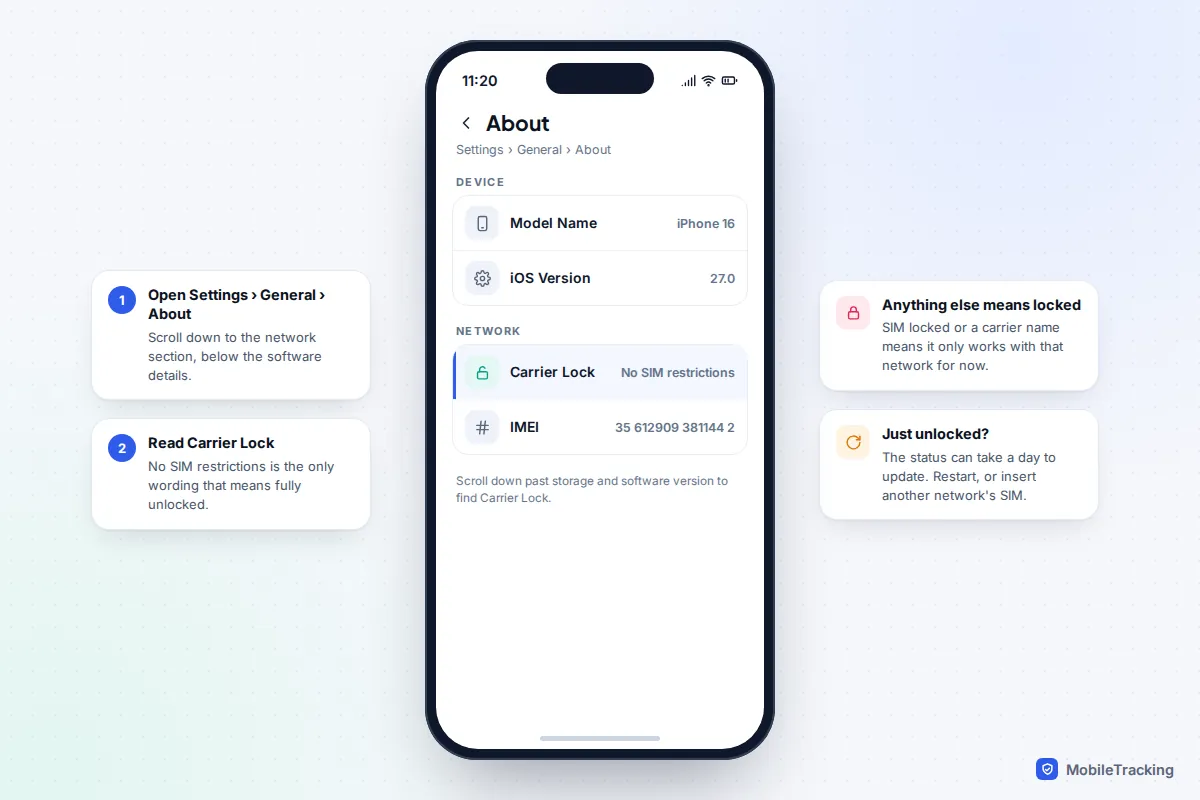
Apple builds the answer into Settings, and it works the same way on iOS 26 and iOS 27.
- Open Settings and tap General.
- Tap About.
- Scroll down past the storage and software details to Carrier Lock.
- Read the value. No SIM restrictions means unlocked. “SIM locked” or similar wording means the phone only works with the network it is locked to.
If a carrier has just unlocked your iPhone and the status hasn’t changed, restart it and give it up to a day. Apple’s own advice on unlocking an iPhone for a different carrier is to insert the new SIM, or, if you don’t have one, to erase and set up the iPhone again, which forces it to check its lock status with Apple’s activation servers.
How to check on an Android phone
The SIM test (works on every Android phone)
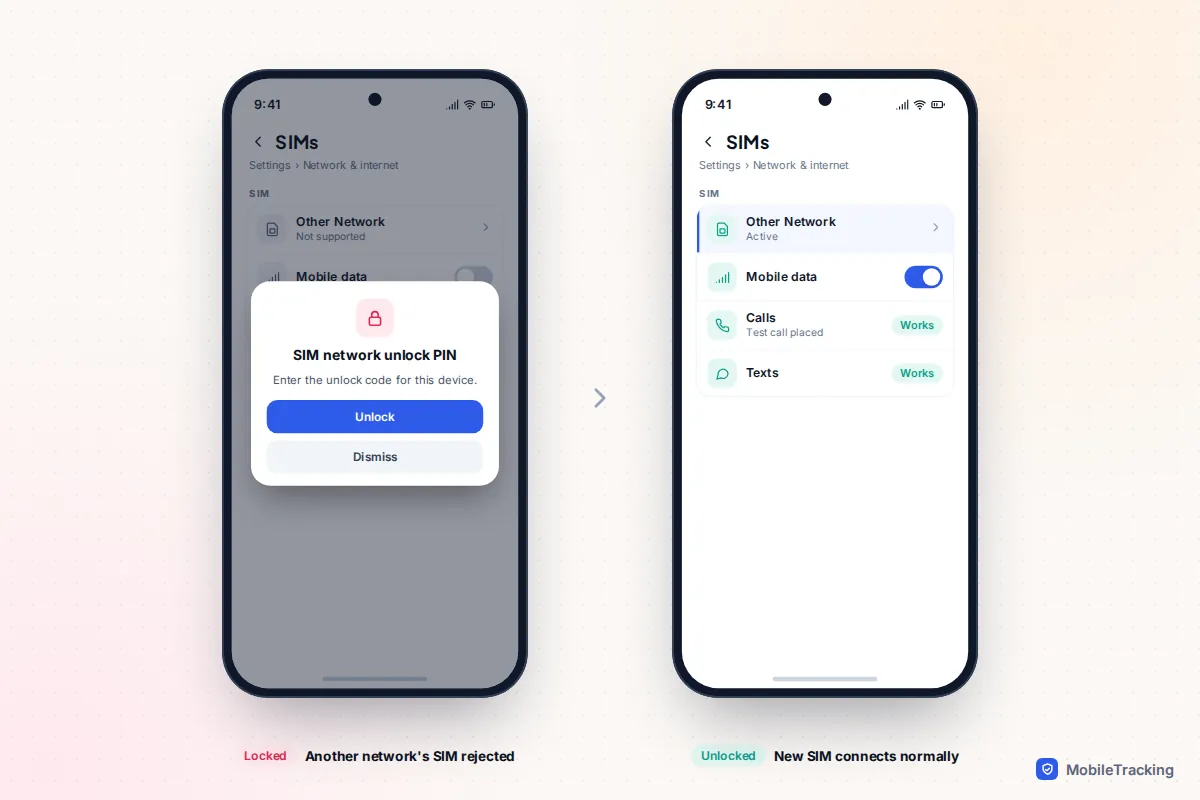
- Borrow a SIM from a friend on a different network. It must be a different carrier, not just a different SIM from the same one.
- Turn the phone off, swap the SIM and turn it back on.
- Wait a minute for it to register, then make a short call and load a web page with Wi-Fi off.
If both work, the phone is unlocked. A locked phone usually shows a message such as “SIM not supported” or “Invalid SIM”, or asks for a SIM network unlock PIN. Don’t type random codes into that PIN box: some phones allow only a limited number of attempts. If the phone shows “No SIM” instead, that is more likely a seating or tray problem, and our guide to fixing No SIM errors can help you rule it out.
Settings and apps on some carrier phones
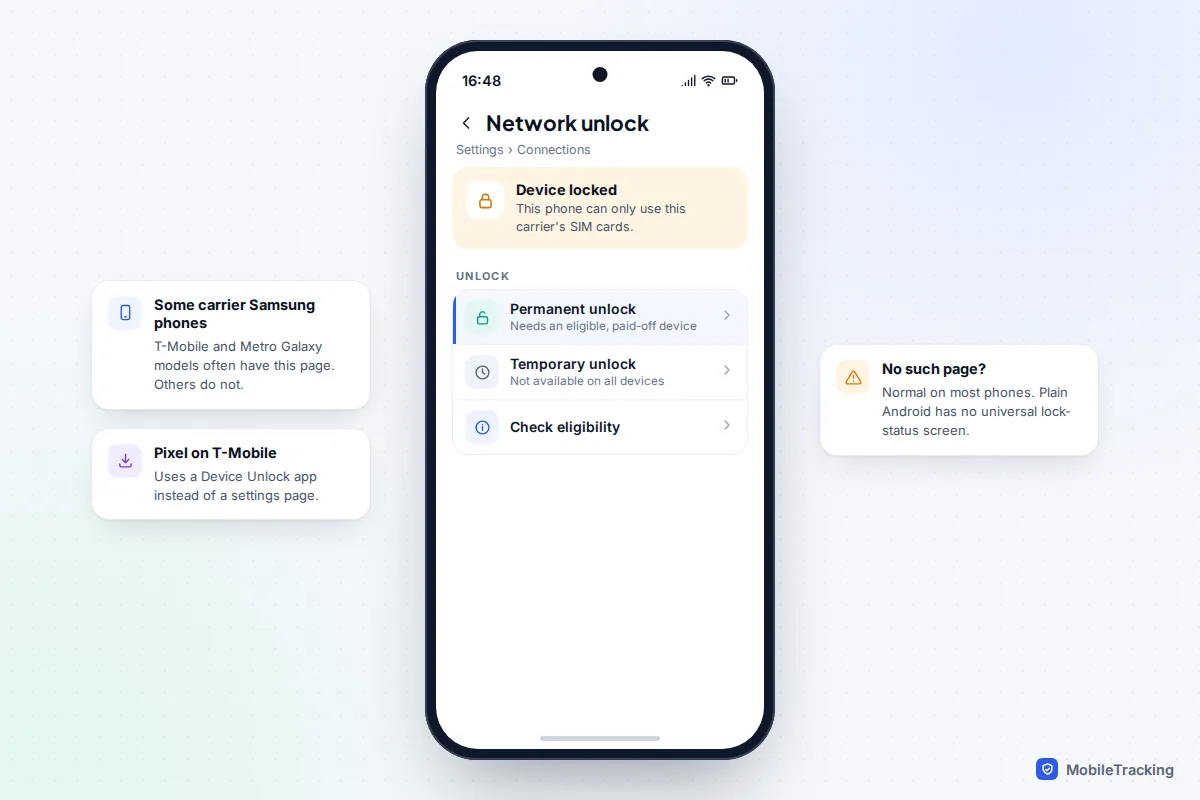
Some phones sold by US carriers include their own unlock screen. T-Mobile’s instructions point Samsung owners to Settings › Connections › Network unlock, and Pixel owners on T-Mobile to its Device Unlock app. Where these exist, they show whether the phone is locked and let you request a permanent unlock once you are eligible. Most Android phones, including unlocked Pixels and Galaxy phones bought outright, have no such page, and that is not a sign of a problem.
You may also see advice to switch off Automatically select network (on a Pixel, Settings › Network & internet › SIMs, then your SIM) and see which networks appear. Treat this as a hint only. Many locked phones still list every network nearby, so it can’t give you a firm yes or no.
Asking the carrier with the IMEI
Your carrier, or the carrier the phone was originally sold by, can tell you its lock status from the IMEI. Dial *#06# to see it on screen; our guide to finding your phone’s IMEI covers the other places it appears. Carriers’ “bring your own phone” checkers will also say whether a phone can be activated on their network. Be wary of paid third-party “unlock status” websites: their data is often incomplete, and some mainly exist to sell unlocking services.
Carrier unlocking rules in the US and UK
United States
Unlocking a phone is legal in the US, but each carrier sets its own conditions, and they changed in 2026. In January 2026 the FCC waived the rule that had required Verizon to unlock phones 60 days after activation. Verizon’s current policy unlocks postpaid phones automatically once they are paid off in full, with a 35-day delay if a gift card was used, and prepaid phones after 365 days of paid service.
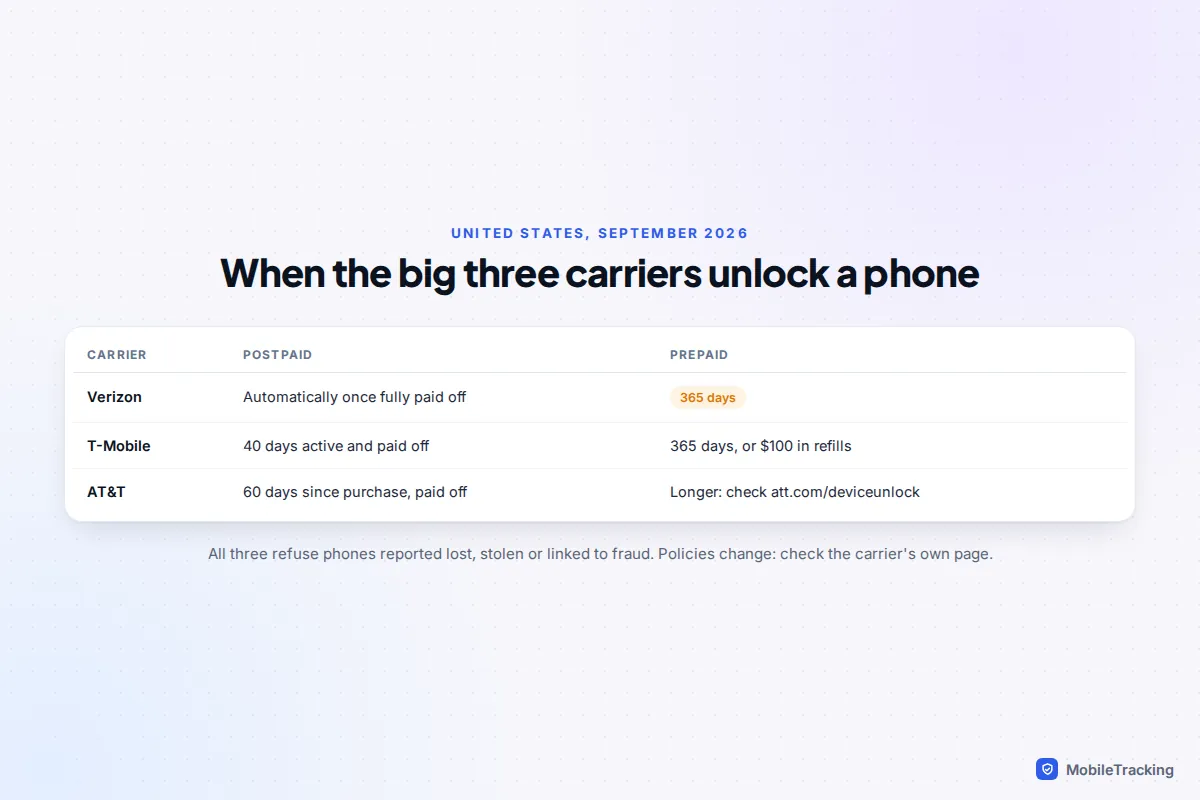
T-Mobile unlocks postpaid phones that have been active on its network for at least 40 days and are paid off, usually within two business days of a request. Prepaid phones qualify after 365 days, or sooner once $100 has been spent on refills. AT&T requires postpaid phones to be paid off and purchased more than 60 days ago, and sets a longer wait for prepaid. All three refuse phones reported lost or stolen or linked to fraud. Carriers generally also unlock eligible phones for former customers, so being on a different network now is not a barrier.
United Kingdom
Since 17 December 2021, Ofcom has banned UK mobile companies from selling locked handsets. Any phone bought new from a UK network since then should be unlocked already. Older phones, and some bought from third-party retailers before the ban, can still be locked. Contact the original network with the IMEI and ask them to unlock it. Before the ban this typically cost around £10; ask whether any charge still applies.
eSIMs and carrier locks
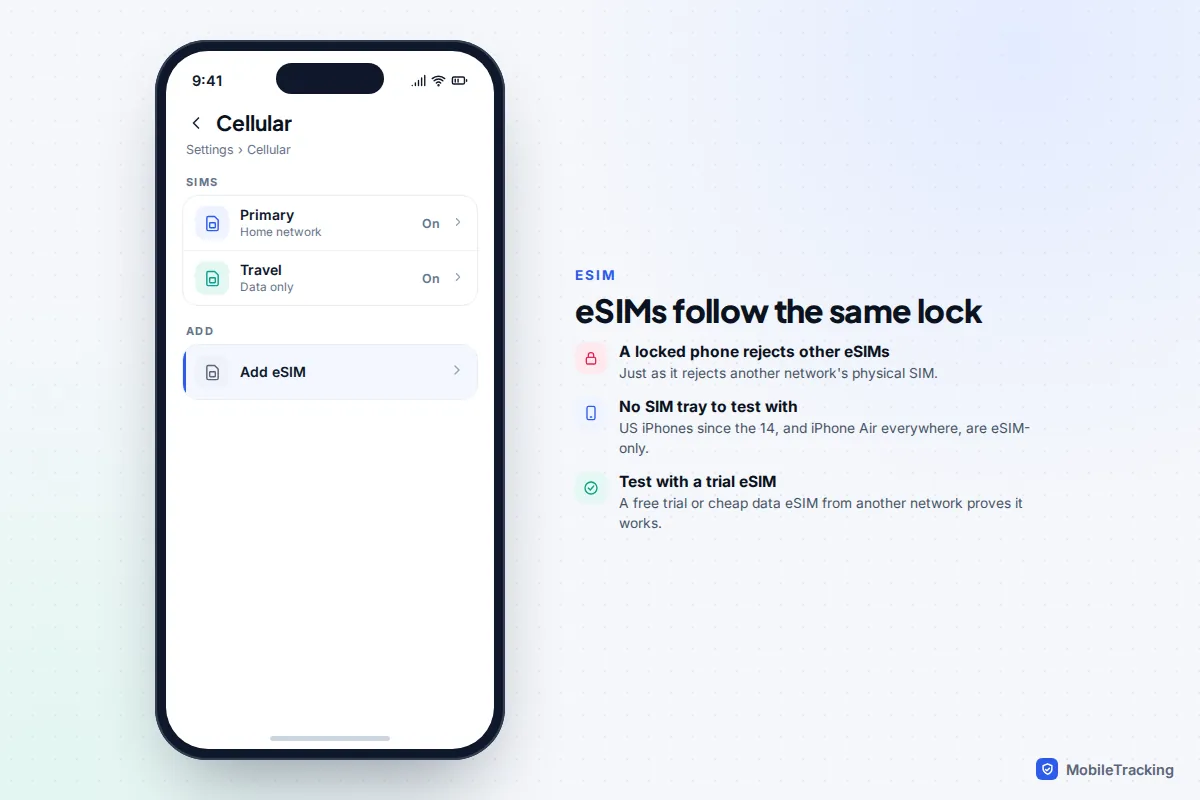
A carrier lock applies to eSIMs exactly as it does to physical SIMs. A locked phone will refuse to activate an eSIM from another network, and on an iPhone you will usually see a “SIM not supported” message partway through setup.
That makes testing harder on phones without a SIM tray. iPhones sold in the US have been eSIM-only since the iPhone 14, the iPhone 17 range is eSIM-only in the US, Canada, Japan and several other countries, and the iPhone Air is eSIM-only everywhere. On those phones, check the Carrier Lock row in Settings, then prove it with a cheap data-only eSIM or a free trial eSIM from another network. If it activates and loads a web page, the phone is unlocked. Our guide to using an eSIM walks through adding one.
Buying a used phone: lock, blacklist and account lock
This is where most people get caught out. “Unlocked” in a listing usually refers to the carrier lock only. Two other problems can make a second-hand phone useless, and neither shows up in the Carrier Lock row.
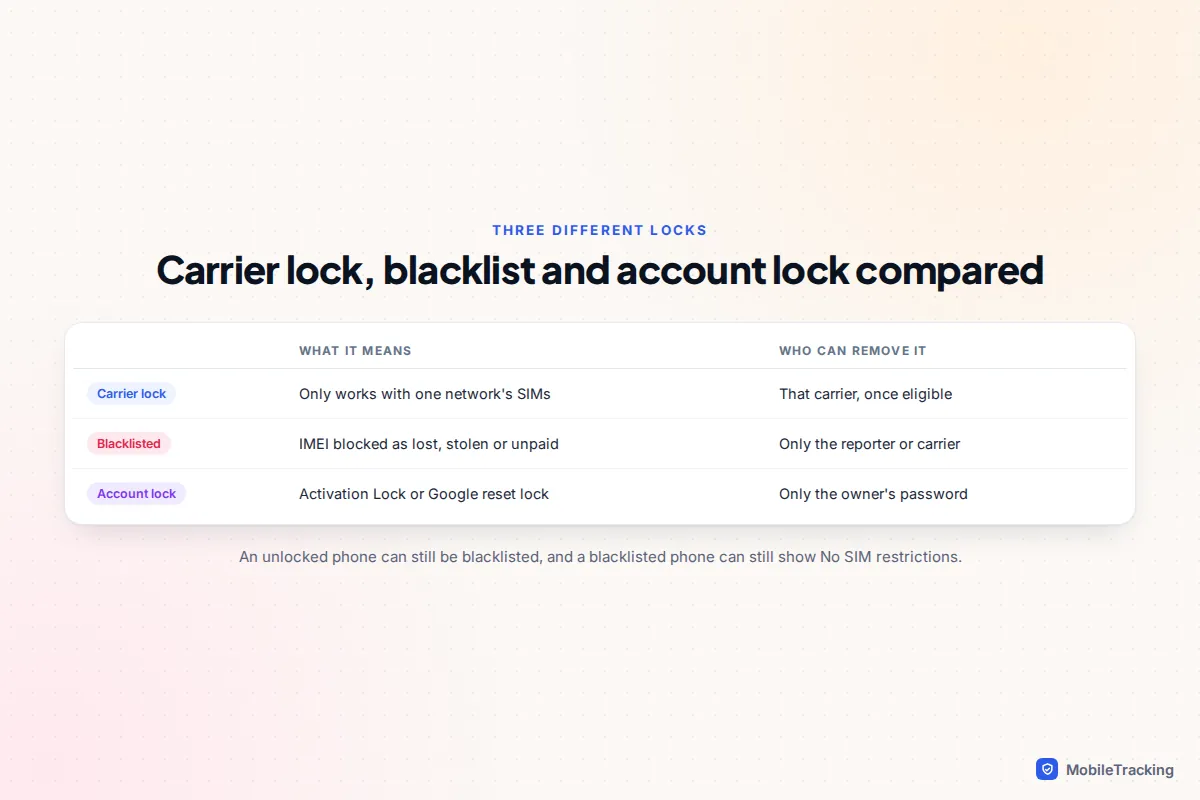
- Blacklisted IMEI. If the phone was reported lost or stolen, or bought on finance that went unpaid, networks can block its IMEI. It may say No SIM restrictions and still refuse to connect. Check the IMEI with an official stolen-phone checker.
- Account lock. iPhones have Activation Lock and Android phones have Google’s factory reset protection. If the seller hasn’t signed out, the phone gets stuck at setup after a reset.
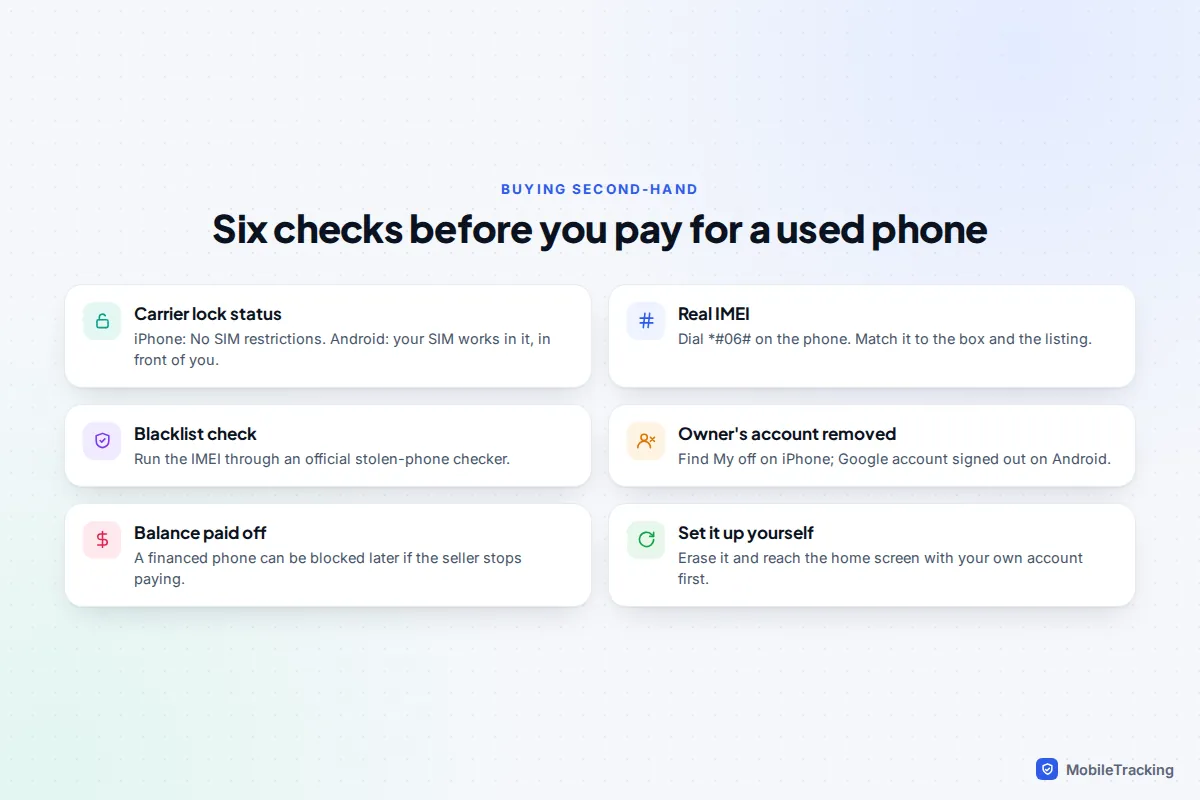
- Outstanding finance. In the US in particular, a phone still being paid for can be blacklisted later if the seller stops paying, even if it works on the day you buy it.
Our guide to checking whether a used phone is stolen before buying covers the blacklist and account checks step by step.
A quick scenario
Tom buys an iPhone 15 advertised as “unlocked”. At the handover he checks Settings, which says No SIM restrictions, and his SIM works. Three weeks later it stops connecting. The seller had bought it on an instalment plan and stopped paying, so the carrier blocked the IMEI. The lock status was genuine; the finance check was the one he skipped. Asking for proof the phone was paid off, and running the IMEI through a blacklist check, would have caught it.
How to request an unlock, and what to do if it fails
- Check you meet the carrier’s conditions: phone paid off, minimum active time reached, account in good standing, and phone not reported lost or stolen.
- Request the unlock through the carrier’s website, app or customer service. Have the IMEI and account details ready. Former customers can usually use the online form without an account.
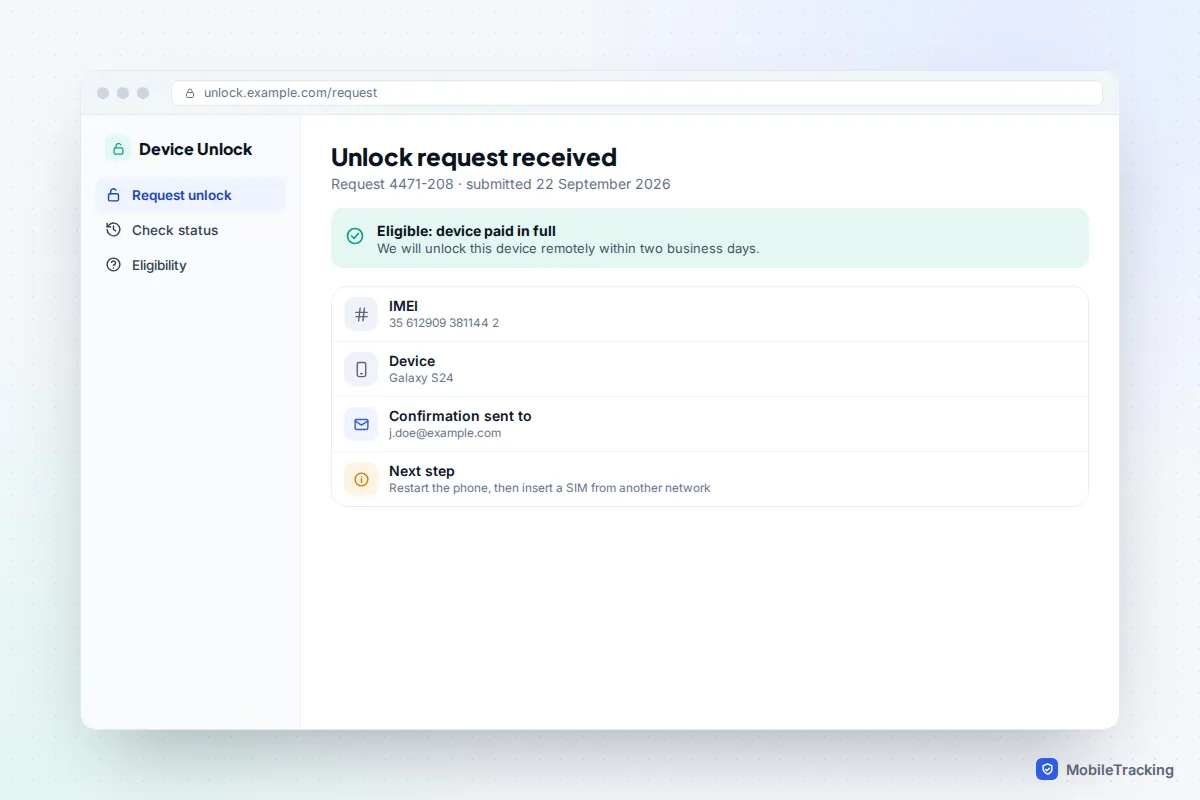
- Wait for confirmation. Remote unlocks usually take from a few hours to two business days.
- Restart the phone and insert a SIM or eSIM from another network to complete the unlock. On an iPhone, the Carrier Lock row should now read No SIM restrictions.
If a request is refused, ask the carrier exactly which condition you don’t meet. The usual answers are an unpaid balance, too few days of service, or a phone flagged by a previous owner. If you have moved your number to a new network, our guide to unlocking a phone for another carrier covers the request process for each network in more depth.
Frequently asked questions
Does a factory reset unlock a phone?
No. The carrier lock is recorded against the IMEI on the carrier’s or Apple’s systems, not stored as a setting you can wipe. A reset won’t remove it; only the carrier can.
Is a phone bought directly from Apple, Google or Samsung unlocked?
Usually, if you bought it outright as a SIM-free model. In the US, a phone bought through a manufacturer but activated on a carrier’s instalment plan can be locked to that carrier, so check the Carrier Lock row or ask.
Can a carrier lock a phone again after unlocking it?
Verizon states that it never re-locks an unlocked phone, and in practice permanent unlocks are permanent at the big carriers. A blacklist is a different matter: a phone can still be blocked later if it is reported stolen or finance goes unpaid.
Will an unlocked phone work abroad?
Yes, with a local SIM or travel eSIM, as long as the phone supports that country’s frequency bands. Most recent flagship phones cover the main bands used in Europe and North America.
Why does my iPhone say No SIM restrictions but my new SIM still won’t work?
Check that the SIM is active and that the phone isn’t blacklisted. The new network may also not support that model or its bands; their compatibility checker will tell you. Restarting the phone and updating carrier settings, under Settings › General › About, fixes some cases.
This guide is general information, not legal or financial advice. Read our editorial policy.