
Once a Telegram message is deleted for everyone, it’s gone from Telegram’s servers, and nobody, including Telegram’s support team, can bring it back. There’s no recycle bin, no “recently deleted” folder and no restore request. The one real undo is immediate: when you delete or clear a whole chat, Telegram shows an Undo bar for about five seconds.
What often survives is a copy. If the message was deleted only for you, the other person still has it. An export you made earlier in Telegram Desktop, Android’s notification history, your Saved Messages, your photo gallery and a group’s admin log can all hold copies of messages that have gone from the chat. This guide goes through each route in the order most likely to work, and explains why the “recovery” apps that promise more can’t deliver it.

First, check the chat isn’t just hidden
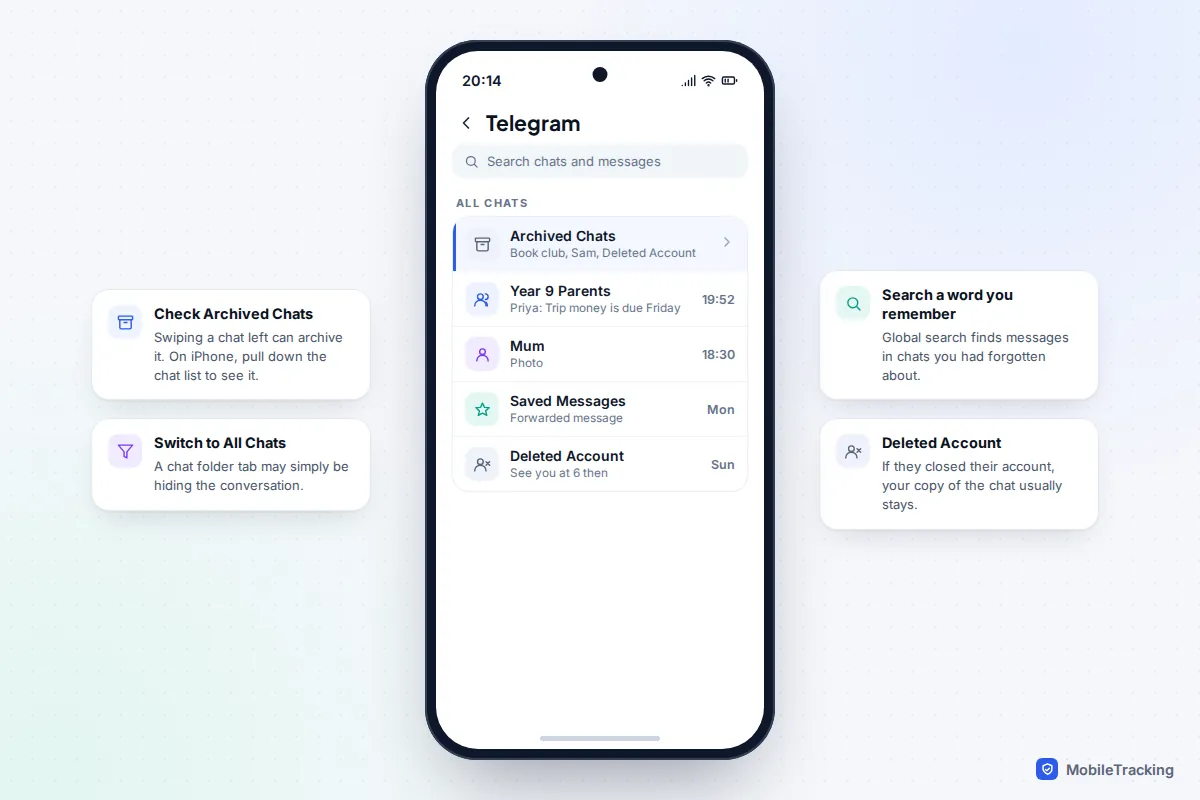
A good share of “deleted” Telegram chats are simply out of sight. Spend two minutes on these checks before assuming the worst.
- Archived Chats. Swiping a chat to the left archives it, and it’s easy to do by accident. On Android, Archived Chats appears as a row at the top of the chat list. On iPhone, pull the chat list down to reveal it.
- Chat folders. If you use folder tabs such as Personal or Unread, a chat can be excluded from the tab you’re looking at. Tap All Chats.
- Search. Tap the search bar on the main chat list and type a word or name you remember. Telegram searches the text of messages across every chat, not just chat names.
- The other person closed their account. Telegram’s FAQ says contacts keep their copies of messages when someone deletes their account. The chat stays in your list under Deleted Account, with the history intact.
- You left or were removed from a group. The messages still exist for everyone else. If the group is public, or you still have an invite link, rejoining usually brings the history back, unless admins have hidden past messages from new members.
- You logged out. Ordinary cloud chats come back as soon as you log in again with the same number. Secret chats don’t; more on those below.
Why Telegram can’t restore deleted messages
Normal Telegram chats live in Telegram’s cloud, which is why the same history appears on your phone, tablet and computer at once. That’s convenient, but it also means a deletion reaches every device together. There’s no second copy on the server for support staff to fetch. Telegram’s own FAQ notes that deleted messages “do not leave a mark in the chat”, so the other side may not even see that something was removed.
The five-second undo
When you delete a chat or clear its history, a bar appears at the bottom of the screen with a countdown and an Undo button. Telegram’s own announcement of the feature gives you five seconds. Tap it and the chat returns exactly as it was. After the countdown ends, it’s final. Deleting individual messages doesn’t reliably offer the same safety net, so don’t count on it there.
“Delete for me” or “for everyone”
This choice decides whether anything can be recovered at all. In a one-to-one chat, Telegram lets either person delete any message, sent or received, for both sides, with no time limit. On iPhone you choose between Delete just for me and Delete for me and [name]. On Android you see a tick box labelled Also delete for [name]. In groups, you can remove your own messages for everyone, and admins can remove anyone’s.

Secret chats and timers
Secret chats are end-to-end encrypted and stored only on the two devices involved, never in Telegram’s cloud. Deleting a message there orders the other phone to delete it too, and you can’t forward messages out of a secret chat. Self-destruct timers and auto-delete settings work the same way: once the timer fires, the message is removed everywhere. For these, a screenshot taken beforehand is the only copy that can exist.
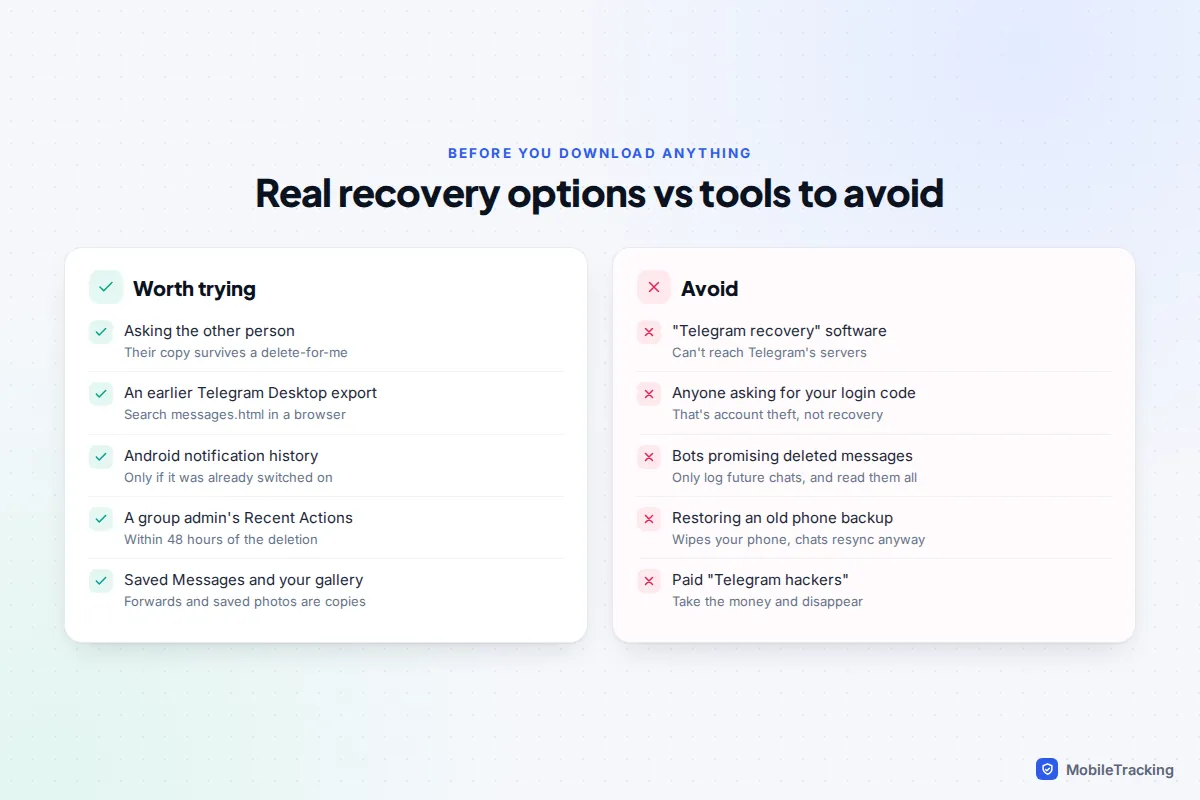
Ask the other person for their copy
If you deleted a chat “just for me”, the other person’s history is untouched. This is the most successful recovery route by a long way, and it costs nothing but a slightly awkward message.
- Tell them which messages you need, with a rough date. Searching inside the chat for a word you remember is usually the fastest way for them to find it.
- Ask them to select the messages (press and hold one, then tap the others) and tap Forward, choosing your chat. Forwarded messages keep the original sender’s name and date, which matters if you need them as a record.
- For a long conversation, ask them to export it from Telegram Desktop using Export chat history and send you the folder.
A real example: Alex cleared his chat with his grandmother to tidy up, not realising it held the Wi-Fi code she’d sent months earlier. Because he’d chosen “just for me”, she scrolled back to March, forwarded the message, and it was back in under a minute.

This route also works when the other person deleted their account, since your copy stays. It won’t work if either of you chose to delete for both sides, because then neither of you has it.
Look for an earlier Telegram Desktop export
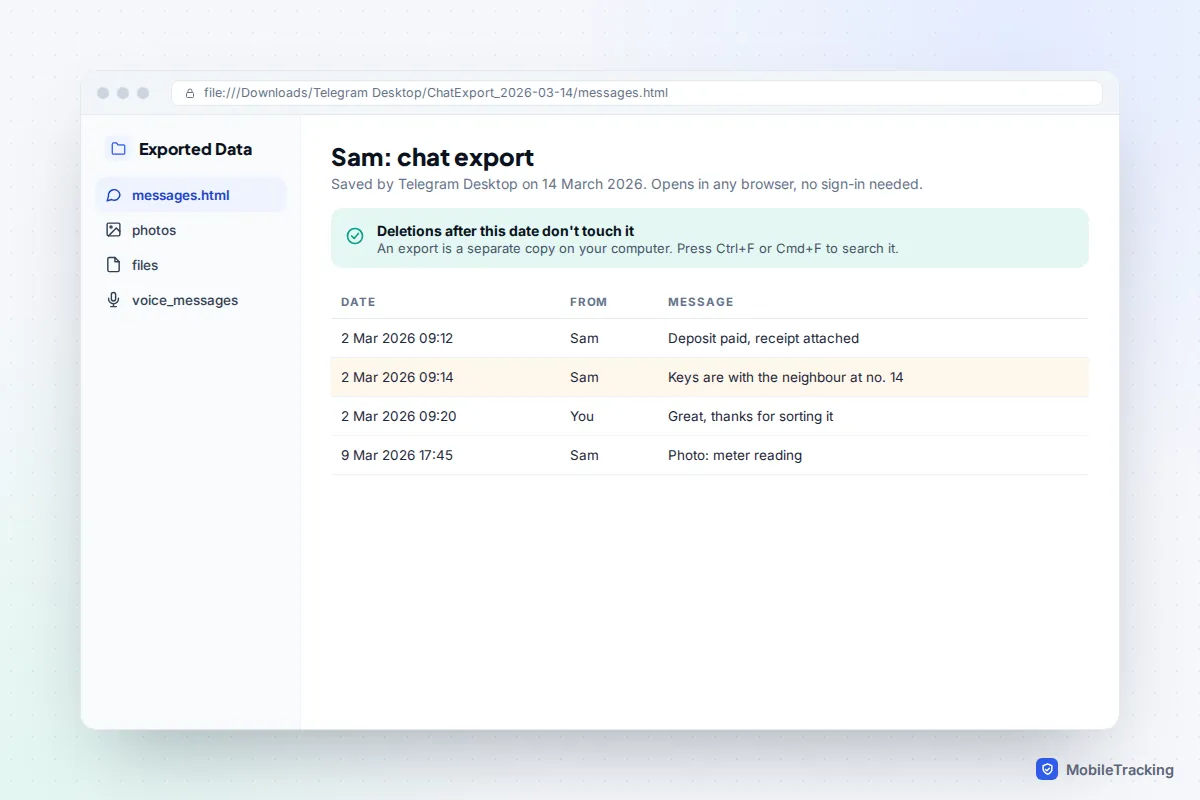
Telegram Desktop, the official computer app, can export your chats to ordinary files. If you or anyone in the conversation ever ran an export, it is a frozen copy on a computer, and nothing deleted in Telegram afterwards touches it.
- On the computer where Telegram Desktop is installed, open the Downloads folder and look inside Telegram Desktop. Full exports sit in folders named DataExport followed by a date; single chats are in ChatExport folders.
- If you chose the default HTML format, open messages.html in any web browser. Large chats are split into messages2.html, messages3.html and so on.
- Press Ctrl+F (Windows) or Cmd+F (Mac) to search for a name or word. Photos, voice messages and files sit in subfolders beside the HTML pages, if you included them in the export.
- If you chose JSON instead, open result.json in a text editor and search it the same way.
Can’t find a folder? Search the whole computer for messages.html, and check external drives or cloud storage folders where it might have been moved. The phone apps have no export tool, so if you’ve only ever used Telegram on a phone, there won’t be one.
Other places copies survive
Android notification history
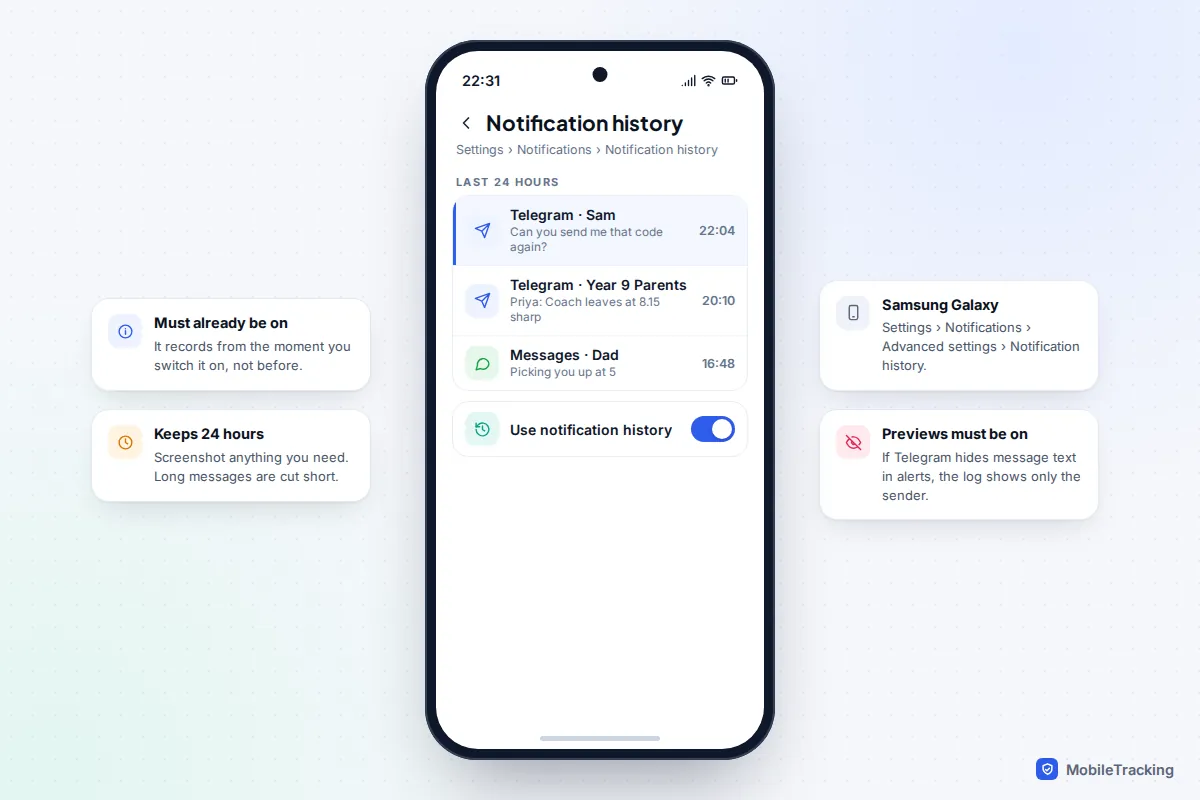
If notification history was already switched on, Android keeps a log of the last 24 hours of notifications, including the preview text of Telegram messages. On a Pixel, go to Settings › Notifications › Notification history. On a Samsung Galaxy, it’s Settings › Notifications › Advanced settings › Notification history. Look for Telegram entries and screenshot what you need, because long messages are cut short and entries age out after a day.
It can’t reach back before the day you turned it on, and it only shows text if Telegram’s message previews were enabled. Our guide to setting up notification history on Android covers the details.
iPhones have no equivalent. A notification you haven’t cleared may still be sitting in Notification Centre (swipe down from the top-left of the screen), but once cleared it’s gone. Our article on seeing cleared notifications on iPhone explains what little is possible.
Saved Messages and forwards
When you forward a message, the forward is a separate copy. If you forwarded something to Saved Messages, your personal cloud notepad (search for it by name if you can’t see it), it stays there even after the original sender deletes theirs. Search Saved Messages for a word you remember. The same applies to anything you forwarded to another chat or group.
Your photo gallery and downloads
Telegram can save incoming photos and videos to your phone’s gallery automatically. The setting is under Settings › Data and Storage (on Android it’s called Save to Gallery; older versions put it under Chat Settings). If it was on, pictures from the deleted chat may still be in your Photos or Gallery app. Files you downloaded on a computer usually sit in Downloads › Telegram Desktop. Media cached inside the Telegram app itself is much harder to reach, as current versions of Android block ordinary file managers from other apps’ storage.
Group and channel admins: check Recent Actions
This is the one place Telegram shows deleted messages on purpose. Groups keep an admin-only log of everything that happened in the last 48 hours, including the full content of deleted messages and the original versions of edited ones. Channels have a similar log for their admins.
- Open the group and tap its name at the top.
- Tap the pencil icon on Android, or Edit on iPhone. On Telegram Desktop, open the three-dot menu and choose Manage group.
- Tap Recent Actions. Use the filter to show only deleted messages if the log is busy.
- Screenshot anything you need straight away. After 48 hours the entry disappears, even for admins.

If you’re not an admin, message one quickly: say what was deleted and roughly when. If an admin doesn’t see Recent Actions at all, the group is probably a small “basic” group, which doesn’t keep this log. This is also the right tool when someone posts something harmful and deletes it before the rest of the group sees it, so admins of school and club groups should know it exists.
Recovery apps and bots to avoid
Search for this topic and you’ll find paid “Telegram recovery” programs, Android apps and bots all claiming to restore deleted chats. None of them can reach Telegram’s servers, where a deleted message no longer exists. At best, desktop software scans your phone’s local storage for leftover media files, which you can usually find yourself. At worst, the product is a way to take your money or your account.
- Anything asking for your login code. The code Telegram sends you is the key to your account. Anyone who asks for it, whether a “recovery service” or someone claiming to be Telegram, is trying to take the account over. Never share it.
- “Deleted message saver” bots. Some bots, connected through Telegram’s paid Business features, can log messages that are later deleted. They only work from the moment you connect them, never backwards, and they work by reading every private chat you have. That’s a lot of trust to hand a stranger.
- Restoring an old phone backup. Erasing your iPhone or Android phone to restore last month’s backup won’t help. Cloud chats resync from Telegram’s servers when you log in, deletions included, and you’ll have wiped your phone for nothing.
- Modified Telegram apps. Unofficial versions that claim to show deleted messages come from outside the app stores, break Telegram’s terms and can carry malware.
Stop it happening again
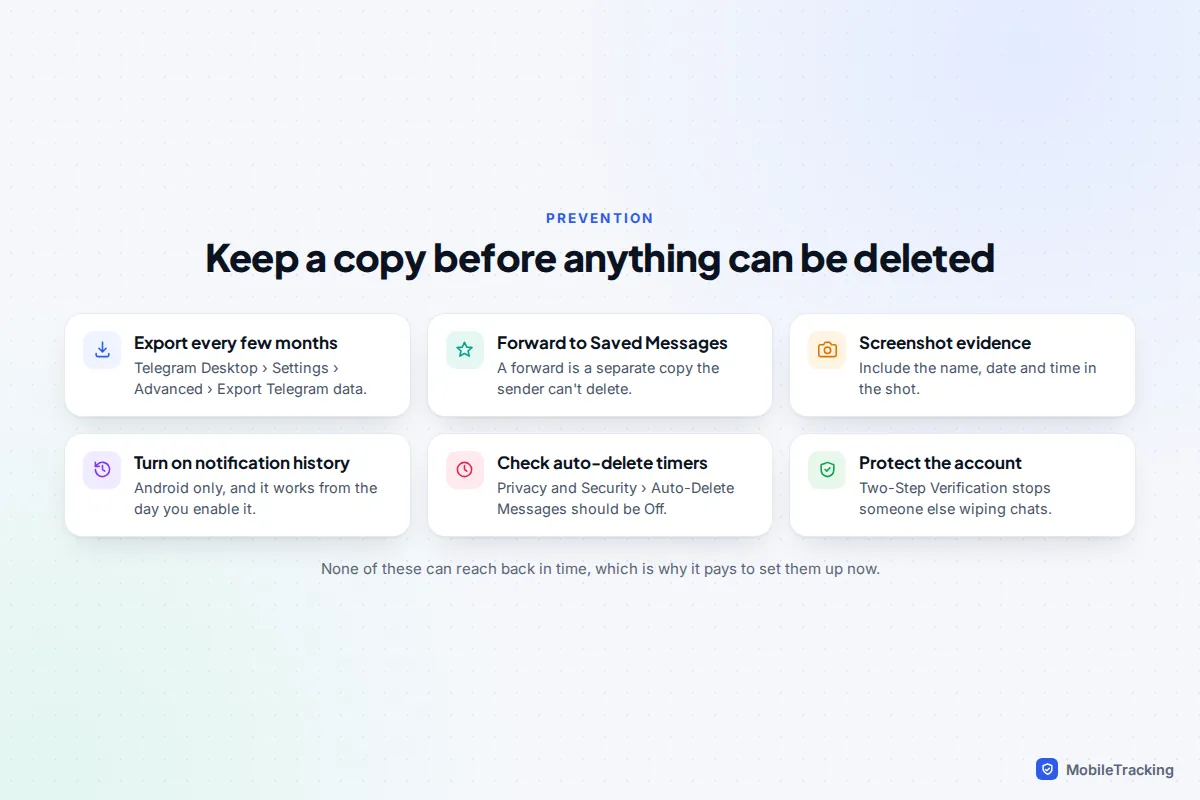
Nearly everything that saves a deleted message has to be in place before the deletion. A few minutes now protects the conversations you’d hate to lose, such as tenancy messages, school arrangements or chats with family who’ve since died.
- Export important chats every few months. In Telegram Desktop, go to Settings › Advanced › Export Telegram data for everything, or open one chat, click the three-dot menu and choose Export chat history. Our guide on backing up your Telegram chats explains which boxes to tick.
- Forward key messages to Saved Messages. Addresses, codes and confirmations then survive whatever the sender does.
- Screenshot anything that might be evidence the moment you see it, with the sender and time visible.
- Turn on notification history if you use Android.
- Check auto-delete. In Settings › Privacy and Security › Auto-Delete Messages, make sure it’s off unless you really want new chats to vanish. Individual chats can have their own timer too.
- Turn on Two-Step Verification under Settings › Privacy and Security, so nobody who gets hold of a login code can delete your chats for you.
Frequently asked questions
Can Telegram support recover my deleted messages?
No. Once a message is deleted for everyone, Telegram doesn’t keep it, so there’s nothing for support to restore. Be wary of anyone on Telegram who claims to be support and offers to help: it’s a common scam opener, and the real Telegram never asks for your login code.
Does the other person know if I delete a message for both of us?
Not from the chat itself. Telegram’s FAQ says deleted messages don’t leave a mark, so the message simply disappears. They may still have seen it in a notification or read it before you deleted it.
How long do I have to undo deleting a chat?
About five seconds. The Undo bar appears at the bottom of the screen with a countdown after you delete or clear a chat. Once it goes, the deletion is permanent.
Can I recover messages from a secret chat?
No. Secret chats exist only on the two devices involved, can’t be exported and can’t be forwarded. If you log out, reset the phone or the timer fires, those messages are gone for good.
Can group admins see messages I deleted?
For 48 hours, yes. Admins can read the content of deleted messages in the group’s Recent Actions log during that window. After that, the entry disappears for them too.
This guide is general information, not legal or financial advice. Read our editorial policy.