
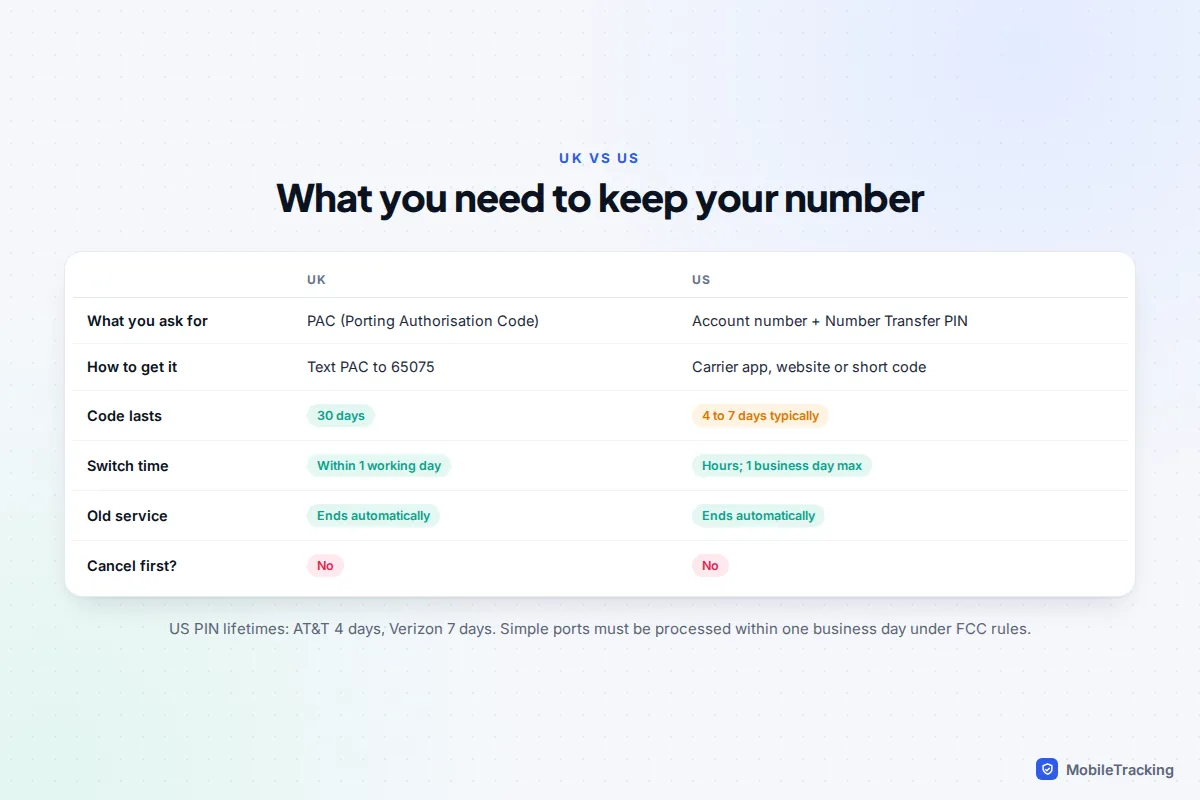
Porting your number is quicker than most people expect, and the one rule that matters everywhere is: don’t cancel your old service first. In the UK, text PAC to 65075 from the phone you’re leaving, give the code you get back to your new network, and the switch should happen within one working day. In the US, get your account number and a Number Transfer PIN from your current carrier, give both to the new one, and a mobile-to-mobile port usually completes within hours.
Your new network does the rest: it asks the old one to release the number, and your old plan ends automatically once the move completes. This guide covers the exact steps for both countries, moving onto an eSIM, what to do when a port stalls, and how to lock your number so a scammer can’t move it without you.
Before you start: five checks that prevent most problems
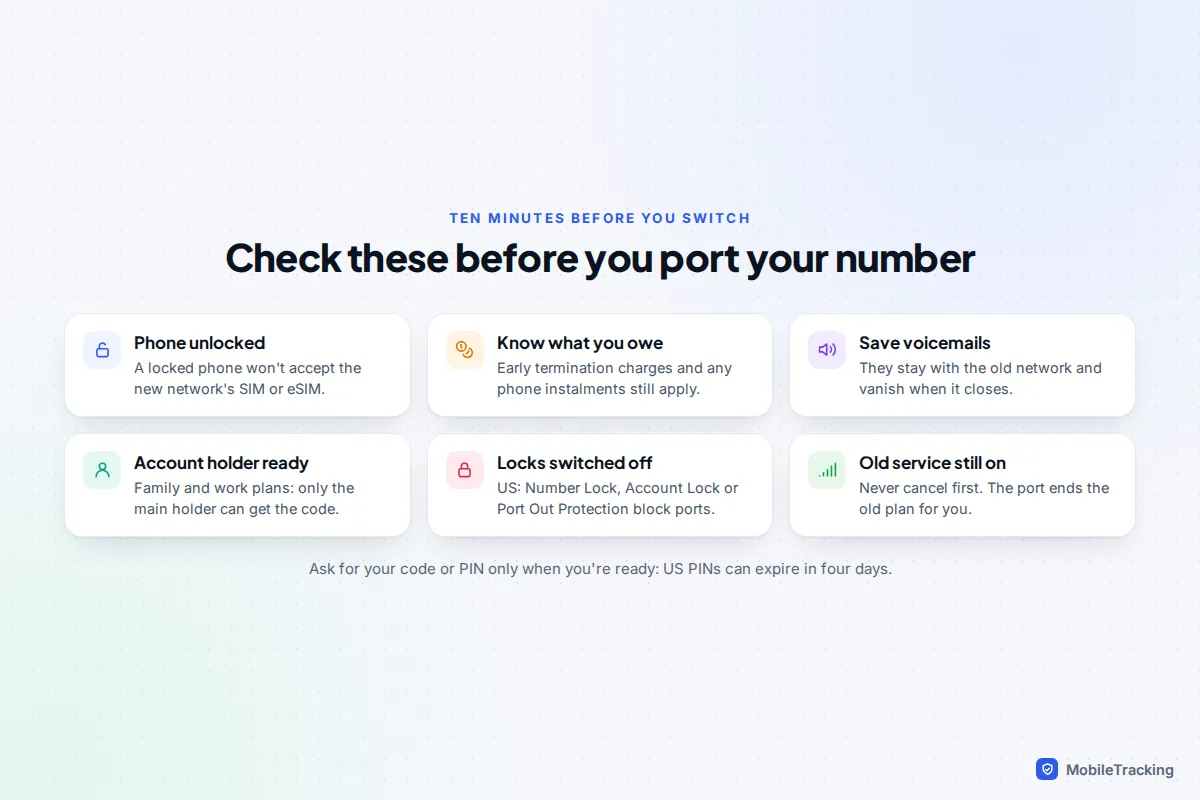
A failed port is usually caused by something you could have spotted beforehand. Spend ten minutes on these first.
- Is your phone unlocked? A phone locked to your current network won’t accept the new SIM or eSIM. Our guide to unlocking a phone for another carrier explains how to check and request it.
- What will leaving cost? Check for early termination charges and, in the US, any device instalments. Leaving usually makes the remaining phone balance due.
- Save your voicemails. They stay with the old network and are lost when the account closes. See how to save a voicemail forever.
- Are you the account holder? On a family or work plan, only the main account holder can usually get the code or PIN.
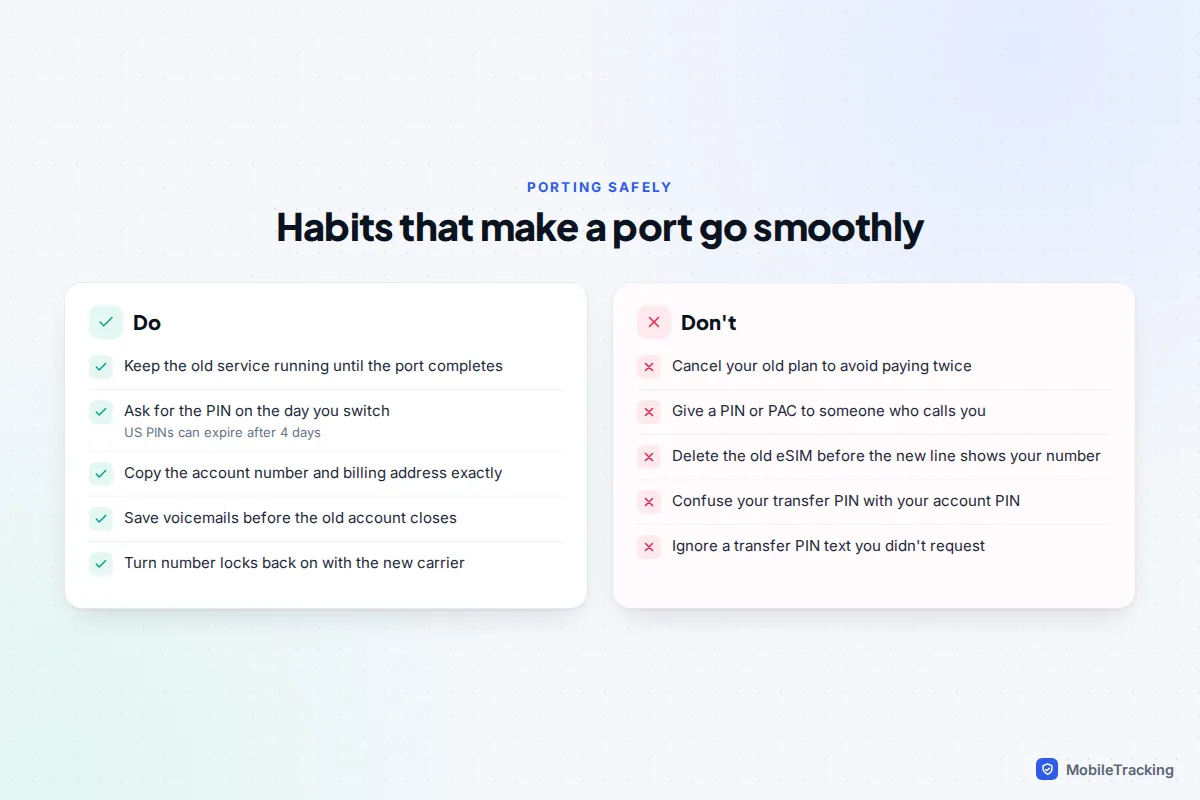
- Keep the old service running. Cancelling first can release or even lose the number, and the FCC’s porting guide says the same.
UK: Text-to-Switch step by step
Since 2019, you don’t need to call your old network and sit through a retention offer. Ofcom’s Text-to-Switch rules mean one free text gets you what you need.
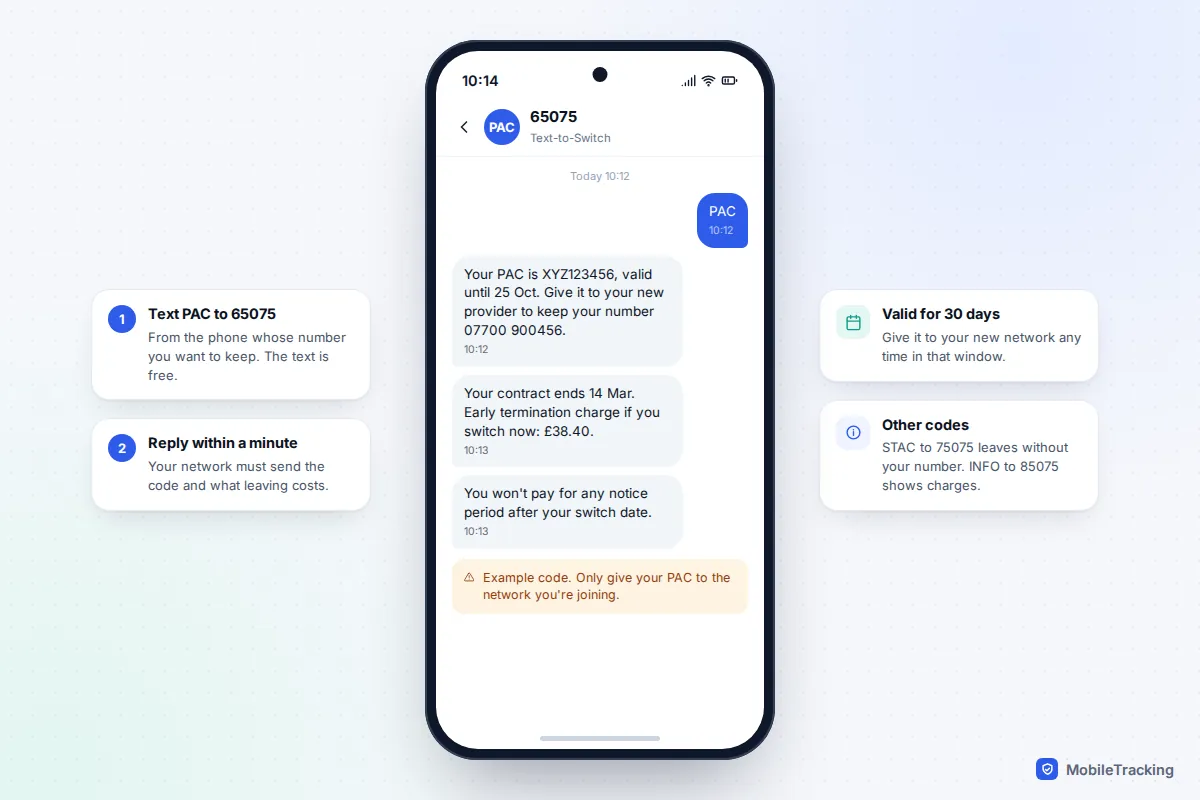
- From the phone whose number you want to keep, text PAC to 65075. Your network must reply within one minute with your Porting Authorisation Code, plus any early termination charges or, on pay-as-you-go, your remaining credit.
- Sign up with your new network and enter the PAC when it asks. The code is valid for 30 days.
- Put the new SIM in, or install the eSIM, when your new network tells you the switch has happened.
Two other short codes are useful. Text STAC to 75075 if you want to leave but don’t need your number, and INFO to 85075 to see what you would owe before you decide. You can also request a PAC by phone or on your network’s website if you prefer.
Notice periods and charges
This is where the rules changed most. Your old network must not charge you for any notice period after the switching date, so you no longer pay 30 days for a service you’ve left. You do still owe any early termination charge if you’re inside a minimum contract term, and any device you’re paying off on a separate agreement.
Ofcom says the new network must complete the switch within one working day, and providers may have to compensate you if it’s delayed or you’re left without service for longer than allowed. If you cancelled without asking for a PAC, you can still move the number within one month of cancelling. The details are on Ofcom’s guide to switching mobile provider.
US: account number, transfer PIN and the carrier locks
US carriers call the port-out PIN by different names: Number Transfer PIN, transfer PIN, or port-out PIN (NIP). It’s a one-off code for this move, and it’s not the same as the account PIN or passcode you use to talk to customer service. Mixing the two up is one of the commonest reasons a port is rejected.
- Find your account number in your carrier’s app or on a bill. Prepaid brands sometimes use a separate account number from your phone number, so check.
- Turn off any port-out lock on the account (see the table below).
- Request a Number Transfer PIN.
- Give the new carrier your number, account number, PIN, and the name and billing address exactly as they appear on the old account.
| Carrier | How to get the PIN | Lasts | Turn off first |
|---|---|---|---|
| AT&T | AT&T app: profile icon, Settings, Transfer phone number, Request new PIN. Or dial *PORT (*7678). | 4 days | Wireless Account Lock |
| Verizon | Dial #PORT for a link, or use the Number Transfer PIN page in My Verizon. | 7 days | Number Lock |
| T-Mobile | T-Life app on the T-Mobile network with Wi-Fi off: Account, gear icon, Permission & controls, Transfer PIN. | Check the app | Port Out Protection |
Menus move, so if a label differs, search the carrier’s app for “transfer”. Only the primary account holder can generate a PIN at T-Mobile, and at AT&T you need primary online access. Under FCC rules, your old carrier can’t refuse to release the number because you owe money, although you still owe it. The FCC’s porting guide says simple ports must be processed within one business day; T-Mobile quotes 10 minutes to 3 hours for mobile numbers.
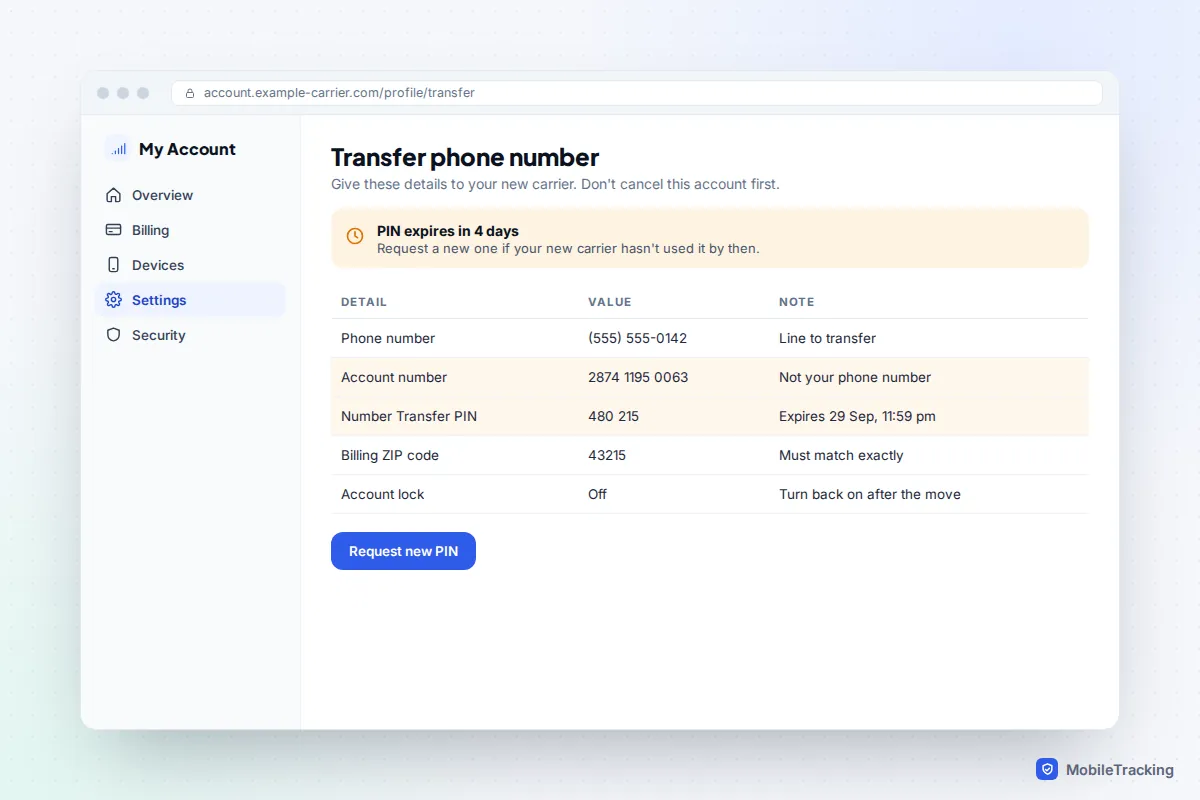
A real-world snag: Maria requested her AT&T PIN on a Friday, planned to visit the new carrier’s store “after the weekend”, then got delayed until Wednesday. The port failed because the PIN had expired after four days. Requesting a fresh PIN fixed it in minutes, but she’d have saved a trip by asking for the PIN in the store.
Porting to an eSIM
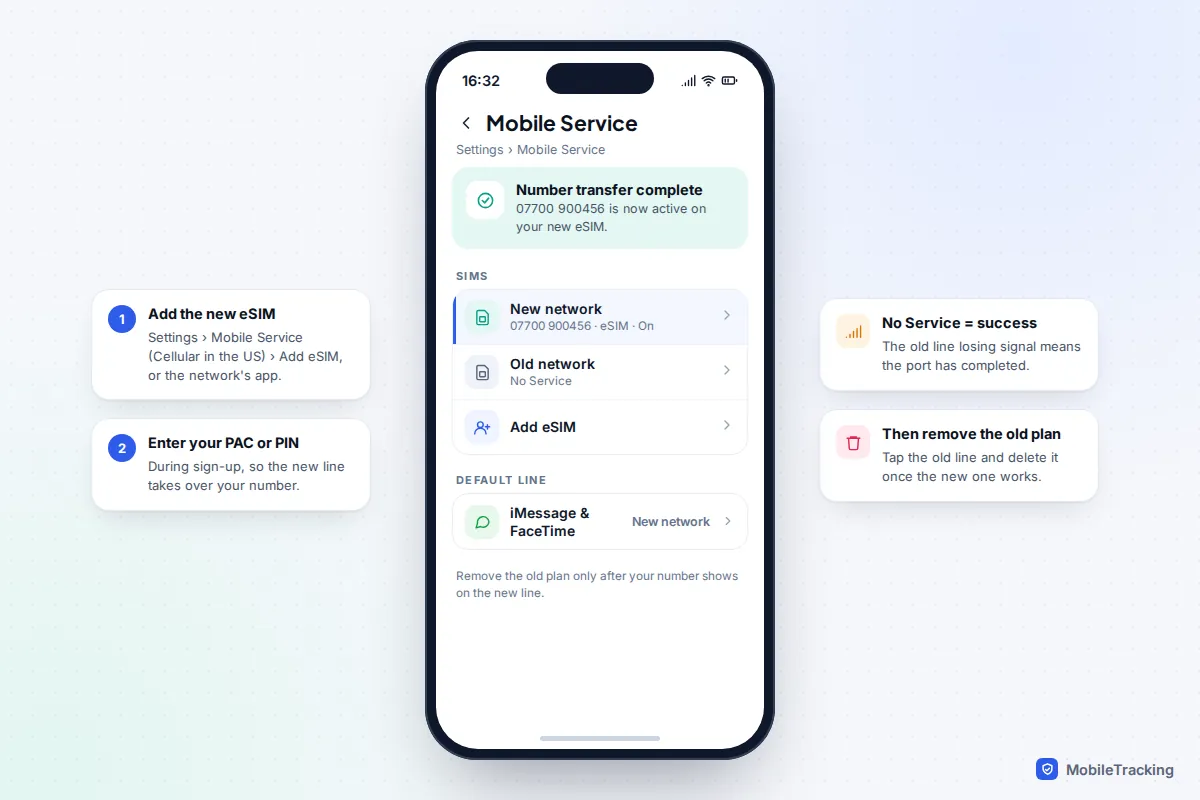
Most new networks now let you port straight onto an eSIM, and it’s often the fastest route because there’s nothing to post. You’ll usually install it by scanning a QR code or through the new network’s app, and enter your PAC or transfer details during sign-up. Our guide on how to use an eSIM covers installation on each phone.
- iPhone: Settings, Mobile Service (Cellular in the US), Add eSIM.
- Pixel: Settings, Network & internet, SIMs, then add a SIM and choose to download one.
- Samsung Galaxy: Settings, Connections, SIM manager, Add eSIM.
Don’t delete your old eSIM or throw away the old SIM until the port has finished. On a dual-SIM phone, the new line may show a temporary number while the port runs; when it completes, the old line shows “No service” and your real number appears on the new one. Only then remove the old plan.
What happens on switch day, and what to check after
You don’t have to do much, but knowing the sequence stops you panicking at the wrong moment. For a few minutes, sometimes an hour or two, calls and texts can land on either network, or neither.
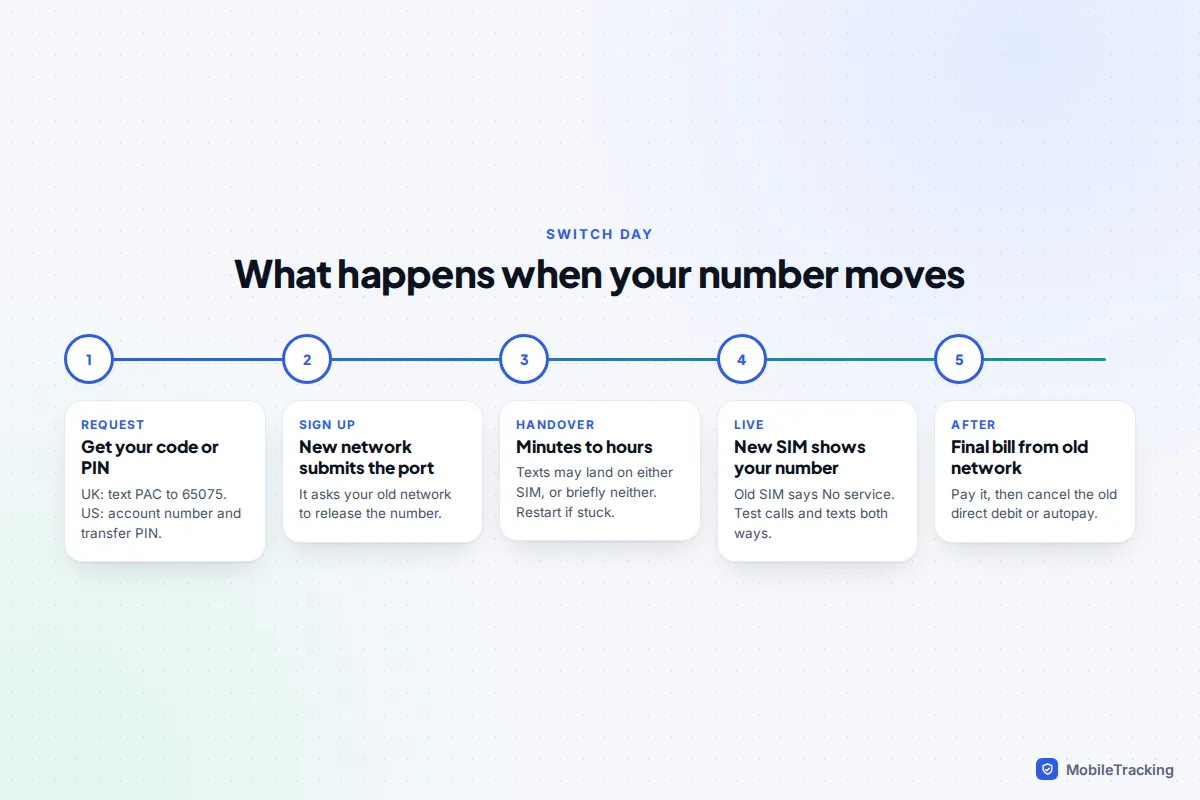
Once your new SIM shows your number, run through these:
- Call and text someone on a different network, both ways.
- Set up voicemail again on the new network.
- On iPhone, check Settings, Apps, Messages and FaceTime show your number; turn iMessage off and on if not.
- Trigger a text login code from your bank or email to confirm codes arrive. Some banks treat a recent number move as a fraud signal and may ask for extra checks for a day or two.
- Check the old network’s final bill, and cancel any direct debit once it’s paid.
Port-out scams: how to stop someone moving your number
The same process that lets you move your number can be abused. In port-out fraud, a criminal uses your stolen personal details to move your number to their own SIM. Their aim is your text codes: with your number, they can reset passwords for your email, bank and social accounts. Our guide to text-interception scams explains the wider picture.
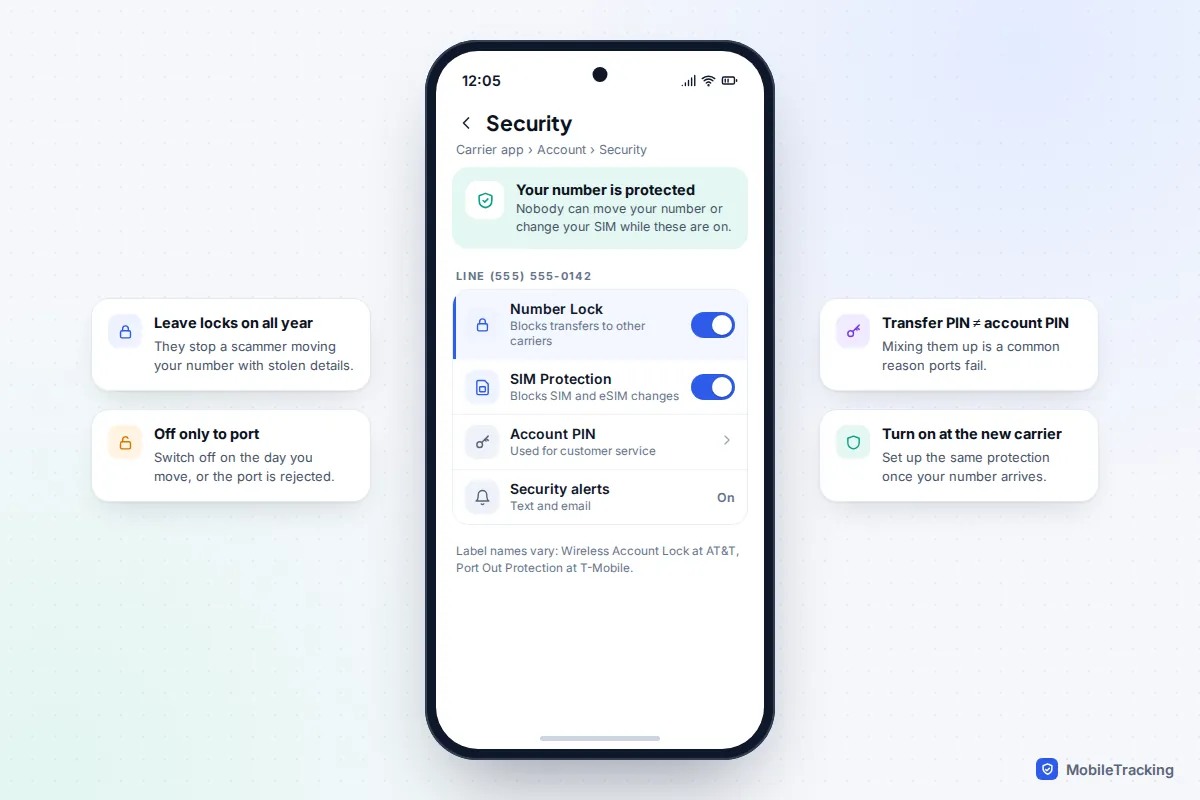
In November 2023 the FCC adopted rules requiring US carriers to authenticate customers securely before a port-out or SIM change, notify them of these requests, and offer free account locks. Their start date slipped from July 2024 while a federal paperwork review was completed, but the big three already offer the locks:
- AT&T: Wireless Account Lock blocks SIM and eSIM changes, number transfers and other account changes. Tap the person icon in the AT&T app and scroll to it.
- Verizon: Number Lock blocks ports and SIM Protection blocks SIM changes, both under Security in My Verizon.
- T-Mobile: Port Out Protection is free and added per line; SIM Protection sits under Security in T-Life.
In the UK, a PAC texted from your own phone is hard to abuse, so fraudsters more often try a SIM swap by impersonating you to the network. Set a strong account password or PIN with your provider and ask what extra protection it offers.
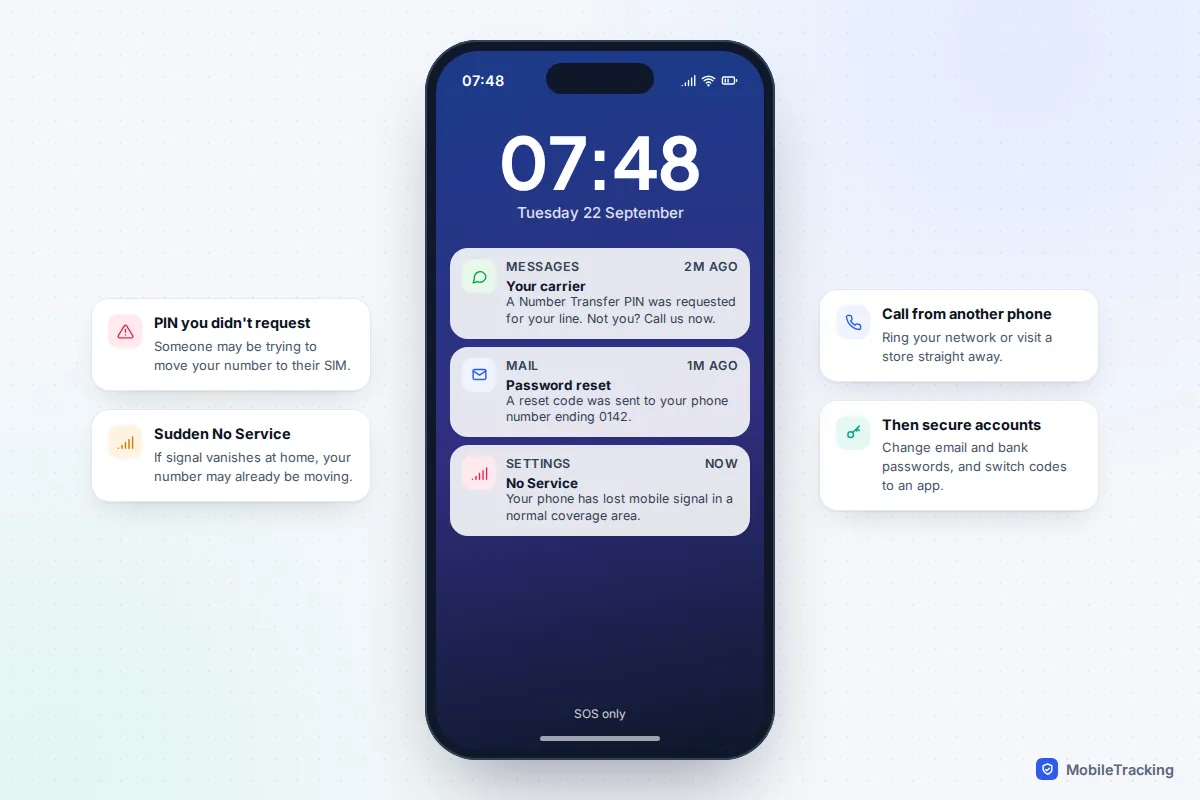
Watch for the warning signs. Your phone suddenly shows “No service” or “SOS only” where it normally has signal, or you get a text saying a transfer PIN was requested or your number is moving and you didn’t ask. Act immediately: call your network from another phone or visit a store, then change your email and bank passwords. Never give a transfer PIN or login code to anyone who calls you, even if they say they’re from your network.
Moving your most important accounts from text codes to an authenticator app or passkeys removes most of the reward for this crime. See how to turn on two-factor authentication everywhere.
Troubleshooting a delayed or failed port
| Symptom | Likely cause | What to do |
|---|---|---|
| US port rejected straight away | Wrong account number, PIN, name or ZIP code | Copy details from the old carrier’s app, including the billing address exactly. |
| Port rejected after a few days | Transfer PIN expired | Request a new PIN and give it to the new carrier the same day. |
| Port blocked with no reason given | Number Lock, Account Lock or Port Out Protection still on | Turn the lock off in the old carrier’s app, then ask the new carrier to resubmit. |
| UK PAC not accepted | Code expired after 30 days or mistyped | Text PAC to 65075 again for a fresh code. |
| No PAC reply by text | Business account, or short codes not supported on your plan | Ask for the PAC by phone or on the network’s website. |
| Texts still going to the old SIM | Port still completing | Restart the phone. If it lasts more than a working day, call the new network. |
If a UK switch goes wrong, complain to the network you’re joining first. If it isn’t resolved after eight weeks, or you get a deadlock letter, you can take it to the network’s alternative dispute resolution scheme for free. In the US, file a complaint with the FCC if a carrier won’t release your number.
Frequently asked questions
Does porting my number cost anything?
In the UK, the text codes are free and your old network can’t charge notice beyond the switch date, though early termination charges still apply. In the US, AT&T says it doesn’t charge to transfer a number and porting is normally free elsewhere too, but you still owe any remaining device payments and final bill.
Will I lose my texts, contacts or WhatsApp?
No. Your messages and contacts live on your phone or in your cloud account, not with the network. WhatsApp, Signal and iMessage keep working because your number hasn’t changed. Only voicemails stored on the old network are lost.
Can I port a number I’ve already cancelled?
In the UK, you can still move it within one month of cancelling. In the US, a disconnected number may be released and reassigned, so contact the old carrier at once and ask to reactivate it before porting.
Can I port my number to another country?
No. A number can only move between networks in the same country, so a UK number can’t move to a US carrier. Some internet calling services can keep a number for you, but that is a different arrangement.
How do I know the port has finished?
Your old SIM or eSIM shows “No service”, your new one shows your number and signal, and calls from another phone reach you on the new network. Many networks also send a confirmation text.
This guide is general information, not legal or financial advice. Read our editorial policy.