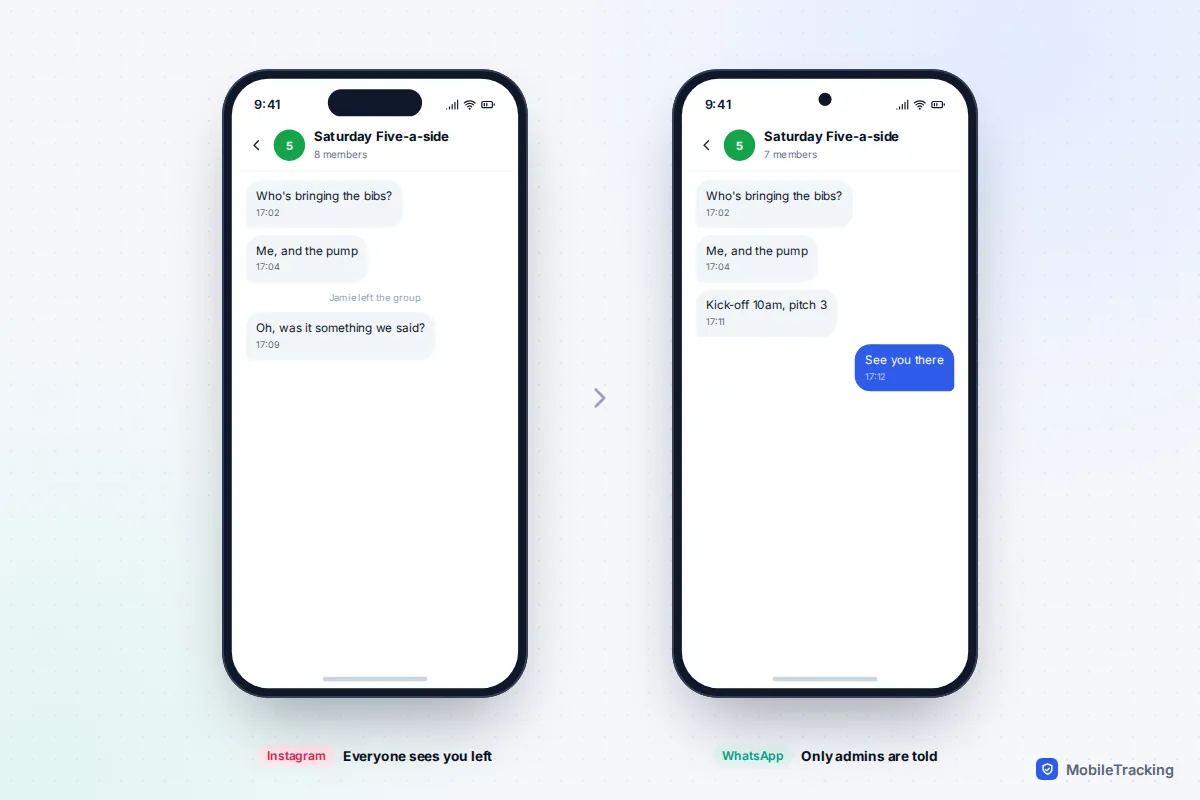
The only major app where you can leave a group without the whole group being told is WhatsApp: since 2022, only the group’s admins are notified, although you’ll appear in a “past participants” list for 60 days. iMessage, Google Messages, Messenger, Instagram and Snapchat all post a line in the chat saying you left, and Telegram does the same in smaller groups. If you want to disappear without anyone knowing, don’t leave at all: mute the group and archive it. Nobody is ever told about either.
This guide explains exactly what each app shows, the quiet mute-and-archive exit for each one, and how to step away from school and parent groups gracefully. It also covers the times when quiet doesn’t matter, such as bullying or scam groups, and what children should do if a group chat turns nasty.
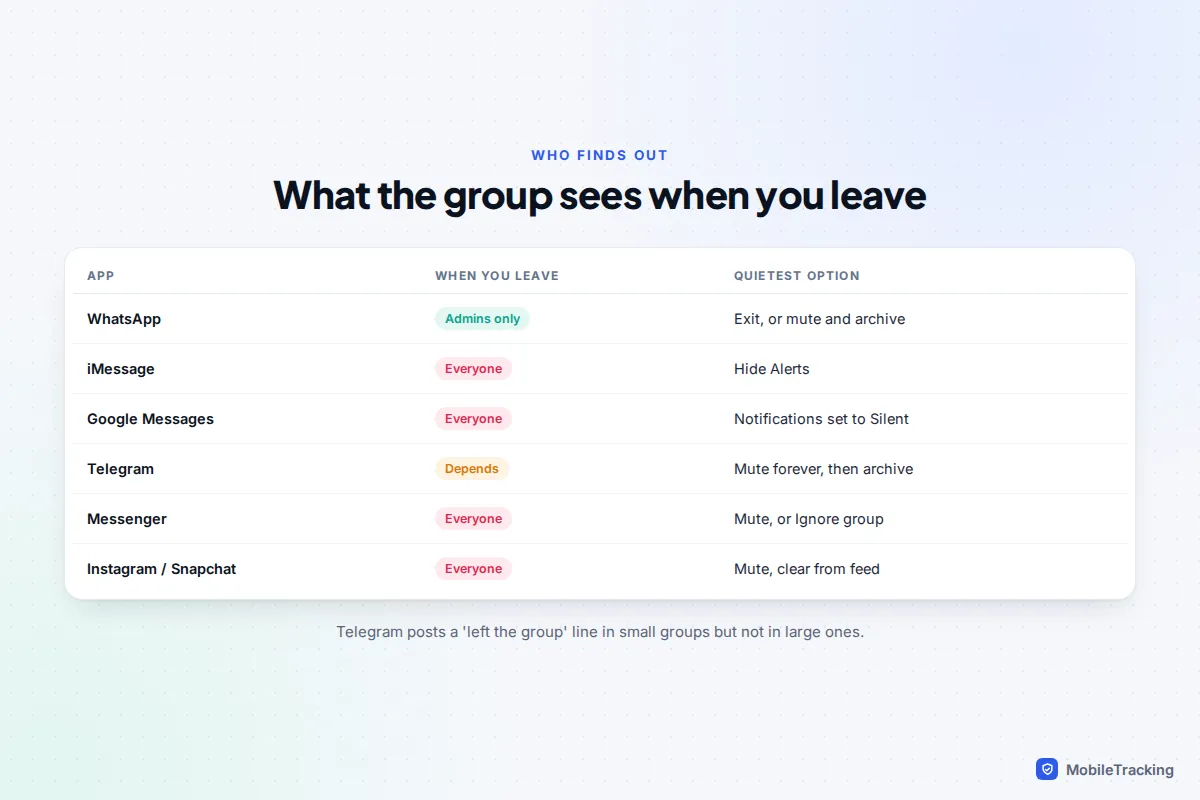
What each app shows when you leave
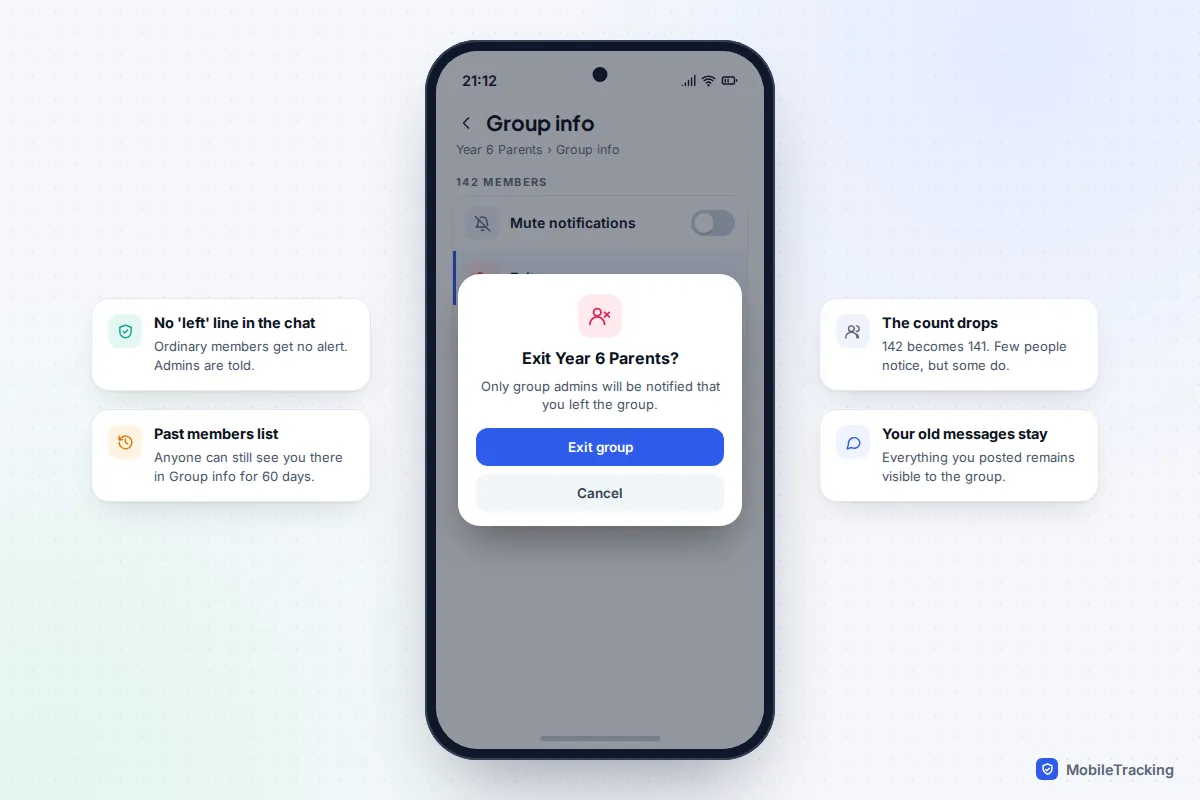
WhatsApp changed its rules in 2022 so that when you exit a group, only the admins are notified. Ordinary members get no alert and there’s no “left” line in the chat. Two things can still give you away. Group info has a list of past participants, which anyone in the group can open, and it shows people who left in the last 60 days. The member count also drops by one, and some people do notice.
- Open the group and tap its name at the top.
- Scroll to the bottom and tap Exit group. On Android you can also long-press the chat in your list, tap the three-dot menu and choose Exit group.
- Confirm. The dialog reminds you that only admins will be notified.
Your old messages stay in the group for everyone to read. Once you’ve exited, you can delete the chat from your own phone if you want it gone from your list.
iMessage (iPhone)
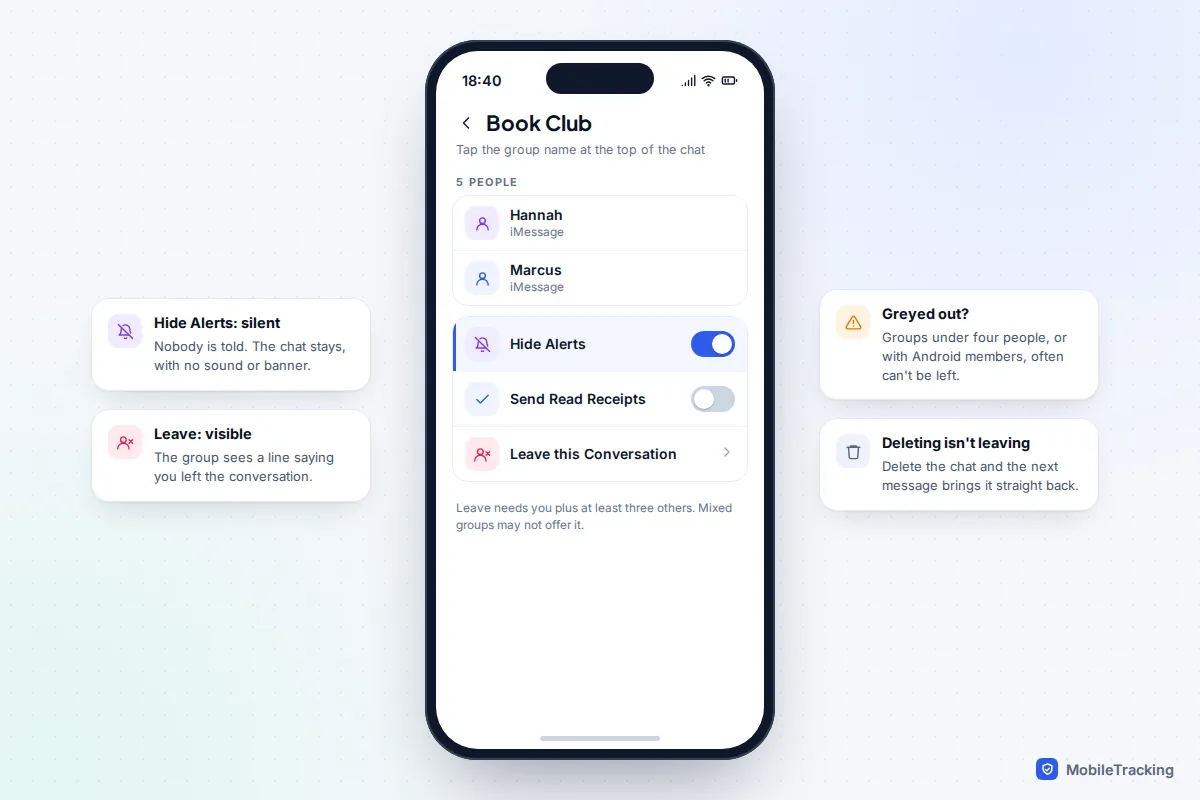
Leaving an iMessage group puts a line in the conversation saying you left, which everyone sees. It’s also only possible in some groups. Apple’s support page says you need at least three other people in the conversation, and the option is built for groups where everyone uses Apple’s Messages. Groups that include Android users over SMS or MMS can’t be left this way. In mixed groups using RCS, whether you see the option depends on the group and your iOS version.
- Open the group in Messages and tap the group icons or name at the top.
- Scroll down and tap Leave this Conversation, then confirm.
If the option is greyed out or missing, turn on Hide Alerts on the same screen instead. Deleting the conversation doesn’t remove you: the next message brings the whole thread back.
Google Messages (Android)
In an RCS group chat, open the conversation, tap the three-dot menu, then Group details and Leave group. The others see that you’ve left. Older SMS and MMS group texts, which you’ll get when someone in the group can’t use RCS, have no leave option at all, because there’s no central group to leave. For those, silence notifications instead.
Telegram
In a small Telegram group, leaving posts a “left the group” line that everyone sees. Telegram stopped posting that line in larger groups; a Telegram staff member on its bug tracker put the cut-off at more than 50 members. Admins can still see who left in the group’s Recent Actions log for 48 hours. Leaving a Telegram channel is silent: admins only see the subscriber count fall.
To leave, open the group, tap the three-dot menu (or the group name on iPhone) and choose Leave Group. On some versions it’s labelled Delete and Leave. This removes the chat from your list; it doesn’t delete anyone else’s messages.
Messenger, Instagram and Snapchat
All three tell the group. In Messenger, tap the group name, scroll down and tap Leave group; a line saying you left appears for everyone. In Instagram, open the group, tap its name and tap Leave chat; again, the group sees you left. On Snapchat, press and hold the group on the Chat screen and tap Leave Group.
Snapchat has an extra catch that makes leaving anything but quiet. Snapchat’s help page warns that when you leave a group, the Snaps and Chats you sent are cleared from it, even ones other people saved. Your messages vanishing from the thread is hard to miss.
The quiet alternative: mute and archive
If the aim is peace rather than making a point, muting and archiving get you nearly all the benefit of leaving with none of the social cost. No app tells anyone you’ve done either, and you can undo both in seconds when you need the group again.
- WhatsApp: tap the group name, then Mute notifications (Notifications on some versions) and choose Always. Then archive it: long-press the chat on Android, or swipe left on iPhone, and tap Archive. WhatsApp keeps archived chats archived when new messages arrive, as long as Keep chats archived is on in You (Settings on older versions) › Chats, which it is by default.
- iMessage: swipe left on the conversation and tap the bell, or turn on Hide Alerts in the group details. Messages has no archive, but you can leave the chat unpinned and let it sink down the list.
- Google Messages: in the conversation, tap the three-dot menu, then Details, then Notifications, and set it to Silent (labels vary slightly between versions). You can archive it too, with a long press and the archive icon.
- Telegram: tap the group name, tap Mute and choose to mute it forever (or Disable notifications, depending on version), then archive it. Muted chats stay in the archive when new messages arrive; unmuted ones pop back into your main list.
- Messenger: tap the group name and mute it. Messenger also has an Ignore group option, which stops notifications and moves the chat out of your chat list without telling anyone.
- Snapchat: press and hold the group, tap Chat Settings, then Message Notifications and choose Silent. Clear from Chat Feed in the same menu hides the group without leaving it.
- Instagram: open the group, tap its name and switch on Mute messages.
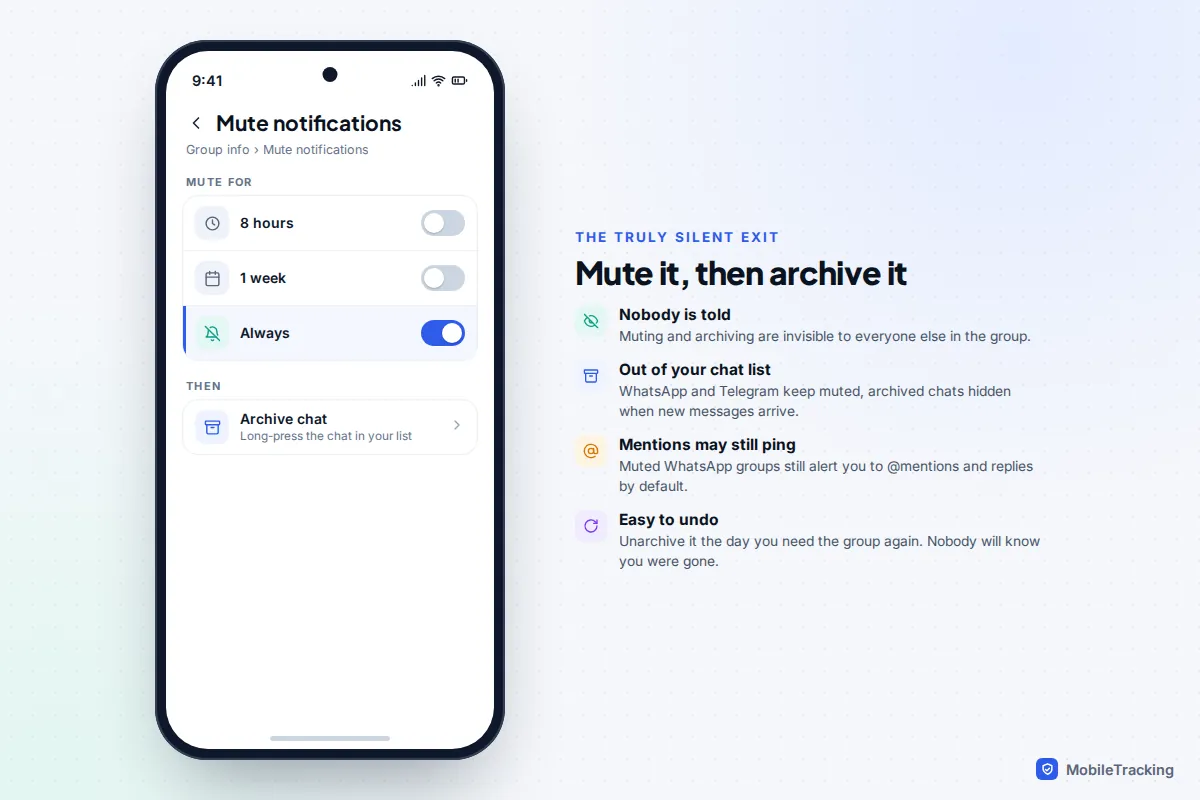
One caveat on WhatsApp: a muted group still notifies you when someone @mentions you or replies to one of your messages. For most people that’s a feature, since those are the messages you’d want to see. Our guide on muting a group chat without leaving goes into each app’s notification options in more depth.
Which option should you use?
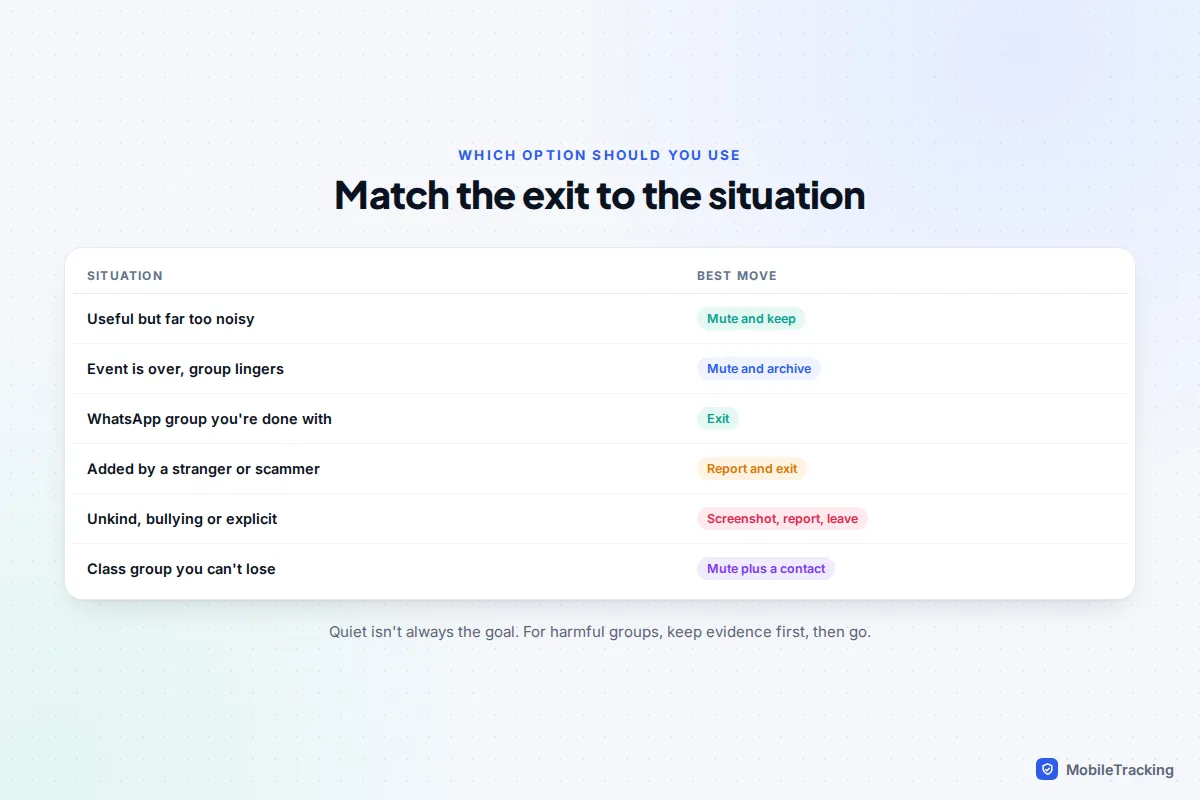
Start with what you actually want. If the group is useful but relentless, you want less noise, not an exit. If it’s finished, or it was never for you, leaving makes sense. If it’s harmful, being quiet stops mattering at all.
| Situation | Best move | Why |
|---|---|---|
| Useful but far too noisy (class, club, family) | Mute and keep | You can check it on your terms and still see mentions. |
| The event is over but the group lingers | Mute and archive, or leave on WhatsApp | Nobody is told, and you can come back if it revives. |
| You never wanted to be in it | Leave, then limit who can add you | Stops the same people adding you again. |
| Added by a stranger, crypto or job “opportunity” | Report and leave, don’t reply | These groups exist to draw you into a scam. |
| Unkind, bullying or explicit content | Screenshot, report, leave, tell someone | Evidence first; leaving can cut off your access. |
| A group you can’t leave (MMS, small iMessage group) | Hide Alerts or Silent | There is no leave button, so notifications are the only lever. |
If being added to groups is the real problem, change who can add you. In WhatsApp go to You (Settings on older versions) › Privacy › Groups and pick My contacts. In Telegram, it’s Settings › Privacy and Security › Invites (Groups & Channels on some versions). Our guide to stopping random group invites covers the other apps.
Leaving school and parent groups without the awkwardness
Class and year-group chats cause more quiet-exit questions than anything else. They can run to hundreds of messages a week, mostly about lost jumpers, yet the one message about a changed pick-up time is the one you can’t afford to miss.
A realistic example: Sarah’s daughter moves from Class 4B to a new school in January, but Sarah is still in the class WhatsApp group of 31 parents. Leaving on WhatsApp only notifies the admin, who is a friend, so she posts a short thank-you first and then exits. It reads as courtesy rather than a snub.
If your child is still in the class, a gentler approach works better:
- Ask one parent you trust to message you directly if anything urgent comes up.
- Check how the school sends official news. Most use their own app, email or text service for trips, closures and payments, so the parent chat is rarely the only source.
- Mute the group and archive it, then open it once a week, or leave with a short, neutral message.
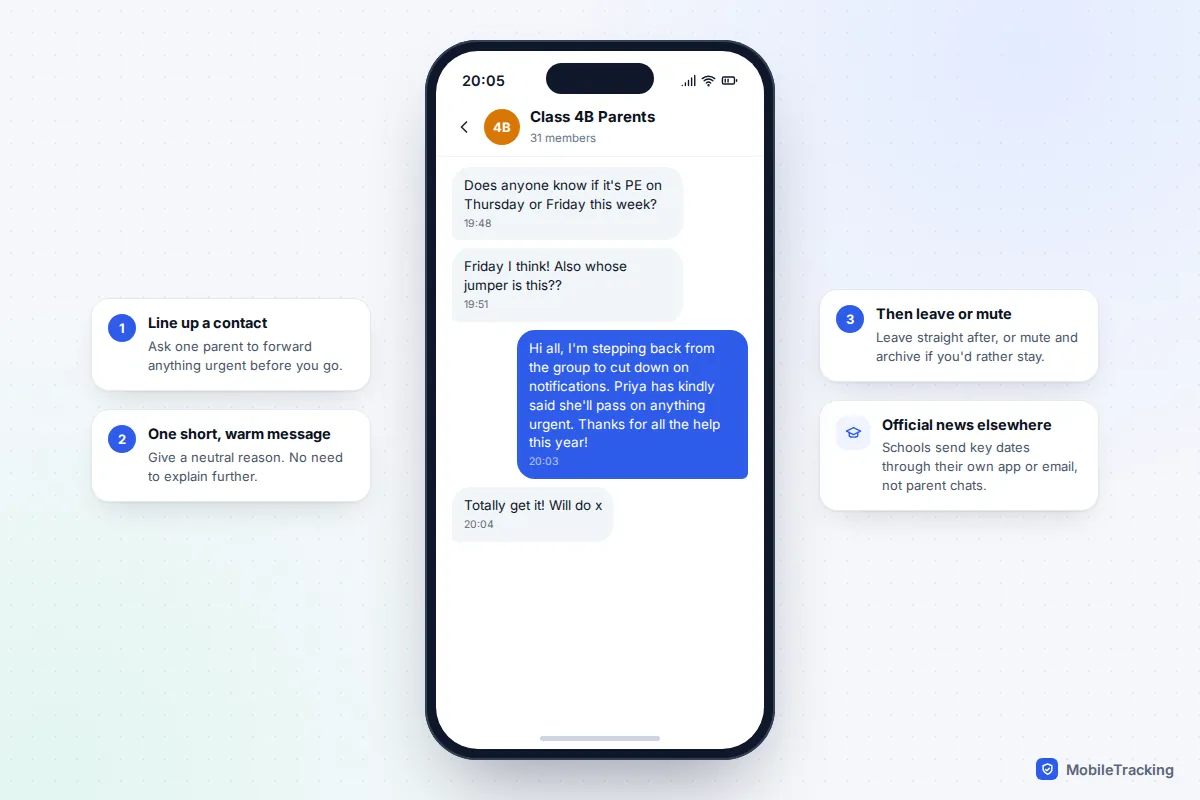
Keep the message short and don’t list grievances. “I’m stepping back to cut down on notifications” is enough. If you’re an admin, hand the role to someone else first, so the group isn’t left without anyone who can add new families or remove spam.
When leaving loudly is the right call
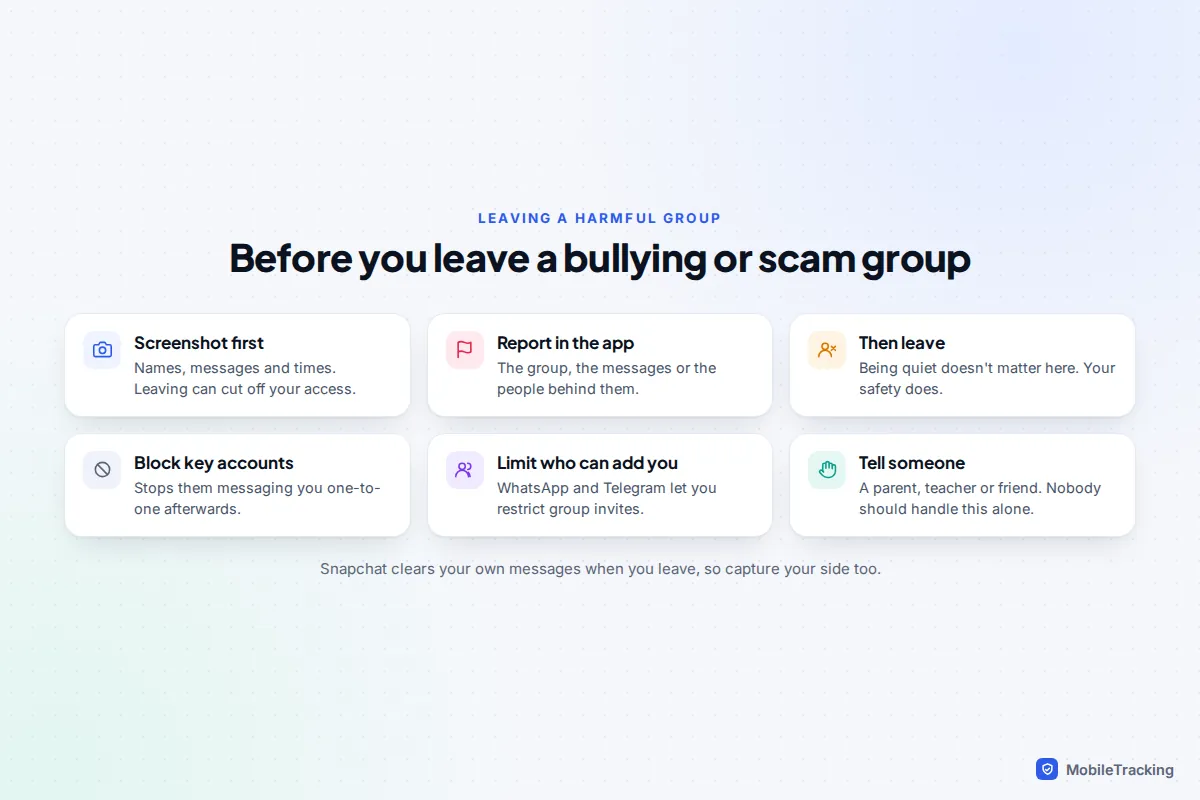
For bullying, pile-ons, explicit images or scam groups, nobody’s feelings about your exit matter. What matters is keeping a record and getting out. Scam groups often add people in bulk with promises of investment tips or easy remote jobs, then move them to private chats; these deserve a report as well as an exit.
- Screenshot first. Capture the messages, the names or numbers of the people involved, the group name and the times. Once you leave, some apps remove the chat from your list, and Snapchat clears your own messages from the group.
- Report. WhatsApp, Telegram, Instagram, Messenger and Snapchat all let you report a group or the people in it from the group’s info screen or by pressing and holding a message.
- Leave, then block the accounts responsible so they can’t follow you into one-to-one messages.
- Restrict who can add you, as described above, so you aren’t pulled straight back in.
If the messages include threats, or sexual images of anyone under 18, don’t forward them to anyone, including to show a friend. Screenshot what you need without the images where you can, and contact the police. Our guide to cyberbullying covers how to involve the school and when to escalate.
For children and teens: leaving a group that feels bad
Children often stay in group chats that upset them because leaving feels louder than the bullying itself. On most apps their exit will be seen, and that can feel like it will make things worse. It helps if they know, before anything happens, that leaving is allowed and that they won’t be in trouble for telling you.
The steps are the same as for adults, in words that work for a child: save the worst messages as screenshots, leave, block anyone who was cruel or who they don’t know, and tell a trusted adult. If they’re worried about the “left the group” message, muting and archiving first can buy time to talk before they go.
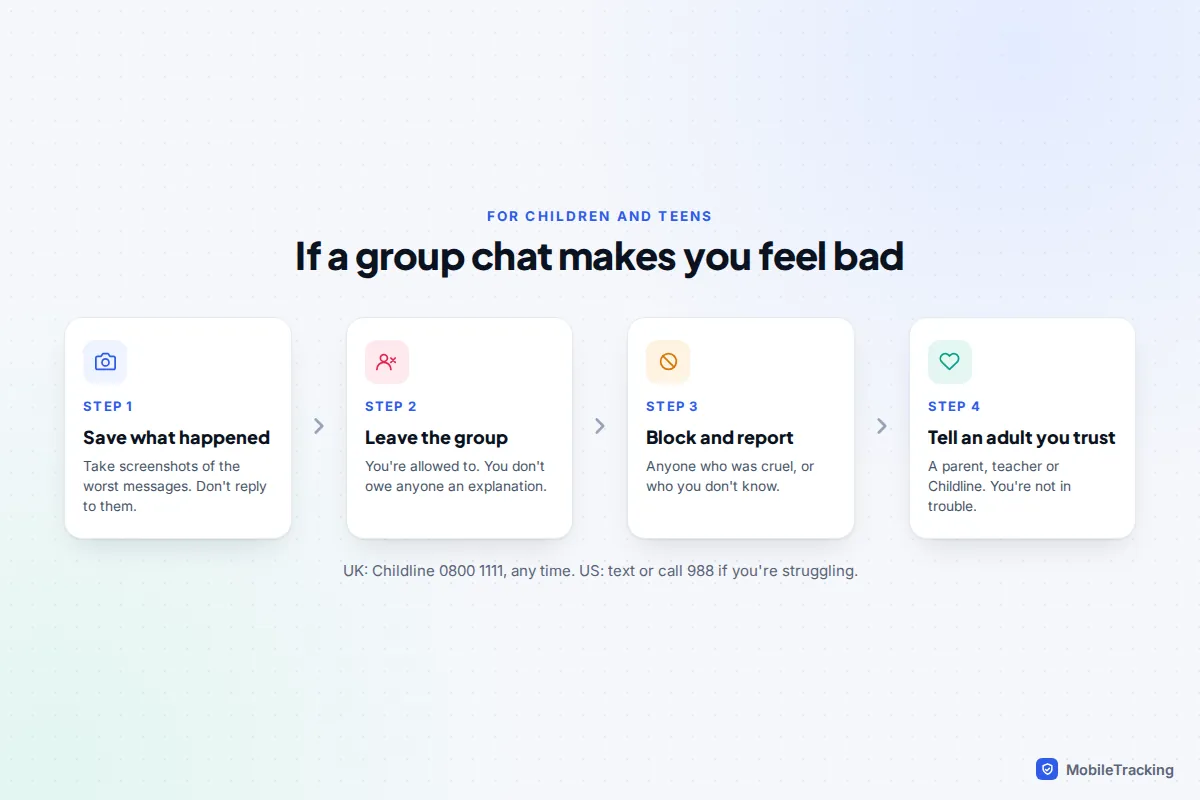
For parents, the reaction matters as much as the advice. Thank them for telling you, look at the screenshots together, and avoid taking the phone away as a response; many children stay silent precisely because they fear losing it. In the UK, Childline (0800 1111) is free and open around the clock for children who’d rather talk to someone else.
Frequently asked questions
Can I leave a WhatsApp group without anyone knowing?
Almost. Only the group admins are notified, and there’s no message in the chat. But any member who opens Group info can see you in the past participants list for 60 days, and the member count drops by one.
Why can’t I leave a group text on my iPhone?
You can only leave a group with at least three other people, and SMS or MMS group texts that include Android users can’t be left at all. Use Hide Alerts in the conversation’s details instead.
If I leave, do my old messages disappear?
On most apps, no: WhatsApp, iMessage, Telegram, Messenger and Instagram keep your past messages visible to the rest of the group. Snapchat is the exception, clearing the Snaps and Chats you sent when you leave.
Does muting a group notify anyone?
No. Muting, hiding alerts and archiving are private to your phone in every app covered here. The group can’t see that you’ve done it.
Can someone add me back after I leave?
Usually, yes, if they have your number or username and your privacy settings allow it. Limit who can add you to groups in WhatsApp and Telegram, and block anyone who keeps adding you.
This guide is general information, not legal or financial advice. Read our editorial policy.